
aravis
 aravis copied to clipboard
 AravisProject
Fake camera not working when visualised from another computer on same LAN
Describe the bug In Aravis Viewer, trying to visualize a fake camera that was launch on another computer on the same LAN results in a black frame with 0.0 fps and increasing error count.
To Reproduce I have two computers hooked on the same network, let’s call them “Camera computer” and “Viewer computer”.
On the “Camera computer” side, I launch the Aravis Fake Camera with:
arv-fake-gv-camera-0.8 -i wlp111s0 -s fake_cam1
On the “Viewer computer” side, I launch the Aravis Viewer with:
arv-viewer-0.8
At this point, I can see in Aravis Viewer the "fake_cam1" that I created on the “Camera computer” side but when I press the “Play” button, I only see a black frame. The status indicates 0.0 fps with 0 image and increasing number of errors. However, the built-in fake camera displays correctly in Aravis Viewer.
Going back to the “Camera computer” side. I launch Aravis Viewer and the same "fake_cam1" is displaying correclty.
Expected behavior The expected behavior is that the "fake_cam1" stream should be visible in Aravis Viewer on the “Viewer computer” side the same way as the built-in fake camera.
Camera description:
- Manufacturer: Aravis
- Model: Fake
- Interface: GigE Vision
Platform description:
- Aravis version 0.8.7 on both computer
- OS and hardware: “Camera computer”: Ubuntu 20.04.2 LTS on Dell Precision 7540 (x64) “Viewer computer”: Ubuntu 18.04.5 LTS on Nvidia Jetson AGX Xavier (arm64)

Running the fake camera with debug message enabled:
arv-fake-gv-camera-0.8 -d all -i wlp111s0 -s fake_cam1
results in the following output (log.txt)
Thanks for the report Samuel.
The problem is shown here:
[GvFakeCamera::thread] Send frame 65401
[GvFakeCamera::thread] Failed to send frame block 94 for frame 65401: Resource temporarily unavailable
[GvFakeCamera::thread] Failed to send frame block 95 for frame 65401: Resource temporarily unavailable
...
At some point, send seems to return EAGAIN, which is probably not handled correctly in Aravis. I'm only using the fake camera on the same host as the client, that should explain why I did not see this issue sooner.

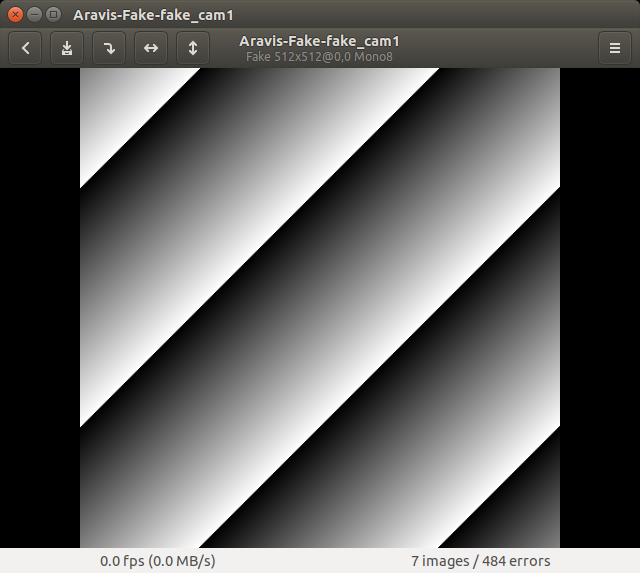
I tried #501 and now I can see the fake camera stream on the “Viewer computer”, but only for the first few frames. I received 7 consecutive frames. The rendering freezes on the last received frame and then the error counter starts to increase forever.
Here is the log: log.txt
I have pushed the fix to master, at least if fixes the emission of arv-fake-camera stream packets.
Could you attach the output of arv-camera-test-0.8 -d all please ?
Here is the logs from running arv-camera-test-0.8 -d all on the "Viewer computer" side. (log_arv_camera_test.txt)
I also join the log from arv-fake-gv-camera-0.8 -d all -i wlp111s0 -s fake_cam1 that was running at the same time on the "Camera computer" side. (log_arv_fake_gv_camera.txt)