

 AnySoftKeyboard
[Feature Request] New UI/UX
Hi, I want to suggest some UI/UX improvements
Welcome screen
Remove color from app bar
- "Welcome to AnySoftKeyboard" is too big, so I shortened it
- Replaced all links to the buttons
- Removed the keyboard as it is already on the UI page
- I deleted the shadows, they are useless and don't give the user any information.
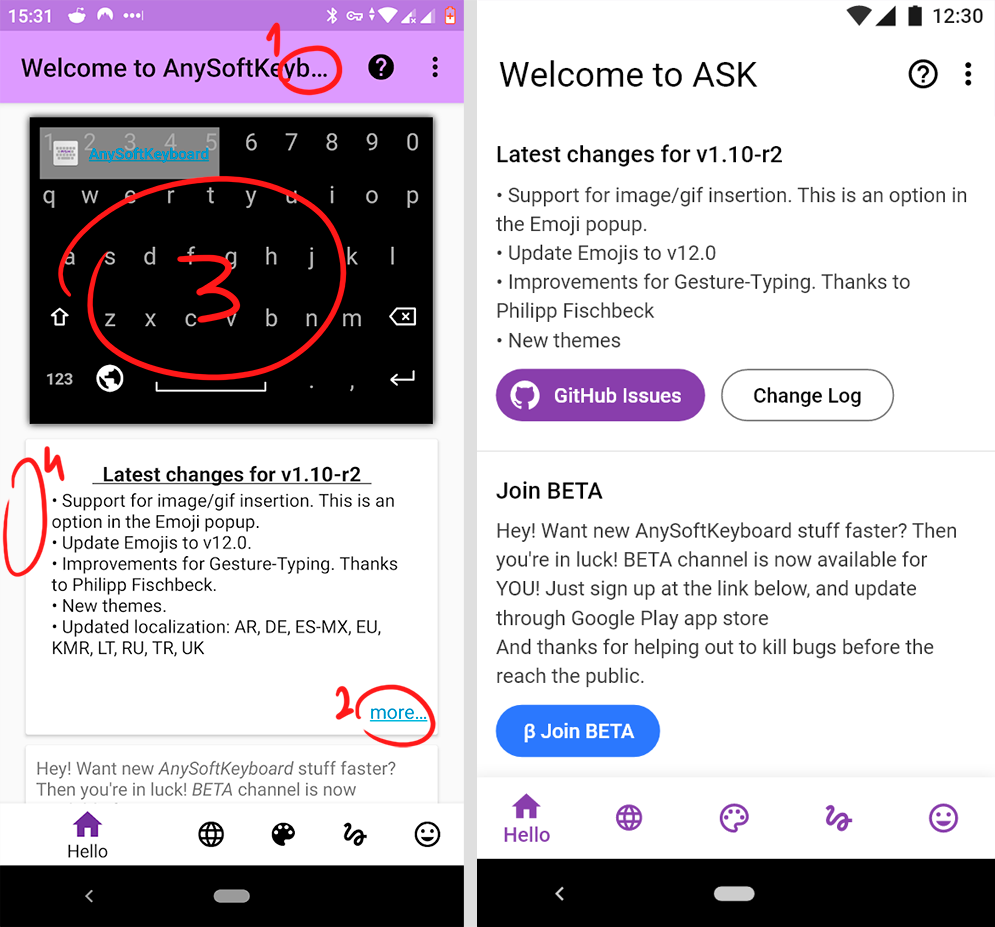
New alert message

Language screen
The only problem with this screen was the icons, I made them the same size and aligned them to the grid, and added color for the user's convenience Remove all dots, they're not needed here

User Interface
- Too much empty space. So I changed the "UI" to "User Interface"
- Made the shadow much more transparent, as I have already written above the shadow only prevent perception
- There are too many tabs with the same name "tweaks". I changed the name and icon a little bit so that users don't get confused

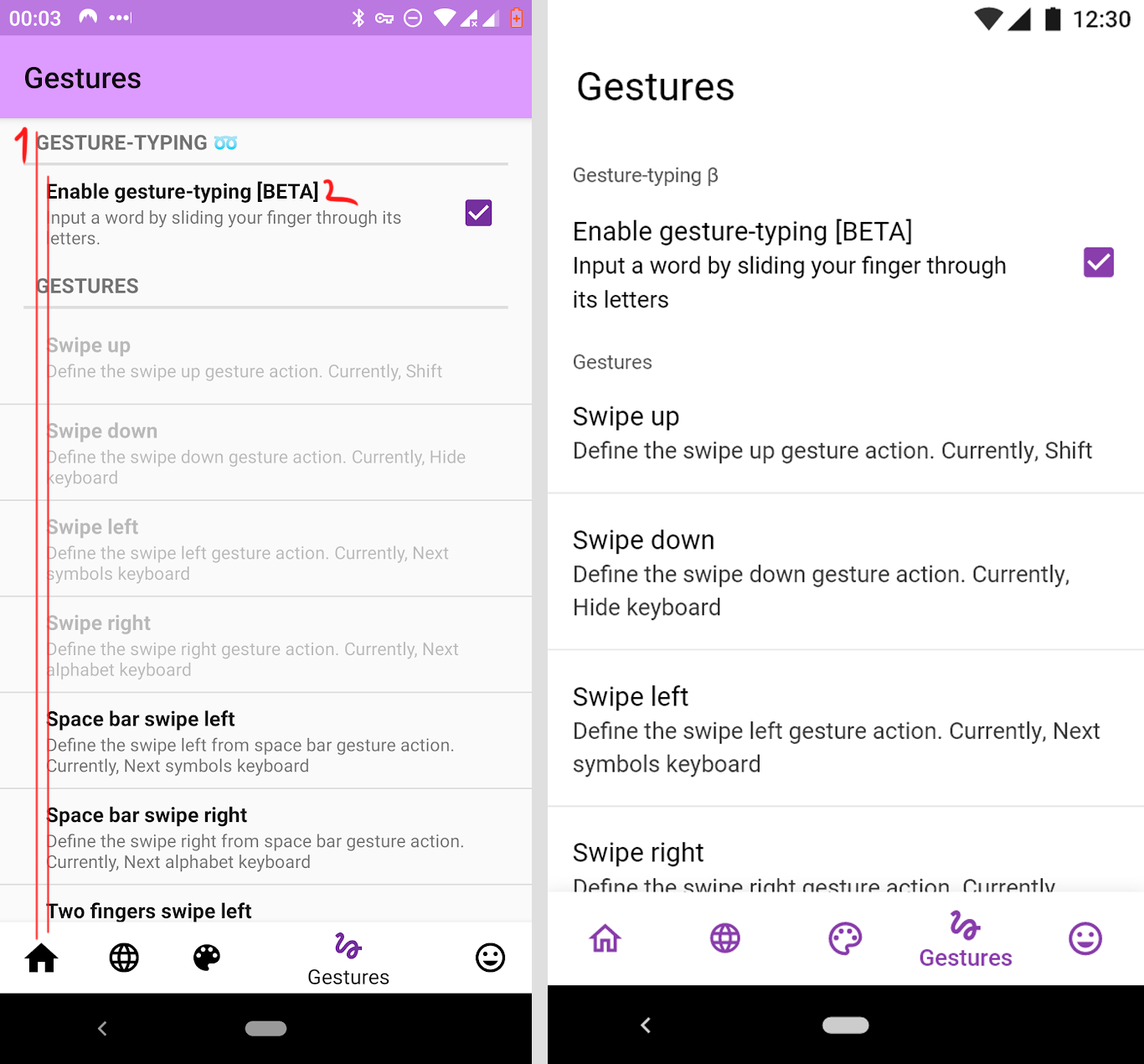
Gestures
- Aligned everything on the left side, it looks better and fits the material design guidelines
- Removed bold font
- Increased the size of the font on the guidelines, but it's purely optional
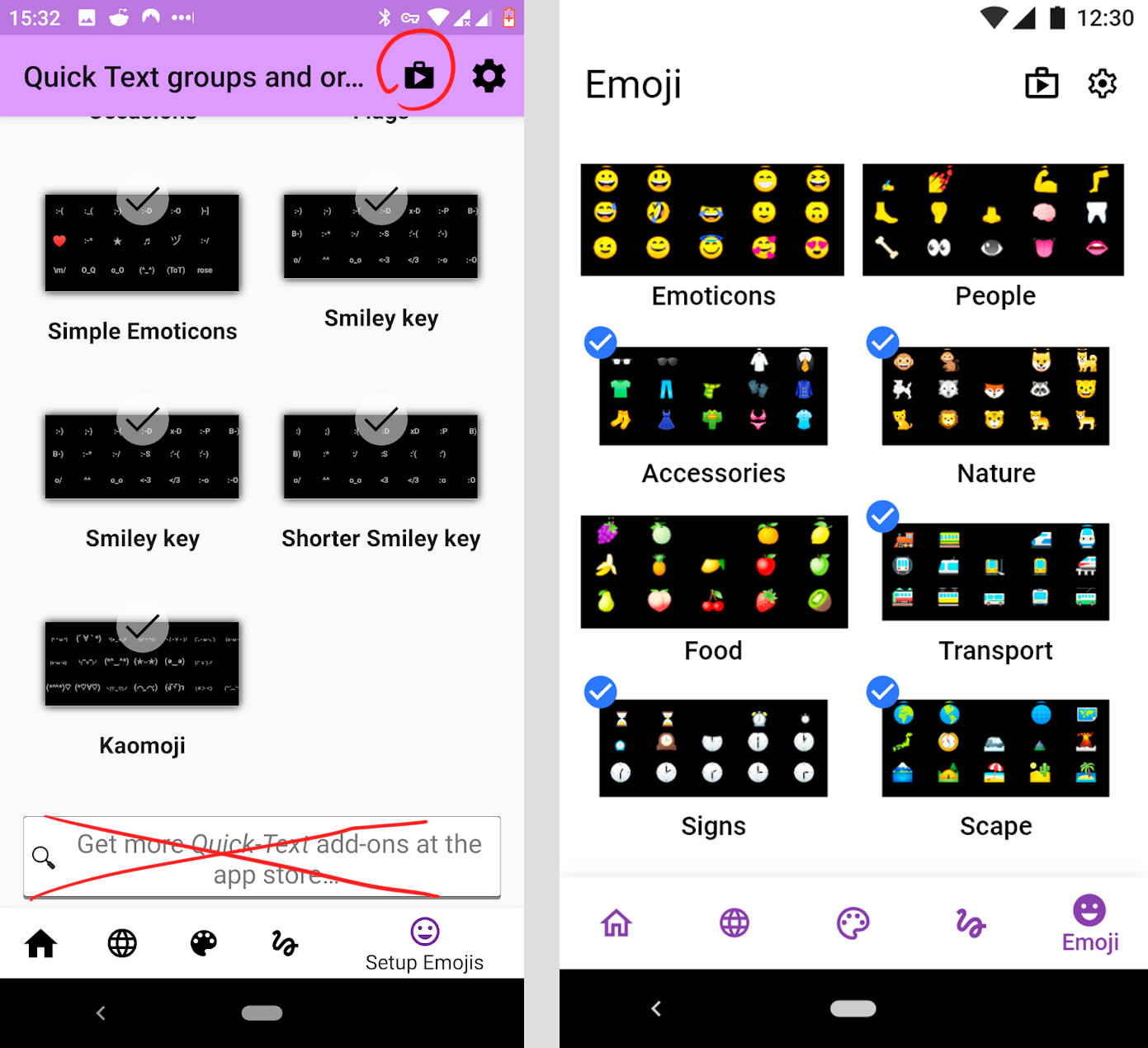
Emoji
- As well as on the welcome screen, the title does not fit so I shortened it
- Delete search box because it's duplicated with the Play Market button
- Changed the distance between the objects, it was too big
- Optional: I've changed "check" icon, I think it's better. Also, the selected objects become a bit smaller.
Icons and bottom bar
- In app, the filled and outline icons are used together - this is an mistake. I have replaced all the normal (inactive) icon buttons to Outline icons, and the active buttons to Filled icons
- Changed the distance between the buttons in the bottom bar
- Made them the same color
- Made bottom bar a bit wider

New dark theme

New app icon
Spacing
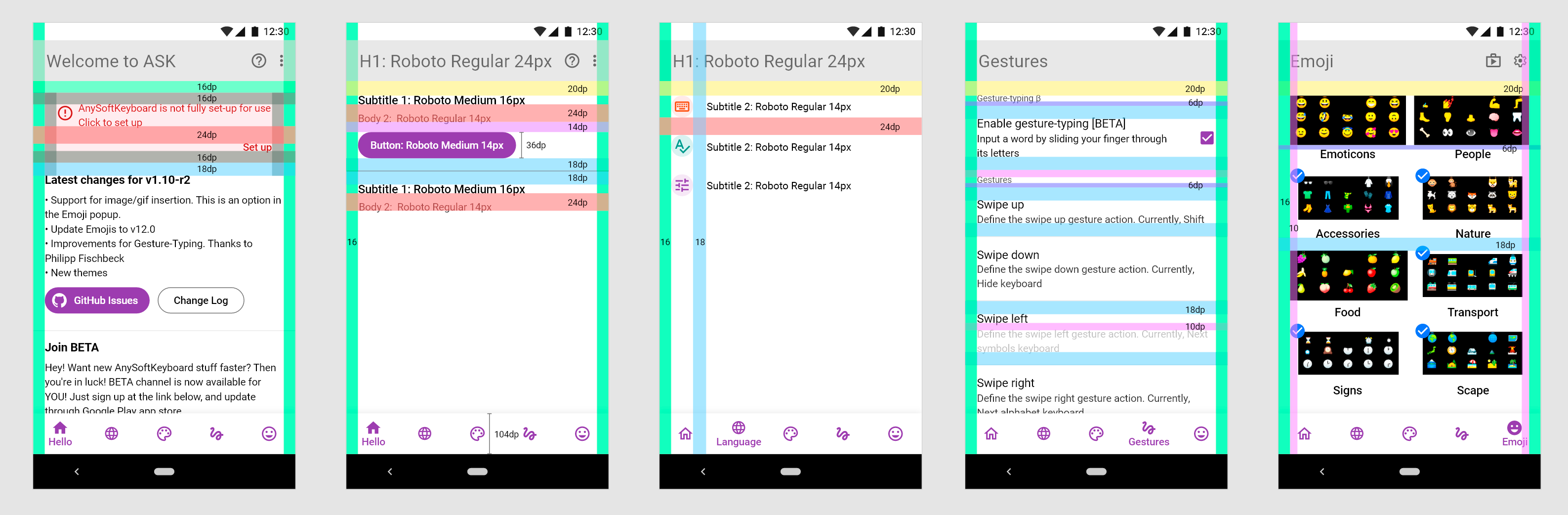
Type Scale
H1: Roboto Regular 24px Subtitle 1: Roboto Medium 16px Subtitle 2: Roboto Regular 14px Button: Roboto Medium 14px Body 1: Roboto Regular 16px Body 2: Roboto Regular 14px Caption: Roboto Regular 12px Bottom Navigation: Roboto Medium 14px
Colors:
Light theme: Magenta: #893EAC Blue: #2B78FE Caption font color: #525252 Alert message background: #FFEBEE Alert message font color: #B71C1C Body 2 font color: #323232
Dark theme: Caption font color: #BF7FFF Alert message background: #5B2B2A Alert message font color: #FFFFFF Body 2 font color: #A1A1A1
.png and .svg icons

Wow, these are very good suggestions @burlymynah. I will have a look at these and maybe iterate on them. I've left the project kinda behind and want to go back in.


This looks great. One improvement that I think would improve user experience would be to separate out the keyboards for languages into categories per-language; e.g., Language > Enable keyboards and languages. > $LANGUAGE (would be a good place to use the flag svgs) > [All the keyboards for that language]. Of course, you would still be able to select as many keyboards from as many languages as you wanted.

Is there any hope for this? It's been over a year since this issue and no changes to the UI so far.

