

 Amonith
PROPOSAL - Ability to preview files.
In the plugin, we can list the files for any channel. It would be great if we could preview the files from the file list modal itself.
For each file, it would open the mattermost file preview/info modal depending on the file type.
This could be implemented by using the ability to fire Redux actions from the webapp part of the plugin. You could open the modal passing the required values to the action.

Hi, Yeah, I can create a modal preview, neat idea. Thank you. I will implement it soon.

Ideally there would be a thumbnail preview column also in the list box. With a lot of files named "Screenshot ...", impossible to tell what's what.

@chetanyakan @lkraav check out the latest release: https://github.com/Amonith/mattermost-file-list/releases/tag/v0.8.0
Implemented both thumbnails and previews for image uploads. Unfortunately other previews (text files, pdfs etc) are not easily accessible by plugins. I will need to talk to MM team about it.
Nice :tada:
Feel like maybe breaking the File column out into a separate row?
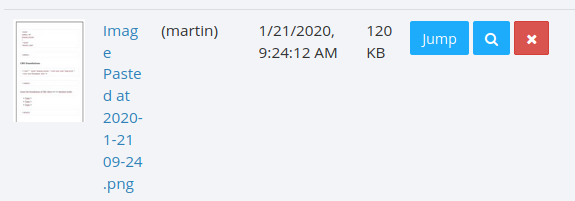
Something like
x | x | x | x | x | x | x
...
File: Image Pasted at 2020-1-21 11-09.png
Would also give more room for the thumbnail? :pray:
There is a UI problem with moving the file name like that. Currently the "File" column label is clickable as it toggles sorting on the column. If I move the file name I'd have to remove the column and probably rework the sorting for it to be available as a dropdown or something.
In the meantime checkout: https://github.com/Amonith/mattermost-file-list/releases/tag/v0.8.1
I've expanded the modal a bit (but you might be using resolution so small that you won't see a change) and gave the thumbnail column slightly more space (it uses 25% of the table width, while there are 6 columns).
There is a UI problem with moving the file name like that. Currently the "File" column label is clickable as it toggles sorting on the column. If I move the file name I'd have to remove the column and probably rework the sorting for it to be available as a dropdown or something.
Yep, <table>-s are fun like that. I haven't really researched lately whether there are some table-enhancement scripts available for this, other than DataTables.js, which I also haven't used too much to know exactly what to do.
0.8.1 is def. better :pray:
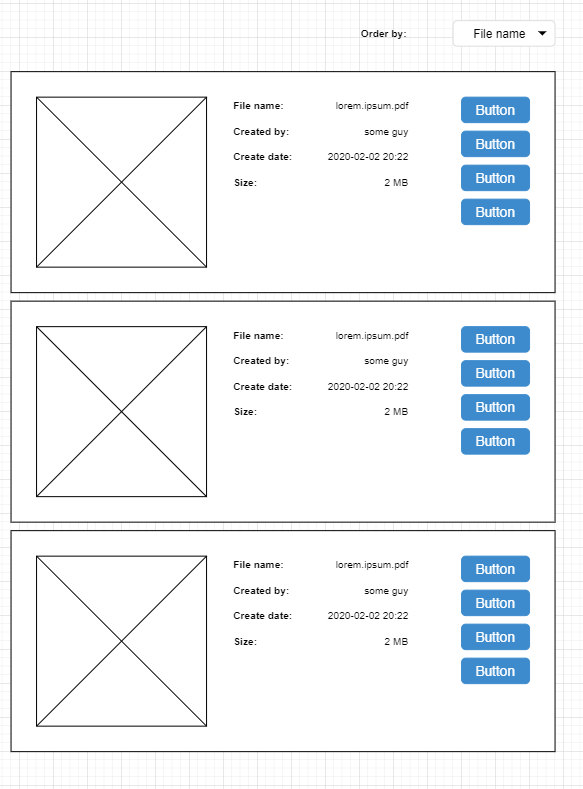
I was making a new issue for the long file names. Would you still like it? It is harder to find for new people using this plugin. Thanks for this awesome plugin by the way.
