

 AmProsius
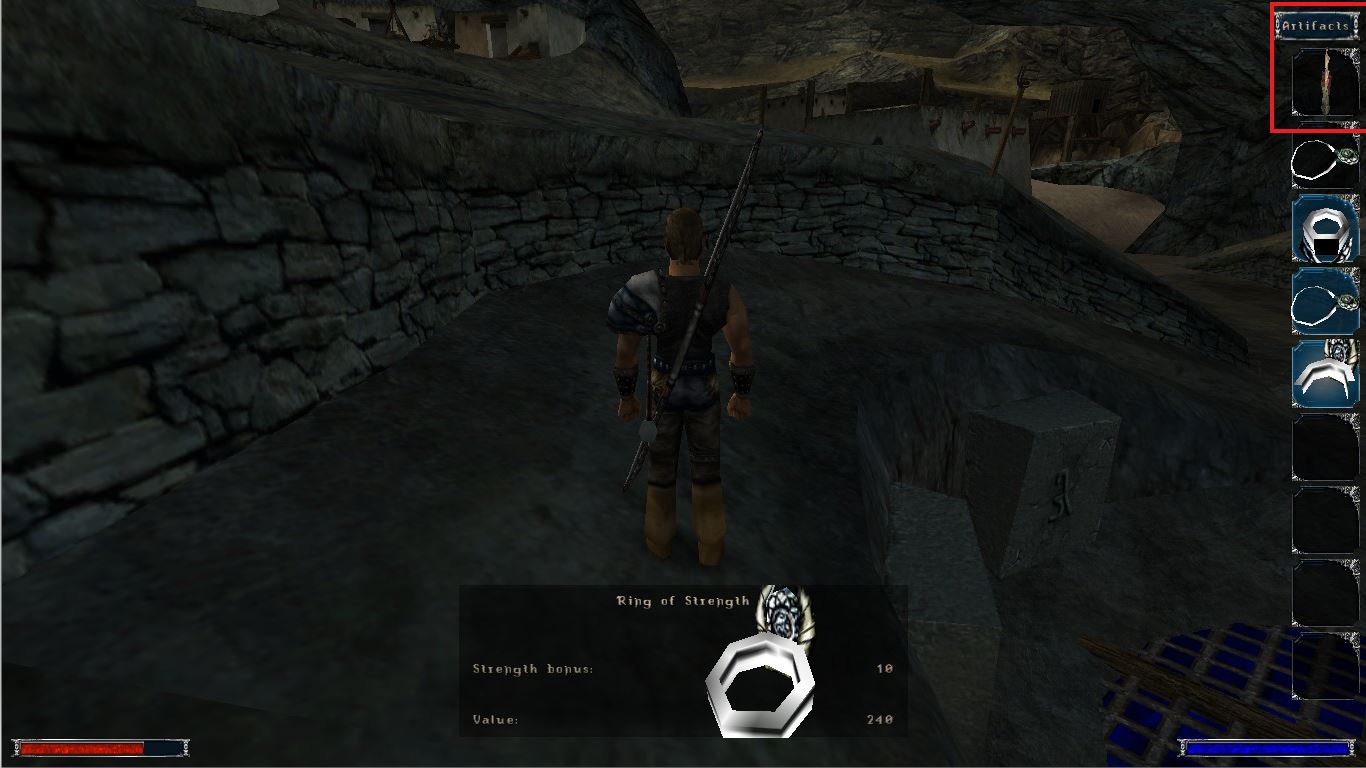
The "Orc Talisman" icon is displayed in "side view".
Hello, everyone!
I would like to report the following bug:
Describe the bug: This issue can be encountered if the user acquires the "Orc Talisman" item. The item's icon is set by default as a "side view", instead of having a "front view".
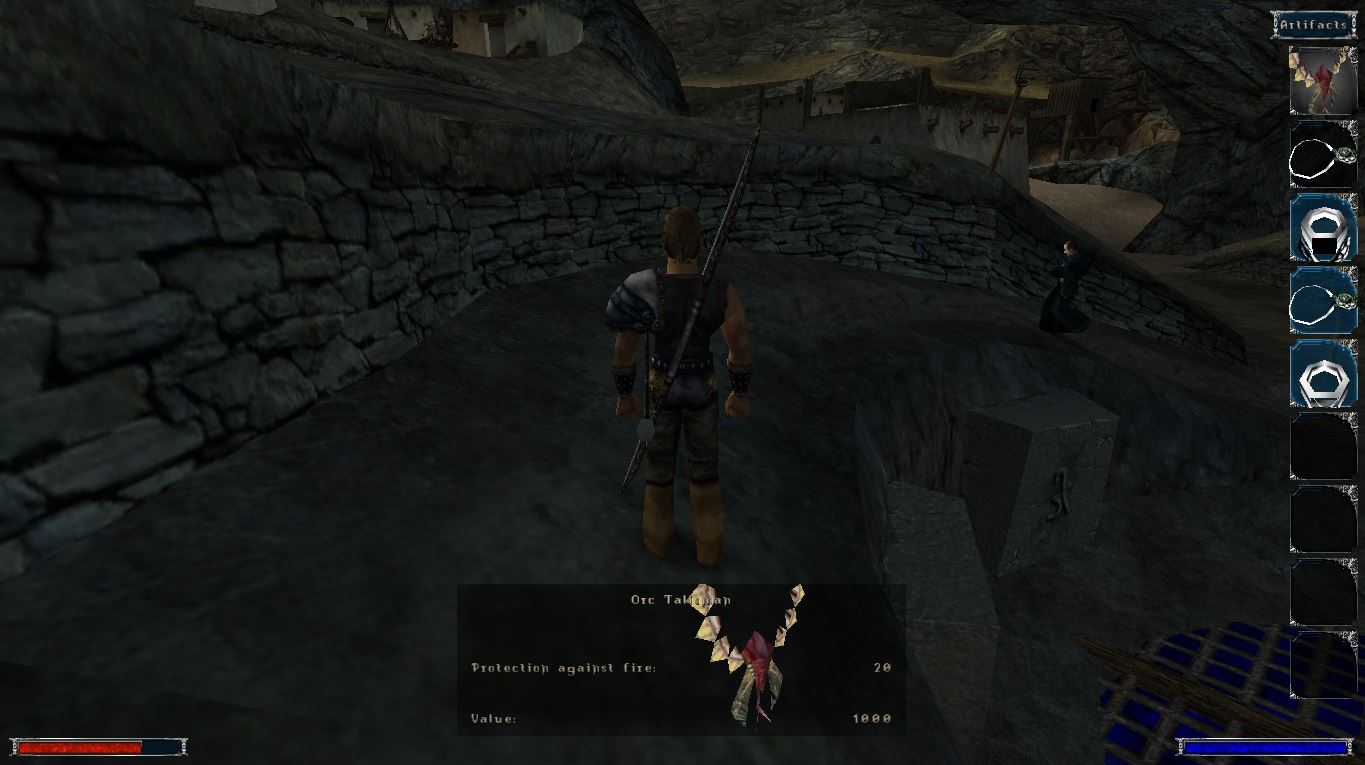
Expected behavior: The "Orc Talisman" icon has a "front view" display in the Inventory section.
Steps to reproduce the issue
- Acquire the "Orc Talisman" item from the "Ring of Stone" location or as a reward from NPC "Ur-Shak".
- Open the Inventory and notice the item's Icon.
Additional context Minor issue since these days item icons rotate due to the SystemPack. However, without it, it looks really weird, almost like a chewed meat bone.
Attaching screenshots for more clear information.
-
Default view.
-
Semi front view.
Thank You and Best Regards! Quintus24

I don't think there is a good solution for this.
These are actually not icons but the fully rendered three dimensional model of the item shown from a fixed angle. The items in the inventory are rotated as specified by category presets, i.e. all weapons are shown in a certain angle/perspective, all documents in another and so on. That rotation cannot be changed easily for individual items (as far as I am aware of for Gothic 1).
Nevertheless, the model itself of the mentioned item is aligned differently around its local origin compared to other necklaces. When inserted into the world (i.e. by dropping it from the inventory), it stands upright, while other necklaces lie flat. The problem should thus be addressed on the level of the model of the item.
How to do this in a clever and compatible way is not clear to me at the moment. Some background on that:
The model cannot just be replaced by the G1CP, because a mod might have made its own changes to it. Same goes for just rotating the existing model. Checking whether the model is upright it, before replacing/rotating it, is not so straight forward.
For now, I don't have an idea how to tackle this in a robust way.
