

 AmProsius
The "Title Deed" item has a "Value" string issue.
Hello, everyone!
I would like to report the following bug:
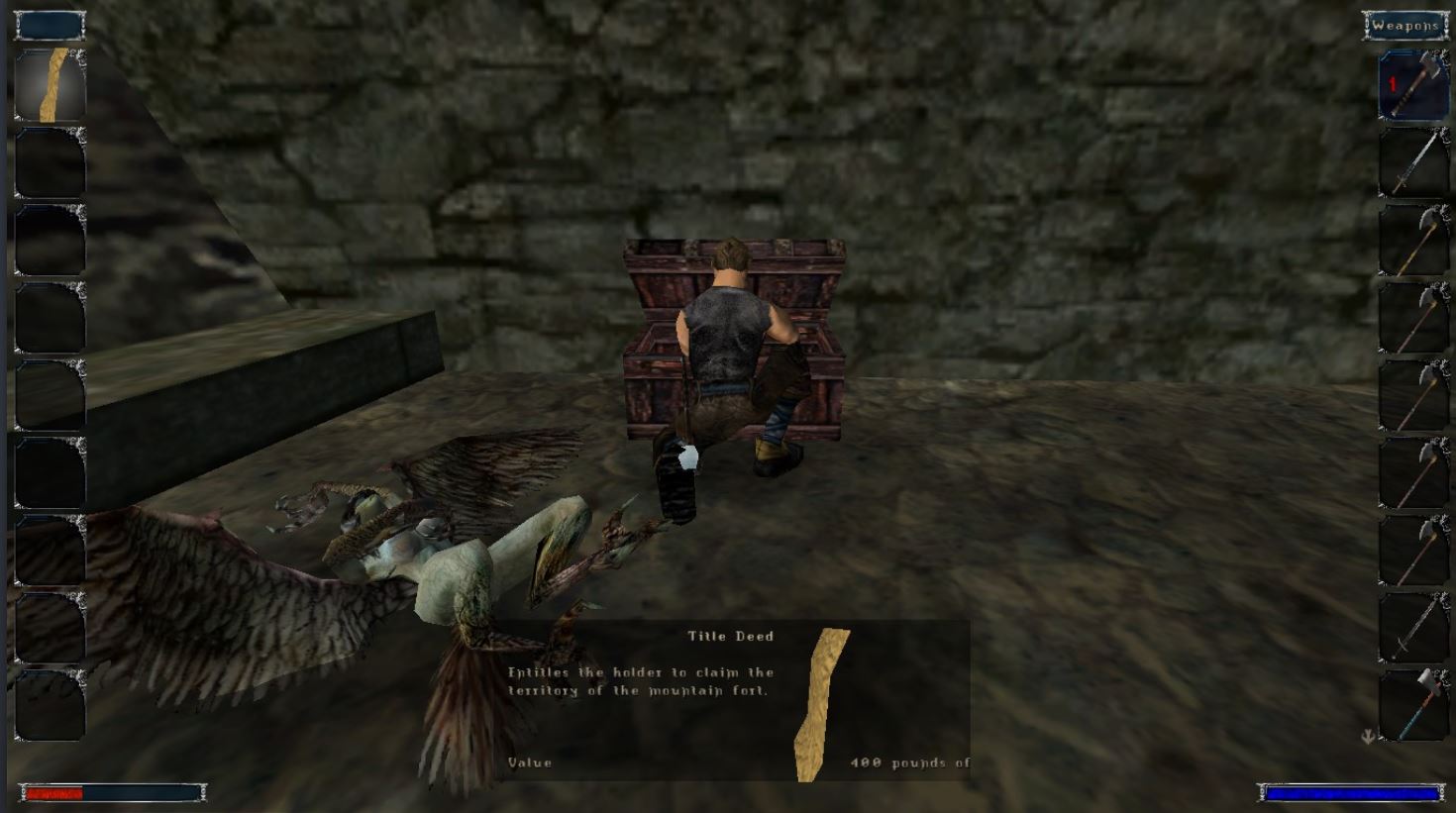
Describe the bug: The issue can be encountered in the "Mountain Fortress" when the user acquires the "Title Deed" item. The "Value" of the item is displayed as "400 pounds of".
Expected behavior: The item's "Value" is displayed as "400 pounds of gold", or "400 pounds of coins" or "15 Ore". (speculation)
Steps to reproduce the issue:
- Travel to the "Mountain Fortress" and climb to the first floor.
- Locate the Chest on the balcony and interact with it. (make sure you have the key for it)
- Loot the "Title Deed" item and notice its "Value".
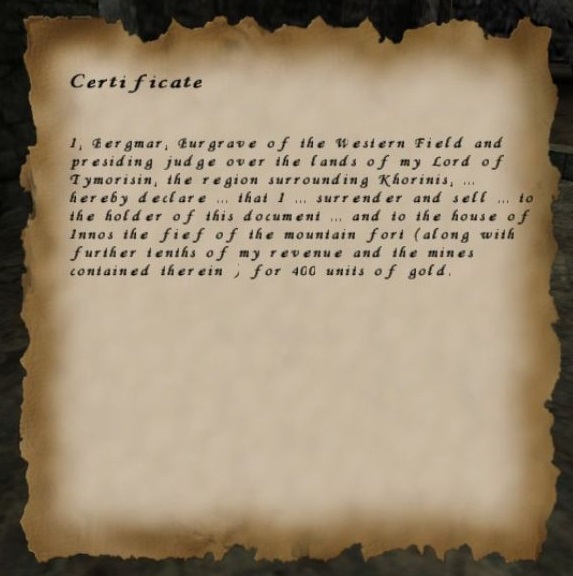
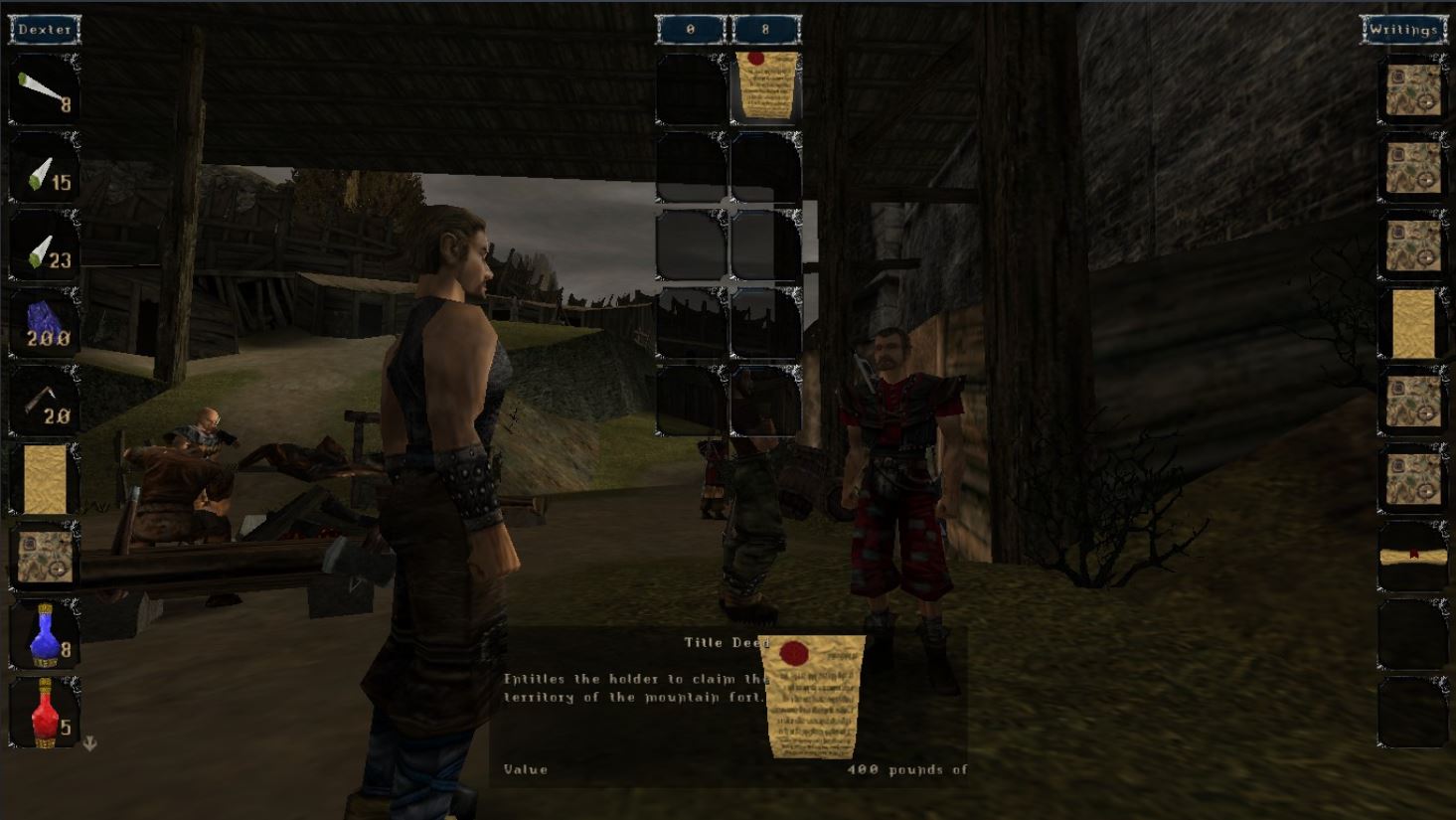
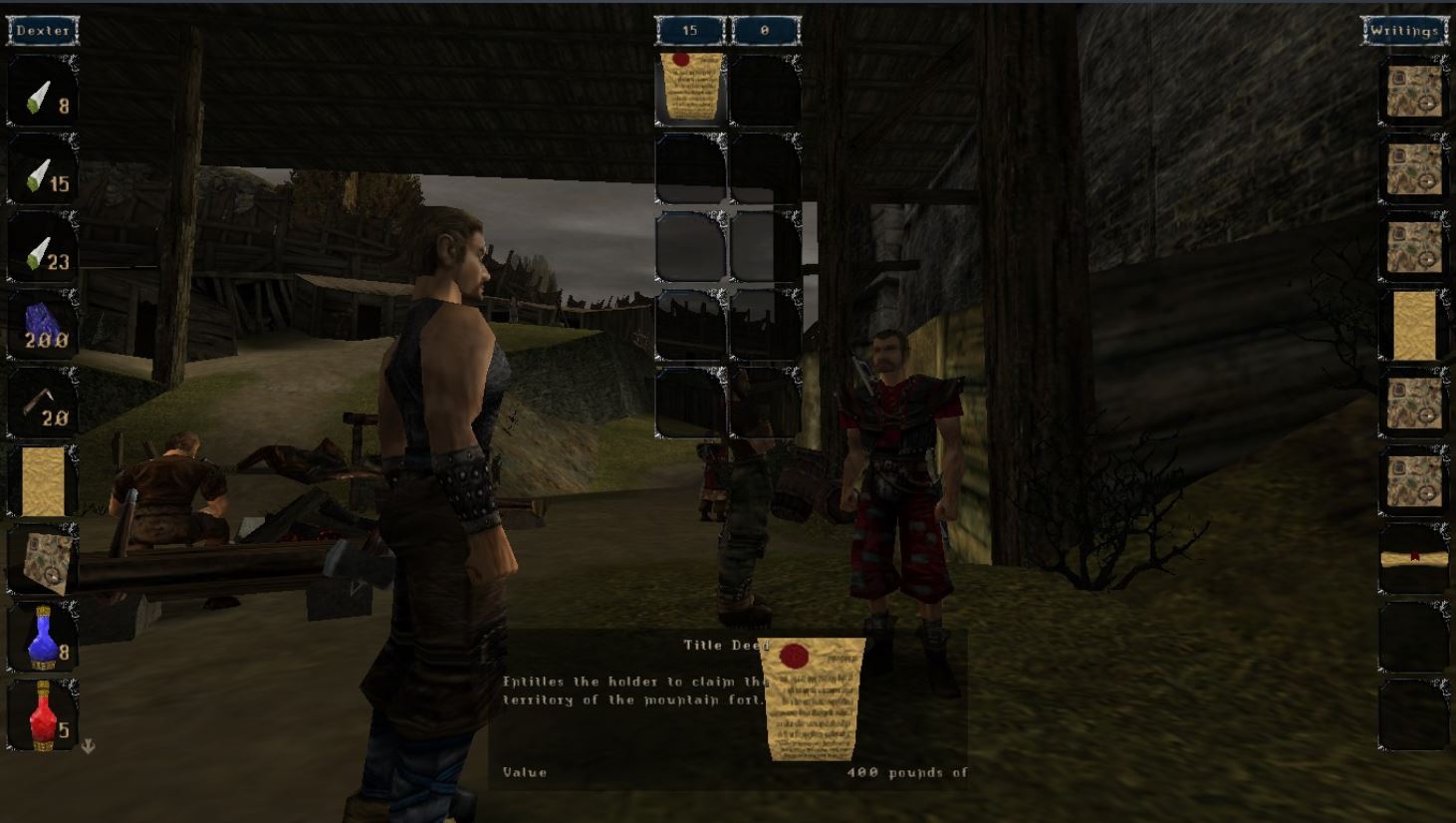
Additional context The certificate does state that the selling of the fort goes "for 400 units of gold.". If the user attempts to sell the item to any merchant, the selling price will be "8 Ore". If the item is sold, it can be purchased back for "15 Ore".
Opinion: To be honest, I'm not 100% sure if this is a bug or it's simply missing a word, nonetheless, the "Value" is a bit confusing. Maybe the "400 pounds of" text is indeed the intended one, it gives it a more medieval and elegant style of writing. I did encounter this while still playing in "Chapter 1", not sure if relevant. I was also curios if it can be sold to a merchant, that's how I noticed the actual ore value.
I have attached multiple screenshots for more clear information.
-
The "Title Deed" item with its "Value".
-
The text within the document.
-
Selling the document for "8 Ore".
-
Buying the document for "15 Ore".
Thank You and Best Regards! Quintus24

Thanks for reporting! This is not actually a script bug as the "value" is correct: https://github.com/AmProsius/gothic-1-community-patch/blob/b946ba1189a6937510bfbfaeff64a2df55d9cccb/scriptbase/_work/Data/Scripts/Content/Items/MissionItems_3.d#L216-L235
However for low resolutions it seems to be an issue. Do you use the Systempack/Union?

However for low resolutions it seems to be an issue. Do you use the Systempack/Union?
Hi, @AmProsius, I use the Steam version, but it does have the Systempack incorporated and active. I also checked my game resolution, it is set as 1366x768x32. Unfortunately, I play this game on a Laptop.
Regards, Quintus24
We could try to remove some whitespaces, but there might be a better approach.
Related to #242. A fix, although separate, may be implemented similarly:
Checking the display length of a string with Print_GetStringWidth and the width of the parent view. For #242, the parent view could then be enlarged. Here, on the other hand, the string could be adjusted by removing sufficiently enough spaces.

Checking the display length of a string with Print_GetStringWidth and the width of the parent view. For #242, the parent view could then be enlarged. Here, on the other hand, the string could be adjusted by removing sufficiently enough spaces.
And if the container cannot be enlarged, the text can at least be truncated properly.
I wonder if there may be an easy way for a line break (in the case of dialog choice boxes).