

 AlturosDestinations
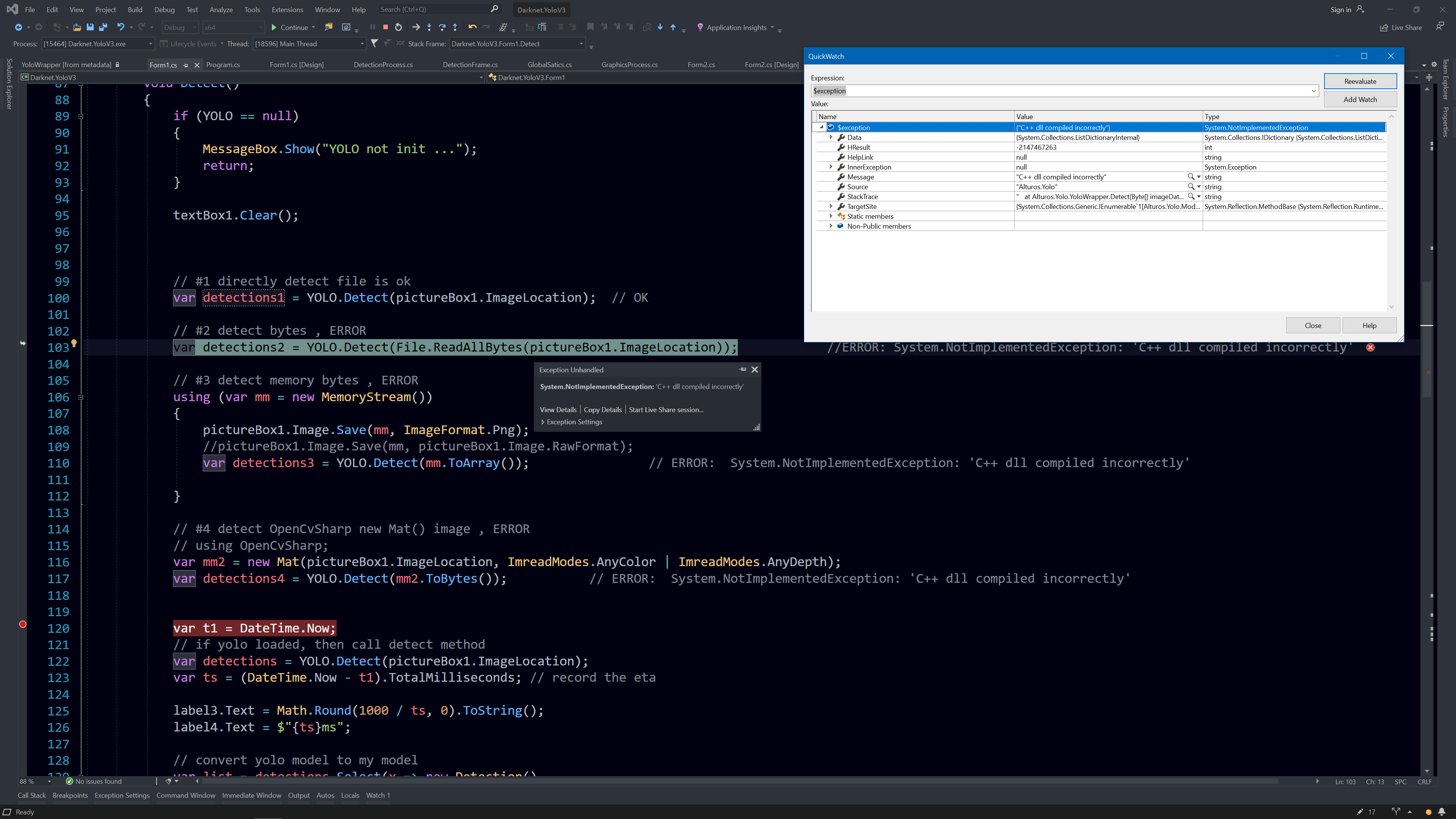
【SOLVED】ERROR: YOLO.Detect(File.ReadAllBytes(imagPath)); //System.NotImplementedException: 'C++ dll compiled incorrectly'
Windows 10 x64 VS2019 Debug x64 Alturos.Yolo: 3.0.6.0
// #1 directly detect file is ok
var detections1 = YOLO.Detect(pictureBox1.ImageLocation);  // OK

// #2 detect bytes , ERROR
var detections2 = YOLO.Detect(File.ReadAllBytes(pictureBox1.ImageLocation));            //ERROR: System.NotImplementedException: 'C++ dll compiled incorrectly'

// #3 detect memory bytes , ERROR
using (var mm = new MemoryStream())
{
    pictureBox1.Image.Save(mm, ImageFormat.Png);
    //pictureBox1.Image.Save(mm, pictureBox1.Image.RawFormat);
    var detections3 = YOLO.Detect(mm.ToArray());                // ERROR:  System.NotImplementedException: 'C++ dll compiled incorrectly'

}

// #4 detect OpenCvSharp new Mat() image , ERROR
// using OpenCvSharp;
var mm2 = new Mat(pictureBox1.ImageLocation, ImreadModes.AnyColor | ImreadModes.AnyDepth);
var detections4 = YOLO.Detect(mm2.ToBytes());           // ERROR:  System.NotImplementedException: 'C++ dll compiled incorrectly'


I SOLVED it!
Alturos.Yolo can detect bytes now with the latest yolo_cpp_dll_gpu.dll I build !
rebuild yolo_cpp.dll with #define OPENCV !
add some necessary code in detect_mat method.
not the best but worked.
-
download https://github.com/AlexeyAB/darknet set up the
OpenCV,CUDA,cuDNN, tutorial is here https://youtu.be/zT8eDXpslXw -
edit
yolo_v2_class.cppline:27 inyolo_cpp_dll.sln
#define OPENCV

#ifdef OPENCV
#include <opencv2/opencv.hpp>   //C++
#include <opencv2/highgui/highgui_c.h>   // C
#include <opencv2/imgproc/imgproc_c.h>   // C
#endif // OPENCV
-
yolo_v2_class.cppline:55
int detect_mat (const uint8_t* data, const size_t data_length, bbox_t_container& container) {
#ifdef OPENCV
    std::vector<char> vdata(data, data + data_length);
    cv::Mat mat = imdecode(cv::Mat(vdata), 1);

    // mat to image,  2020-11-9
    int w = mat.cols;
    int h = mat.rows;
    int c = mat.channels();
    image im = make_image(w, h, c);
    unsigned char* im_data = (unsigned char*)mat.data;
    int step = mat.step;
    for (int y = 0; y < h; ++y) {
        for (int k = 0; k < c; ++k) {
            for (int x = 0; x < w; ++x) {
                im.data[k * w * h + y * w + x] = im_data[y * step + x * c + k] / 255.0f;
            }
        }
    }

    mat.release();     //release memory, important!

    // image to image_t
    image_t imt;
    imt.w = im.w;
    imt.h = im.h;
    imt.c = im.c;
    imt.data = im.data;

    std::vector<bbox_t> detection = detector->detect(imt, 0.01, false);     //ok
    //std::vector<bbox_t> detection = detector->detect(mat, 0.01, false);   //error

    if (imt.data)
        free(imt.data);     //release memory, important!
    ...
- rebuild, find
yolo_cpp_dll.dll, renamedyolo_cpp_dll_gpu.dll, and replace with it in your project'sbindirectory.

I discover that your code maybe have some mistakes. Although this code can let it go down without error, its inference is not correct. When I use my old yolo_cpp_gpu.dll(create in 2019) to predict. Two dll result is not the same. It is quite different. Does anybody have same question?

@jhoeing yes, I found some issues with my code today! the detection result is not a big problem, the main thing is that it takes a long time with ETA. 20ms slower, can not bear it!
If the recognition is wrong, it is likely that the training is not good.
so I spent all day to solove it. finally, refer to this page for the method to solve it. https://github.com/AlexeyAB/darknet/issues/1333
just comment the #ifdef OPENCV on this code yolo_v2_class.hpp
restore the orignal code of detect_mat() on yolo_v2_class.cpp
recompile and then the fastest ETA comes back!
by the way, my YOLO code is still the same as it was in 2019, v3 version. because the detection speed of the latest code is too slow, on older graphics cards, such as RTX 2060.