

 AlexxIT
Cannot stream with DashCast
When I attempt to stream with WebRTC Camera: DashCast, the Google Home Display comes up with the DashCast logo and then just goes to a blank black screen. I enabled debug logging, but the only message generated is: DEBUG (SyncWorker_6) [custom_components.webrtc.utils] DashCast to media_player.office_display.
I've attempted to cast to a Nest Home Display as well as an nVidia Shield; both act the same. I can cast to these device using the native Home Assistant camera devices through the cloud Google Assistant path, and casting other pages using DashCast seems to be working.
I've tested using my own RTSP feed as well as the Big Buck Bunny version and neither work.
Is there any other debugging that I can do to figure out why I'm not able to cast an RTSP stream using WebRTC Camera: DashCast?

I forgot to mention. I also created a temporary web link. I can open this page find on other devices on the same network as the google home, but casting this page using DashCast also displays a blank screen, but casting it from a browser displays the page properly.
Maybe your Hass and devices in different networks. Also check Configuration > General > Internal URL setting

Maybe your Hass and devices in different networks. Also check Configuration > General > Internal URL setting
My Home Assistant and Google/Nest Home devices are on the same network. I've also tried several variations of Internal URL setting and it has not changed anything. The nests are able to stream other things from Home Assistant, so I'm pretty sure the network & resolution are working correctly.
Do you mean https://cast.home-assistant.io/ ? If so, yes - that works properly.
I've tried a few more things, including a publicly accessible home assistant URL using the Big Buck Bunny stream. Steps for this:
- Use the
WebRTC Camera: Create Linkservice with link_id:testrtc2021061002, url:rtsp://wowzaec2demo.streamlock.net/vod/mp4:BigBuckBunny_115k.mov, open_limit: 0, time_to_live: 3600. - Verify that
https://<MY_NABU_CASA_ADDRESS>.ui.nabu.casa/webrtc/embed?url=testrtc2021061002opens properly in a browser. I confirmed that this opened fine both on and off my local network. - Try to cast the URL from step 2 using DashCast. The receiving device just gets a black screen. This was tested both using
DashCast: DashCastservice and using https://madmod.github.io/dashcast/ - Confirm that using DashCast works for other plain websites.
I also tested casting to a regular ChromeCast device and I get the same result.
Does this work for you? It seems like the issue might just be that the chromecast devices don't support the video element format being displayed by the page generated by WebRTC Camera: Create Link. I don't think there's anything unique about my setup, so I'm curious if it is working for anyone else.
Thinking it was maybe an issue with the newer MSE implementation, I tried version 1.4.0 of this component and it still does not work. With this version, I get a grey screen with video controls.
I'm starting to think that the issue may be related to the version of home assistant. I'm using the latest 2021.6.3 version.
Ahh... @AlexxIT, I believe I found the issue. I spun up a development version of the dashcast service and found that from:
https://github.com/AlexxIT/WebRTC/blob/358d4c27cfd2db974891786a3446a5e686567f5c/custom_components/webrtc/www/index.html#L22
when loading through DashCast, the referrer is getting set to to the DashCast URL. In my case, https://bekriebel.github.io/dashcast/receiver.html. Because of this,
https://github.com/AlexxIT/WebRTC/blob/358d4c27cfd2db974891786a3446a5e686567f5c/custom_components/webrtc/www/index.html#L28
can't find the url or entity values and you get the error
Uncaught Error: Missing `url` or `entity`
    at HTMLElement.setConfig (VM19 webrtc-camera.js:605)
    at embed?url=test2021061005:39
Changing line 22 of index.html to const url = window.location; makes the dashcast service work exactly as expected, as well as makes a URL generated by the Create Link service work properly. Is there any reason the referrer was being captured in this? I'm not sure why that would be desired.
I'll submit a PR in a moment if that is an okay change.
There was some reason with referrer but I don't remember it. I should do some tests
There was some reason with referrer but I don't remember it. I should do some tests
Sounds good. I tested several scenarios and couldn't find a case where it was needed. It looks like prior to v2, it wasn't using the referrer either. If there's a case where it is needed, I can add additional logic that tries both options.
Have you had a chance to look at this? I saw a new version was released, but don't want to updated without this fix in place as well since DashCast is non-functional without it.
i have same problem, chromecast 2013 and black screen after DashCast logo upd: but i tried this fix, its not helped me.


I can't find the solution, same me problem here only dashcam logo, after update hassio to 2021.12.1


hi @bekriebel , i want to apply your fix too...
but you say, line 22 =
const url = document.referrer ? new URL(document.referrer) : window.location;
i dont see that line there?
i have on line 22 this on below, how can i fix it?
const hass = {}
thnx

hi @bekriebel , i want to apply your fix too...
but you say, line 22 =
const url = document.referrer ? new URL(document.referrer) : window.location;i dont see that line there?
i have on line 22 this on below, how can i fix it?
const hass = {}thnx
It looks like the code has changed since I first did this. I haven't been using dashcast at all recently, so I'm not sure if this is still needed or what the new fix would be if it is.
Lovelace cast takes ages, so keen to try this dash cast. Still looking for a fix please.

I originally opened issue number 255 regarding problems with DashCast on a Google Home Display. The results have changed since I last reported this issue and I thought I would explain how DashCast and lovelace cast now work on my system and version 2.3.0 of WebRTC Camera.
First of all, I get the exact same results if I use Dashcast to display a rtsp steam, or if I use the lovelace cast view service to display a view which utilizes the WebRTC card. When the service is first called, the Google Home Display acts like it is working, and it displays a single still image of the camera. The timer at the bottom left of the screen (by the play icon) starts to count up in seconds, but the video is not playing - it continues to display just a still image. This goes on for exactly 37 seconds, at which time the video starts to play and everything works normally. Like I said, this same behavior happens if I use the cast service to display a WebRTC camera view. Hopefully this info will help.

I worked around this issue using a single-panel webrtc view of my camera with the cast.show_lovelace_view service, but would also love to see a fix, as this is quite slow compared to the dashcast service as @Double-Dude mentioned.

On v3, I'm still seeing the same symptoms, it's just stuck on this loading page:
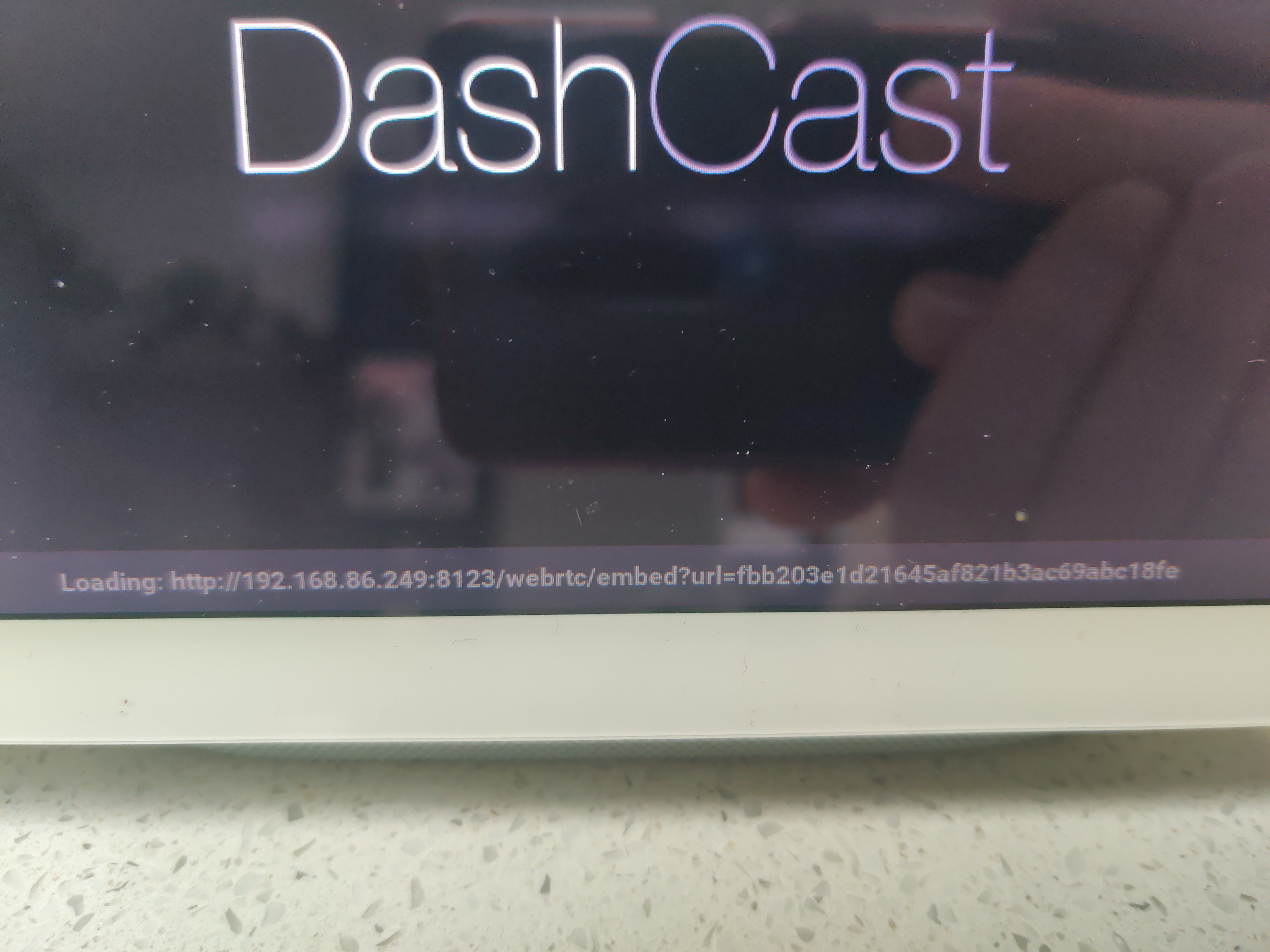
Anything in particular I could try, to help debug/log?
It does, as I'm able to cast/view Lovelace views on it no problem. It's a Nest Hub. I've tried a publicly accessible (big bunny) demo rtsp stream that works within WebRTC views in Lovelace also, but not when I dashcast (same infinite loading screen on the nest hub).
Oh, maybe that Lovelace test doesn't prove anything? I'm on nabu casa, so maybe casting Lovelace is doing something via nabu casa, and dashcast is local network only? 🤔 Sorry if I've missed something obvious here.
I got the same issue, always stuck on the loading url screen. I'm using an Nginx reverse proxy but I don't think it's an issue. I'm able to use cast.show_lovelace_view or access https://192.168.x.x/mydashboard/home with a browser

@ahaverty and @AlexxIT I think this might be useful. I tested dashcast from the same instance of Home Assistance and casted the same stream to a Google Hub gen 1 and a Google Hub gen 2. Then gen 1 cast works 100% of the time, but the gen 2 did not work any single time, everything else being equal for both devices and HA instance, same network, same config, etc.
