
AdguardForiOS

AdguardForiOS copied to clipboard
 AdguardTeam
DoH/3 DNS upstream can be added in the native implementation mode
Version
AdGuard for iOS 4.5 (1002)
Environment
iPhone XS, 16.5.1
Steps to reproduce
- Launch AdGuard
- Open the Protection tab -> DNS protection screen -> DNS implementation
- Switch the implementation from AdGuard to
Native - Go to DNS server screen
- Scroll down and click the
Add a custom DNS server - Enter any server name
- Enter
h3://dns.adguard-dns.com/dns-queryin the DNS server address field - Tap the
Savebutton
Expected behaviour
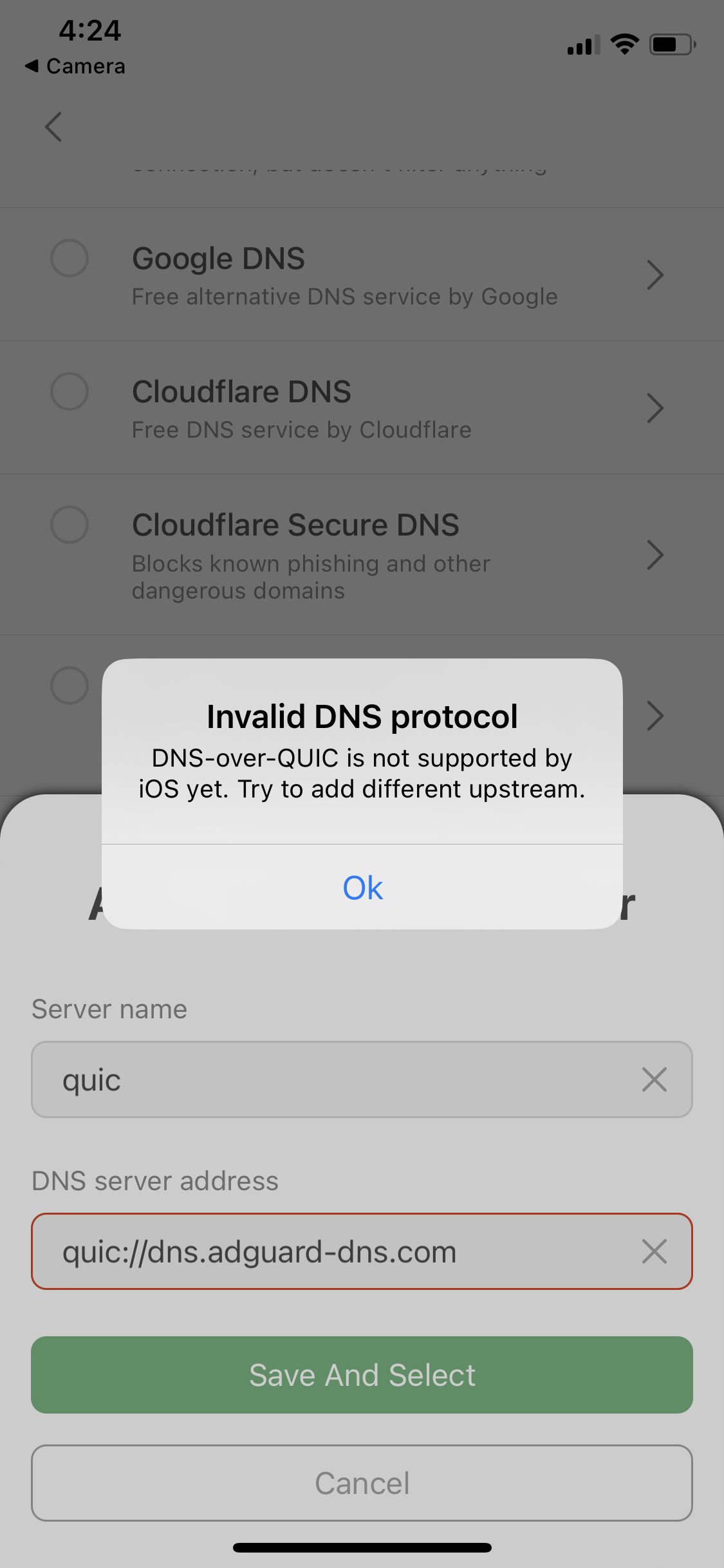
The error message "DNS-over-HTTPS/3 is not supported by the system" is displayed. Similar to when trying to add DoQ upstreams.
Error message for DoQ upstreams
Actual behaviour
DNS server has been added and selected successfully
