
AdguardForiOS
 AdguardForiOS copied to clipboard
 AdguardTeam
clientid.subdomain.domain.tld considered invalid
Prerequisites
Please answer the following questions for yourself before submitting an issue. YOU MAY DELETE THE PREREQUISITES SECTION.
- [x] I am running the latest version
- [x] I checked the documentation and found no answer
- [x] I checked to make sure that this issue has not already been filed
Issue Details
- AdGuard version:
- AdGuard for iOS v4.4.3(961)
- Device model and storage size:
- iPhone 11 128GB
- Operating system and version:
- iOS 16.0 (20A362)
Expected Behavior
Should be able to add the server
Actual Behavior
Certbot generated the wildcard
> sudo-helper -- certbot certonly --dns-cloudflare --dns-cloudflare-credentials ~/.secrets/certbot/cloudflare.ini -d 'dns.lupton.cc,*.dns.lupton.cc'
Saving debug log to /var/log/letsencrypt/letsencrypt.log

- - - - - - - - - - - - - - - - - - - - - - - - - - - - - - - - - - - - - - - -
You have an existing certificate that contains a portion of the domains you
requested (ref: /etc/letsencrypt/renewal/dns.lupton.cc.conf)

It contains these names: dns.lupton.cc

You requested these names for the new certificate: dns.lupton.cc,
*.dns.lupton.cc.

Do you want to expand and replace this existing certificate with the new
certificate?
- - - - - - - - - - - - - - - - - - - - - - - - - - - - - - - - - - - - - - - -
(E)xpand/(C)ancel: e
Renewing an existing certificate for dns.lupton.cc and *.dns.lupton.cc
Waiting 10 seconds for DNS changes to propagate

Successfully received certificate.
Certificate is saved at: /etc/letsencrypt/live/dns.lupton.cc/fullchain.pem
Key is saved at:         /etc/letsencrypt/live/dns.lupton.cc/privkey.pem
This certificate expires on 2022-12-19.
These files will be updated when the certificate renews.
Certbot has set up a scheduled task to automatically renew this certificate in the background.

- - - - - - - - - - - - - - - - - - - - - - - - - - - - - - - - - - - - - - - -
If you like Certbot, please consider supporting our work by:
 * Donating to ISRG / Let's Encrypt:   https://letsencrypt.org/donate
 * Donating to EFF:                    https://eff.org/donate-le
Cloudflare is configured for the wildcard
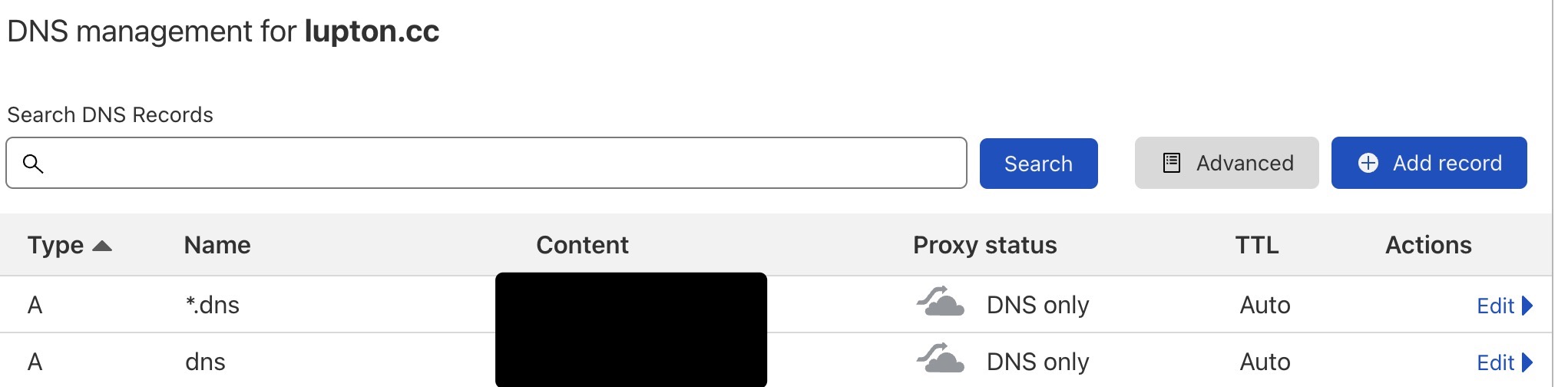
Wildcard is accessible
> nc -zv balupton.dns.lupton.cc 853
Connection to balupton.dns.lupton.cc port 853 [tcp/*] succeeded!
However, AdGuard's iOS app fails because of what seems an incorrect format validator:
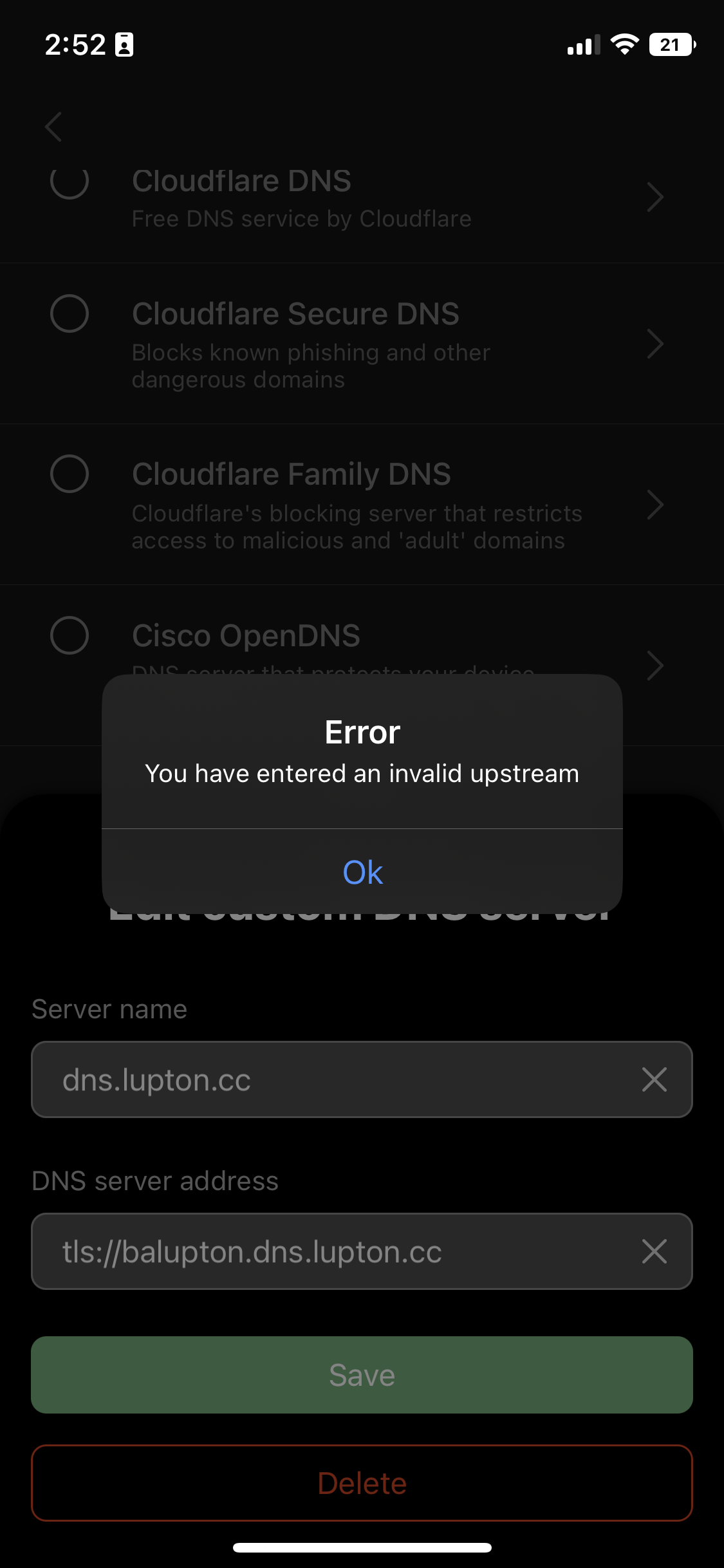
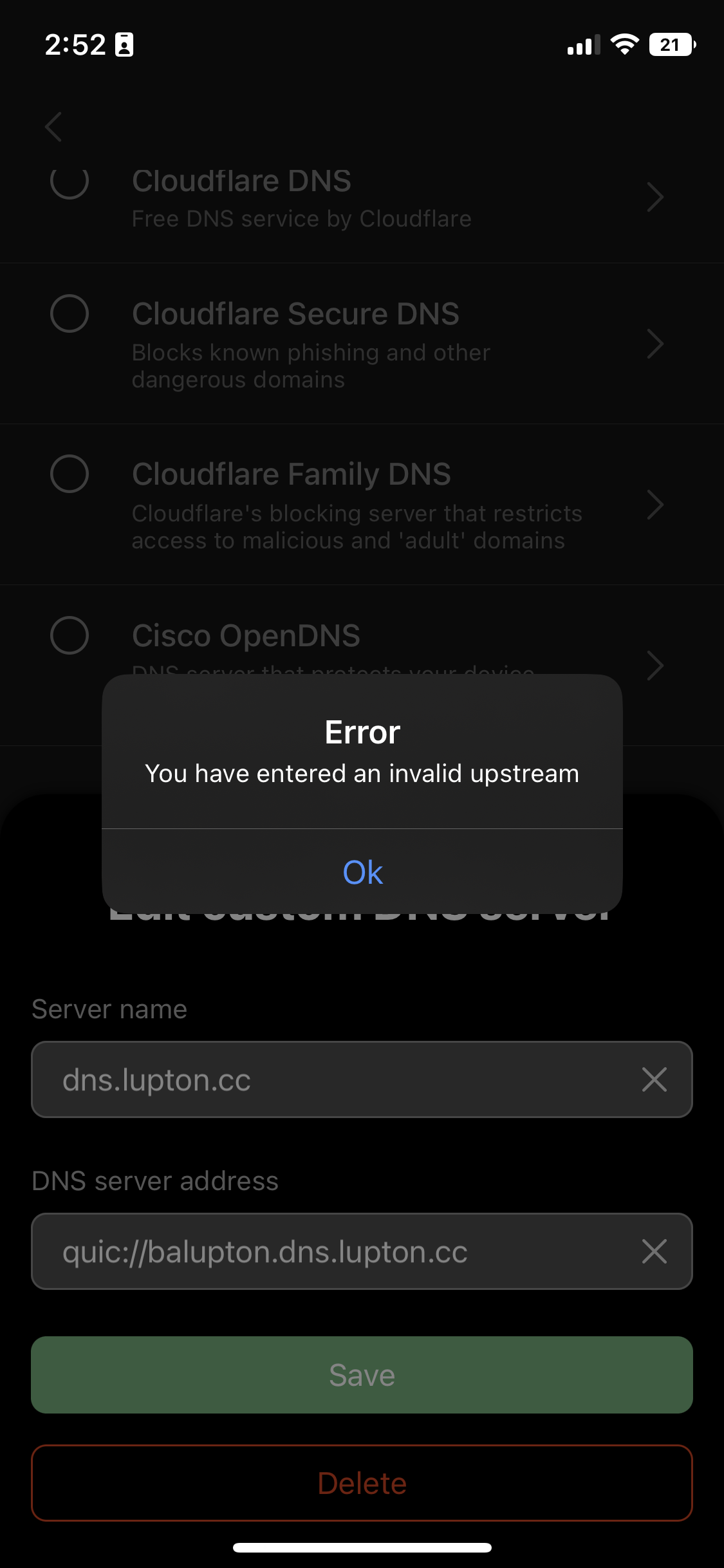
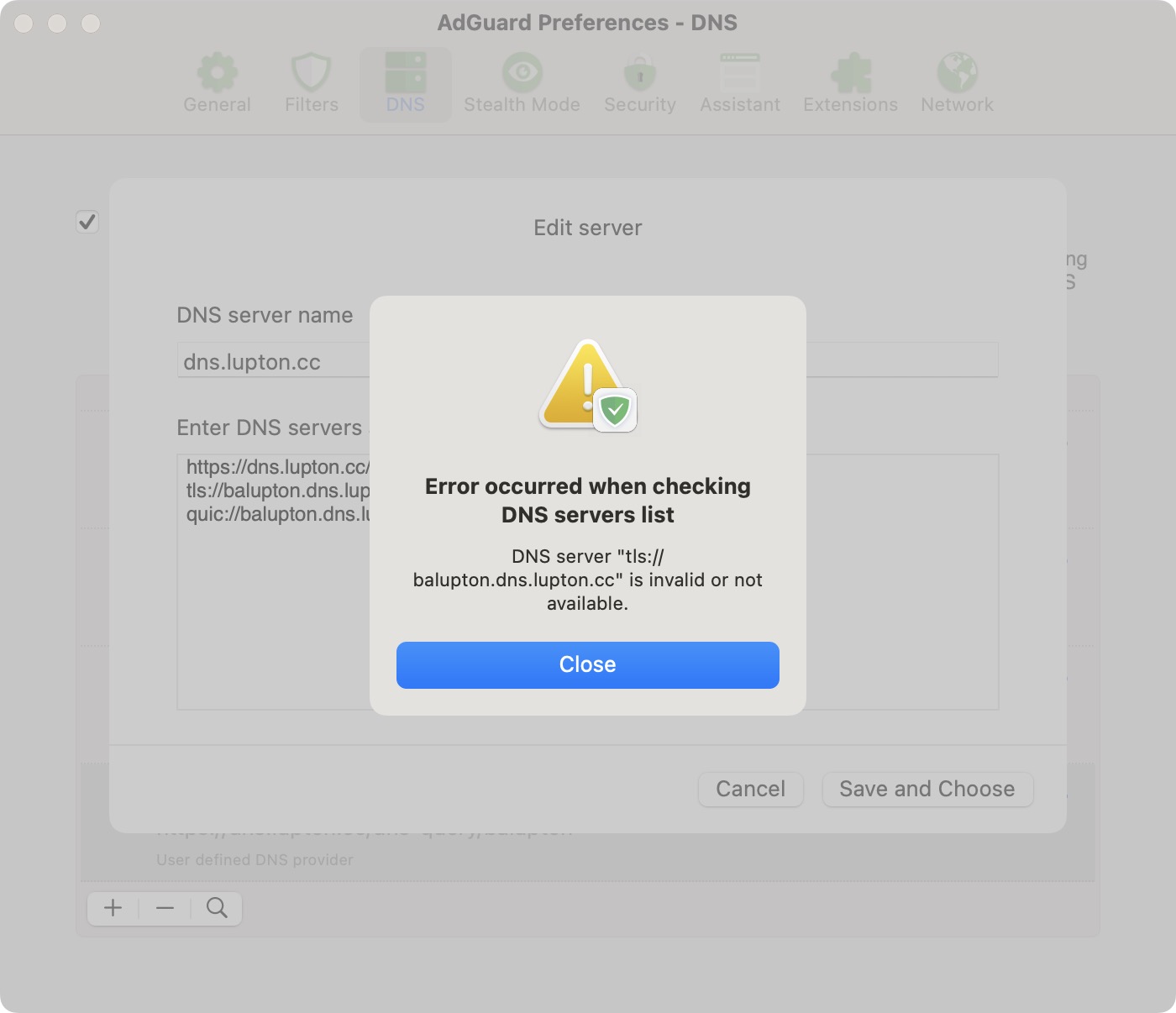
Same deal for AdGuard for Mac https://github.com/AdguardTeam/AdguardForMac
https://dns.lupton.cc/dns-query/balupton
tls://balupton.dns.lupton.cc
quic://balupton.dns.lupton.cc
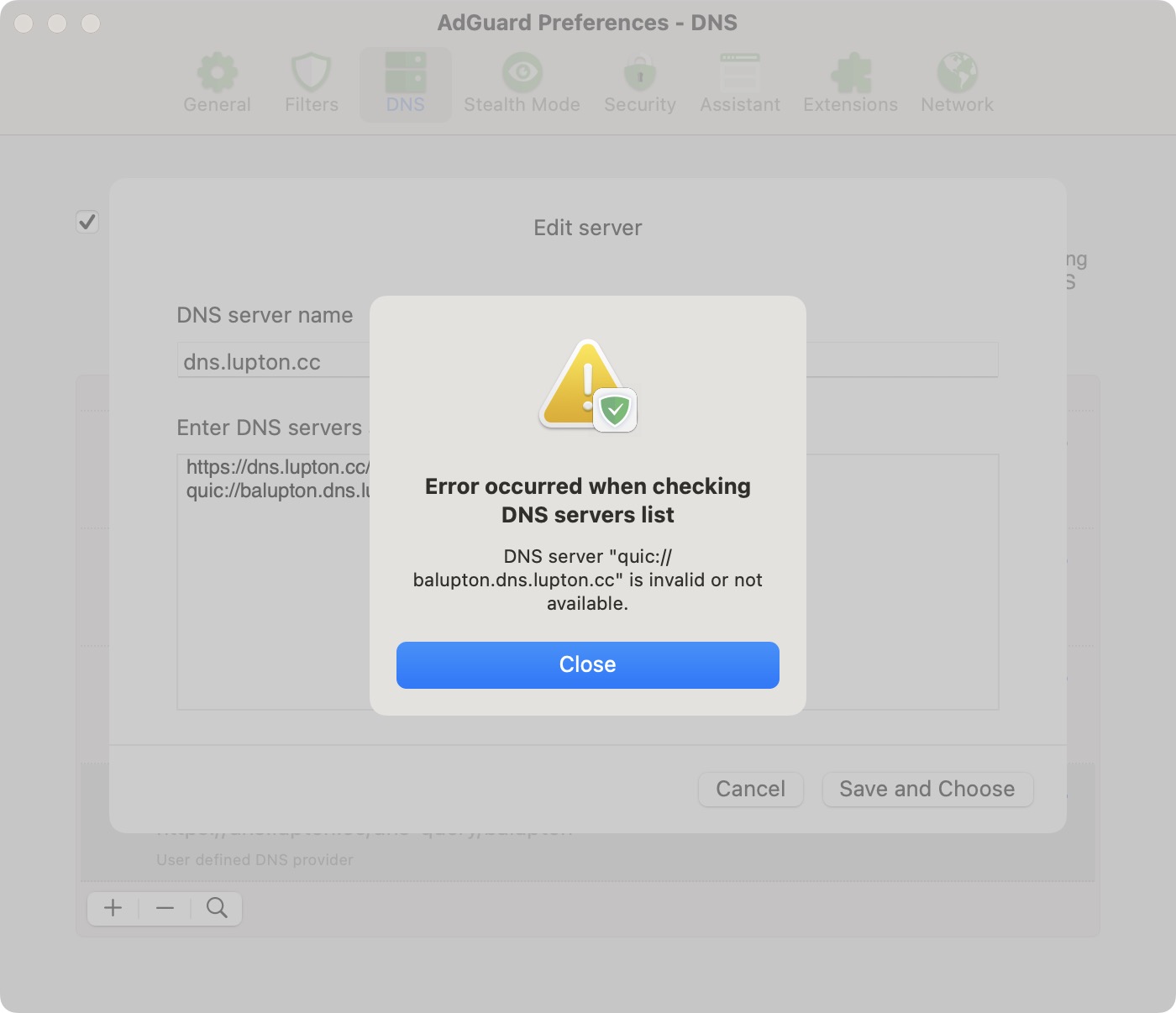
Connecting without the clientid, so just to dns.lupton.cc works flawlessly.

Was able to get TLS going by changing to a clientid.domain.tld setup, and was able to get QUIC going by manually specifying the port on a clientid.domain.tld setup.
So the issue is definitely with a clientid.subdomain.domain.tld setup.
@balupton Sorry for the late reply, could you please send debug logs from AdGuard for Mac to [email protected] .
Here’s what we need you to do:
- Click AdGuard icon in the menu bar --> Gear --> Advanced --> Logging --> Logging level --> Debug;
- Reproduce the issue and remember the exact time it happened;
- Menu --> Advanced --> Logging --> Export Logs and System Info...;
- Send the archive to [email protected] and mention this issue number in the subject.


I swapped to a clientid.domain.tld setup per https://github.com/AdguardTeam/AdguardForiOS/issues/2059#issuecomment-1252886114 so I won't be reproducing with my setup.