

 AdguardTeam
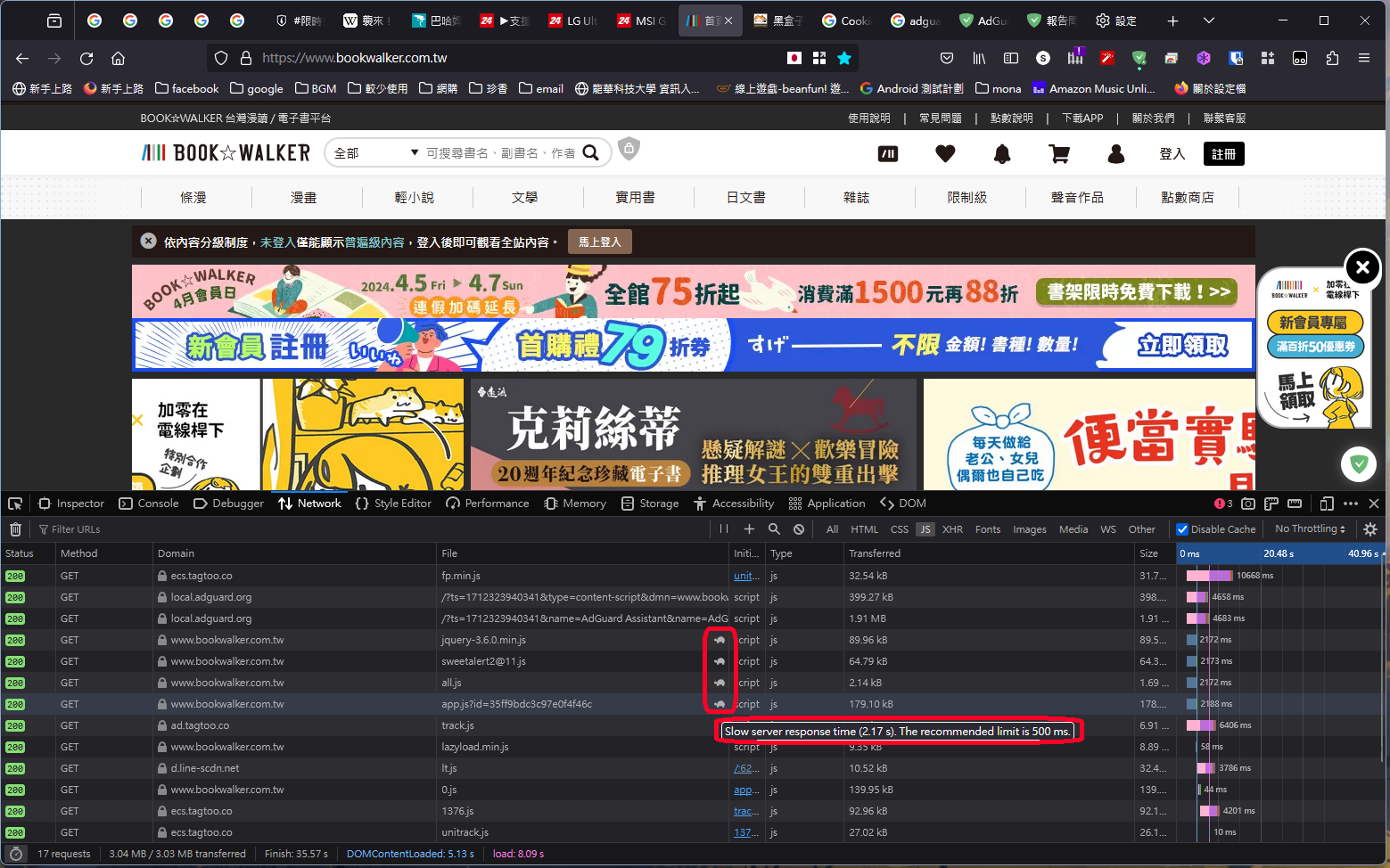
Threefold increase of page resources loading time
Issue URL (Incorrect Blocking)
https://www.bookwalker.com.tw/
Comment
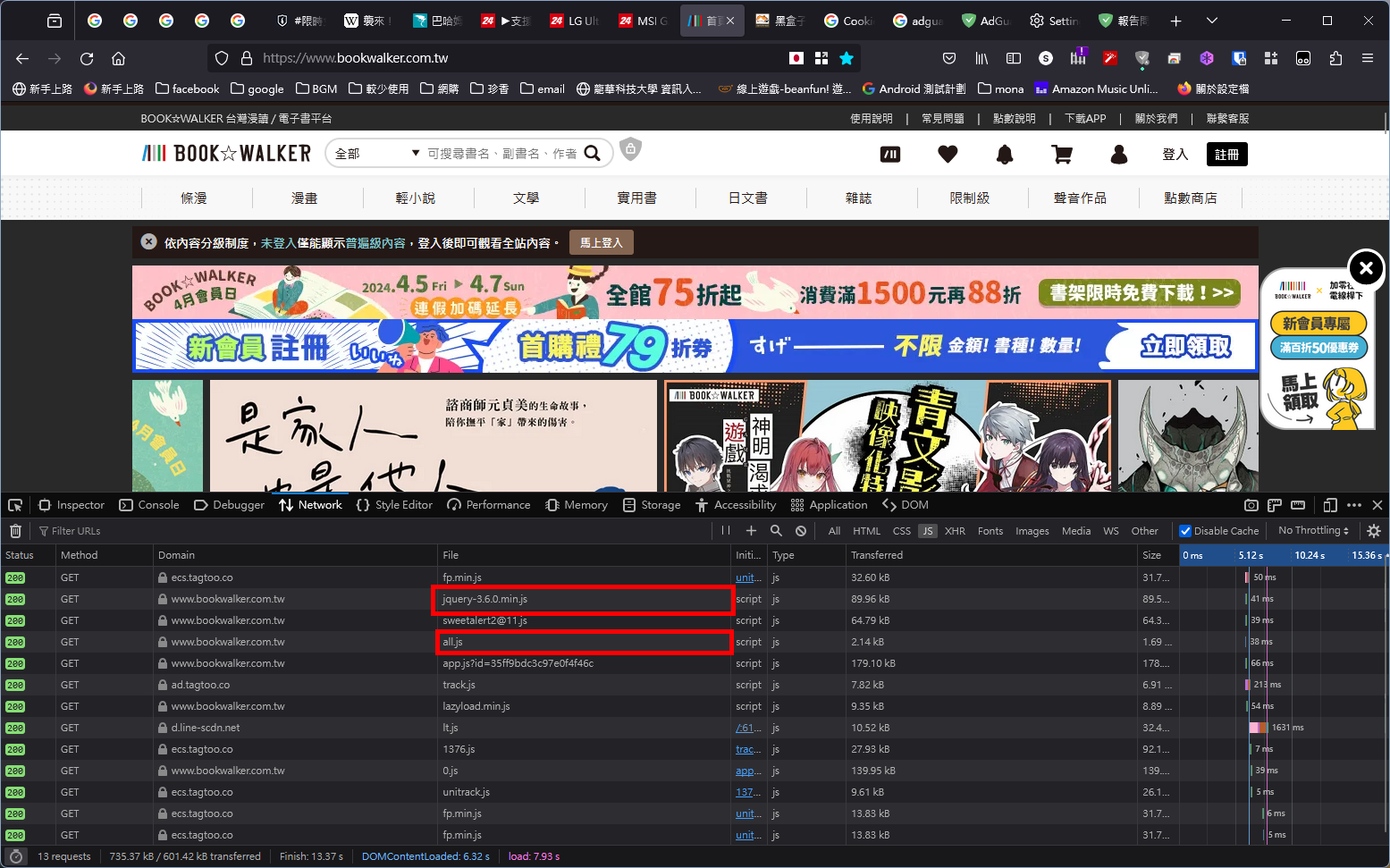
When I browse this website, if I have AdGuard enabled, these four JavaScript files - jquery-3.6.0.min.js, sweetalert211.js, all.js, app.js - take 2 seconds to load, resulting in slow webpage loading. However, if I disable AdGuard, the loading time drops to below 500ms. I would like to know the reason for this. Username:
@s89091189
Screenshots
Screenshot 1
Screenshot 1 with AdGuard disabled
System configuration
| Information | Value |
|---|---|
| AdGuard product: | AdGuard for Windows v7.16.0 (4542) |
| Browser: | Firefox |
| License type: | paid |
| AdGuard driver: | WFP |
| Stealth mode options: | Block WebRTC, Block Push API, Block Flash, Hide your search queries, Send Do-Not-Track header, Hide your Referrer from third-parties, Hide your User-Agent, Remove X-Client-Data header from HTTP requests, Block trackers, Disable Windows Telemetry, Turn off Advertising ID |
| DNS filtering: | server: https://dns.google/dns-queryfilters: https://filters.adtidy.org/windows/filters/15.txt, User rules |
| Filters: | Ad Blocking: AdGuard Base, EasyList Privacy: AdGuard Tracking Protection Language-specific: AdGuard Chinese, AdGuard Japanese, EasyList China |
| Userscripts: | https://userscripts.adtidy.org/release/assistant/4.3/assistant.user.js https://userscripts.adtidy.org/release/adguard-extra/1.0/adguard-extra.user.js https://userscripts.adtidy.org/release/popup-blocker/2.5/popupblocker.user.js |
| Referrer: | https://www.bookwalker.com.tw/ |
| Other extensions used: | ESET Internet security 17.1.9.0 |


@s89091189 Hello!
Could you please check if:
- Disabling DNS module helps. In case it solves the problem we recommend changing Blocking mode for adblock-style rules to Custom IP address. This is most likely the case and it will be fixed in the near future.
- Disabling Stealth Mode helps
Let us know how it goes, thanks.

I'm disabling DNS module and Stealth Mode, but I don't think it's helping
(Sorry I use a translator)

@s89091189 sorry for delay, could you please send your logs with DNS and Stealth modules disabled.
Also, grab the logs from net-export:
- Open Chrome browser > type in the address bar:
chrome://net-export> press Enter. - Ensure that Include raw bytes is checked and click Start Logging to Disk.
- Save the file on the local system. Now, the logging has started.
- Reproduce the issue.
- Go back to the Chrome-net-export logging window and click Stop Logging.
- Find the file in the browser by clicking on Show file and send it to [email protected].