
AdguardForWindows

AdguardForWindows copied to clipboard
 AdguardTeam
Rework HTTPS exclusions dialog
Suggections
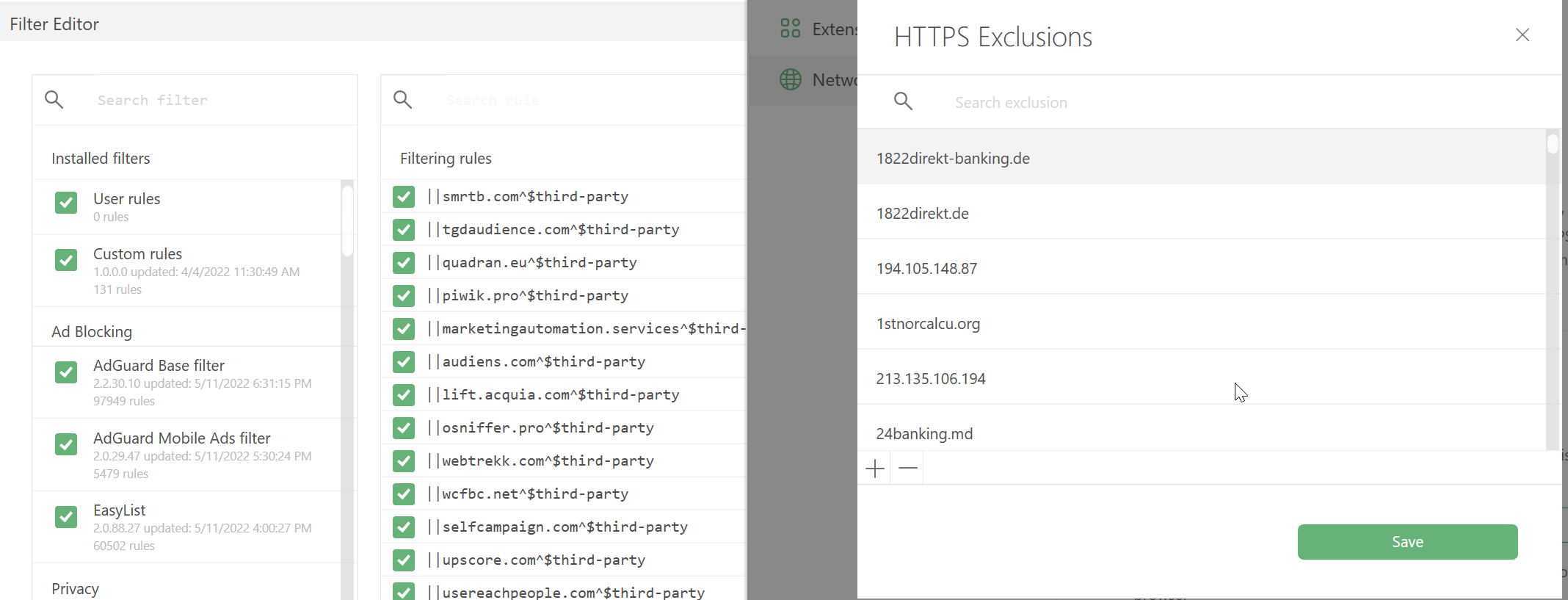
- Use the grid like in filters editor:
- with checkboxes;
- same line height;
- usable multiple selection(at the moment, it is possible to select more than one line, but only one can be deleted);
Details
- Add Ctrl-S hotkey to save/apply changes;
- Add
Reset to defaultbutton; - Will be especially relevant in 8.0: Sometimes we have to fix problems with HTTPS filtering. In doing so, we have to check many domains. Opening the editor and going to the end of the list after each save is annoying and time-consuming. Add
Applybutton to save changes without closing the exclusions editor.
In HTTPS Exclusions repo:
When you update AdGuard, the exclusion list will be updated unless you modified it before. If you have made changes to it, you won't get any updates.
Apparently the ability to merge user changes (add/delete) with the default list is needed.
