

 AdguardTeam
www.twitch.tv
This issue is known to be solved with AdGuard Extra userscript.
If you’re using AdGuard for Windows, Mac or Android, please make sure that AdGuard Extra is enabled in the application settings.
If you’re using AdGuard Browser Extension, we suggest installing AdGuard Extra in addition to it.

Issue URL (Incorrect Blocking)
Comment
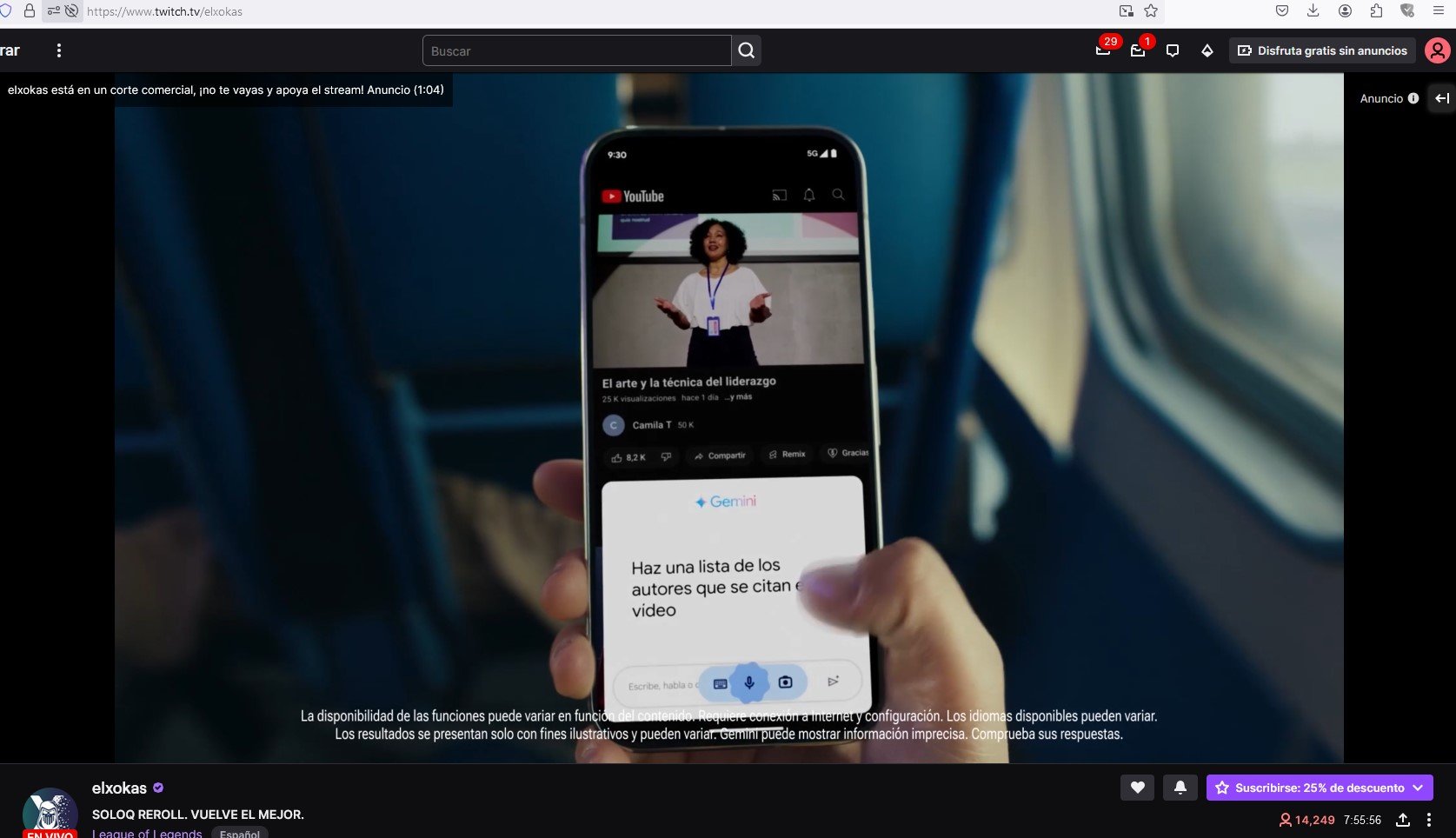
El bloqueador de anuncios cuando se activa para bloquear los anuncios paraliza la reproducción del stream (se escucha pero se congela el video) y aparece un aviso en la parte superior izquierda que dice Blocking Ads. Lo ideal sería que siguiera reproduciendo el video mientras bloquea los anuncios. Username:
@Nimb
Screenshots
Screenshot 1
Screenshot 1 with AdGuard disabled
System configuration
| Information | Value |
|---|---|
| AdGuard product: | AdGuard for Windows v7.18.1 (4778) |
| System version: | Microsoft Windows NT 10.0.19045.0 |
| Browser: | Firefox |
| License type: | paid |
| AdGuard driver: | WFP |
| Tracking protection: | disabled |
| DNS filtering: | server: Systemfilters: https://filters.adtidy.org/windows/filters/15.txt, User rules |
| Filters: | Ad Blocking: AdGuard Base Language-specific: AdGuard Spanish/Portuguese |
| Browsing Security: | enabled |
| Browsing Security statistics: | disabled |
| Userscripts: | https://userscripts.adtidy.org/release/adguard-extra/1.0/adguard-extra.user.js https://userscripts.adtidy.org/release/popup-blocker/2.5/popupblocker.user.js |
| Referrer: | https://www.twitch.tv/ |
| Other extensions used: | ExpressVPN (inhabilitado) |
Import issue configuration (AdGuard for Windows)
Issue URL (Anti Adblock Script)
Comment
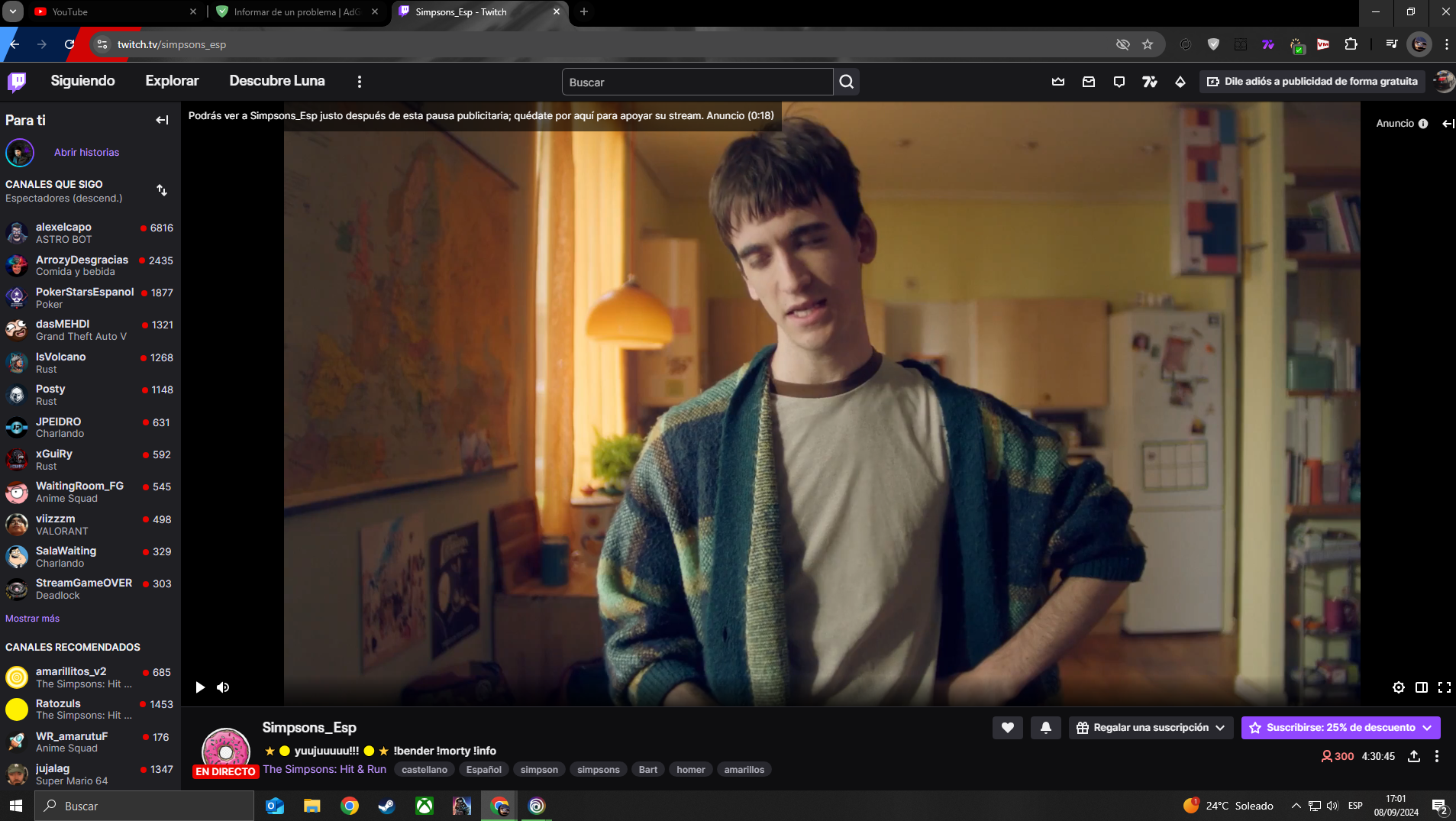
No detecta los anuncios de la página twitch.tv, ni los del principio ni los banners. Además es reconocido por multitud de páginas como G2A..
Screenshots
Screenshot 1
System configuration
| Information | Value |
|---|---|
| AdGuard product: | AdGuard Browser Extension v4.4.22 |
| System version: | Windows 10 |
| Browser: | Chrome |
| Tracking protection: | disabled |
| Filters: | Ad Blocking: AdGuard Base |
| Browsing Security: | enabled |
| Browsing Security statistics: | enabled |
| Other extensions used: | 7TV Nightly, Todavía no me importan las cookies, Videomirror, Current State: Light |
Issue URL (Ads)
Comment
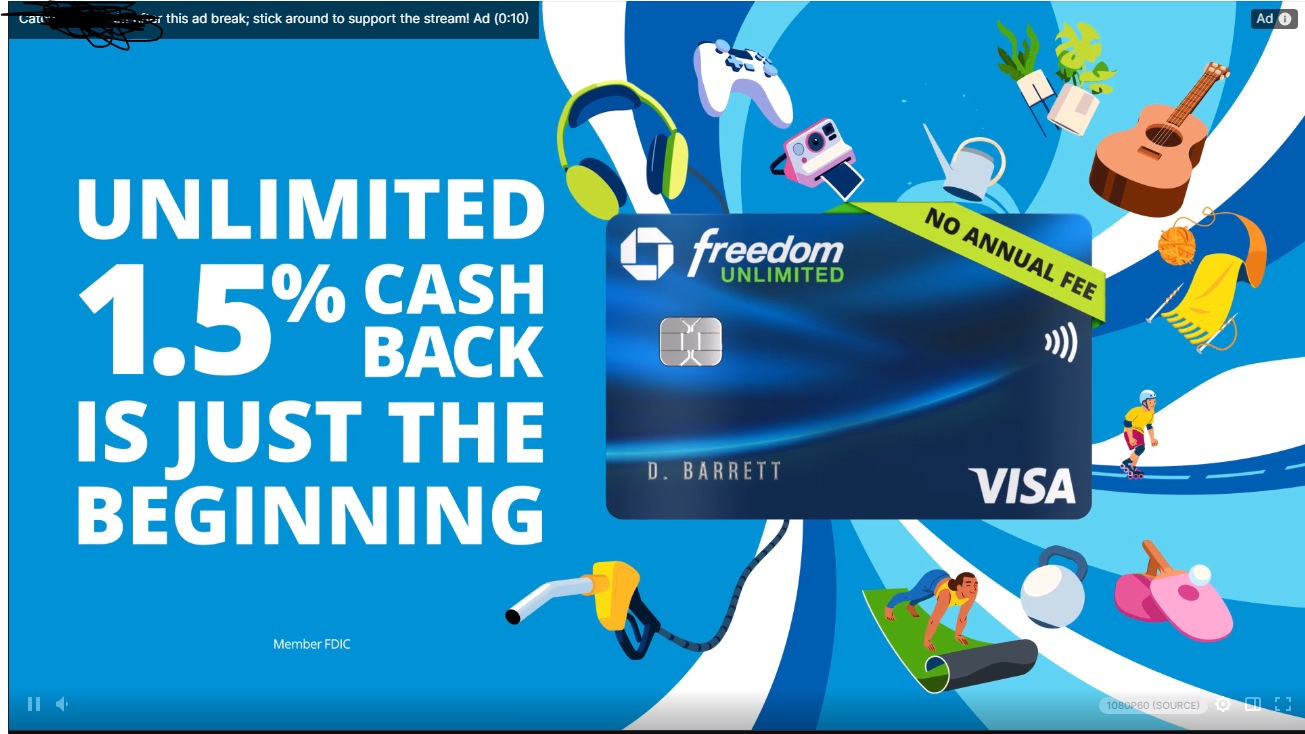
ad still here..... still...
Screenshots
Screenshot 1
System configuration
| Information | Value |
|---|---|
| AdGuard product: | AdGuard Browser Extension v4.3.53 |
| System version: | Windows 10 |
| Browser: | Opera |
| Tracking protection: | disabled |
| Filters: | Ad Blocking: AdGuard Base Language-specific: AdGuard Japanese, AdGuard Spanish/Portuguese |
| Browsing Security: | enabled |
| Browsing Security statistics: | disabled |
Issue URL (Ads)
Comment
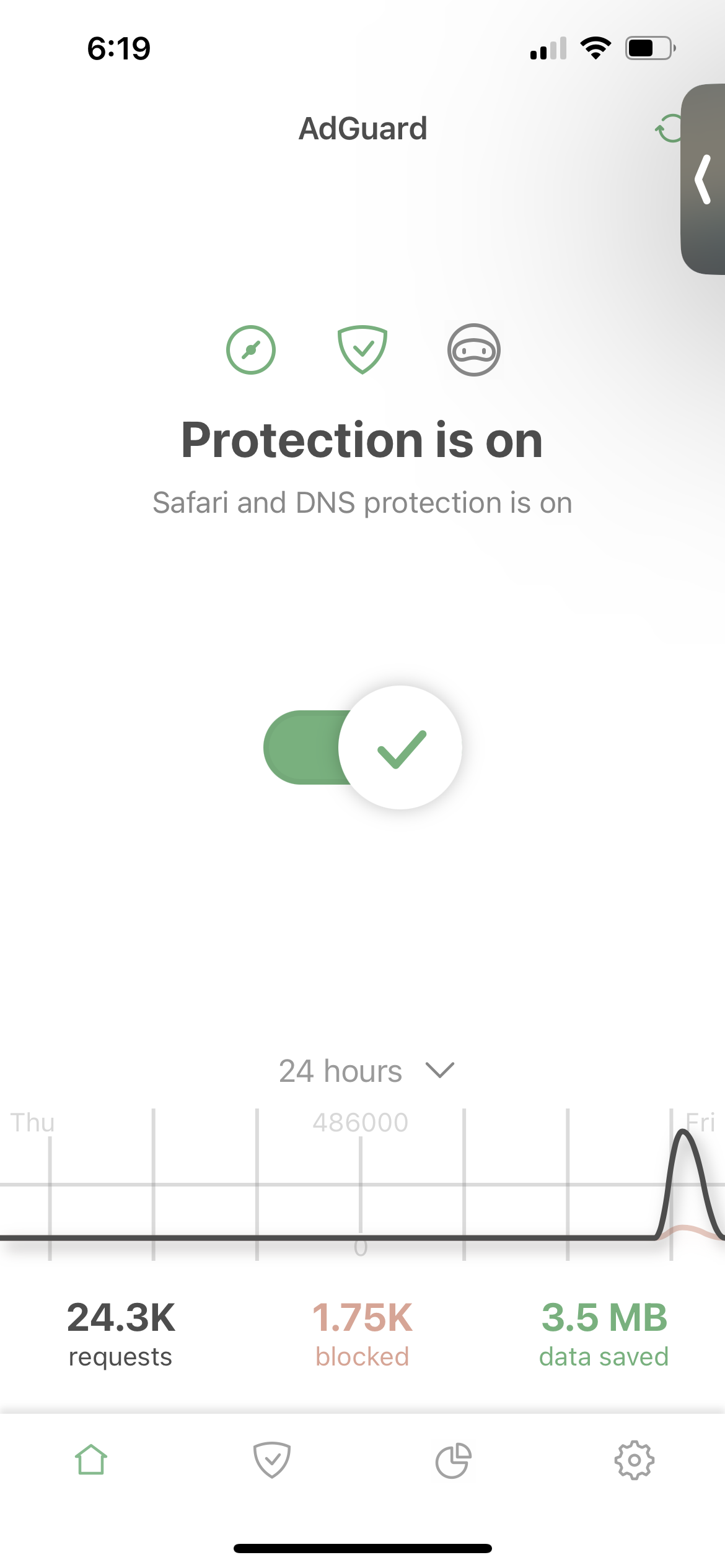
Using both AdGuard DNS and System Default as of last night ads on the twitch mobile app have stopped being blocked
Screenshots
Screenshot 1

Screenshot 2
System configuration
| Information | Value |
|---|---|
| AdGuard product: | AdGuard for iOS v4.5.5 |
| System version: | 17.6.1 |
| License type: | paid |
| Advanced protection: | enabled |
| DNS filtering: | server: AdGuard DNSfilters: https://filters.adtidy.org/dns/filter_1_ios.txt |
| Filters: | Ad Blocking: AdGuard Base, AdGuard Mobile Ads, EasyList Privacy: AdGuard Tracking Protection Annoyances: AdGuard Annoyances, AdGuard Cookie Notices, AdGuard Popups, AdGuard Mobile App Banners, AdGuard Other Annoyances, AdGuard Widgets Other: AdGuard DNS |
Issue URL (Ads)
Comment
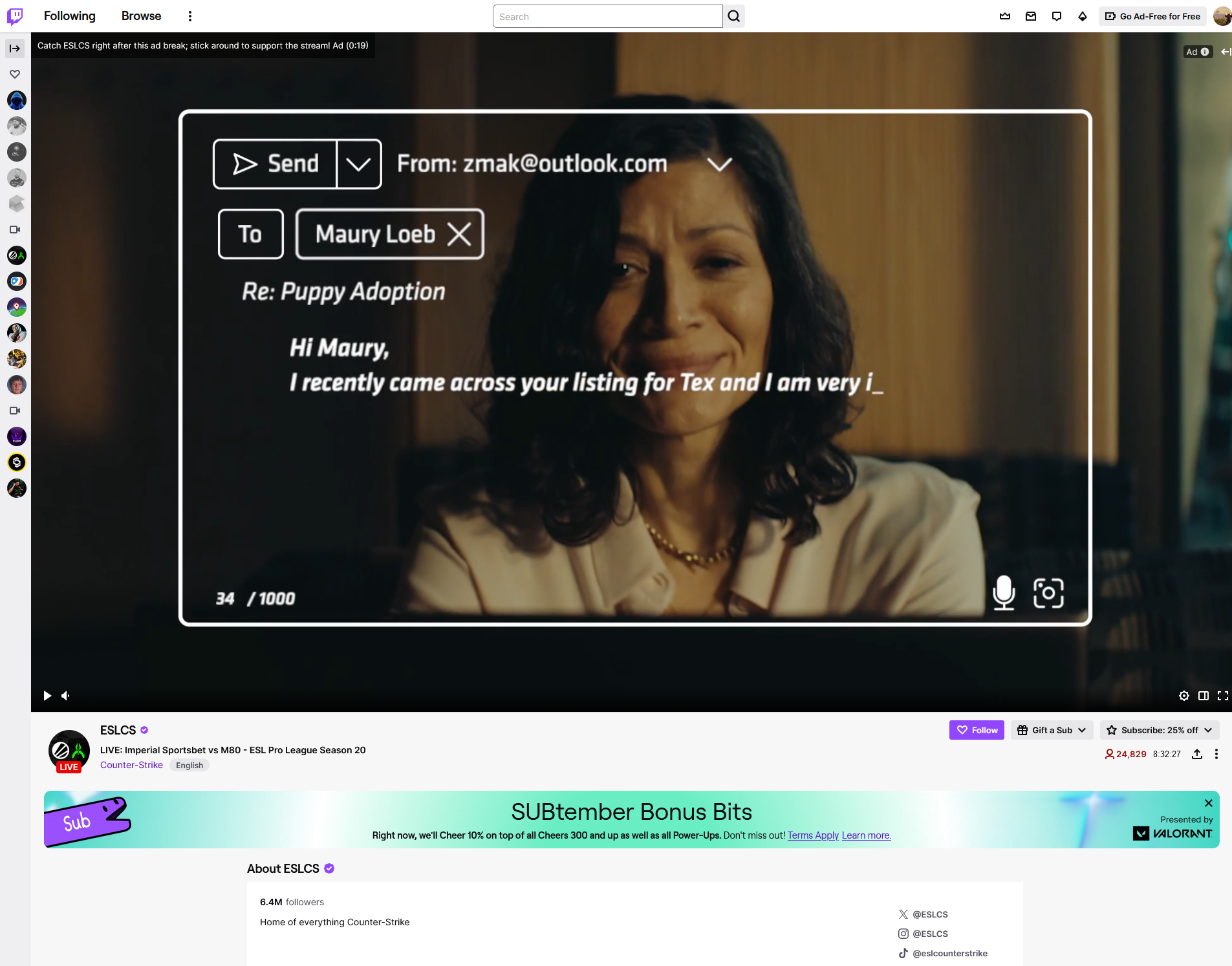
Does not block pre-roll ads on twitch.tv. The problem is also present on Android. Username:
@Garlane
Screenshots
Screenshot 1
System configuration
| Information | Value |
|---|---|
| AdGuard product: | AdGuard for Windows v7.18.1 (4778) |
| System version: | Microsoft Windows NT 10.0.19045.0 |
| Browser: | Firefox |
| License type: | paid |
| AdGuard driver: | WFP |
| Tracking protection options: | Hide your search queries, Send Do-Not-Track header, Hide your Referrer from third-parties, Hide your User-Agent, Remove X-Client-Data header from HTTP requests, Self-destructing third-party cookies (180), Block trackers, Disable Windows Telemetry, Turn off Advertising ID |
| DNS filtering: | server: Systemfilters: https://filters.adtidy.org/windows/filters/15.txt, User rules |
| Filters: | Ad Blocking: AdGuard Base Privacy: AdGuard Tracking Protection Social Widgets: AdGuard Social Media Annoyances: AdGuard Cookie Notices, AdGuard Popups, AdGuard Mobile App Banners, AdGuard Other Annoyances, AdGuard Widgets Language-specific: Dandelion Sprout's Nordic Filters |
| Browsing Security: | enabled |
| Browsing Security statistics: | disabled |
| Userscripts: | https://userscripts.adtidy.org/release/adguard-extra/1.0/adguard-extra.user.js https://userscripts.adtidy.org/release/popup-blocker/2.5/popupblocker.user.js |
| Userstyles: | disabled |
| Other extensions used: | BitDefender |
Import issue configuration (AdGuard for Windows)
Extra activated in AdGuard app - installed Firefox addon to test the comment detailing how to solve it, does not work. AdGuard for Android did previously block twitch apps, however, they are now also going through on my Android device as well.

Issue URL (Incorrect Blocking)
https://www.twitch.tv/zackrawrr
Comment
When visiting any stream on Twitch, the chat refuse to load. The chat load correctly when disabling Adguard on Twitch. The issue appear on the latest stable version of Brave, with the built-in adblocker disabled. Username:
@Chway
Screenshots
Screenshot 1

Screenshot 1 with AdGuard disabled
System configuration
| Information | Value |
|---|---|
| AdGuard product: | AdGuard Browser Extension v5.0.91 |
| System version: | Windows 10 |
| Browser: | Brave |
| Tracking protection: | disabled |
| Filters: | Ad Blocking: AdGuard Base Privacy: AdGuard Tracking Protection Social Widgets: AdGuard Social Media Language-specific: AdGuard French |
| Browsing Security: | disabled |
| Browsing Security statistics: | disabled |
| Other extensions used: | Bitwarden, Floccus, Sponsorblock, Reddit Enhancement Suite, Tampermonkey |

The chat load fine with "AdGuard Tracking Protection filter" disabled, or with the Brave built-in adblocker enabled. Brave adblocker disabled + Adguard (+ AdGuard Tracking Protection filter), the chat never load.
I'll try with the unpacked extension for more information in the logger.

@Chway Please check in the filtering log which rules were applied from AdGuard Tracking Protection filter and make a screenshot (enter filter name to the search field).
@Chway Do you see these errors without Tracking Protection filter?
Please test all these rules
/.*/$permissions=join-ad-interest-group=(),badfilter
/.*/$permissions=run-ad-auction=(),badfilter
/.*/$permissions=browsing-topics=(),badfilter
/.*/$permissions=private-state-token-issuance=(),badfilter
/.*/$permissions=private-state-token-redemption=(),badfilter
#@%#//scriptlet('set-constant', 'navigator.privateAttribution', 'undefined')
#@%#//scriptlet('no-topics')
#@%#//scriptlet('no-protected-audience')
I don't see any messages related to websockets when the Tracking Protection filter is disabled and the chat load properly.
The problem still happen when testing all these rules, I don't see any more mention of the Tracking Filter in the logger and the console looks exactly like in the screenshot above.
@Chway Ok. Could you please test when enabled only Tracking Protection filter?
If the problem still exists in this case, please check for applied rules, and test after that twitch.tv#@%#//scriptlet()
The problem still exists and the same 5 rules seen in the screenshot earlier are applied. twitch.tv#@%#//scriptlet() does not seem to have any effect.
I tried the rules you posted earlier, with only the Tracking Filter enabled and checked the logger, Adguard now does not block or modify anything according to the logger, even though, the only way to make the chat working is still to disable the filter.
I can reproduce it (only in Brave) and it looks like the problem is caused by $permissions rules.
Even if I add something like $permissions=whatever=() then chat is broken, but works fine with $permissions=whatever=(),document.
If I'm not wrong, the problem is that permissions-policy header is applied to all type of request, but according to documentation it should be applied only to document.
By the way, it looks like that in the case of $permissions rules, a badfilter doesn't disable them, but this rule:
@@||twitch.tv^$websocket,permissions
work fine on my end.

@Alex-302 Could you please file bugs about badfiltering and document, and mention them in extensions chat?
And add the temporarily exclusion with a comment and TODO.
The chat now load just fine with @@||twitch.tv^$websocket,permissions here too.
I have added this rule to AdGuard Quick Fixes filter and as far as I can see, it's already available, so you can remove it from user rules.
Issue URL (Ads)
Comment
(Please Don't use personal details)
Username: @Don't have one but Whatever that isn't personal go ahead and list it as an issue. Thanks!
Screenshots
Screenshot 1
System configuration
| Information | Value |
|---|---|
| AdGuard product: | AdGuard Browser Extension v4.4.22 |
| System version: | Windows 11 |
| Browser: | Brave |
| Tracking protection: | disabled |
| Filters: | Ad Blocking: AdGuard Base Other: Filter unblocking search ads and self-promotion |
| Browsing Security: | disabled |
| Browsing Security statistics: | disabled |
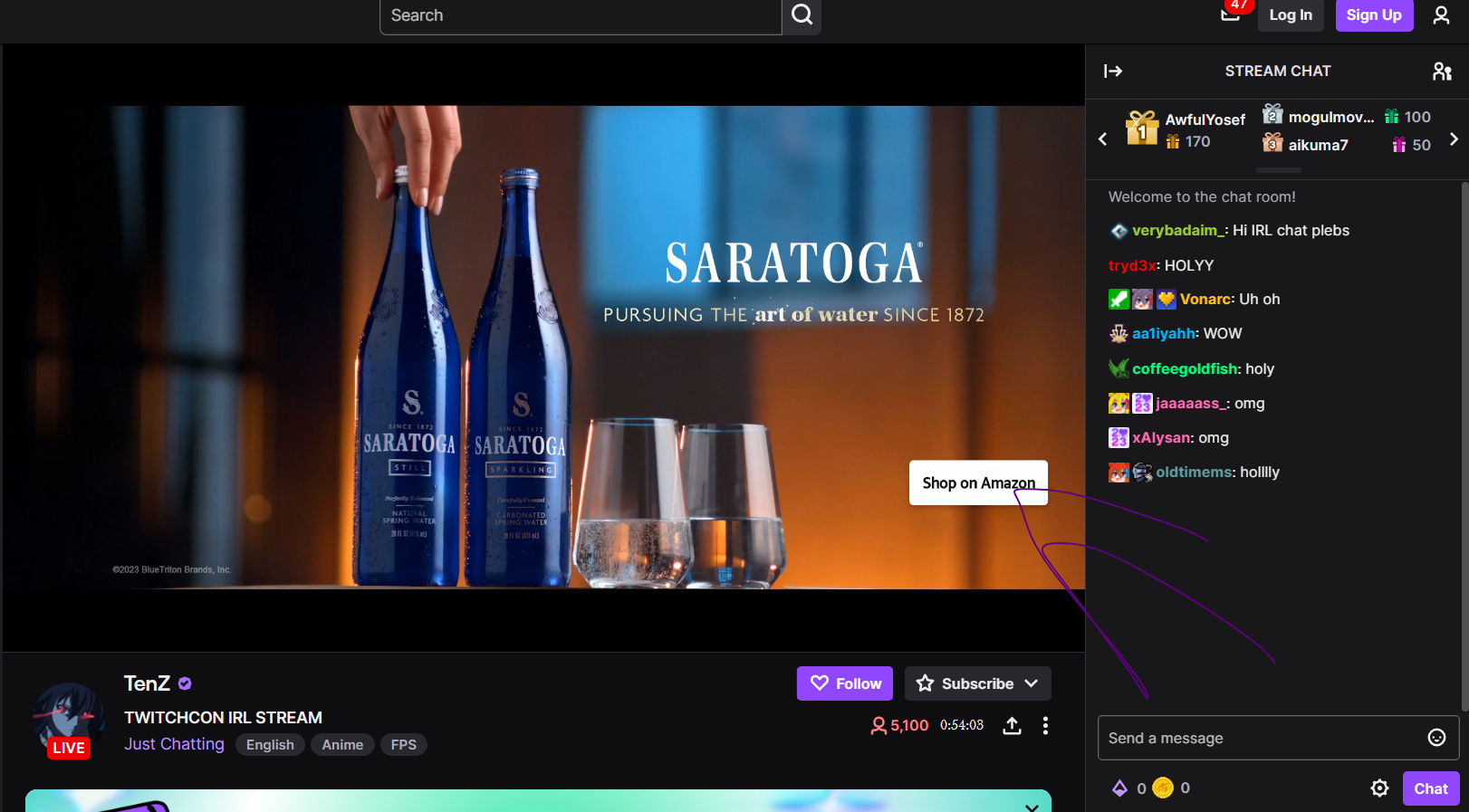
| Other extensions used: | A LOT but turning them off didn't do anything to fix that either. Twitch in particular is the most annoying aspect of being unable to block ads mostly because they're all injected. So if there's anyway taht you can make it so that AdGuard can "de-ject" advertisements that would be great. And also using the "block element" feature just breaks it completely so I'd also suggest a fix on that too. |
Issue URL (Ads)
Comment
Anuncios en Twitch
Screenshots
Screenshot 1

System configuration
| Information | Value |
|---|---|
| AdGuard product: | AdGuard Browser Extension v4.4.48 MV2 |
| System version: | Windows 11 |
| Browser: | Edge |
| Tracking protection: | disabled |
| Filters: | Ad Blocking: AdGuard Base Other: Filter unblocking search ads and self-promotion Language-specific: AdGuard Spanish/Portuguese |
| Browsing Security: | disabled |
| Browsing Security statistics: | disabled |
Please read: https://github.com/AdguardTeam/AdguardFilters/issues/187875#issue-2503834316
Issue URL (Ads)
Screenshots
Screenshot 1
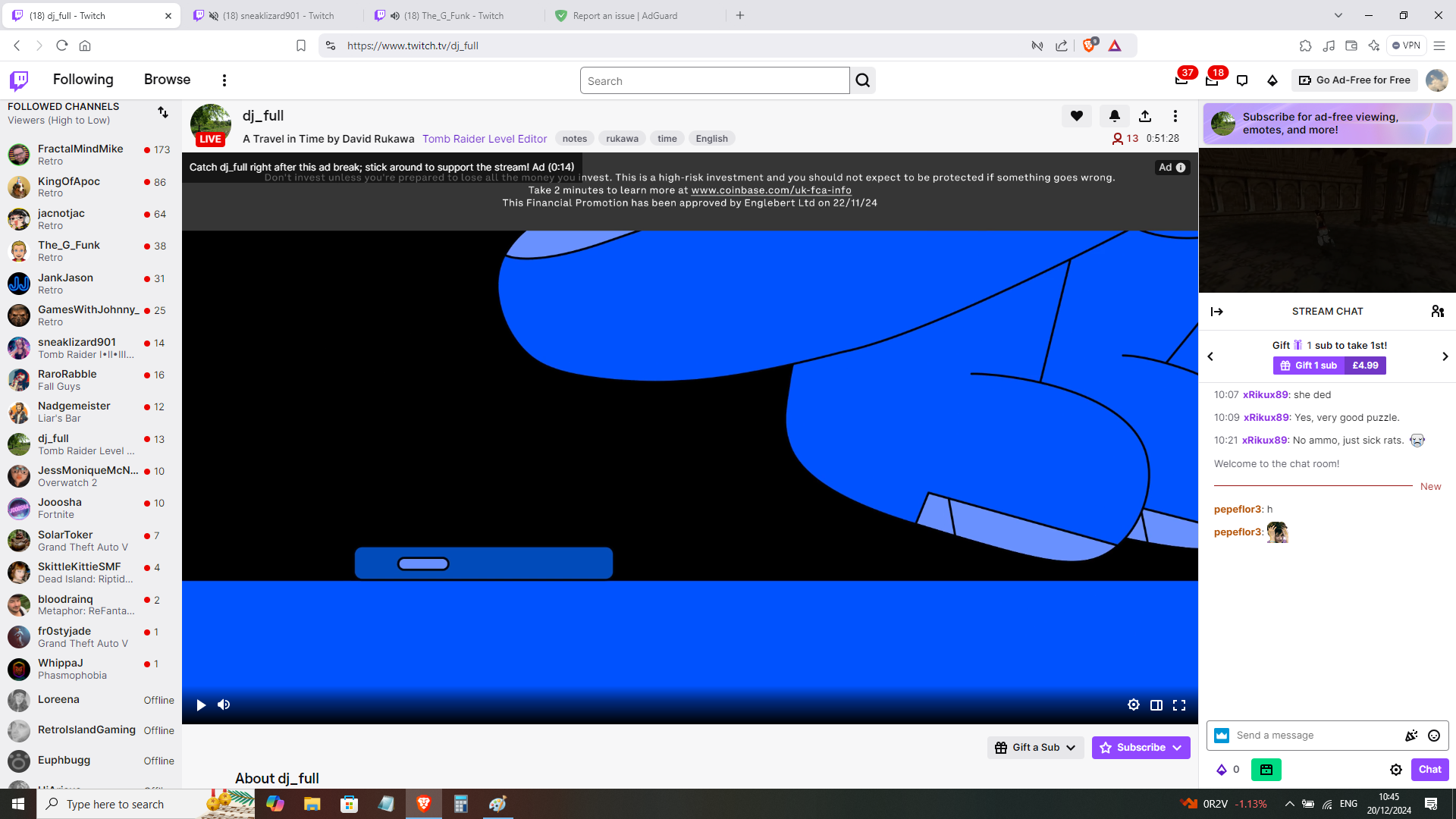
System configuration
| Information | Value |
|---|---|
| AdGuard product: | AdGuard Browser Extension v5.0.176 MV3 |
| System version: | Windows 10 |
| Browser: | Chrome |
| Tracking protection: | disabled |
| Filters: | Ad Blocking: AdGuard Base, AdGuard Quick Fixes Language-specific: AdGuard German, AdGuard Spanish/Portuguese, EasyList Italy, Hungarian |
| Browsing Security: | disabled |
| Browsing Security statistics: | disabled |
Issue URL (Incorrect Blocking)
Comment
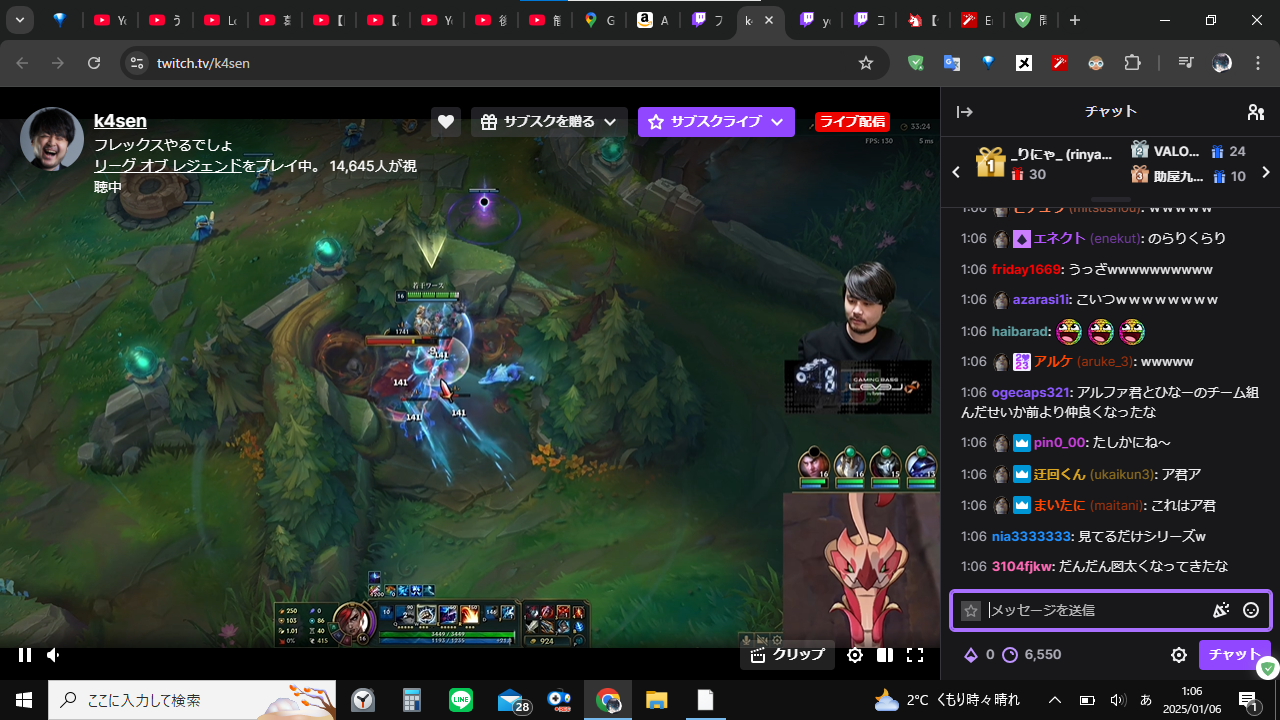
前々からだが広告をブロックする時に画面が固まってしまう。早急に直して欲しい。 For some time now, the screen has been freezing when blocking ads. I want this to be fixed as soon as possible. Username:
@YoRNsn
Screenshots
Screenshot 1
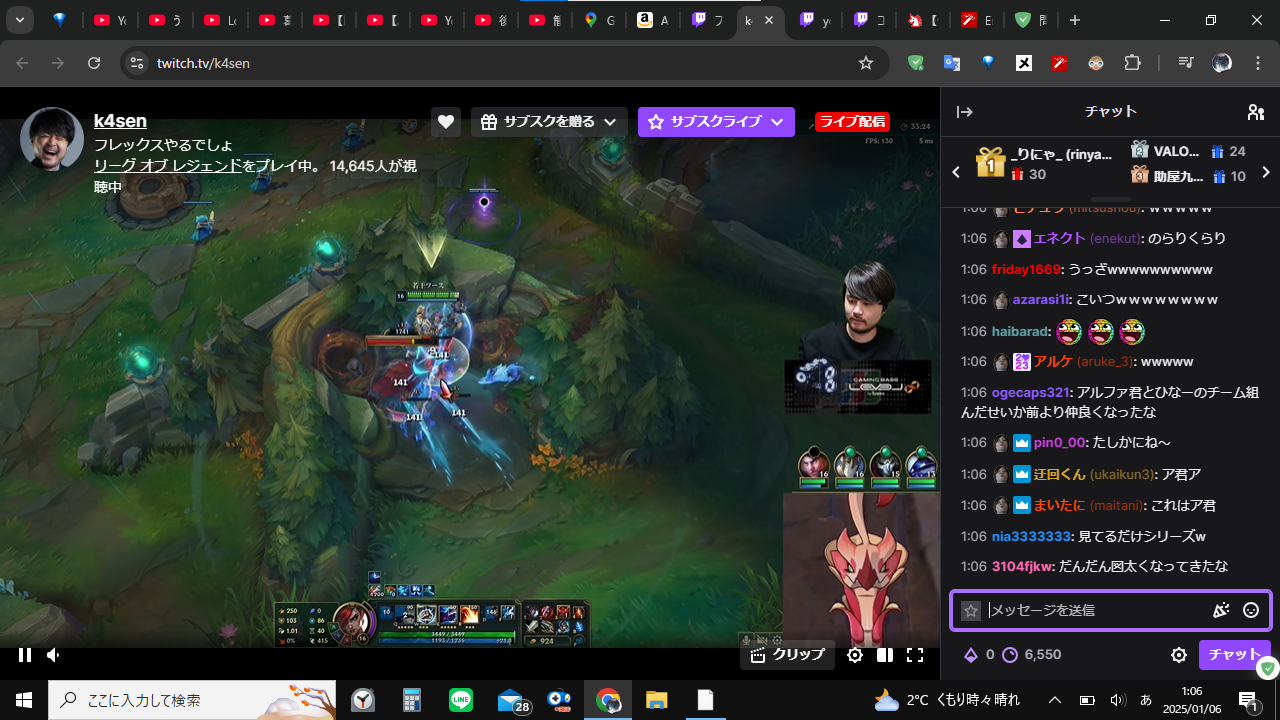
Screenshot 1 with AdGuard disabled
System configuration
| Information | Value |
|---|---|
| AdGuard product: | AdGuard for Windows v7.19.0 (4853) |
| System version: | Microsoft Windows NT 10.0.19045.0 |
| Browser: | Chrome |
| License type: | paid |
| AdGuard driver: | WFP |
| Tracking protection options: | Hide your search queries, Hide your Referrer from third-parties, Hide your User-Agent, Remove X-Client-Data header from HTTP requests, Self-destructing third-party cookies (180), Block trackers, Disable Windows Telemetry, Turn off Advertising ID |
| DNS filtering: | server: https://dns.adguard-dns.com/dns-queryfilters: AdGuard DNS Filter, User DNS filter (url: none) |
| Filters: | Ad Blocking: AdGuard Base Privacy: AdGuard Tracking Protection Annoyances: AdGuard Annoyances Language-specific: AdGuard Japanese |
| Custom filters: | User filter (url: none) |
| Browsing Security: | enabled |
| Browsing Security statistics: | disabled |
| Userscripts: | Endless Google (url: https://raw.githubusercontent.com/tumpio/gmscripts/master/Endless_Google/egoogle.user.js) Pagetual (url: https://update.greasyfork.org/scripts/438684/Pagetual.user.js) Affiliate killer (url: https://greasyfork.org/scripts/456-affiliate-killer/code/Affiliate killer.user.js) AdGuard Assistant (url: https://userscripts.adtidy.org/release/assistant/4.3/assistant.user.js) AdGuard Extra (url: https://userscripts.adtidy.org/release/adguard-extra/1.0/adguard-extra.user.js) AdGuard Popup Blocker (url: https://userscripts.adtidy.org/release/popup-blocker/2.5/popupblocker.user.js) Web of Trust (url: https://userscripts.adtidy.org/release/adguard-wot/1.0/wot.user.js) |
| Userstyles: | adguardアシスタント |
| Referrer: | https://www.twitch.tv/directory/following |
Issue configuration
@YoRNsn Hi. Can't reproduce with your settings. Is it related to userscripts or filters?
Issue URL (Ads)
Comment
TWITCH STILL HAS ADS WITH THE BLOCKER Username:
@N/A
Screenshots
Screenshot 1
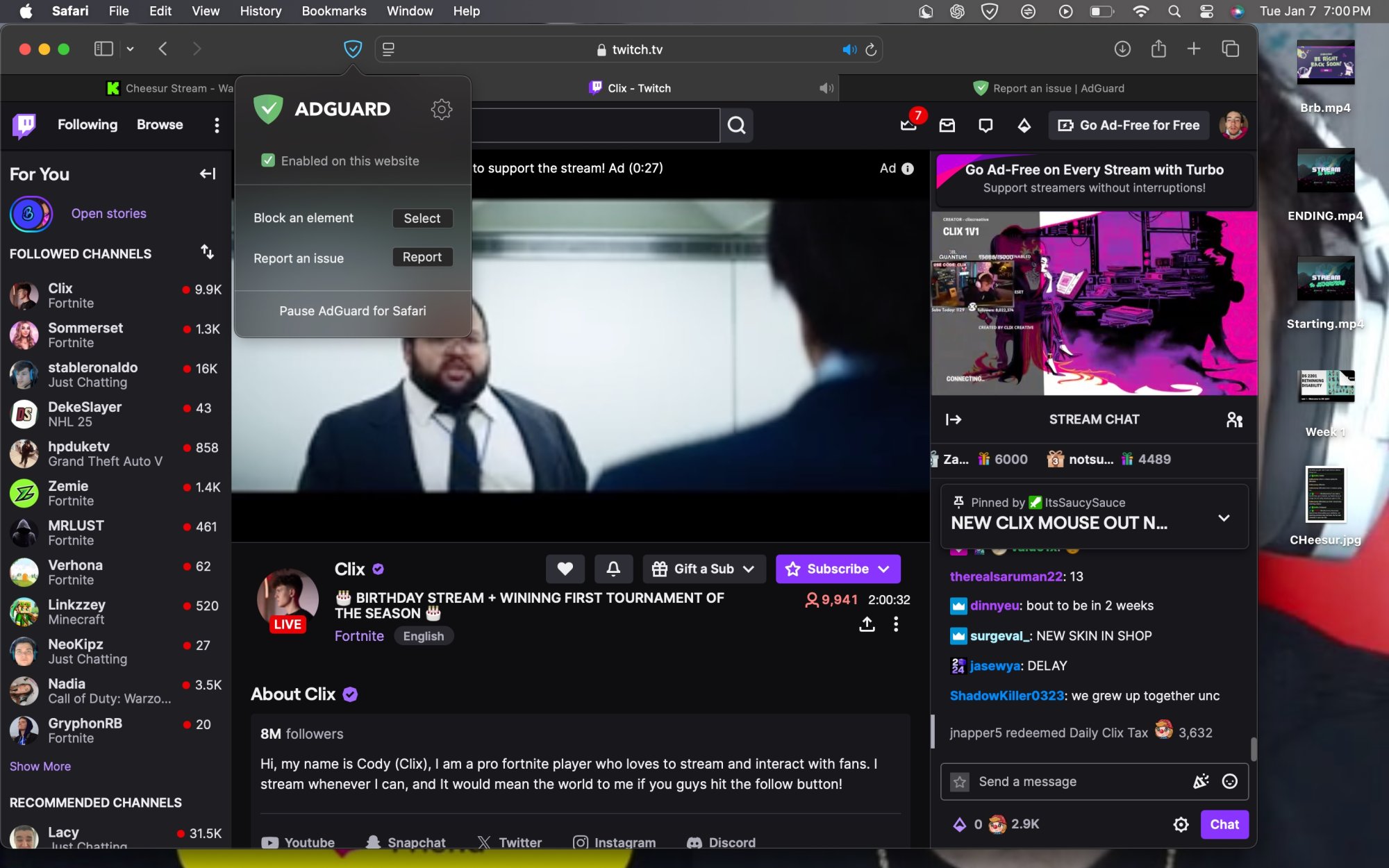
System configuration
| Information | Value |
|---|---|
| AdGuard product: | AdGuard for Safari v1.11.20 |
| Filters: | Ad Blocking: AdGuard Base Privacy: AdGuard Tracking Protection |
| Other extensions used: | DOESNT WORK ON TWITCH |
Issue URL (Incorrect Blocking)
Comment
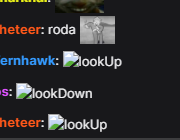
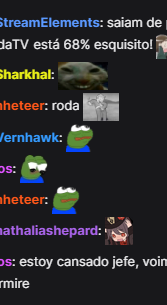
icone dos emotes bugando na twitch (utilizo 7tv e bttv na twitch)
Screenshots
Screenshot 1
Screenshot 1 with AdGuard disabled
System configuration
| Information | Value |
|---|---|
| AdGuard product: | AdGuard for Windows v7.19.0 (4853) |
| System version: | Microsoft Windows NT 10.0.19045.0 |
| Browser: | Chrome |
| License type: | paid |
| AdGuard driver: | WFP |
| Tracking protection options: | Block WebRTC, Block Push API, Block Location API, Strip URLs from tracking parameters, Hide your search queries, Send Do-Not-Track header, Hide your Referrer from third-parties (www.twitch.tv), Hide your User-Agent, Hide your IP address (208.80.235.255), Remove X-Client-Data header from HTTP requests, Protect against DPI, Self-destructing third-party cookies (0), Disable cache for third-party requests, Block third-party Authorization header, Block trackers, Disable WAP Push Message Routing Service, Disable Windows Defender automatic samples submission, Disable Windows Telemetry, Turn off Advertising ID |
| DNS filtering: | server: https://dns.adguard-dns.com/dns-queryfilters: AdGuard DNS Filter, User DNS filter (url: none) |
| Filters: | Ad Blocking: AdGuard Base Privacy: AdGuard Tracking Protection, AdGuard URL Tracking Social Widgets: AdGuard Social Media Annoyances: AdGuard Cookie Notices, AdGuard Popups, AdGuard Mobile App Banners, AdGuard Other Annoyances, AdGuard Widgets Language-specific: AdGuard Spanish/Portuguese, AdGuard Chinese |
| Custom filters: | User filter (url: none), Bypass Paywalls Clean filter (url: https://gitflic.ru/project/magnolia1234/bypass-paywalls-clean-filters/blob/raw?file=bpc-paywall-filter.txt) |
| Browsing Security: | enabled |
| Browsing Security statistics: | disabled |
| Userscripts: | AdGuard Extra (url: https://userscripts.adtidy.org/release/adguard-extra/1.0/adguard-extra.user.js) AdGuard Popup Blocker (url: https://userscripts.adtidy.org/release/popup-blocker/2.5/popupblocker.user.js) Return YouTube Dislike (url: https://update.greasyfork.org/scripts/436115/Return YouTube Dislike.user.js) tinyShield (url: https://cdn.jsdelivr.net/npm/@list-kr/tinyshield@latest/dist/tinyShield.user.js) Don't track me Google (url: https://update.greasyfork.org/scripts/428243/Don't track me Google.user.js) Bypass Paywalls Clean - en (url: https://gitflic.ru/project/magnolia1234/bypass-paywalls-clean-filters/blob/raw?file=userscript/bpc.en.user.js) Bypass Paywalls Clean - es/pt/south america (url: https://gitflic.ru/project/magnolia1234/bypass-paywalls-clean-filters/blob/raw?file=userscript/bpc.es.pt.user.js) Control Panel for Twitter (url: https://update.greasyfork.org/scripts/387773/Control Panel for Twitter.user.js) Scribd Downloader Button (url: https://update.greasyfork.org/scripts/523483/Scribd Downloader Button.user.js) |
| Userstyles: | nenhuma |
| Referrer: | https://www.twitch.tv/andkeiwan |
| Other extensions used: | emotes da twitch bugando e não aparecendo (bttv, 7tv) |
Issue configuration
Issue URL (Annoyance)
https://www.twitch.tv/jabroni_mike
Comment
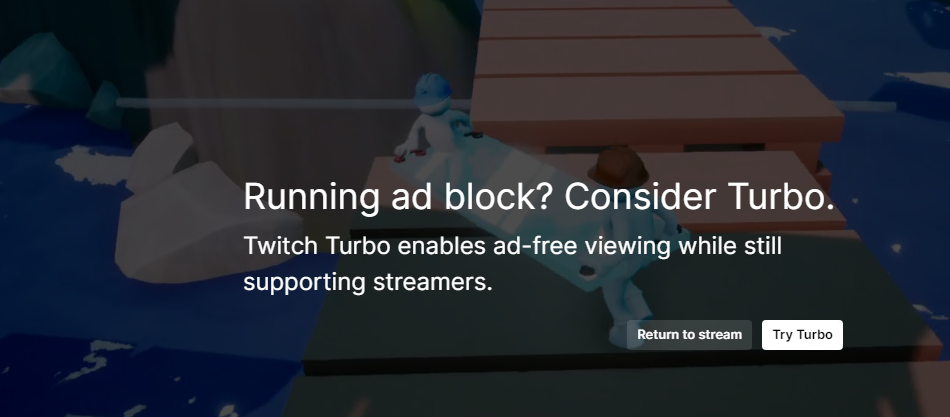
Twitch now shows an annoying notification that covers the stream indicating they see that I am using an ad blocker and require me to click a button to remove the notification. This is happening with AdGuard Extra on Chrome. Username:
@DaveKap
Screenshots
Screenshot 1
System configuration
| Information | Value |
|---|---|
| AdGuard product: | AdGuard Browser Extension v1.0.658 |
| System version: | Windows 10 Pro 22H2 |
| Browser: | Chrome |
| Tracking protection: | disabled |
| Filters: | Ad Blocking: AdGuard Base Annoyances: AdGuard Annoyances |
| Browsing Security: | disabled |
| Browsing Security statistics: | disabled |
| Other extensions used: | uBlock Origin |
Issue URL (Anti Adblock Script)
https://www.twitch.tv/rinalucsper
Comment
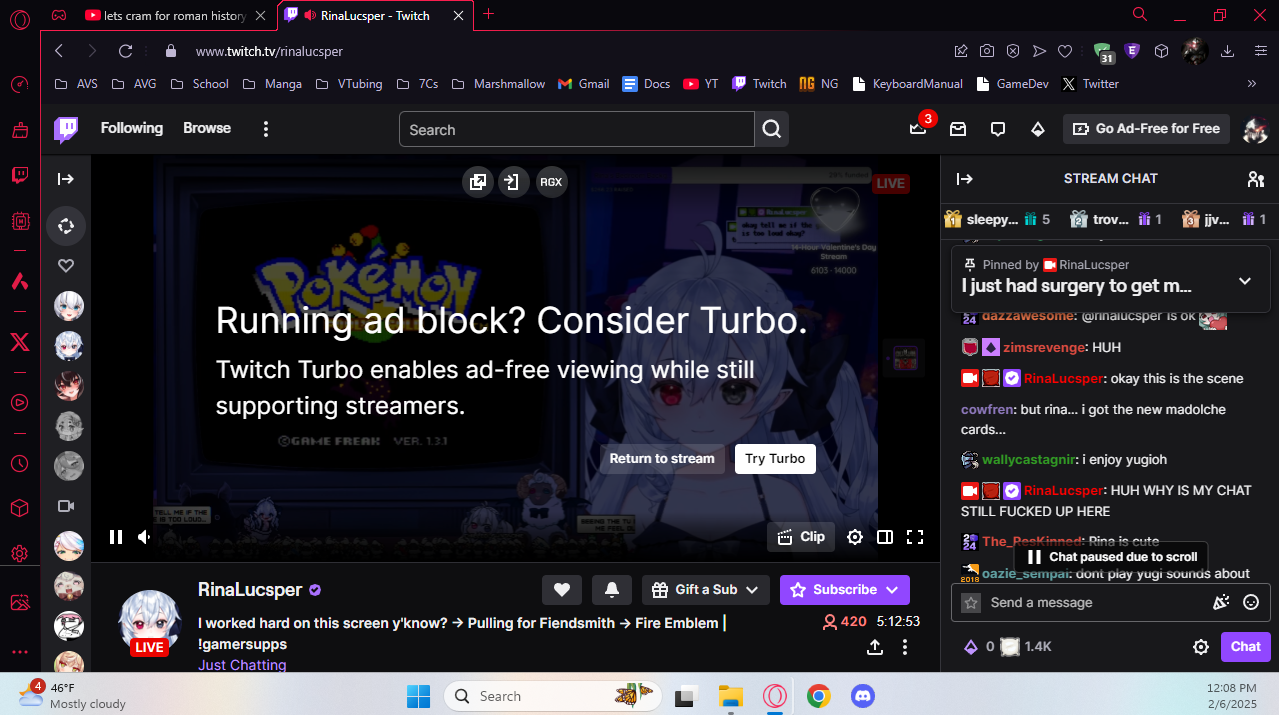
I'm only using adguard + the extra extension to get adblock from twitch ads and Twitch is detecting it. Just wanted to note this all as a warning incase Twitch uses this to try and bypass the adblocking (if it hasn't already). Username:
@FrozenBurst64
Screenshots
Screenshot 1
System configuration
| Information | Value |
|---|---|
| AdGuard product: | AdGuard Browser Extension v5.0.185 MV3 |
| System version: | Windows 11 |
| Browser: | Opera |
| Tracking protection: | disabled |
| Filters: | Ad Blocking: AdGuard Base, AdGuard Quick Fixes Privacy: AdGuard Tracking Protection Other: Filter unblocking search ads and self-promotion |
| Browsing Security: | disabled |
| Browsing Security statistics: | disabled |
Issue URL (Annoyance)
Comment
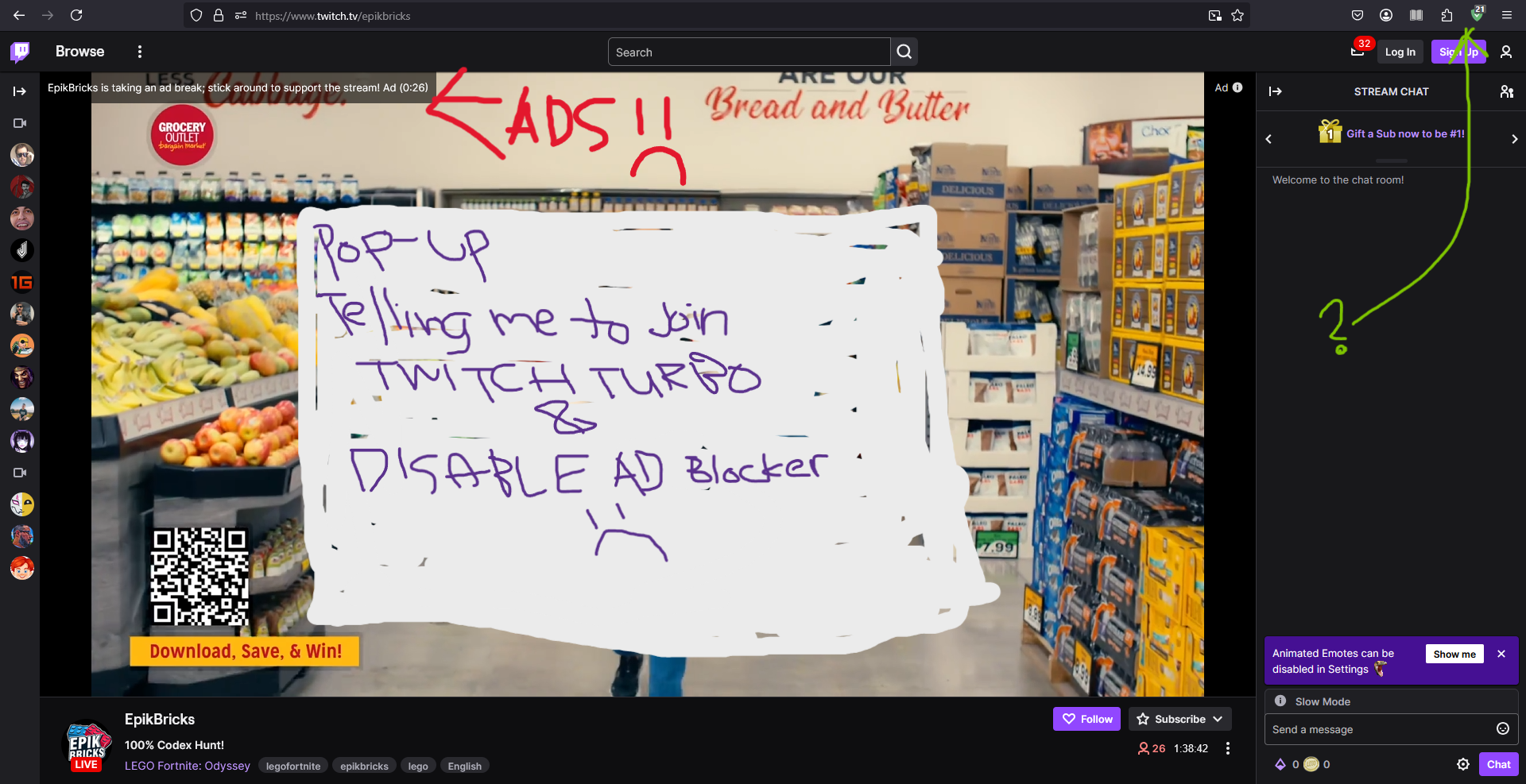
Hi. sorry for my terrible photo. I love ad guard for other sites but its failing to stop ads and pop ups on twitch.com. Please help. My silly screenshot shows the ad running, but I couldn't catch the pop-up in time. Its a transparent overlay that stays up until I interact with the buttons? I think they say "return to stream" and "buy turbo" or something like that. This ad-block failure seems relatively new? Thanks for your help :) Username:
@twitchadhater
Screenshots
Screenshot 1
System configuration
| Information | Value |
|---|---|
| AdGuard product: | AdGuard Browser Extension v4.4.49 MV2 |
| System version: | Windows 10 |
| Browser: | Firefox |
| Tracking protection options: | Strip URLs from tracking parameters, Hide your search queries, Send Do-Not-Track header, Self-destructing third-party cookies (2880), Block trackers |
| Filters: | Ad Blocking: AdGuard Base Privacy: AdGuard Tracking Protection, AdGuard URL Tracking Language-specific: AdGuard Russian, AdGuard German, AdGuard Japanese, AdGuard Spanish/Portuguese, Official Polish filters for AdBlock, uBlock Origin & AdGuard, AdGuard Chinese, EasyList Italy, EasyList Thailand, List-KR, Polish Anti Adblock Filters |
| Browsing Security: | enabled |
| Browsing Security statistics: | enabled |
| Other extensions used: | not sure |