

 AdguardTeam
No GatewayV6
Have a question or an idea? Please search it on our forum to make sure it was not yet asked. If you cannot find what you had in mind, please submit it here.
Prerequisites
Please answer the following questions for yourself before submitting an issue. YOU MAY DELETE THE PREREQUISITES SECTION.
- [X ] I am running the latest version
- [X ] I checked the documentation and found no answer
- [X ] I checked to make sure that this issue has not already been filed
Issue Details
no GatewayV6
- Version of AdGuard Home server:
- v0.107.7
- How did you install AdGuard Home:
- GitHub releases
- How did you setup DNS configuration:
- System
- If it's a router or IoT, please write device model:
- No
- CPU architecture:
- AMD64
- Operating system and version:
- Ubuntu 22.04
Expected Behavior
no config to add GatewayV6 for DHCP6 setting
Actual Behavior
working with ra_allow_slaac: true but no
Screenshots
Connection-specific DNS Suffix: Description: Realtek PCIe GbE Family Controller Physical Address: XX-XX-XX-XX-XX-XX DHCP Enabled: No IPv4 Address: 192.168.1.10 IPv4 Subnet Mask: 255.255.255.0 IPv4 Default Gateway: 192.168.1.1 IPv4 DNS Servers: 192.168.1.2, 192.168.1.254 IPv4 WINS Server: NetBIOS over Tcpip Enabled: Yes IPv6 Address: fd80::3 Lease Obtained: Sunday, June 12, 2022 8:54:00 PM Lease Expires: Monday, June 13, 2022 8:51:57 PM Link-local IPv6 Address: fe80::749f:578b:d63b:d8ff%11 IPv6 Default Gateway: IPv6 DNS Servers: fd80::ef, fd80::2, fe80::e269:95ff:fe57:dc6f%11
Screenshot:
Additional Information

@jo20201, hello and sorry for a late response. Could you please answer a couple of questions:
- What machine is a receiver of the lease? If it configured to use DHCPv6 instead of stateless autoconfiguration?
- Are there any other devices in the network that receive the lease properly?
- Which command/software gives you the output you've attached?
Also, could you please collect some verbose log and send it to [email protected] with the "Issue 4667" in the subject? The AdGuardHome.yaml would also be very helpful.

hi guys
i got a question for anyone
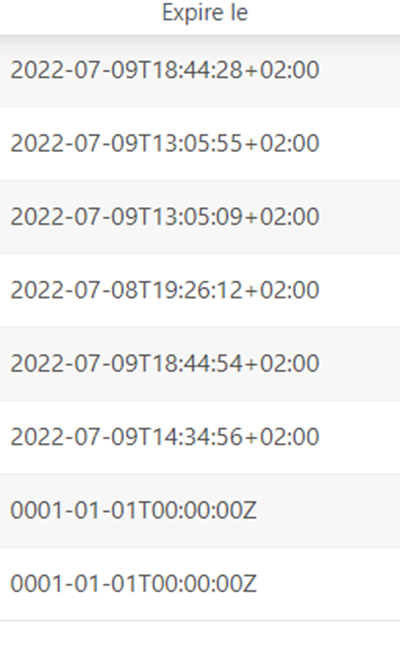
here joined, the bail expiration for my lan machines as we can see, there are some 202207 expirations, these are for the ipv4 bail
but there are also some 000101, them are ipv6 bail for the compurters on my lan
i just want to know why 0001 and not the real bail 2022 day+1
thanks for helping me

@jeromelarras, hello. Please consider keeping the questions like this in the Discussions section. Such discussion threads are more likely to become a bug report and to be fixed sooner.
@jo20201, hello again. Since I don't know how have you got the attached output, I can only share some ideas of what is going wrong:
- There are
dhcp.dhcpv6.ra_slaac_onlyanddhcp.dhcpv6.ra_allow_slaacfields in the configuration. The "Managed address configuration" and "Other configuration" flags in the Router Advertisement (RA) are both just the negation ofdhcp.dhcpv6.ra_slaac_onlyfield of configuration. So could you please try to set bothdhcp.dhcpv6.ra_*settings tofalseto disable the embedded Router Advertisement and leave this part of autoconfiguration to the router. - Perhaps the RA haven't been sent at the moment of checking the configuration or the host (machine receiving the lease) didn't performed the Router Solicitation (RS) itself at the moment. Does the issue reproduces?
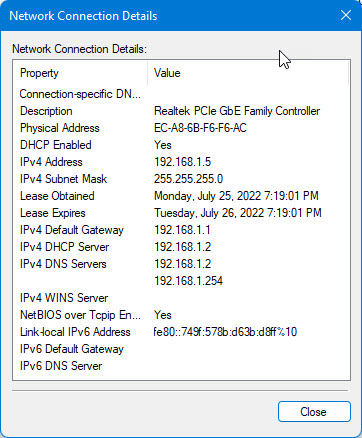
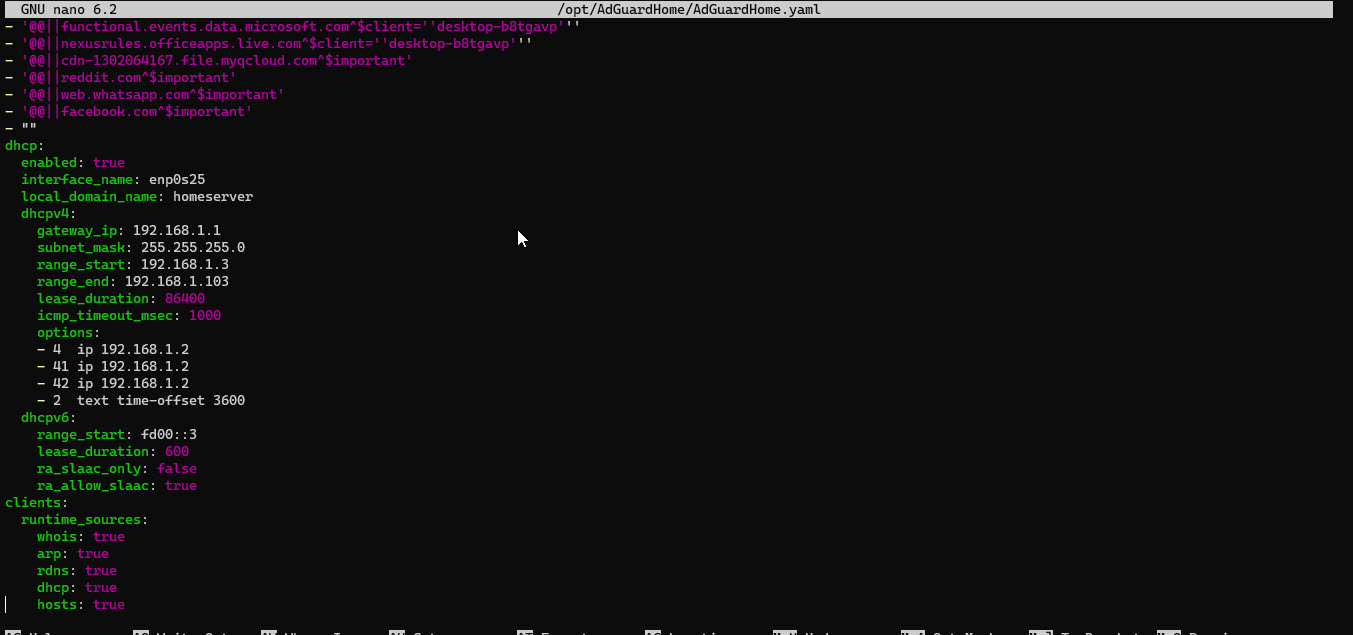
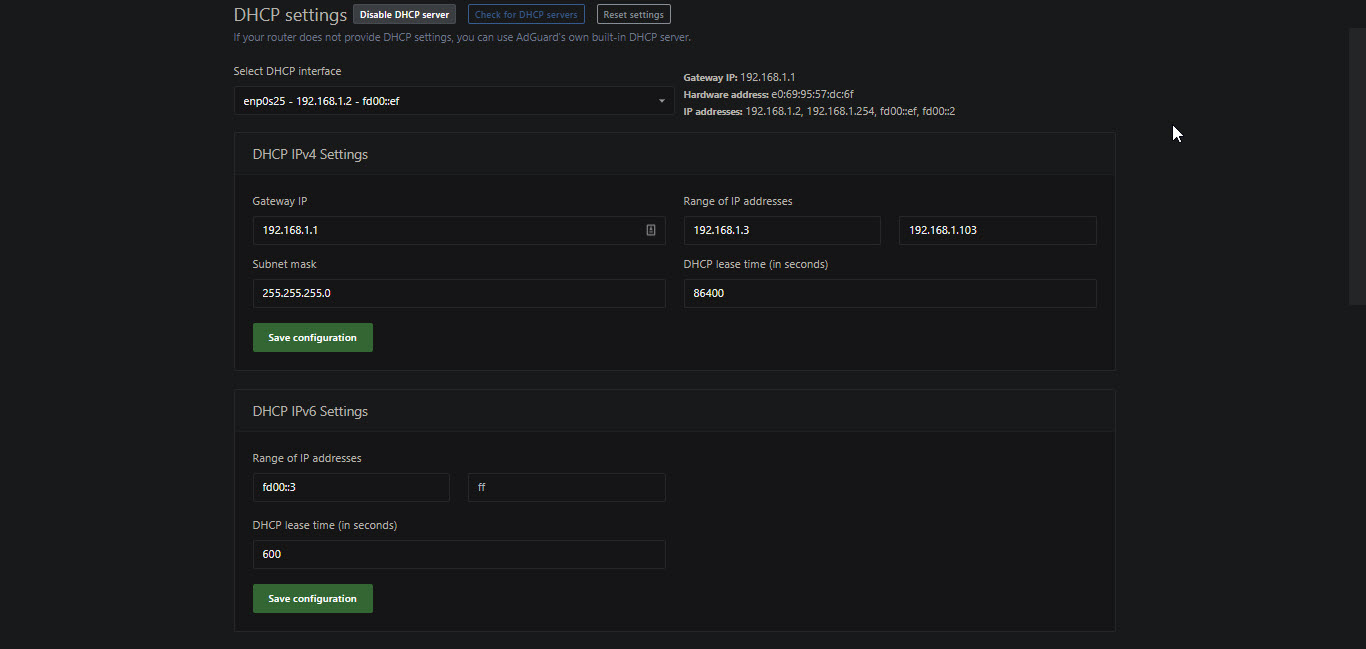
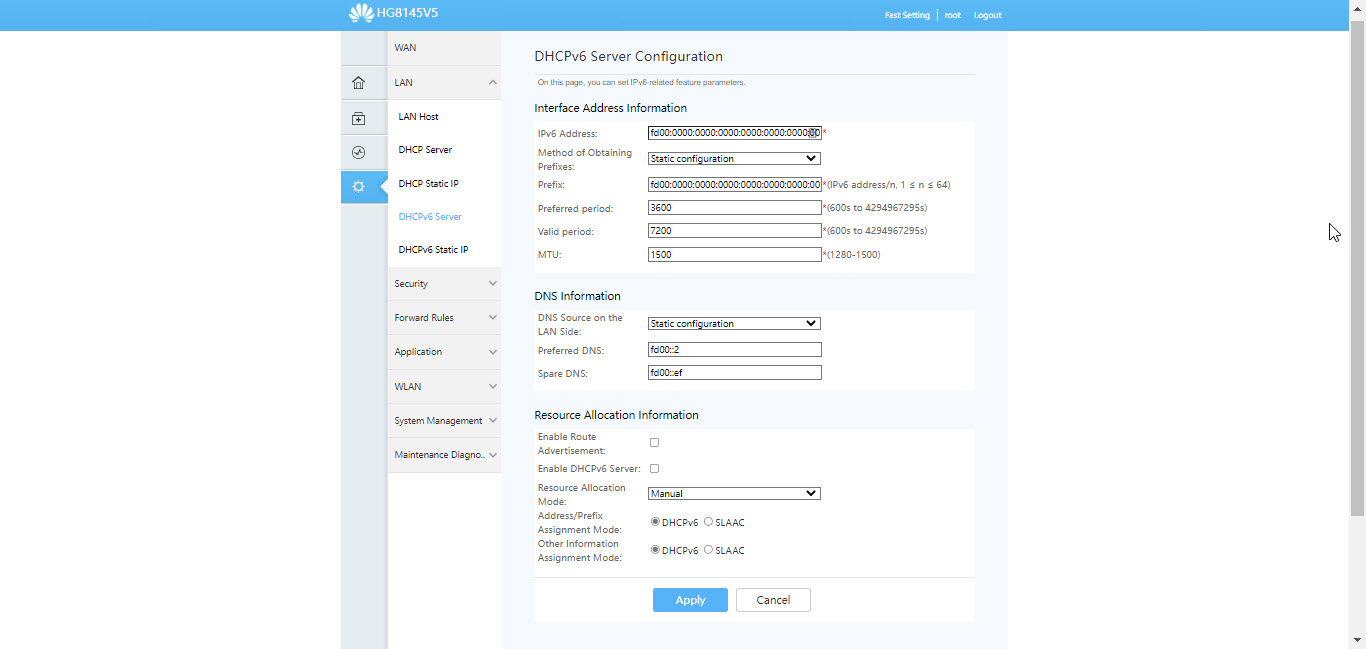
@jo20201, I suppose you might want to enable a router advertisement to make your router advertise itself to the devices in the network as a gateway.
This should work with the ra_allow_slaac set to true, but if it won't, could you please try to set it to false?
@jo20201, to ensure, have you enabled the advertising on the router with the ra_allow_slaac both set to true and set to false? If so, could you please collect the logs for us? I've gave the link in the comment on how to do it.