

 AdguardTeam
Your SSL certificate is about to expire, Not...
Prerequisites
Please answer the following questions for yourself before submitting an issue. YOU MAY DELETE THE PREREQUISITES SECTION.
- [X] I am running the latest version
- [X] I checked the documentation and found no answer
- [X] I checked to make sure that this issue has not already been filed
Issue Details
- Version of AdGuard Home server: v0.104.3
- How did you setup DNS configuration: DHCP assignment from router
- If it's a router or IoT, please write device model: Raspberry Pi 3 Model B
- Operating system and version: Debian 10
Expected Behavior
I don't expect to see an expiry message in January when my cert expires in April
Actual Behavior
I see the warning message 'Your SSL certificate is about to expire. Update Encryption settings.' Its the 7th January 2021, and my SSL certificate expires 2021-04-06 06:39:05
Screenshots

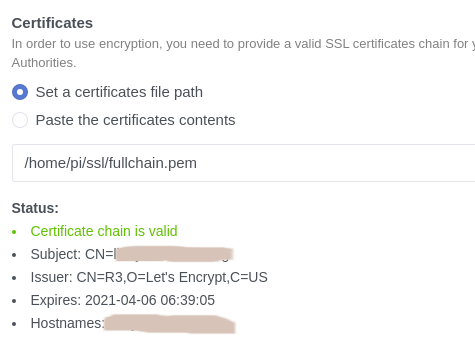
Screenshot:
Additional Information

Is there any chance that the date & time of this device could be incorrect?

@tescophil If you have this error again, can you type this new Date() in the browser console and compare the result with the system time?
Had this again..., certificate renewal date of 08/08/2021 and a big banner message saying your certificate has expired. All TLS services offline, no DoT or DoH working..., go into settings, touch nothing, then hit save and its back to 'normal'.., I get this every time the cert expires. Looks like one thing is reading the new cert details correctly and displaying them in the UI, and another is storing the old cert details, specifically the expirty date. This must be the case, because my old cert would have expired today and there was indeed a banner message saying it had expired, but that cert was deleted over 2 weeks ago and replaced with a new one
@tescophil If you have this error again, can you type this
new Date()in the browser console and compare the result with the system time?
Did this, and the times are identical
I'm having this issue quite often as well.
I installed Adguard Home with snap. Two months before every planned certificate renewal Adguard home decides that the certificate is expired. DoH and DoT don't work anymore and if try to visit the adguard home webpage I get the warning from Chrome that the cerificate is indeed expired.
The certificate is handled by certbot, so it is automatically renewed, but it lies into another folder so I always have to copy it while renewing it, i.e. .
certbot renew
cp /etc/letsencrypt/live/.../fullchain.pem /var/snap/adguard-home/common/fullchain.pem
cp /etc/letsencrypt/live/.../privkey.pem /var/snap/adguard-home/common/privkey.pem
I have to do this because the certificates are written to a folder where the snap version of adguard home does not have access.
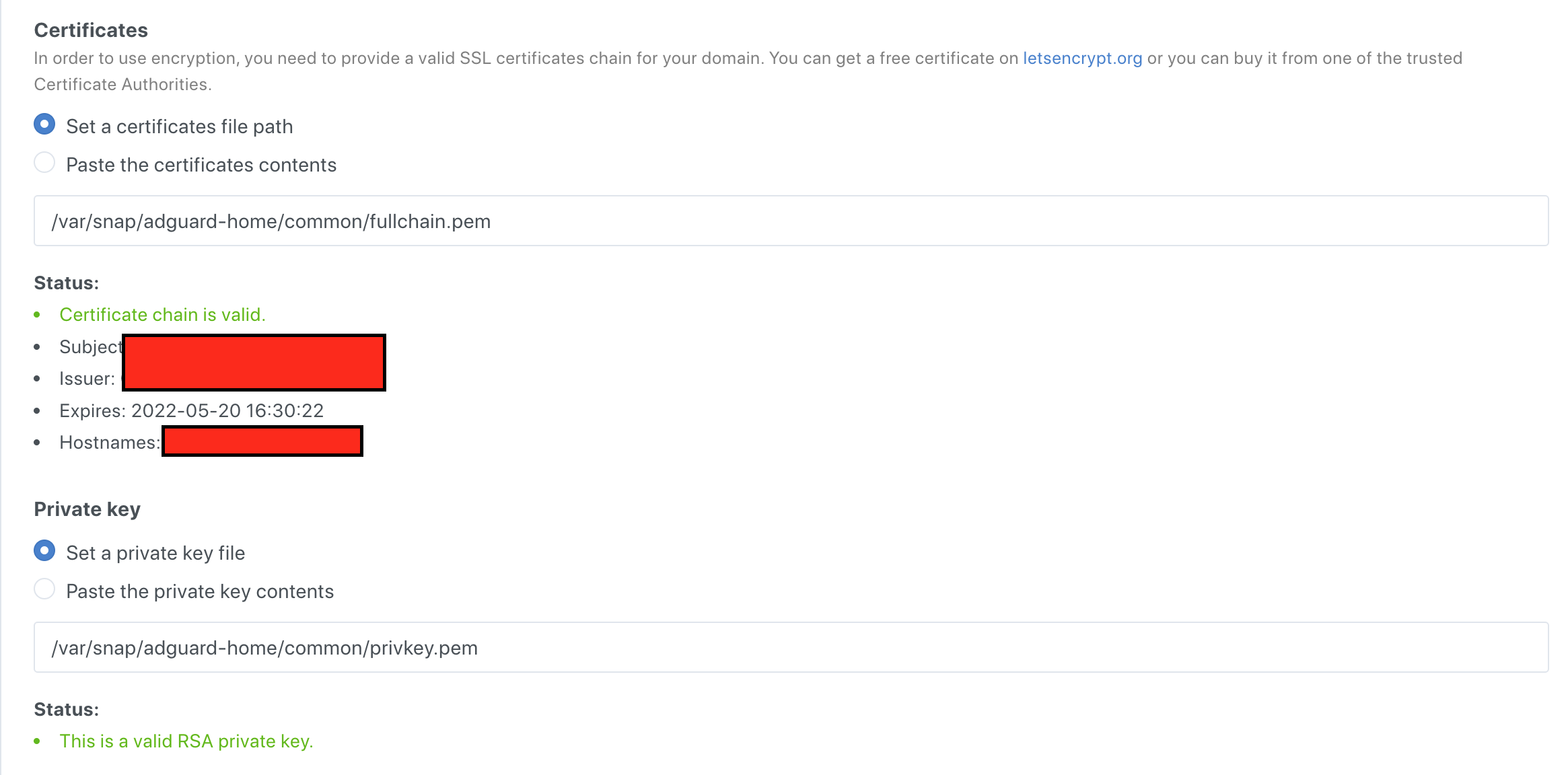
As the other said to fix that I usually have to copy again the certificates (although they should be exactly the same!) and press on "save configuration" in the homepage, then it starts working again. If I only copy the certificates then in the web dashboard it shows me that they're valid but for some reason everything else (including Chrome) still sees the old version if I don't press on "save".

@guidocioni @tescophil Hi! Is this issue still reproducible on the latest version?

Last time that I had it was few months ago.. Which version should I test to see if comes back?
Ok, I'm on the stable version. I'll let you know if the problem surfaces again. I'll have to wait unfortunately, because it always happened randomly and had no way to reproduce it.
Unfortunately that did happen again today. The certificates were going to expire on 2022-11-17 but adguard was convinced that they were going to expire on 2022-09-17 (yesterday). Copying back again the certificates from certbot worked. I'm really puzzled why adguard would decide that the certificates are expiring 2 months in advance.
Adguard does not decide the certificate is expiring, certificate used by adguard is really expiring because adguard uses certificate that was last loaded (the old one before renew) So the question should be : why adguard keeps using a copy of old cert instead of that one renewed in cert file, even after an adguard restart. Only click on "save configuration" in encryption page will force adguard to use renewed cert. Think that issue has been closed without resolution : https://github.com/AdguardTeam/AdGuardHome/issues/1142
