
AdGuardForSafari

AdGuardForSafari copied to clipboard
 AdguardTeam
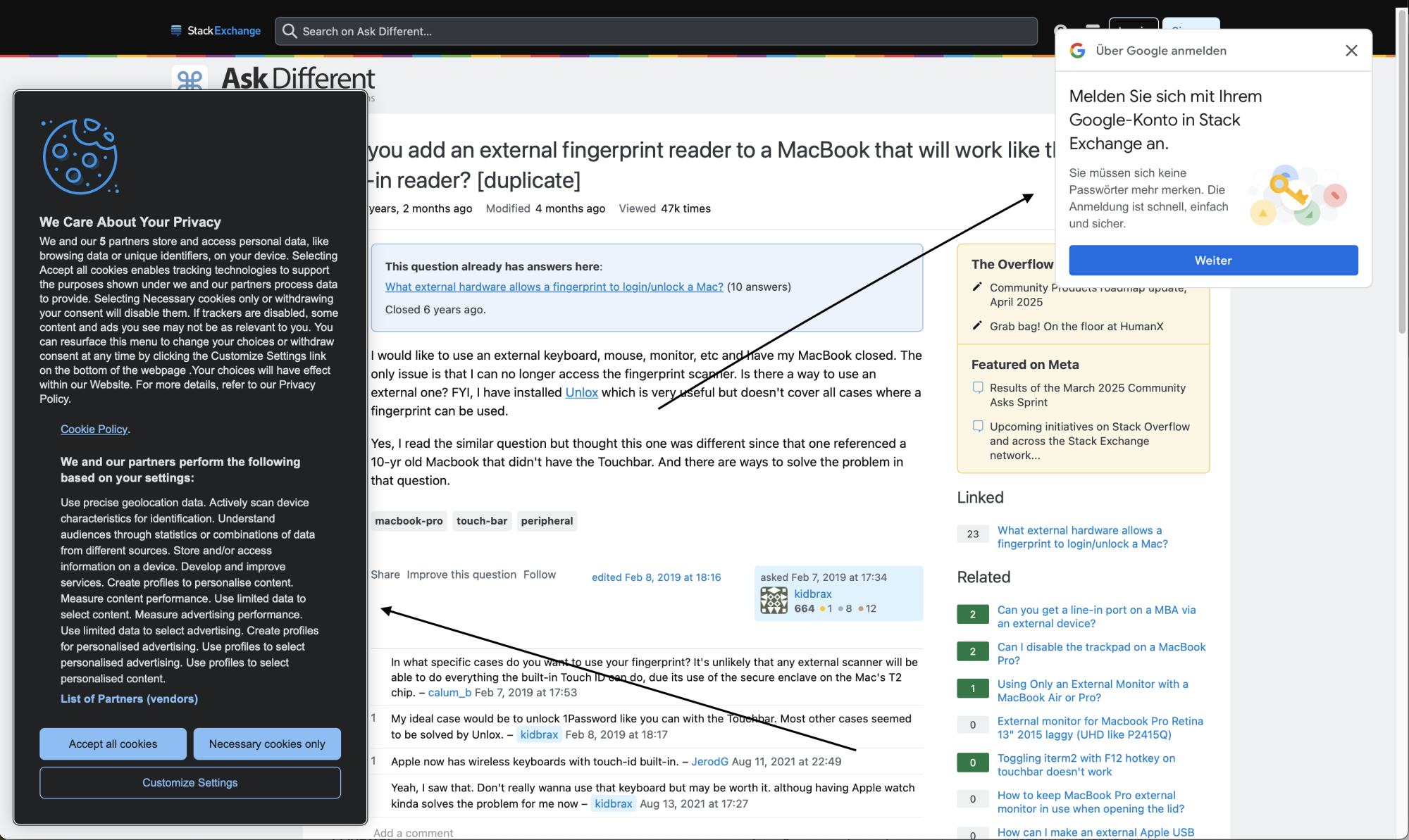
apple.stackexchange.com - cosmetic filtering problem
Issue URL (Ads)
Comment
Ich benutze extra Cookie-Banner Blocker, die ja unter Annoyences gelistet sind. Diese haben auch wunderbar unter Windows funktioniert, aber unter Safari/MacOS ist das nicht so. Andere Sachen werden aber blockiert, generell Werbung etc, aber eben keine Cookie-Banner....
Screenshots
Screenshot 1
System configuration
| Information | Value |
|---|---|
| AdGuard product: | AdGuard for Safari v1.11.20 |
| System version: | MACOS Sequoia |
| Filters: | Ad blocking: AdGuard Base Privacy: AdGuard Tracking Protection Social widgets: AdGuard Social Media Annoyances: AdGuard Annoyances, AdGuard Cookie Notices, AdGuard Popups, AdGuard Mobile App Banners, AdGuard Other Annoyances, AdGuard Widgets, EasyList Cookie List Security: Online Malicious URL Blocklist Language-specific: AdGuard German |
| Other extensions used: | nichts |

Must be blocked by these rules (exist in optimized filters)
||cookielaw.org^$third-party
###credential_picker_container
Works, when I add these rules to user rules.
Tried the following and noticed an oddity:
- Copied the entire Popups filter into a User Rules - problem reproduced -
####credential_picker_containeris not hidden (Google auth popup); - Deleted the rules that matched by
\w###regexp - the element is hidden; - Returned the deleted rules and saved - the element is hidden;
- Deleted all the rules, saved, inserted the deleted rules - the problem repeats again.
