

 ActiveLogin
Support running Active Login in Blazor Server
When using ActiveLogin in a Blazor Server app the BankId appliction wont open on the device for Safari on iOS
We have a .NET 6 Blazor Server App using Active Login AspNetCore 4.1.0 and only same-device.
When using Edge or Chrome on Safari iOS everything works flawelessly but if you use Safari the BankId app wont open, instead it opens the app.bankid.com url and if you click on the OPEN button in the window the app opens but has nothing to sign:
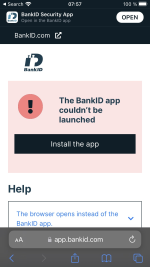
I have tried debugging using your projects and not the nugets but I cannot figure out why it is not working. The last thing that gets logged is: BankID auth succeeded with the OrderRef and then the script launches the url https://app.bankid.com with an autostarttoken and redirect, that looks correct.
Other apps work (specifically you Standalone.MvcSample on which our auth is based) so it is not the issue that is described on the page.
I have made a small app to show the problem, it is available here: https://github.com/bjorndaniel/bankid-activelogin-blazor-issue The authentication is based upon your Standalone.MvcSample and I use Razor pages for the ExternalCallback-pages To test the issue:
-
Edit Properties/launchSettings.json and add the ip of the machine running the app:

-
Run the app and go to that url from Safari on an iPhone and click Login
Any help on this issue would be much appreciated as Safari on iOS is a showstopper for us.

Hi Daniel!
Thanks for reporting this, and thanks for creating a project that replicates this. Hosting Active Login in a Blazor Server App is not something we officially support at the moment, so I will change this from a bug to a feature request.
With our current priorities, it is not a feature we will look into in the near future. If you are up for sponsoring it (basically buy consultancy hours for us to implement it), let us have a discussion on how to best support Active Login from Blazor.
On the "issue" itself (if you or anyone from the community want to implement it): My gut feeling (from having spent hours and hours on finding out how different browsers on different OS: es behaves when launching apps) I'm quite sure this has to do with whether the launching of the app was initiated by the user or not, there are security limitations related to this. Without having looked into detail, I think that when running a Blazor server application the launching of the app will be "pushed" down to the client into the DOM and therefore won't be treated as a user action. At least not be treated as "safe" as when the normal flow runs. This, therefore, needs to be handled.

Thank you for the swift reply! Here is some more info if anyone has the same issue or just wants to have something to do :)
I actually have version that works just by using my own implementation of IBankIdLauncher (really impressed with how extensible your library is!) where I just added Safari as a browser with userinteraction.
private bool GetDeviceMightRequireUserInteractionToLaunchBankIdApp(BankIdSupportedDevice detectedDevice)
{
     return
         detectedDevice.DeviceBrowser == BankIdSupportedDeviceBrowser.Safari ||
          (detectedDevice.DeviceOs == BankIdSupportedDeviceOs.Android
                && detectedDevice.DeviceBrowser != BankIdSupportedDeviceBrowser.Firefox
                && detectedDevice.DeviceBrowser != BankIdSupportedDeviceBrowser.Opera
         );
}
If the user clicks that button (and thus initiates the action) it works and BankId is launched. However this only works locally or if i run the app as a Azure Web App. Due to reasons we run our app in a Docker container behind an nginx-proxy and in that case the page is not reloaded on return instead I get your loginpage again and if I click and sign in again then the redirect works (and it looks as if the first created order is the one that is completed) But I suspect that might be my poor knowledge of nginx and routing? Anyway this code is in a branch called CustomBankIdLauncher if anyone should stumble upon this issue.
Another update: Got it working :)
The issue was that since I used the button to get the BankIdApp opened when redirecting Safari would open a new window and that didn't work.
My (somewhat hacky) solution now is to allways reuturn a NullRedirectUrl:
private static string GetRedirectUrl(BankIdSupportedDevice device, LaunchUrlRequest request) => NullRedirectUrl;
And then do a periodic refresh of the page in safari (overriding the _LayoutScripts.cshml file):
 if (data.deviceMightRequireUserInteractionToLaunchBankIdApp) {
     var startBankIdAppButtonOnClick = function(event) {
         window.location.href = data.redirectUri;
         hide(startBankIdAppButtonElement);
         event.target.removeEventListener('click', startBankIdAppButtonOnClick);
         setInterval(() => {
             location.reload();
         }, 1000);
     };
     startBankIdAppButtonElement.addEventListener('click', startBankIdAppButtonOnClick);
     show(startBankIdAppButtonElement);
 }
A somewhat hacky solution but it will solve our immediate issue at least. Again, thanks for this library!
Great you found a workaround @bjorndaniel! Thanks for sharing. Maybe we can add it to the framework in the future.
Hi, @bjorndaniel !
Got the exact same issue as you. Blazor, ActiveLogin and Safari. BankId won't launch since the release of iOS 15.5.
We solved it by changing this method:
    private static bool CanUseAppLink(BankIdSupportedDevice device)
    {
        // Only Safari on IOS and Chrome or Edge on Android version >= 6 seems to support
        //  the https://app.bankid.com/ launch url

        return IsSafariOnIos(device)
               || IsChromeOrEdgeOnAndroid6OrGreater(device);
    }
Where we removed IsSafariOnIos(device) || from the return.
Safari on iOS 15.5 does not support the https://app.bankid.com/?autostarttoken=[TOKEN]&redirect=[RETURNURL] launch url as the comment says. At least not in a .NET Core Blazor App. By doing the change above, the launch URL is switched to bankid:///?autostarttoken=[TOKEN]&redirect=[RETURNURL] and that did the trick.
We then use IJSRuntime to open the url on button click:
await jsRuntime.InvokeVoidAsync("open", new[] { launchUrl, "_self" });
Which finally gives us this little popup that opens BankId perfectly:
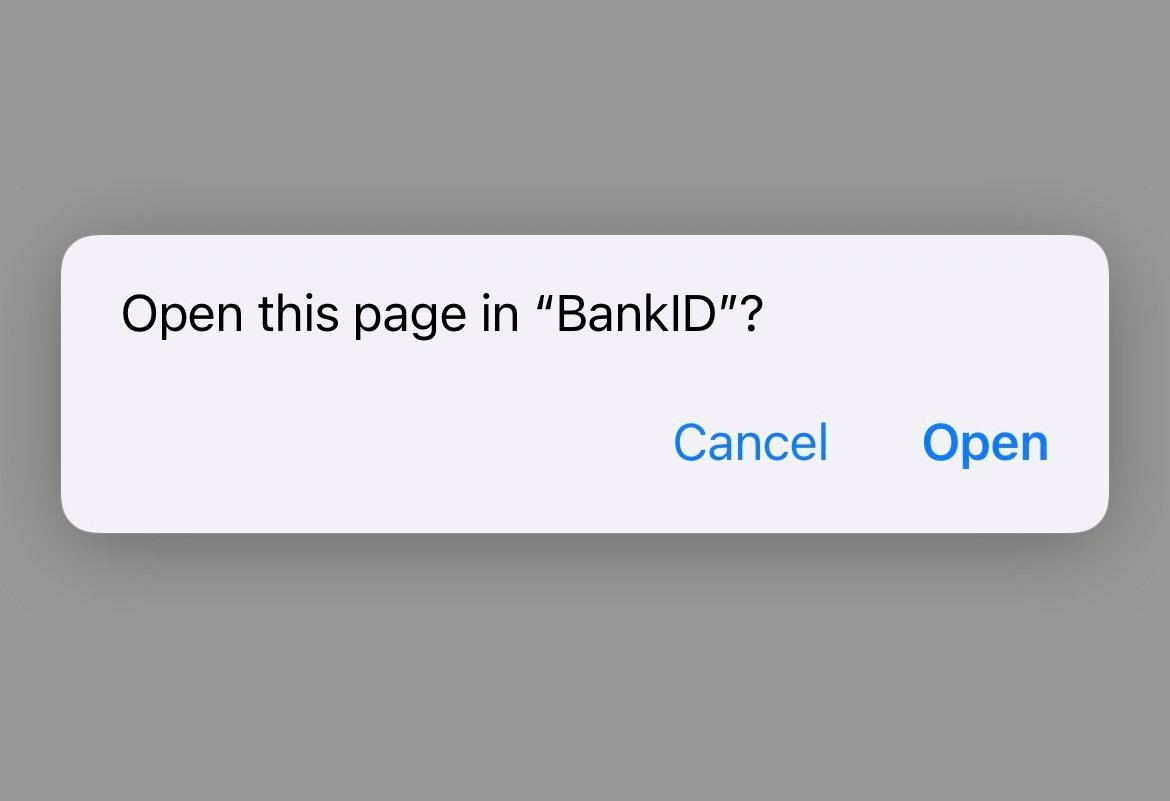
Hope this helps and if anyone else also has the same problem, please comment. Would be great to figure out if this really is Blazor specific issue or something else.
MVH
