

 AUTOMATIC1111
one click only on train embedding button[Bug]:
Is there an existing issue for this?
- [X] I have searched the existing issues and checked the recent builds/commits
What happened?
 having trained for x steps and wanting to interrupt, it is never possible to click that button again thus i must refresh and re-enter the settings again and again. not sure if it affects others. my browser is Firefox 108.0.2 (64-bit).
Steps to reproduce the problem
- Go to frsh install of webui
- initiate training
- interrupt training
- try to use the button to continue and no action
- result necesary re-enter data and refresh
What should have happened?
when i interrupt then i can move between tabs or other browser tabs, come back and press the button it continues as if the first time.
Commit where the problem happens
commit: 0b8911d8
What platforms do you use to access UI ?
Windows
What browsers do you use to access the UI ?
Mozilla Firefox
Command Line Arguments
--xformers --api --listen --share
Additional information, context and logs
No response


Another way around this I was thinking of was adding a load/save button that stores current training values in a json file on the server but with this and with the button I am not familiar enough with gradio to make sense of it yet.
mention here about saving ui settings > https://github.com/AUTOMATIC1111/stable-diffusion-webui/issues/3452.
i spent the afternoon digging in to gradio but do not see a simple way to translate the ui settings to a file. i will look to find the code tat handles this from the prompt in txt2img tab
shedding more light here, the system actually appears to be saving a json file of the current config....
 there just seems no simple way to reapply these settings.
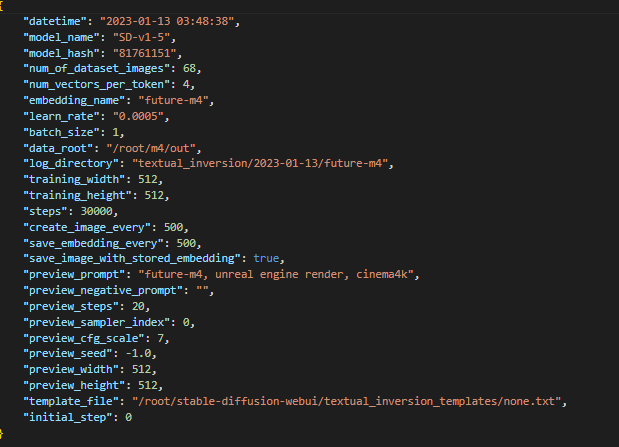 am i missing something? why are the settings files created? is there some way to activate these settings in training without adding code or changing anything?
Looks like the problem is solved. At least for me (using thelastben's colab)
Would be great if they could make those settings persistent.