

 AUTOMATIC1111
[Feature Request]: CFG scheduler
Is there an existing issue for this?
- [X] I have searched the existing issues and checked the recent builds/commits
What would your feature do ?
CFG scale has different effect on each step.
My experiment was in img2img tap. Using a low denoising, I put CFG at 30, and then using prompt engineering, stop the prompt. Example: [Samurai holding sword::10]
What happened is that it modified the initial image with high CFG at the beginning keeping the composition intact, but making the image very noisy. But, once there is no prompt, the denoising starting clearing the image. The result felt like an artist was using the provided image as inspiration.
My next experiment was to reactivate the CFG later using prompt engineering. Example: [[Samurai holding sword::40]:35]
With the two prompts, the CFG activates from 0 to 10, then stops and resumes from 35 to 40. It acted like an artist putting final details on the image. And then from 40 to 50, it cleared the noise. This resulted in a very satisfying modification to the original image with high details.
What I suggest is to make add a way to allow modifying the CFG and probably the denoising strength as well using some scheduling.
Proposed workflow
- Press on script
- Select Scheduler
- You get 2 or 3 rows for scheduling.
- Choose what to schedule, example CFG scale or denoising strength
- write the step and value. Example: 0:30 , 10:0 , 35:30 , 40:0
- Press on Generate
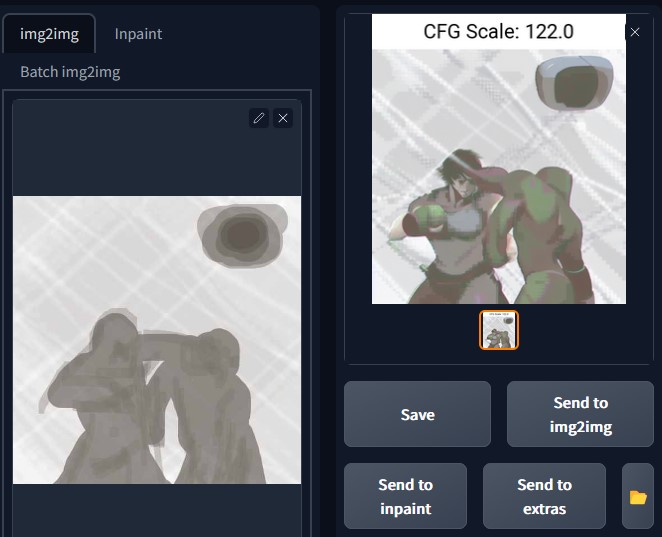
This way, you get the chance to schedule any parameter to change at any time.
Attached a sample of what I was able to achieve
Additional information
No response

Here is additional tries. Even at very high CFG scale and just 0.1 denoising strength, the results are pretty:
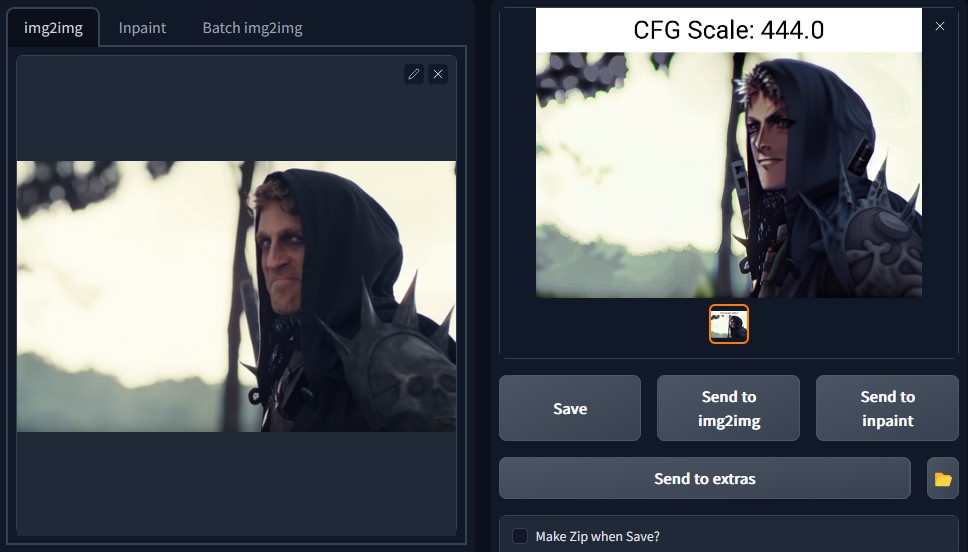
Image source: Viva Viva La Dirt League Youtube channel
by coincidence I just made a simple script, hackish way to modify cfg scale, but check it out https://github.com/tkalayci71/attenuate-cfg-scale

That's a wonderful script!
Though, from my experimentation, there is more potential in altering CFG scale up and down. Example, change the prompt in the middle and boost that prompt with higher CFG scale.
There could be even more potential if you could boost that new prompt with stronger denoising strength and ETA value. But, I can't try that. 😒
by coincidence I just made a simple script, hackish way to modify cfg scale, but check it out https://github.com/tkalayci71/attenuate-cfg-scale
Thanks to your code, I was able to create something. Not the best code, but it works 👍 https://github.com/guzuligo/CFG-Schedule-for-Automatic1111-SD/tree/main
Hope someone skilled with python makes a better version of it 😅
Thanks to your code, I was able to create something. Not the best code, but it works 👍 https://github.com/guzuligo/CFG-Schedule-for-Automatic1111-SD/tree/main Hope someone skilled with python makes a better version of it 😅
That's great! I will play with it and see what it can do. Thanks. (btw, my code was released prematurely, has problems with batch modes, various samplers... etc I'm trying to fix, but reloading after each edit is making it hard, also I'm a programmer but quite new to python :) )
if you're still intested, just uploaded v1.1, it took all day, I made fixes for batch modes and samplers.. too much has changed so I'm not sure if it's worth for you to update your version... anyway I may not be working on this for a while
Closing as this is better suited as an extension (of which several here have been linked).
