

 AUTOMATIC1111
Portrait mode images generates in landscape mode in img2img [Bug]:
Is there an existing issue for this?
- [X] I have searched the existing issues and checked the recent builds/commits
What happened?
Image in portrait mode shows up fine in the preview, but when the alternative image is generated it is rotated to landscape mode.
Steps to reproduce the problem
- Load a image that was taken using a phone in portrait mode.
- Set a prompt and press generate.
What should have happened?
It should have generated the output image in portrait mode as well.
Commit where the problem happens
6bd6154a92eb05c80d66df661a38f8b70cc13729
What platforms do you use to access UI ?
Windows
What browsers do you use to access the UI ?
Microsoft Edge
Command Line Arguments
--xformers
Additional information, context and logs
When images are taken in portrait mode, they are often stored as landscape, but have information that it is portrait so that they can be displayed correctly in image viewers, this should be used to determine how the output image should be generated.


As seen in responses to #2374, people seem to be against features that are "necessary for very few niche scenarios." Even before reading that, #3524 to me seemed borderline niche. But unlike with #2374, the solution to #3524 wouldn't add any clutter to the UI, so it seems innocuous enough to add.
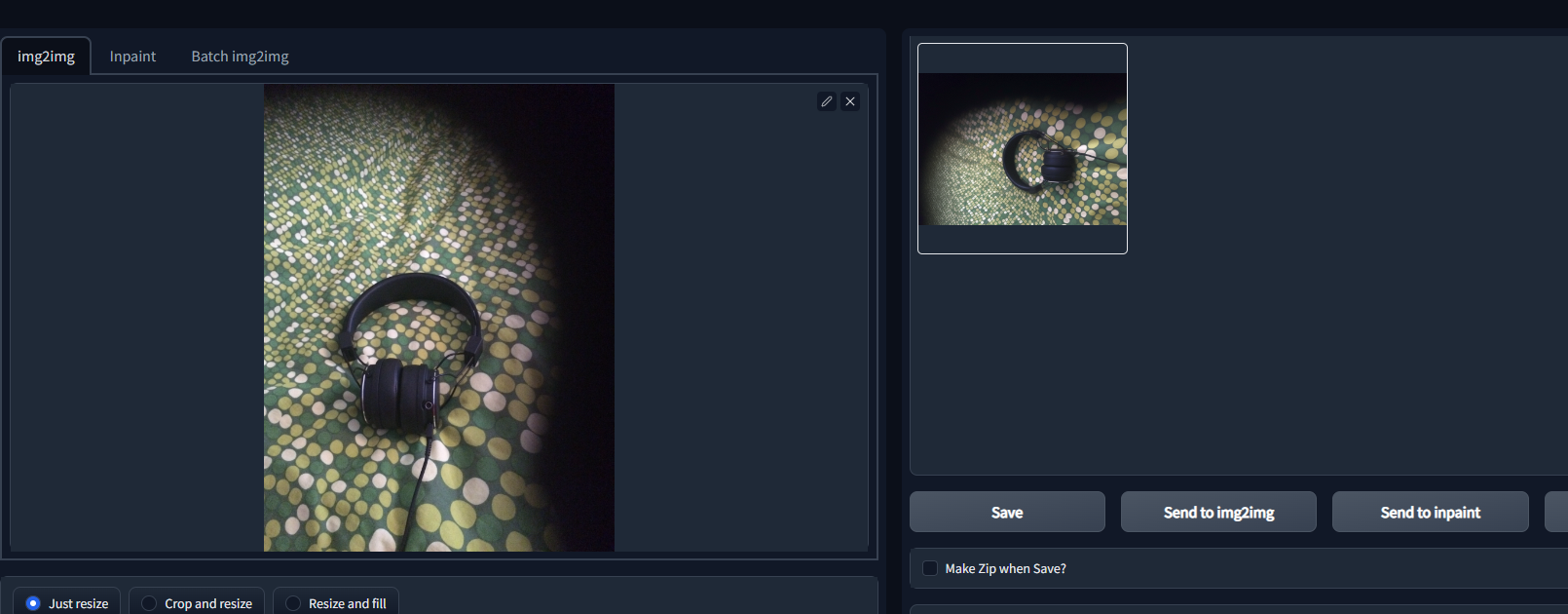
As you can see, the image has rotated when it was generated (I used only .2 for denoising strength so that it's clearly seen). This also makes the AI unable to properly identify features, as, for example, a person standing up won't be recognized as the person is now "on his/her side" and it will try to generate some kind of weird creature instead as it try to make sense of it all.
Also, I don't know if this should be seen as a niche scenario, as AI generation on phones are very popular and it's pretty common to take portrait photos on the phone as opposed to turning the phone sideways. As AI image to image becomes more popular on phones (through services, as obviously it doesn't have a graphics card) this will probably be a important feature.
[EXAMPLE]
As you can see, the image has rotated when it was generated (I used only .2 for denoising strength so that it's clearly seen). This also makes the AI unable to properly identify features, as, for example, a person standing up won't be recognized as the person is now "on his/her side" and it will try to generate some kind of weird creature instead as it try to make sense of it all.
Is there any way you can send me the problematic photo itself, so I can test with it? Any way I can think of sending an iPhone photo to my desktop might strip it of the problematic EXIF data.
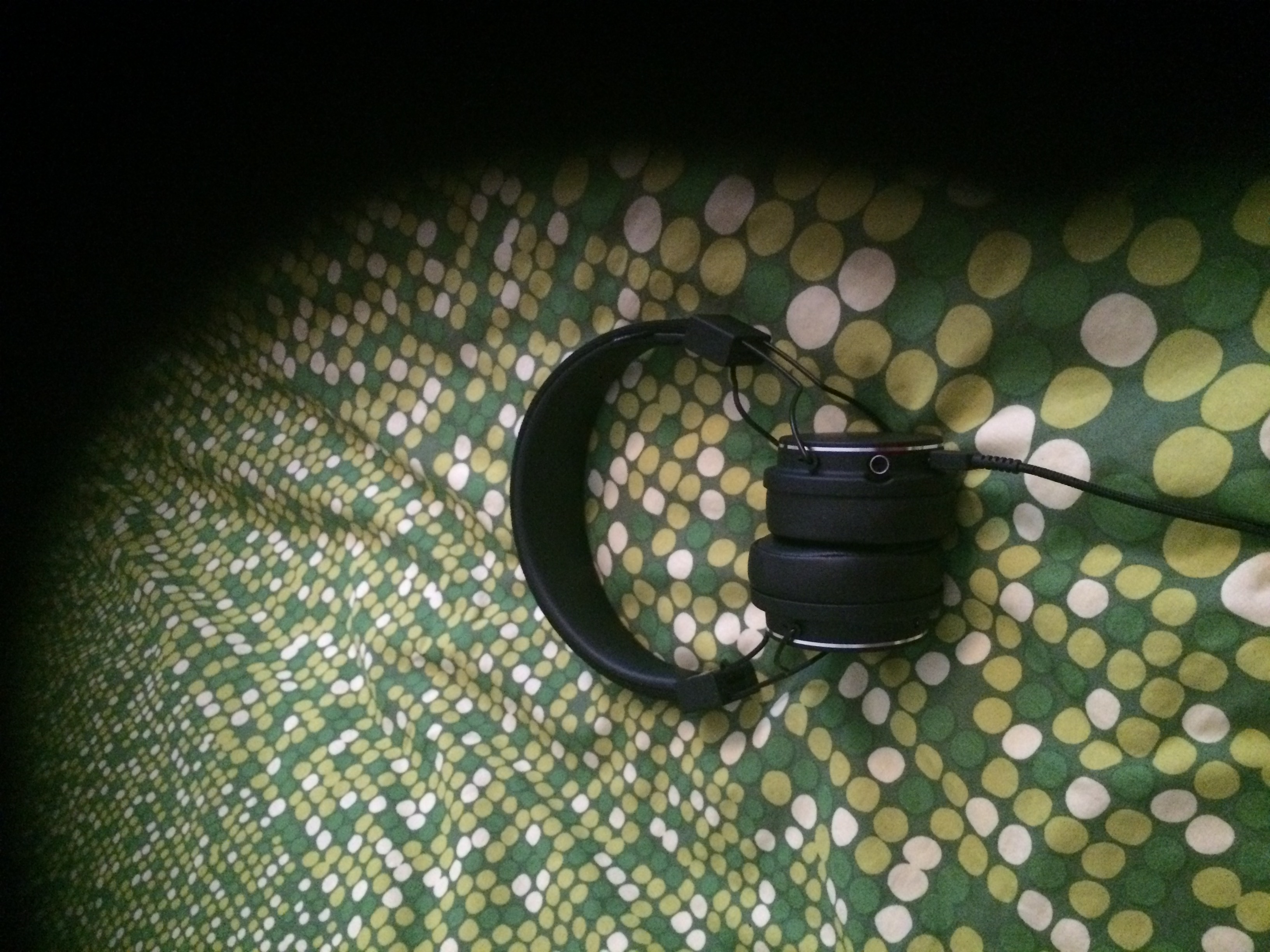
I think, in general, wysiwyg should be implemented anywhere possible, because otherwise it becomes pretty unintuitive.
