

 AUTOMATIC1111
Install instructions don't work for windows + amd gpu
Describe the bug No install instructions for stable-diffusion-webui with Windows and amd gpu
To Reproduce
- Have Windows (I have Windows 11)
- Have AMD GPU (I have Radeon 6800 xt)
- Try to follow the install instructions
Expected behavior They work
Screenshots
C:\Users\erich\git\stable-diffusion-webui>webui-user.bat
venv "C:\Users\erich\git\stable-diffusion-webui\venv\Scripts\Python.exe"
Python 3.10.8 (tags/v3.10.8:aaaf517, Oct 11 2022, 16:50:30) [MSC v.1933 64 bit (AMD64)]
Commit hash: ab3f997c0c4a1423a82623ae1d4d3c66005bb8da
Traceback (most recent call last):
  File "C:\Users\erich\git\stable-diffusion-webui\launch.py", line 180, in <module>
    prepare_enviroment()
  File "C:\Users\erich\git\stable-diffusion-webui\launch.py", line 133, in prepare_enviroment
    run_python("import torch; assert torch.cuda.is_available(), 'Torch is not able to use GPU; add --skip-torch-cuda-test to COMMANDLINE_ARGS variable to disable this check'")
  File "C:\Users\erich\git\stable-diffusion-webui\launch.py", line 57, in run_python
    return run(f'"{python}" -c "{code}"', desc, errdesc)
  File "C:\Users\erich\git\stable-diffusion-webui\launch.py", line 33, in run
    raise RuntimeError(message)
RuntimeError: Error running command.
Command: "C:\Users\erich\git\stable-diffusion-webui\venv\Scripts\python.exe" -c "import torch; assert torch.cuda.is_available(), 'Torch is not able to use GPU; add --skip-torch-cuda-test to COMMANDLINE_ARGS variable to disable this check'"
Error code: 1
stdout: <empty>
stderr: Traceback (most recent call last):
  File "<string>", line 1, in <module>
AssertionError: Torch is not able to use GPU; add --skip-torch-cuda-test to COMMANDLINE_ARGS variable to disable this check
Desktop (please complete the following information):
- OS: Windows 11
- Browser: Edge
- Commit revision: ab3f997c0c4a1423a82623ae1d4d3c66005bb8da
Additional context There is a link for amd gpu instructions, but they do not result in stable-diffusion-webui installed or running.

There is a solution in last line:
Torch is not able to use GPU; add --skip-torch-cuda-test to COMMANDLINE_ARGS variable to disable this check
Edit webui-user.bat and add this command to COMMANDLINE_ARGS: --skip-torch-cuda-test and start again.

There is a solution in last line:
Torch is not able to use GPU; add --skip-torch-cuda-test to COMMANDLINE_ARGS variable to disable this check
Edit webui-user.bat and add this command to COMMANDLINE_ARGS:
--skip-torch-cuda-testand start again.
I do not view CPU rendering to be a "solution".
However, AMD cards don't have CUDA (which is why I switched from AMD to NVIDIA). Here's a description for Linux and here's for Windows for AMD cards, I don't know if it helps, I don't have one.
On Ubuntu, high-speed generation using docker is possible.
https://www.youtube.com/watch?v=d_CgaHyA_n4 Install in conjunction with the guides in this repository.
If you get any error, please refer to the following https://github.com/AUTOMATIC1111/stable-diffusion-webui/issues/783#issuecomment-1254285924 https://github.com/AUTOMATIC1111/stable-diffusion-webui/issues/1220#issuecomment-1261503432
Also don't forget to update your Python to 3.10
In my case it can be generated in 15 seconds on RX6600
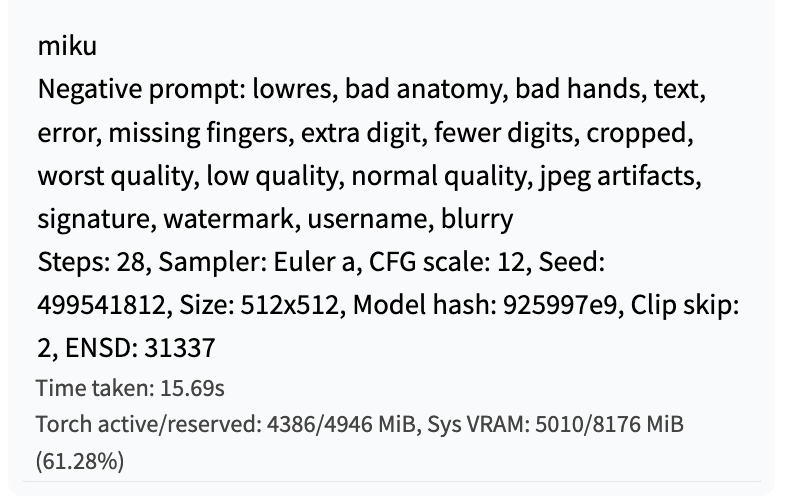

Thought the docker install worked on windows but I guess not. Does it work if I run a vm for linux or something

That is correct. It does not work on Windows, even within Docker, and only works if you run Docker on Linux. Using a linux vm is a good idea!
I've successfully ran stable diffuse using diffusers tutorial on my AMD (it took 35 sec - was hoping for more, to be honest). That said - how can I "merge" it with our lovely webui? Call me lazy but looking at the code it doesn't seem to be that simple.

it doesn't look like you can do it, and it still probably generates images on the cpu, doesn't it?

