
stable-diffusion-webui
 stable-diffusion-webui copied to clipboard
 AUTOMATIC1111
"Inpainting at full resolution" generates black bars at the top and bottom edges of the masked area
Describe the bug When inpainting at full resolution, the generated images show black bars at the top and bottom inside the masked area. Looks like something is going wrong in the process of enlarging, painting, and then pasting back into the original image.
To Reproduce Steps to reproduce the behavior:
- Go to inpainting
- Mask part of an image
- Select "inpaint at full resolution"
- Generate
- Images show black bars at the top and bottom of the masked area.
Expected behavior Clear inpainted images, without black bars.
Desktop (please complete the following information):
- OS: Windows
- Browser: Edge
- Commit revision: 5993df2

This doesn't happen all the time. It is inconsistent. I will add an example the next time I see it.
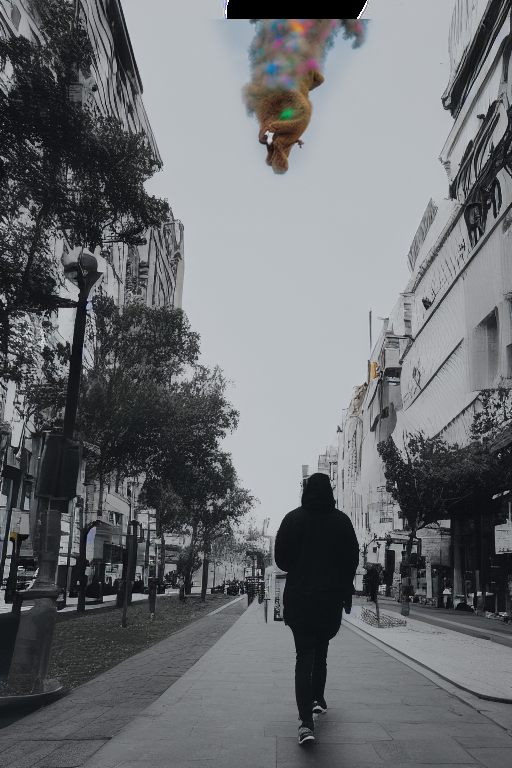
So here is an example of the top black bar in the masked area. Sometimes it just does one or the other, but I've also seen a top and bottom black bar in the same masked area. Seems to happen when masking near the edges of the image.
Ok, so here is a better example, showing both black bars, at the top and bottom of the masked area:
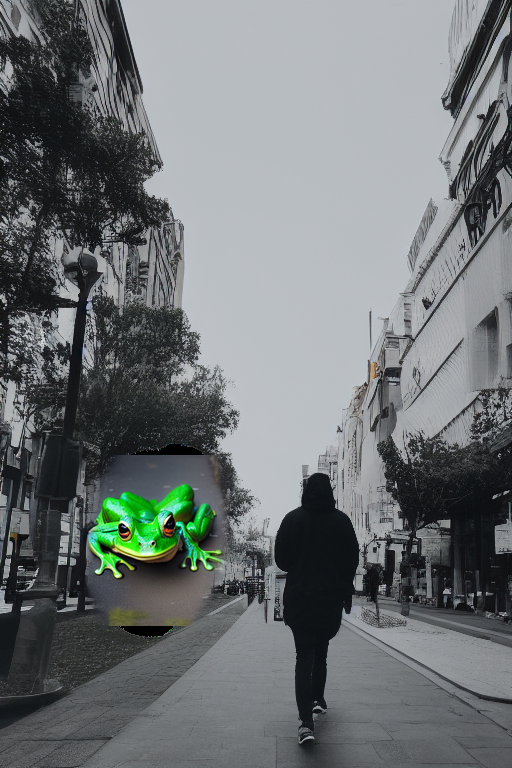
The black bars appear with all four masked content options ("original" does not seem to keep what is in the image originally).
I set up a mask just a little bit lower on the sidewalk, and this time no black bars, and "original" blends in with the background much better. Inconsistent.

Here's an example with just a bottom black bar. This time the rest of the image blends in well ("original" masked content again).
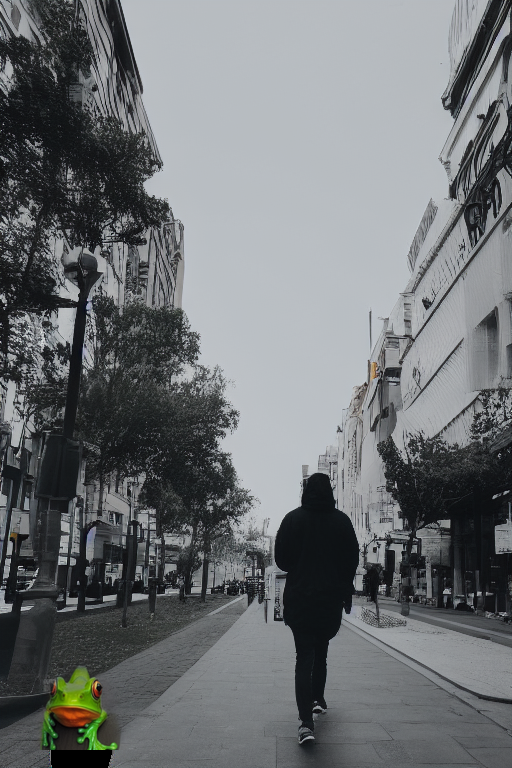
And here it is working perfectly again, no black bars. The inconsistency is weird. Not changing any other setting, but only the masked area.

I got it and also it is discussed on #2456 and #2524 for me using a square aspect ratio in inpainting did the trick.

The issue seems to be confined to non-square source images for inpainting. Suspect the mask for upscale/downscale isn't be scaled to the same proportions.
Recropping/filing the image to square dimensions seems to be a passable work-around.

I think it's been fixed long ago, but just in case someone still encounters this - please comment.
