

 AUTOMATIC1111
Inpaint tab missing UI elements & controls?
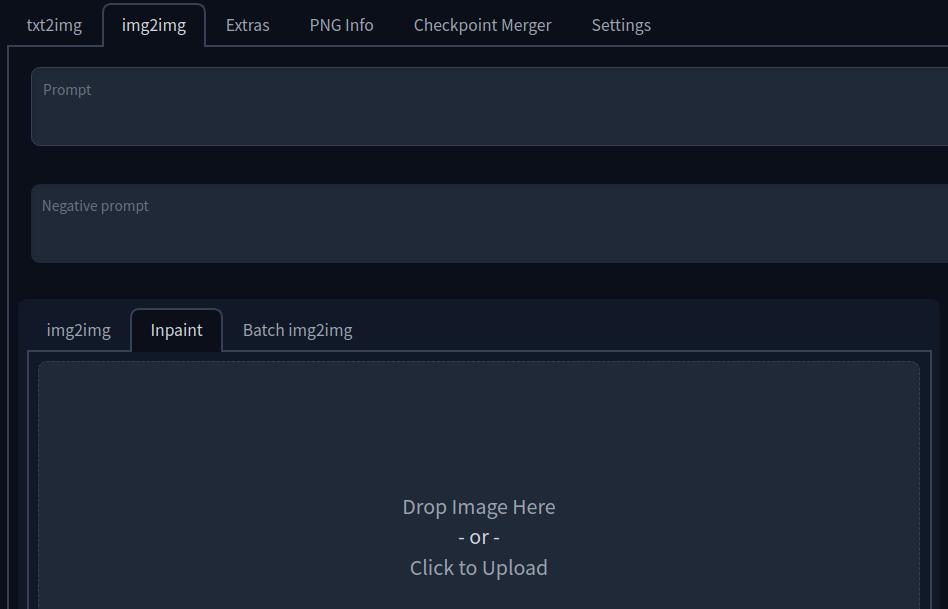
Describe the bug In the img2img tab, options for "Redraw whole image", "Inpaint part of an image" , "Loopback", "SD upscale" do not appear in the UI under the prompt.
If the controls have been moved, I cannot find them in the webUI and the screenshot from the documentation does not match what I see on my installation.
Expected behavior Use inpainting feature to inpaint part of an image.
Screenshots
From wiki docs on inpainting:
 Screenshot from my installation:
Desktop (please complete the following information):
- OS: Linux
- Browser: Brave 105.1.43.89
- Commit revision: 3f417566b0bda8eab05d247567aebf001c1d1725
Additional context I'm skeptical that this is a stable-diffusion-webui problem and not a Gradio thing, but thought I should mention it, at least:
The UI also removes my ability to type a 'space' character into any input field after some unknown period of time. Typing a space then acts like PageDown.

the options you are searching are at the bottom under a new tab called scripts

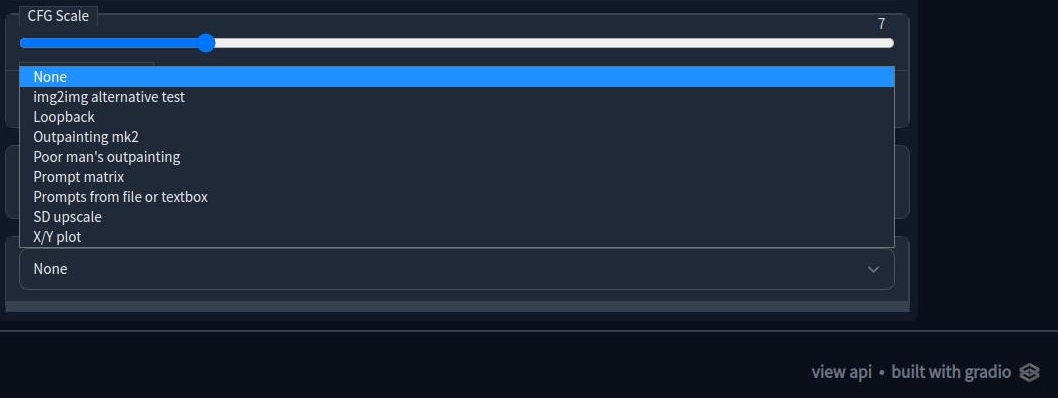
I don't see any option for inpainting in my scripts dropdown. Which of these do I need to use?

I think so. Under the canvas on the img2img -> inpaint tab, set "Masked content" to original (and probably tick yes for inpaint at full resolution, too). You can then mask the area where you want image generation to work, or vice versa if you do inpaint not masked.
If you want that area to contain something that doesn't yet exist in the picture (e.g. a normal, non-mutated human hand) you have to first doodle it in using an external editor like Krita and then load that resulting image in for inpainting. I think this is the part that threw me off; I was using a different fork of Stable Diffusion WebUI before switching to AUTOMATIC1111's, and the inpainting implementation was different with that fork. It was possible to draw MS Paint style directly onto the inpaint canvas and then run the img2img on it. As a result, I may have misunderstood how inpainting is implemented in this version of the webUI.
That said, the documentation and its screenshots should probably be updated at some point whenever there's time to catch a breath.
Thank you vlur, this clarified how to use it, but I had a couple more issues - some privacy focused plugins caused me a lot of trouble, specifically with the feature of inpainting. The plugins that caused this to not work were DuckDuckGo, Decentraleyes. Have those plugins active for the website causes inpainting to not only regenerate the masked area, but the entire image. always.
Hope this helps others reading this in the future - confused why it does not work.