Niagara-Issues
 Niagara-Issues copied to clipboard
 8bitPit
Manual color change of calendar events in Niagara's widget
Is your feature request related to a problem?
Manytimes the calendar events have all the same color.
- Because they use the phone's calendar which does not allow change color of events.
- Other because they use 3rd party calendars, and those calendars don't allow colors events.
- Or the calendar allow events by color, but they are reflected in the Niagara's widget (agenda). They are all the same color.
Describe the solution you'd like
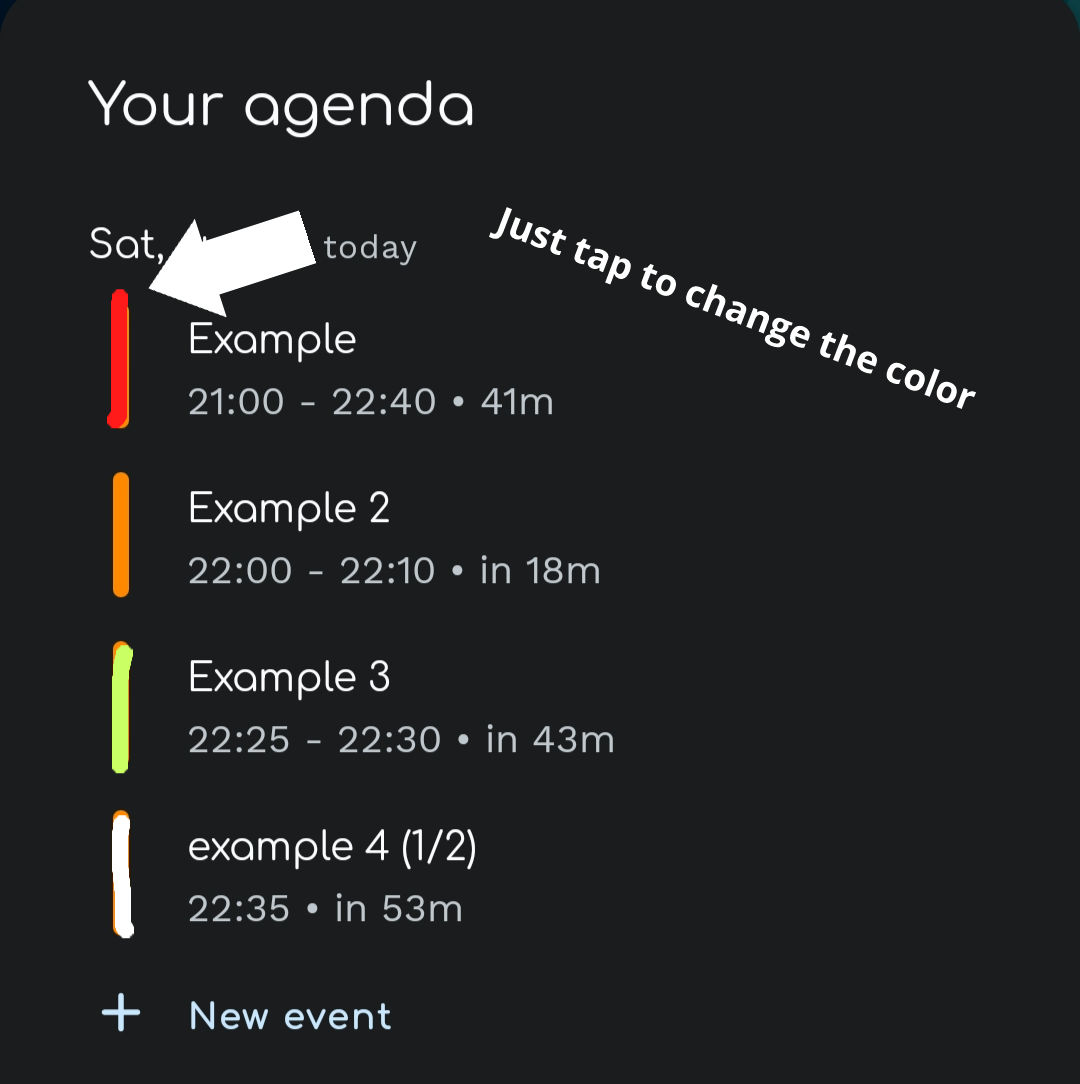
Let the user to change the colors of the events that appear in the widget. Let the user to choose from some pre-established colors. So the user can choose the according the level of importance of the events. This can let the user have better a organization, and could notice the most, medium, or less importants events at a glance.
The color change could be done by just tapping the color tag that is next to the event and select the color they want. Could be 4 basic colors or more.
Feature Request Procedure
- [x] I have read the knowledge base article on feature requests and followed the steps mentioned

I believe atm the colour corresponds to diff calendars/accounts, to more easily differentiate when you have events from multiple calendars in the agenda (which could have similar names), and as is per Niagara's design language/principles that kind of thing is better off automated. The colors aren't a tool for organization here. But I'll see if that's indeed the scope of the intended functionality

I'm sorry, but we don't plan to add this to keep Niagara Launcher simple. In my opinion, the calendar app is responsible for letting you choose the color. If you want to choose colors for your events, I recommend using Google Calendar and adding a calendar for every category/priority.