

 8bitPit
Status bar still noticeable after hiding it.
It seems that the notification bar is still there, but the items in the bar have been removed.
Describe the bug After the notification bar is disabled, scroll the items upward and you can still see the shadow and the space used by the navigation bar area.
To Reproduce
- Disable the notification bar
- Scroll the screen upwards so that the time is in the notifcation area.
- Notice the time is covered up by an invisible notification bar, that becomes noticeable when scrolling upwards.
Smartphone (please complete the following information):
- Device: OnePlus 3
- Android version: Android 9
Screenshots
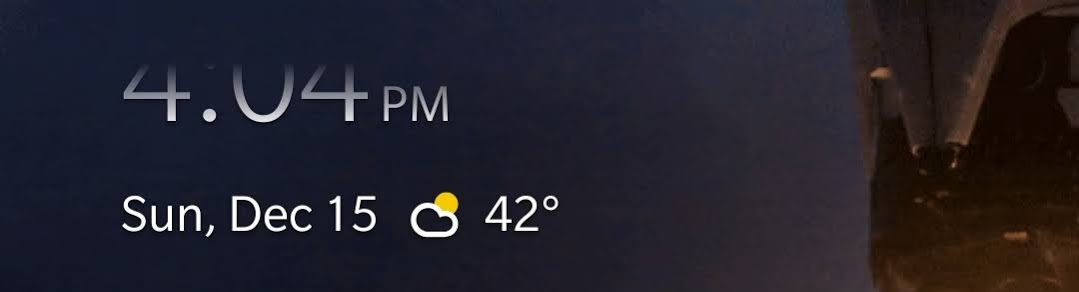

No wonder there's a bug, your clock shows 404 😉 Thanks for letting me know, I'll look into this.

After the notification bar is disabled, scroll the items upward and you can still see the shadow and the space used by the navigation bar area.
@8bitPit Is this even possible to fully hide? I thought only the content of the status bar could be hidden, not its placeholder. Would be cool though.

It's possible. Currently I add extra padding to the ui, so it doesn't overlap with the status bar when it's visible.
I no longer face this on the latest version, so most likely it's fixed somewhere along the line 😅?
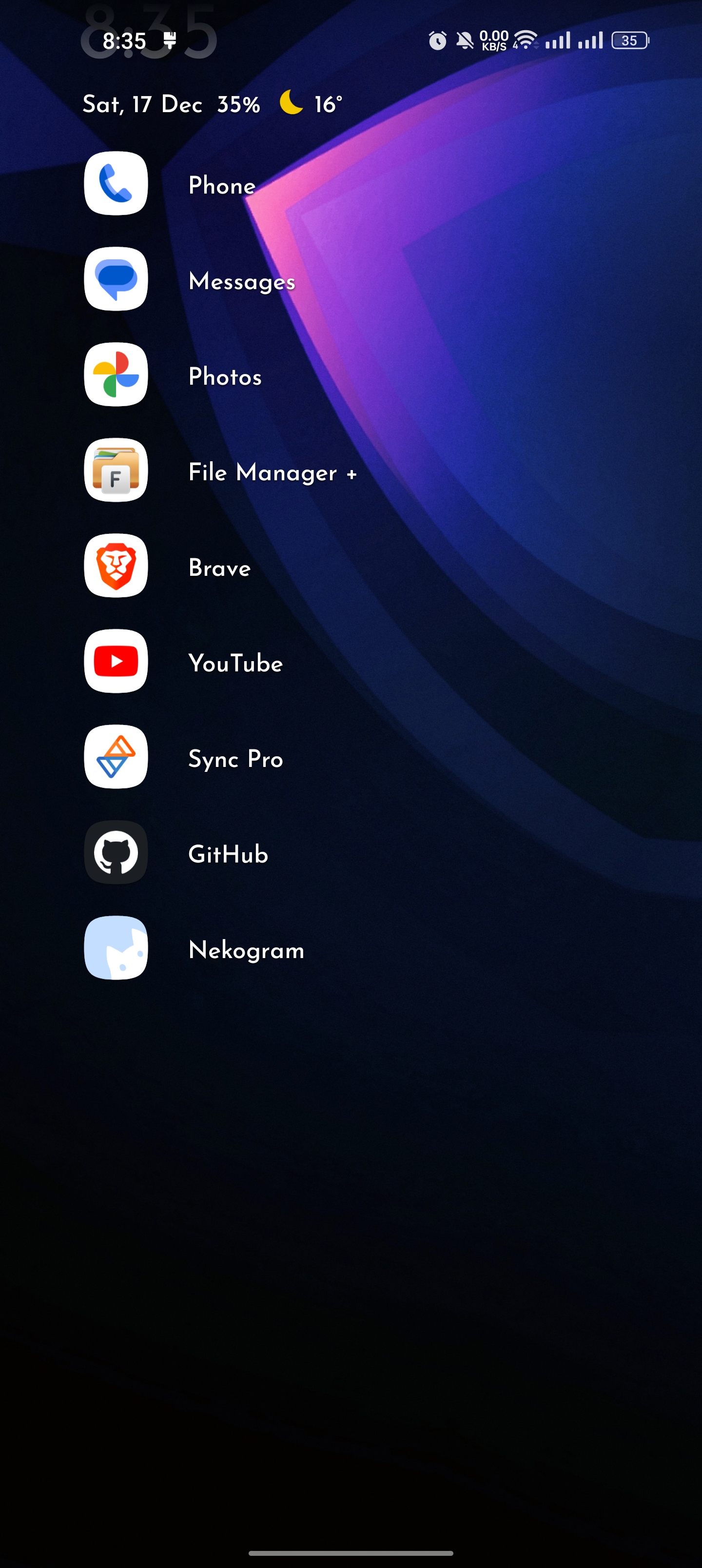

Oh yeah, we might have tweaked the effect, which looks better when the status bar is hidden. I'm closing this ticket then.