

 6pac
6pac
Header/footer cell sizes broken when using fullWidthRows:true
When does it happen?
Whenever you configure the following:
    fullWidthRows: true,
    showHeaderRow: true
Or the corresponding options for the footer row:
    fullWidthRows: true,
    createFooterRow: true,
    showFooterRow: true,
Example (minimalistic)
(put this into the examples directory to run)
<!DOCTYPE html>
<html lang="en" style="height: 100%">
<head>
  <link rel="stylesheet" href="../slick.grid.css" type="text/css">
  <link rel="stylesheet" href="../slick-default-theme.css" type="text/css">
  <script src="../lib/jquery-3.1.0.js"></script>
  <script src="../lib/jquery-ui-1.9.2.js"></script>
  <script src="../lib/jquery.event.drag-2.3.0.js"></script>
  <script src="../slick.core.js"></script>
  <script src="../slick.dataview.js"></script>
  <script src="../slick.grid.js"></script>
</head>
<body style="height: 100%">

<div id="grid" style="width: 100%; height: 100%"></div>

<script>

  let grid = new Slick.Grid("#grid", [
    {a:"a1", b:"b1"},
    {a:"a2", b:"b2"}
  ], [
    {id: "a", field: "a", name: "a"},
    {id: "b", field: "b", name: "b"}
  ], {
    fullWidthRows: true, // !!
    showHeaderRow: true,
    createFooterRow: true,
    showFooterRow: true,
    explicitInitialization: true
  });

  grid.onHeaderRowCellRendered.subscribe((e, args) => {
    // this will make the first column red and the second blue (half-transparent), so you can see the problem.
    args.node.style.backgroundColor = args.column.name === "a" ? "red" : "rgba(0, 0, 255, .5)";
  });
  grid.onFooterRowCellRendered.subscribe((e, args) => {
    // this will make the first column red and the second blue (half-transparent), so you can see the problem.
    args.node.style.backgroundColor = args.column.name === "a" ? "red" : "rgba(0, 0, 255, .5)";
  });

  grid.init();

</script>
</body>
</html>
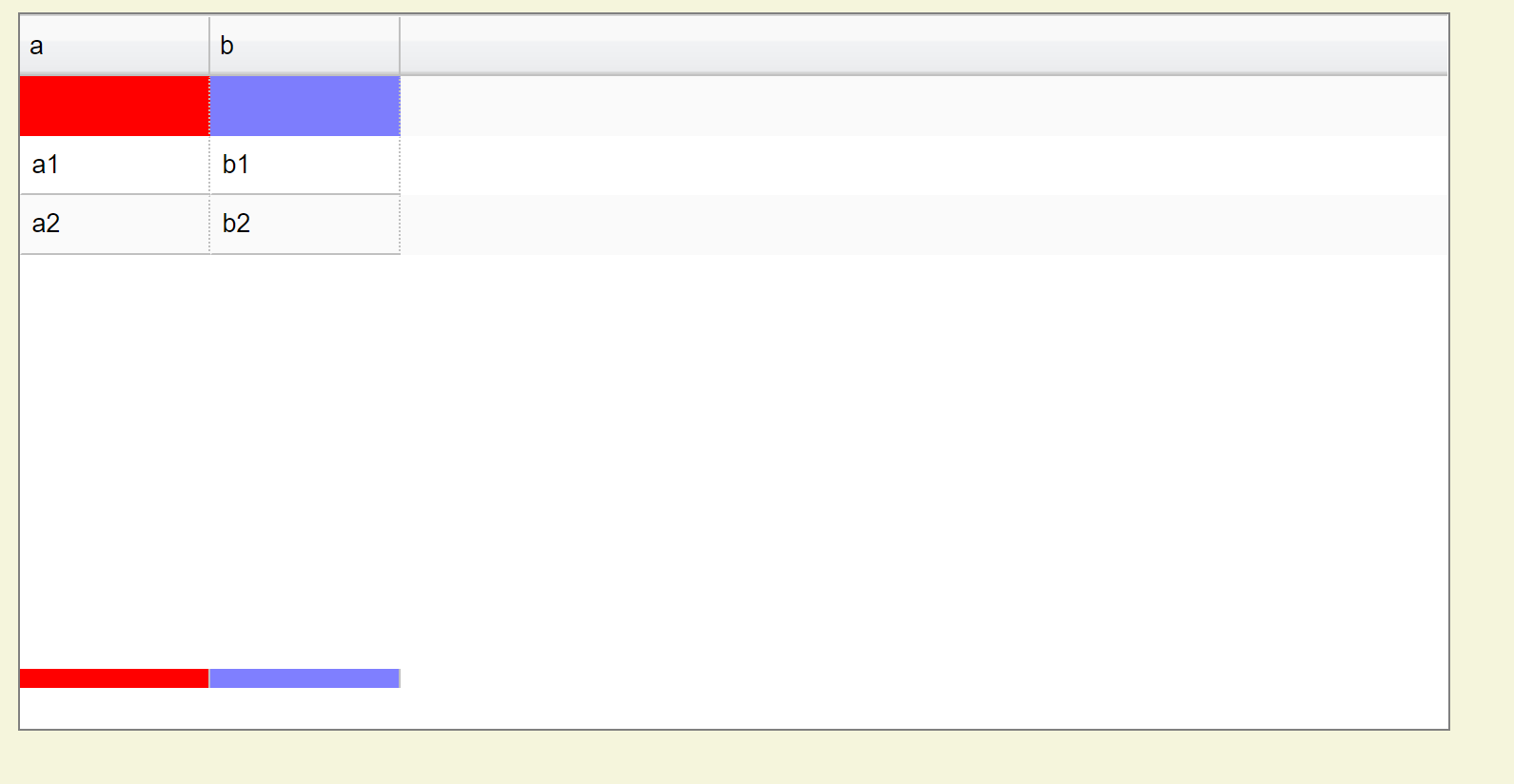
Wrong:

Right:

I figured out that $headerRowL.width is erroneously set to canvasWidth, which is incorrect. It should be canvasWidthL.
The same issue holds for the footer, too.
I will create a pull request with a fix.

@yamass I tried your minimalistic example and I don't see any issues even without your PR fix, I took the AutoTooltip Example and replaced the code with what you provided and it seems fine as shown below. Are you sure that you were using newer version of SlickGrid?

closing since I could not reproduce and the codebase changed a lot since then and will change even more when Roadmap to v4.0 is officially released