

 3DStreet
Screenshots downloaded as PNG have weird artifacts
The artifacts are not visible in the browser preview, only when captured after user clicks the "camera" icon to take a screenshot
Here are some examples:
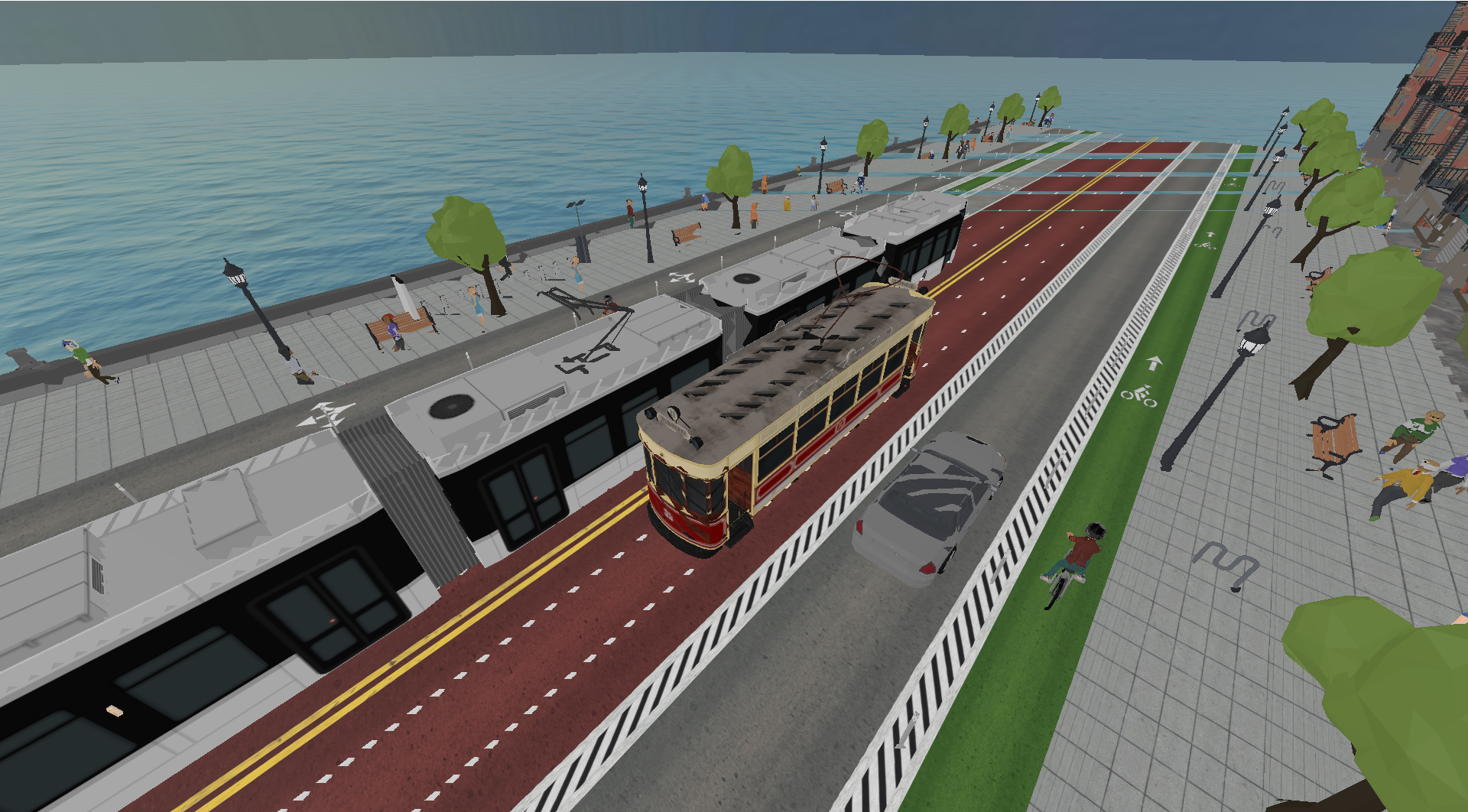
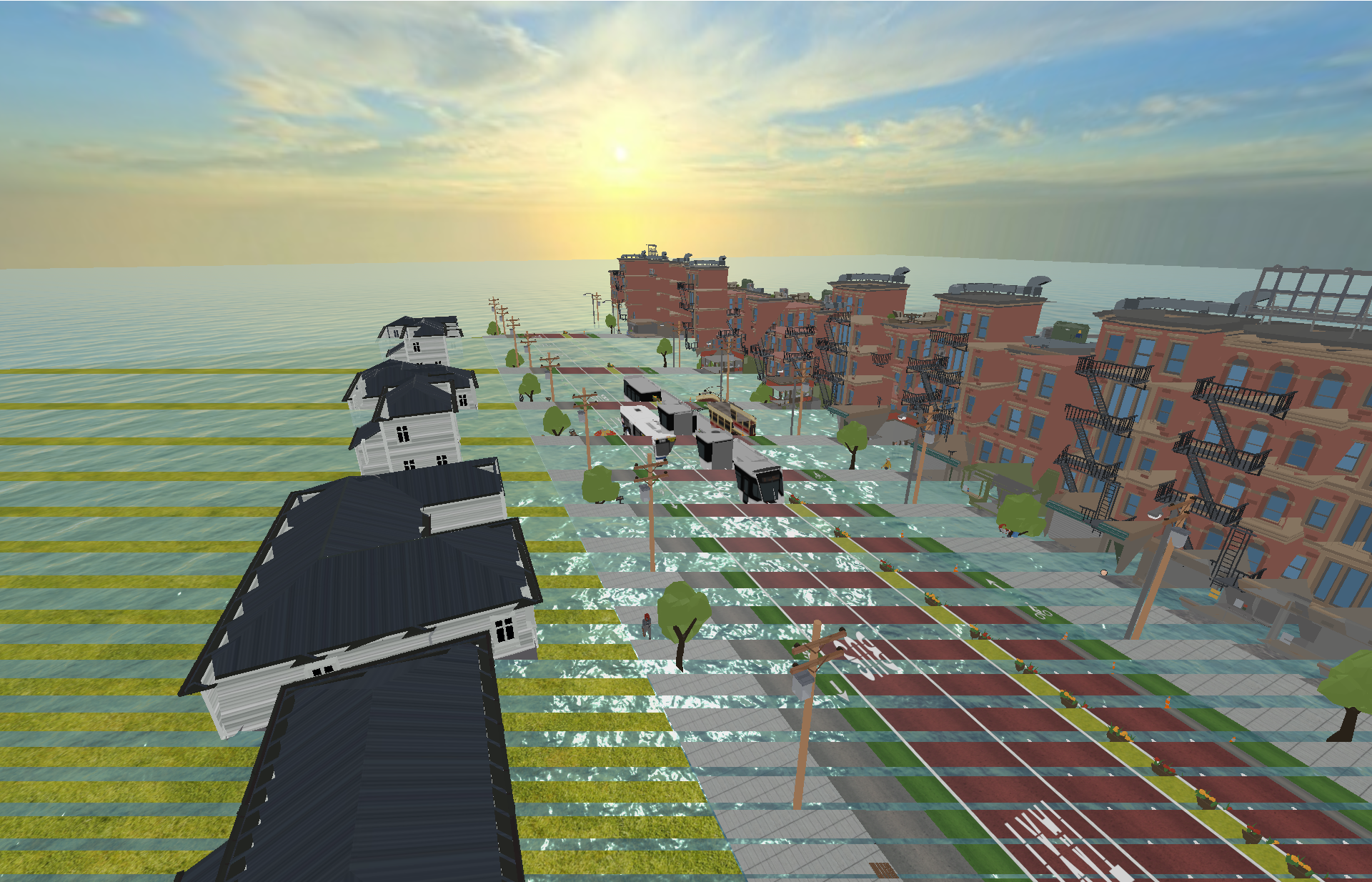

- those downloaded pngs are generated using chrome on intel macbook
however the same png download looks fine on safari on the same computer
Here is where screenshot is triggered: https://github.com/3DStreet/3dstreet/blob/main/index.html#L42
The problem definitely looks like a bug in something — maybe three.js, Chrome, or ANGLE, I haven’t been able to narrow that down yet. For whatever reason, the depth buffer appears to have lower precision available when rendering to frame buffer (in part of the screenshot code).
The good news is that it appears to be pretty easy to work around — configure the camera with near: 1; far: 1000; here to give the depth buffer a bit more breathing room and the issue disappears for me. With the scale of the scene used, there shouldn't be any need for the near plane to be as close as 0.005 m (default).

add this component to scene entity:
   AFRAME.registerComponent('screentock', {
      schema: {
        takeScreenshot: { type: 'boolean', default: false }
      },
      tock: function () {
        // this should be paused when not in use. probably restart, set true, pause
        var renderer = AFRAME.scenes[0].renderer;
        if (this.data.takeScreenshot) {
          this.el.setAttribute('screentock', 'takeScreenshot', false);
          function downloadImageDataURL(filename, dataURL) {
              var element = document.createElement('a');
              var url = dataURL.replace(/^data:image\/[^;]/, 'data:application/octet-stream');
              element.setAttribute('href', url);
              element.setAttribute('download', filename);
              element.style.display = 'none';
              document.body.appendChild(element);
              element.click();
              document.body.removeChild(element);
          }
          downloadImageDataURL('test.jpg', renderer.domElement.toDataURL('image/jpeg', 0.6));
        }
      }
    })
and invoke with:
AFRAME.scenes[0].setAttribute('screentock', 'takeScreenshot: true')
next improvements:
- create / update dom image element that can be used by react editor app
- hook up to viewer and editor capture buttons
- then refer to daria's design for modal preview to download
- update jpeg quality level or use png
Tested with latest aframe 1.4.2 it works great, but still requires being run on tock:
https://glitch.com/edit/#!/aframe-screenshot-ideas
We need to deliver the following to the react editor:
- download png (done)
- download jpeg (0.95 quality) (done)
Still to do:
- create image to be displayed to the user
- completed in the glitch, now to bring this over to 3dstreet repo and ensure the component is registered when a 3dstreet scene loads
- create a v1 of jpeg capture routed to the viewer controls capture button
- then notify ihor that this is ready