

 2fast-team
[Feature] To have the ability to disable Windows Hello login
Describe the problem this feature would solve
Currently, we can't disable the windows hello login method. I would like to login ONLY with my custom password set for decrypting the datafile.
Describe the solution
An option can be added in the settings to disable the windows hello login. This can be helpful for people who share their windows profile with someone else but don't want them to access their 2FA codes.
Describe alternatives you've considered
N/A
Additional context & Screenshots
N/A

Hello @arnavkumr,
in the settings there are already an option to enable/disable the preferred Windows Hello login:
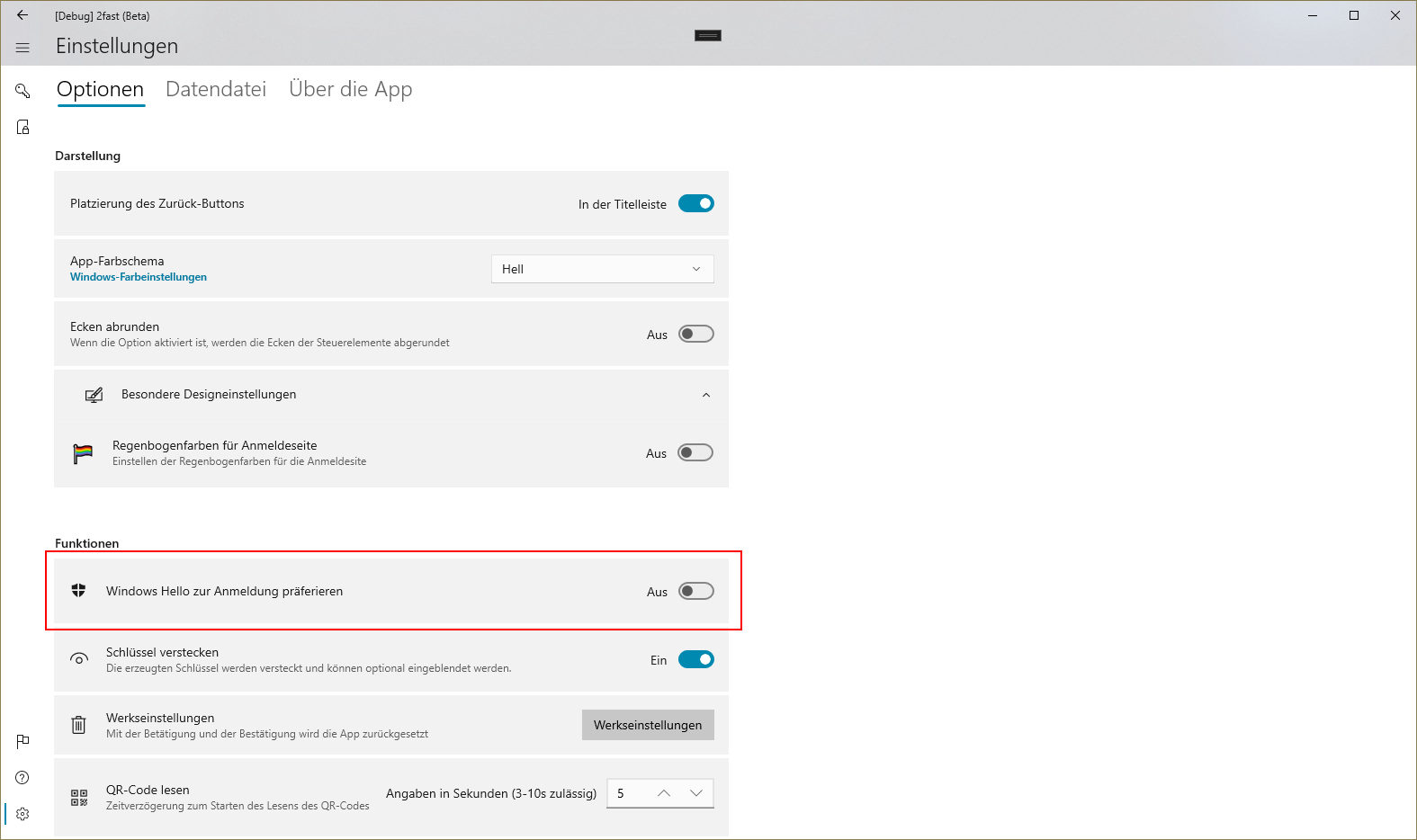
In version 1.2. the data files can be opened without configurating the app with the file. If you share your 2FA data file with others, I would suggest to open the file directly, in this case Windows Hello is automatic disabled.

Thanks for the quick response @jp-weber but the option that's showed in your screenshot merely removes the windows hello as primary mode of authentication. One can still sign in using Windows Hello after turning that option off by simply clicking on the "Login with windows hello" button on login screen.
I would like an option to completely disable the windows hello login for my use case if that's possible to implement. Simply put, an option to remove that ability to login using windows hello so the only option to login is, using the custom password. To clarify, I'm not asking to remove the windows hello login altogether, just an option to disable it.
Now implemented in version 1.2.1 https://github.com/2fast-team/2fast/releases/tag/v1.2.1 🎉