
PxMatrix
 PxMatrix copied to clipboard
 2dom
2dom
Rows 15 and 31 brightness problem
I have a 32x64 matrix and a WeMos D1. Everything is working great with one weird exception. The brightness for lines 15 and 31 (or 16 and 32 if you prefer) varies from all the other rows. This happens if I'm using a font library as well as drawing geometric shapes. Using blue as an example, if I set display.color565(0,0,126), or anything below 127, rows 15 and 31 will be brighter than the other rows. However, if I set display.color565(0,0,127), or anything above 126, rows 15 and 31 will be dimmer than the other rows. This happens with other colors too. The difference in intensity appears to change but I can't find a pattern to it. Also, sometimes it works fine with no difference in the intensity between all rows. I don't think this is a HW issue but it's not behaving like it's an entirely SW issue either.
I have two displays (from the same supplier) that are exhibiting the problem.


Thanks for the reply. Yeah. I found that setting yesterday and changed it to "false". It seems to have fixed the issue. I wanted to observe it for a day to make sure before I posted again. We're all good now.

@Ponkabonk I'm glad the problem is solved, but setFastUpdate(false) wasn't meant as solution. Can you provide the complete code of an example that shows the issue?
Sure. I've stripped out all my other code. This code simply paints two rectangles on the screen. Hopefully you can see by the attached photo what I'm talking about. The red is set to 126,0,0 so lines 16 and 32 are slight brighter. The blue is 0,0,130 so lines 16 and 32 are slightly dimmer.
As I mentioned, using setFastUpdate(false) makes the problem go away (or at least makes it no longer observable).
I've tried this with and without Ticker.h and it exhibits the problem both ways.
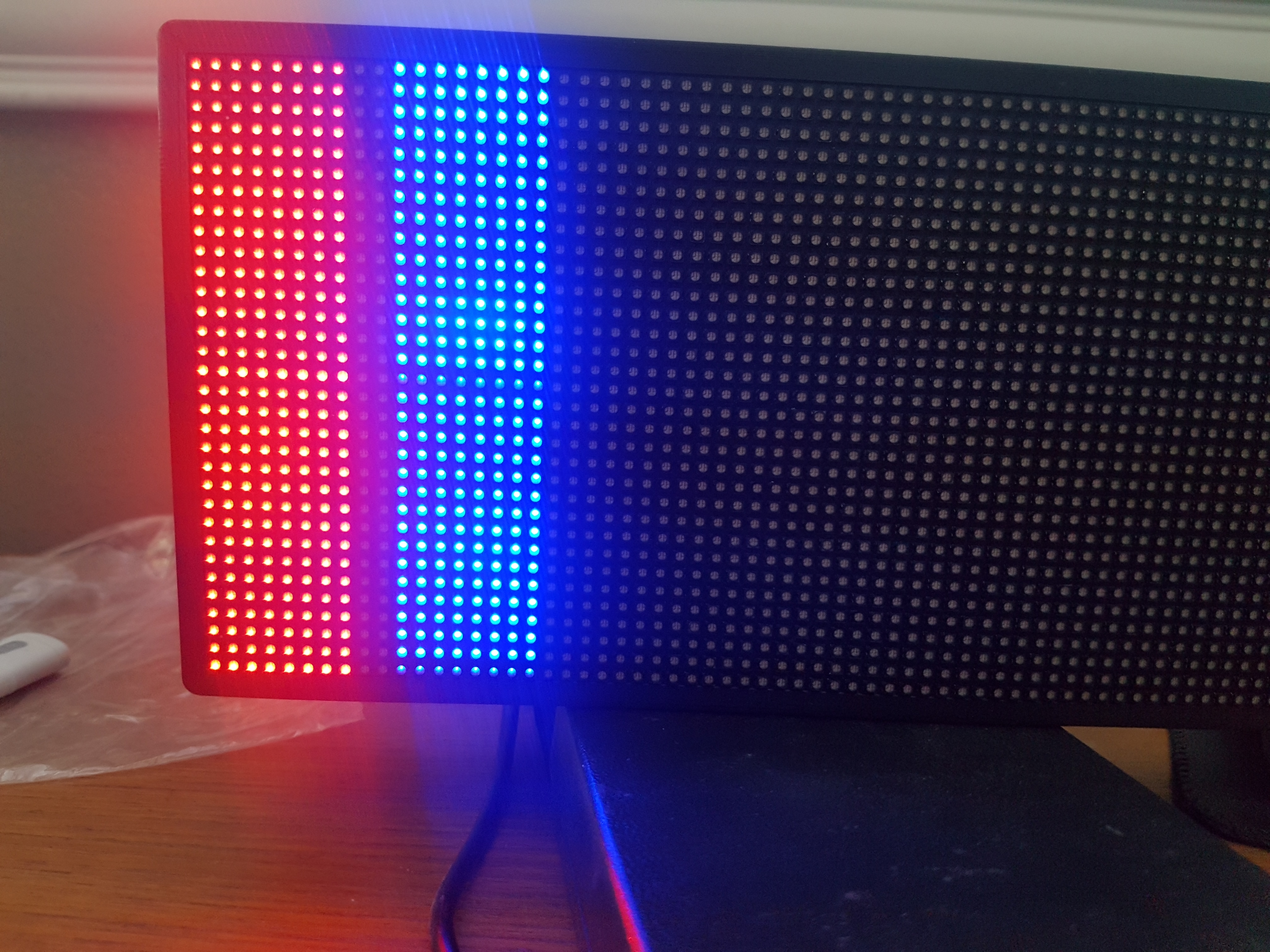
Happy to help further if I can.
-Mike
The WeMos Mini is connected as per this: https://www.instructables.com/id/RGB-LED-Matrix-With-an-ESP8266/
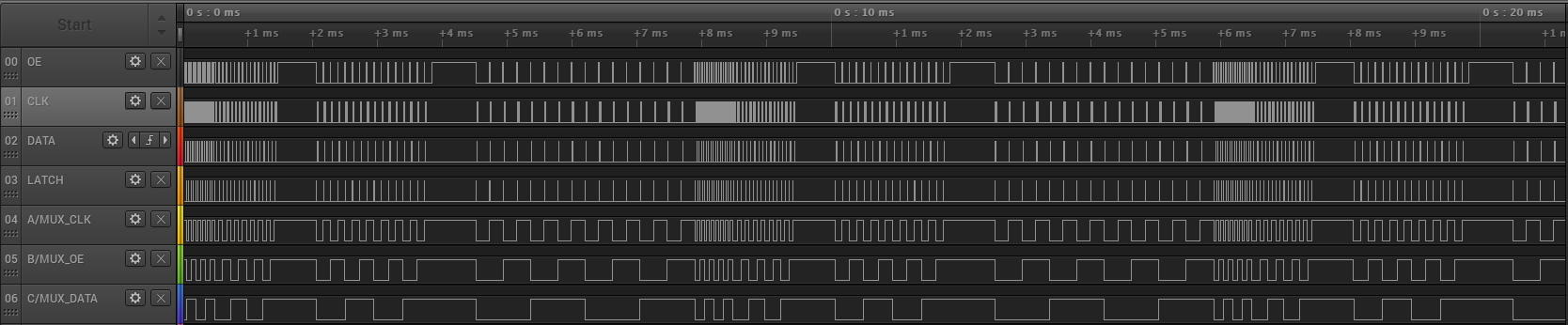
So, this is what your code produces with fast_update enabled:
and disabled:
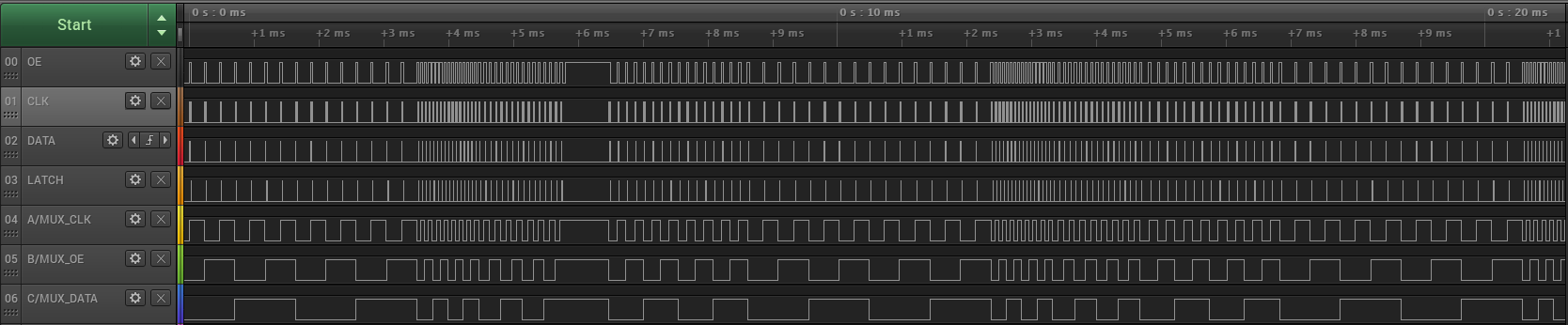
You can see two pauses in the first one on each frame, whereas only one in the second one.
Besides that pause, the ticker code is executed without any gaps in between. This is because the display() code actually takes longer to run than 2ms.
With a base draw_time of 50µs and 4 bit color depth, this is 25µs for the LSB and 200µs for the MSB. That's a maximum runtime for one frame with the MSB of at least 16*200µs which is 3.2ms. In reality, it's about 3.3ms in fast_update and 3.7ms without.
Data transfer via SPI takes already around 20µs, so you cannot lower the draw_time in fast_update.
Using a 4ms ticker interval may solve any artifacts caused by this, but may already introduce a noticeable flicker...
Also, please use ICACHE_RAM_ATTR for the ISR, otherwise the ESP may crash randomly;
ICACHE_RAM_ATTR void display_updater()
{
  display.display(display_draw_time);
}
Instead of using a regular interval of 4ms you could also add a pause of 1ms after each execution:
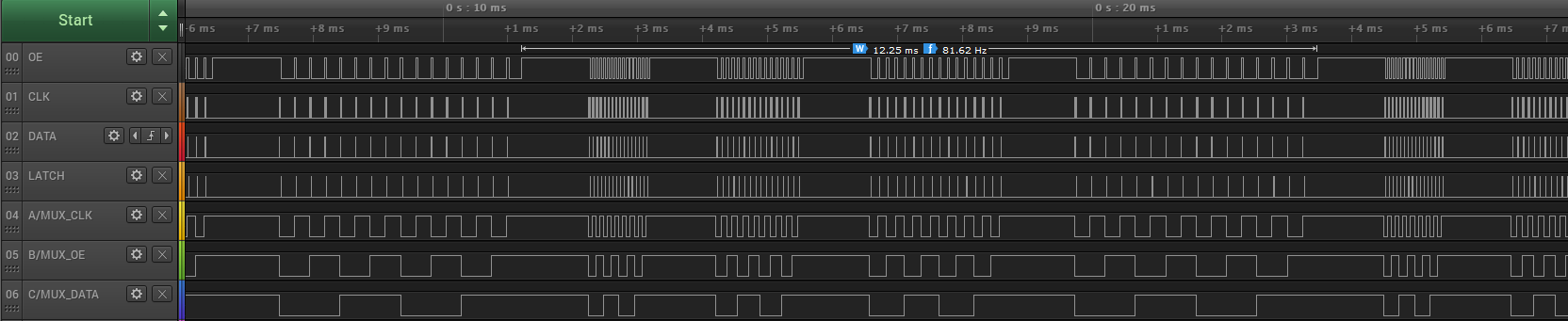 This would result in about 12ms for one complete frame instead of 16ms, increasing the refresh rate.
I used this code to do this:
ICACHE_RAM_ATTR void display_updater()
{
  display.display(display_draw_time);
  display_ticker.once(0.001,display_updater);
}
Keep in mind that your code also needs CPU to handle Wifi and your own code that actually generates the image. So you need pauses between the display() calls anyway...
You can also reduce the color depth to 3bit if you don't need that much different colors.
Hey guys. I'm having a similar problem with line 16 @ 32. Changing Fast Update makes no difference in my case.
ESP32 32x64 P3 1/16th row 16 and 32 are nearly twice as bright as the other rows.
Interestingly, display.setBrightness() has no effect either. Not sure if this is related.
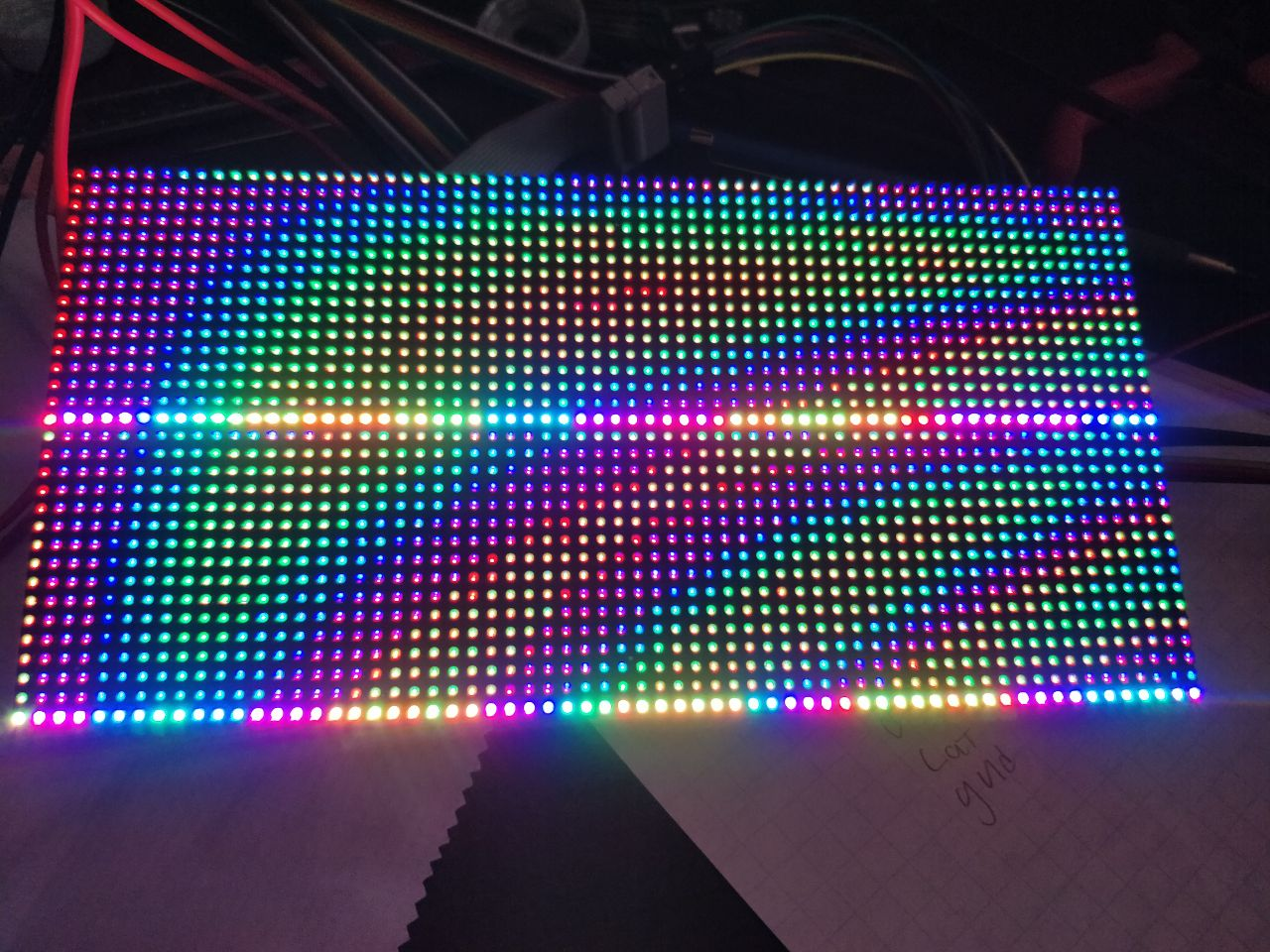

Having played around with this more I can state with relative confidence that no setting changes in the library will fix the issue. I tried another panel and got the same results. Now, There where two things that I found interesting as I was playing with my set up.
-
The affected lines can move, that is to say, The issue either affects rows 15 and 31 OR 16 and 32, it seems to be random at startup which lines are affected in my case.
-
I filmed the display with a high-speed camera and a sketch that fills the screen with a series of horizontal line draw commands. the affected lines are first drawn correctly, then almost immediately afterwards the lines become affected. Video attached. Super flicker warning. I was playing with different patterns. this occurs regardless of scan pattern.
my guess is that this is a timing issue of some kind.
https://www.youtube.com/watch?v=zUDsSERsZgs
Have you tried grabbing the test code I provided a few replies ago? You'll have to change setFastUpdate(false) but other than that it should work with no lines. It might help you narrow down your issue.