

 233boy
启动失败
更新之后重启一直显示启动失败,怎么解决呢,求教 警告! (启动) V2Ray 失败
检测到运行失败, 自动执行测试运行.
测试运行 V2Ray ..
V2Ray 运行失败信息: V2Ray 5.4.1 (V2Fly, a community-driven edition of V2Ray.) Custom (go1.20.2 linux/amd64) A unified platform for anti-censorship. 2023/05/16 14:37:04 Using confdir from arg: /etc/v2ray/conf Failed to start: app/proxyman/inbound: failed to listen TCP on 10656 > transport/internet: failed to listen on address: 127.0.0.1:10656 > transport/internet/tcp: failed to listen TCP on 127.0.0.1:10656 > listen tcp 127.0.0.1:10656: bind: cannot assign requested address 测试结束, 请按 Enter 退出.


@honyide 你 v2ray restart 看看,出来的错误信息是什么
root@hwsrv-1070039:~# v2ray restart root@hwsrv-1070039:~#
警告! (重启) V2Ray 失败
检测到运行失败, 自动执行测试运行.
测试运行 V2Ray ..
V2Ray 运行失败信息:
V2Ray 5.4.1 (V2Fly, a community-driven edition of V2Ray.) Custom (go1.20.2 linux/amd64)
A unified platform for anti-censorship.
2023/05/17 07:49:42 Using confdir from arg: /etc/v2ray/conf
Failed to start: app/proxyman/inbound: failed to listen TCP on 4168 > transport/internet: failed to listen on address: 127.0.0.1:4168 > transport/internet/tcp: failed to listen TCP on 127.0.0.1:4168 > listen tcp 127.0.0.1:4168: bind: cannot assign requested address
测试结束, 请按 Enter 退出.
root@hwsrv-1070039:~# v2ray update core 4.45.2
使用自定义版本更新 V2Ray: v4.45.2
--2023-05-17 09:46:37-- https://github.com/v2fly/v2ray-core/releases/download/v4.45.2/v2ray-linux-64.zip Resolving github.com (github.com)... 140.82.114.3 Connecting to github.com (github.com)|140.82.114.3|:443... connected. HTTP request sent, awaiting response... 302 Found Location: https://objects.githubusercontent.com/github-production-release-asset-2e65be/181461073/ced0cf74-053b-4efe-b387-01063f8121a5?X-Amz-Algorithm=AWS4-HMAC-SHA256&X-Amz-Credential=AKIAIWNJYAX4CSVEH53A%2F20230517%2Fus-east-1%2Fs3%2Faws4_request&X-Amz-Date=20230517T094637Z&X-Amz-Expires=300&X-Amz-Signature=e48762ca2fc6bbbb026d130d775250b39085c75927f6ab18d48a672dc89e9e09&X-Amz-SignedHeaders=host&actor_id=0&key_id=0&repo_id=181461073&response-content-disposition=attachment%3B%20filename%3Dv2ray-linux-64.zip&response-content-type=application%2Foctet-stream [following] --2023-05-17 09:46:37-- https://objects.githubusercontent.com/github-production-release-asset-2e65be/181461073/ced0cf74-053b-4efe-b387-01063f8121a5?X-Amz-Algorithm=AWS4-HMAC-SHA256&X-Amz-Credential=AKIAIWNJYAX4CSVEH53A%2F20230517%2Fus-east-1%2Fs3%2Faws4_request&X-Amz-Date=20230517T094637Z&X-Amz-Expires=300&X-Amz-Signature=e48762ca2fc6bbbb026d130d775250b39085c75927f6ab18d48a672dc89e9e09&X-Amz-SignedHeaders=host&actor_id=0&key_id=0&repo_id=181461073&response-content-disposition=attachment%3B%20filename%3Dv2ray-linux-64.zip&response-content-type=application%2Foctet-stream Resolving objects.githubusercontent.com (objects.githubusercontent.com)... 185.199.111.133, 185.199.109.133, 185.199.110.133, ... Connecting to objects.githubusercontent.com (objects.githubusercontent.com)|185.199.111.133|:443... connected. HTTP request sent, awaiting response... 200 OK Length: 13811048 (13M) [application/octet-stream] Saving to: ‘/tmp/tmp.eASoZLZwYq/v2ray.zip’
/tmp/tmp.eASoZLZwYq/v2ray.zip 100%[===================================================================================================>] 13.17M 62.6MB/s in 0.2s
2023-05-17 09:46:38 (62.6 MB/s) - ‘/tmp/tmp.eASoZLZwYq/v2ray.zip’ saved [13811048/13811048]
更新成功, 当前 V2Ray 版本: v4.45.2
root@hwsrv-1070039:~# v2ray
------------- V2Ray script v4.01 by 233boy ------------- V2Ray 4.45.2: stopped 群组 (Chat): https://t.me/tg233boy
- 添加配置
- 更改配置
- 查看配置
- 删除配置
- 运行管理
- 更新
- 卸载
- 帮助
- 其他
- 关于
请选择 [1-10]:5 选择: 运行管理
- 启动
- 停止
- 重启
请选择 [1-3]:3 选择: 重启
管理状态执行: 重启
root@hwsrv-1070039:~#
警告! (重启) V2Ray 失败
检测到运行失败, 自动执行测试运行.
测试运行 V2Ray ..
V2Ray 运行失败信息:
V2Ray 4.45.2 (V2Fly, a community-driven edition of V2Ray.) Custom (go1.18.3 linux/amd64)
A unified platform for anti-censorship.
2023/05/17 09:47:14 Using config from env: /etc/v2ray/bin/config.json
2023/05/17 09:47:14 [Info] main/jsonem: Reading config: /etc/v2ray/bin/config.json
Failed to start app/proxyman/inbound: failed to listen TCP on 1080 > transport/internet: failed to listen on address: 127.0.0.1:1080 > transport/internet/tcp: failed to listen TCP on 127.0.0.1:1080 > listen tcp 127.0.0.1:1080: bind: cannot assign requested address
测试结束, 请按 Enter 退出.
@honyide 降级核心看看
v2ray update core 4.45.2
好像和之前的报错一样
@honyide 卸载他,v2ray un 装 xray 看看
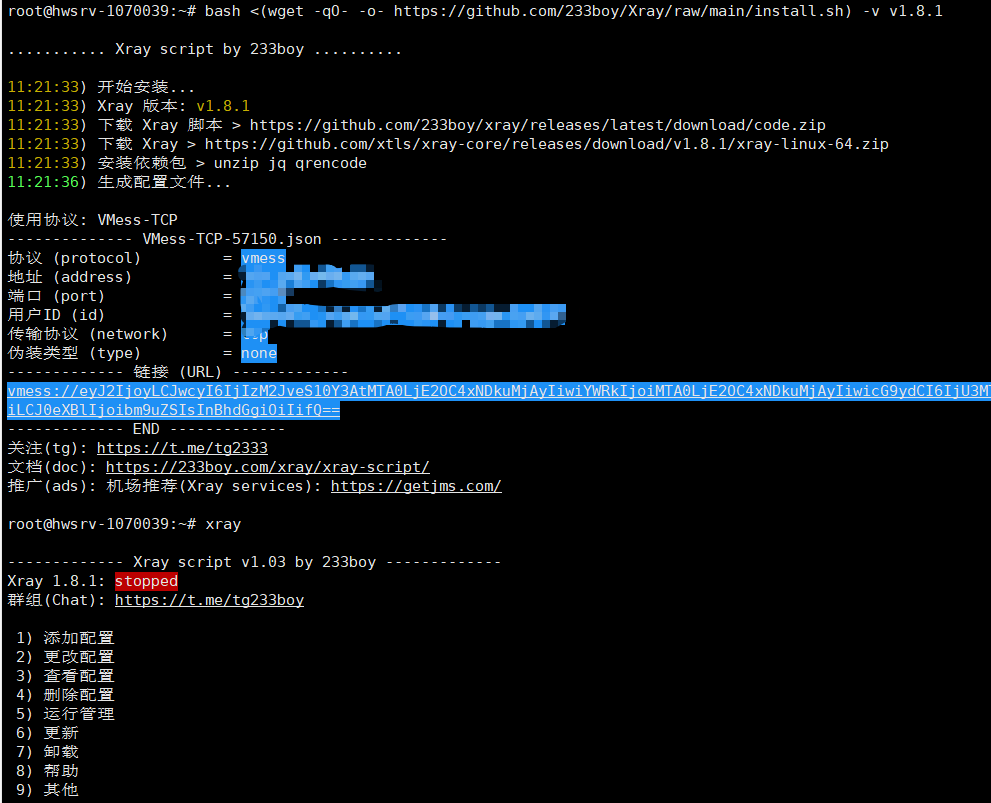
bash <(wget -qO- -o- https://github.com/233boy/Xray/raw/main/install.sh) -v v1.8.1
不过我怀疑这机子有什么大毛病。。。。
警告! (重启) Xray 失败
检测到运行失败, 自动执行测试运行.
测试运行 Xray ..
Xray 运行失败信息: Xray 1.8.1 (Xray, Penetrates Everything.) Custom (go1.20.3 linux/amd64) A unified platform for anti-censorship. 2023/05/17 11:26:18 Using confdir from arg: /etc/xray/conf xctl> [ /etc/xray/conf/VMess-TCP-57150.json ] appended inbound with tag: VMess-TCP-57150.json 2023/05/17 11:26:18 [Info] infra/conf/serial: Reading config: /etc/xray/config.json 2023/05/17 11:26:18 [Info] infra/conf/serial: Reading config: /etc/xray/conf/VMess-TCP-57150.json Failed to start: app/proxyman/inbound: failed to listen TCP on 59962 > transport/internet: failed to listen on address: 127.0.0.1:59962 > transport/internet/tcp: failed to listen TCP on 127.0.0.1:59962 > listen tcp 127.0.0.1:59962: bind: cannot assign requested address 测试结束, 请按 Enter 退出.
还是这样,会不会和图一的wraning有关系

警告! (重启) Xray 失败
检测到运行失败, 自动执行测试运行.
测试运行 Xray ..
Xray 运行失败信息: Xray 1.8.1 (Xray, Penetrates Everything.) Custom (go1.20.3 linux/amd64) A unified platform for anti-censorship. 2023/05/17 11:26:18 Using confdir from arg: /etc/xray/conf xctl> [ /etc/xray/conf/VMess-TCP-57150.json ] appended inbound with tag: VMess-TCP-57150.json 2023/05/17 11:26:18 [Info] infra/conf/serial: Reading config: /etc/xray/config.json 2023/05/17 11:26:18 [Info] infra/conf/serial: Reading config: /etc/xray/conf/VMess-TCP-57150.json Failed to start: app/proxyman/inbound: failed to listen TCP on 59962 > transport/internet: failed to listen on address: 127.0.0.1:59962 > transport/internet/tcp: failed to listen TCP on 127.0.0.1:59962 > listen tcp 127.0.0.1:59962: bind: cannot assign requested address 测试结束, 请按 Enter 退出.
还是这样,会不会和图一的wraning有关系
@honyide 卸载他,v2ray un 装 xray 看看
bash <(wget -qO- -o- https://github.com/233boy/Xray/raw/main/install.sh) -v v1.8.1不过我怀疑这机子有什么大毛病。。。。
@honyide 你什么 VPS 啊,这么垃圾, 。。。
执行这个命令再看看
jq 'del(.inbounds)' /etc/xray/config.json > /etc/xray/config.json; xray restart
@honyide 你什么 VPS 啊,这么垃圾, 。。。
执行这个命令再看看
jq 'del(.inbounds)' /etc/xray/config.json > /etc/xray/config.json; xray restart
我用的host winds,还是没解决,报错信息是一样的,我之后试了一下netstat -aon|findstr报错的那个端口,但是发现这个端口没被占用,尝试以管理员身份启动命令提示符netsh winsock reset 也没效果
@honyide
报错信息不是端口占用,是地址无法监听,你换旧脚本看看是不是也有同样的问题
先卸载现在的 xray v2ray;重新登录 SSH
wget https://github.com/233boy/v2ray/archive/old.tar.gz -O v2ray-old.tar.gz;tar -zxvf v2ray-old.tar.gz;cd v2ray-old;chmod +x i*;./i* local
@honyide
把 api 删除就好了,但是我无法复现这种错误
v2ray fix-config.json; cat <<< $(jq 'del(.inbounds)' /etc/v2ray/config.json) > /etc/v2ray/config.json; v2ray add tcp
我用的也是 Hostwinds 有同样的问题。
重启了几次之后发现当 networking.service 运行成功的时候,v2ray.service 不能运行,host 的 ipv6 和 ipv4 都能正常工作。
当 networking.service 运行失败的时候(error log: RTNETLINK answers: File exists),v2ray.service 正常运行,host 的 Ipv4 正常,ipv6 无法工作。
怀疑是有什么文件冲突了(sock文件之类的)。很烦,debug 半天找不出问题……

搞定了,估计是和 Hostwinds 的 Debian 10 有什么冲突。
切换到 CentOS 8,然后 follow issue 1112,接着就能用了,感谢 233boy。
Note: 不要用 Ubuntu 20,也有 bug,脚本总会时不时卡住。
我也遇到了这个问题,我用的是vmiss香港V2, debian12系统, 尝试把/etc/v2ray/config.json中的127.0.0.1改成了公网IP就正常了, 记得要做好对应的开放端口屏蔽...
很奇怪的是ping 127.0.0.1都不通。。

我也遇到了这个问题,我用的是vmiss香港V2, debian12系统, 尝试把/etc/v2ray/config.json中的127.0.0.1改成了公网IP就正常了, 记得要做好对应的开放端口屏蔽...
很奇怪的是ping 127.0.0.1都不通。。
感觉这也不是个好办法,尝试ip addr show lo,结果发现lo里面果然没有127.0.0.1, 然后尝试使用ip addr add 127.0.0.1/8 dev lo添加了127, 再把v2ray的config.json改回127.0.0.1, 也正常了,那我这绑定不了端口的问题可能就是环回地址不存在的问题导致的
感觉这也不是个好办法,尝试
ip addr show lo,结果发现lo里面果然没有127.0.0.1, 然后尝试使用ip addr add 127.0.0.1/8 dev lo添加了127, 再把v2ray的config.json改回127.0.0.1, 也正常了,那我这绑定不了端口的问题可能就是环回地址不存在的问题导致的
@JxiaoC 原来是这个问题吗……竟然连 127 都 Ping 不了……