Notepads
 Notepads copied to clipboard
Published
20 hours ago •
 0x7c13
0x7c13
[Bug] filesystem error
After selecting Notepads in Windows 11 for default txt opening, I get this:
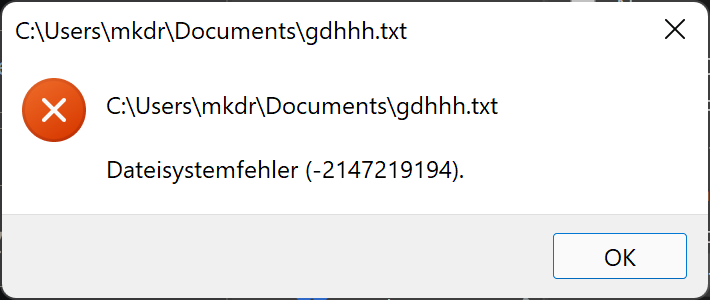


And how would I do that? This issue seems to be resolved, by uninstalling the app and reinstalling it. It randomly gets broken after a time, and then the only solution is to reinstall the app.
I am, but the file is not on Onedrive. I think this is some bug with Windows 11. Maybe since they pushed the Windows 11 Notepad app, which I removed. Then it should back to the good old notepad.exe but that one als doesnt seem to work anymore, if you want to select it as default txt editor, it gives also an error that the file is not supported.