

 zio
zio
Http Client Resource Leak
Describe the bug Http client does not clean up resources after the call has succeeded. This means that after a specific number of requests depending on the configurations of the machine, no more requests can be made.
To Reproduce Steps to reproduce the behaviour: Create an infinite stream of Http requests using the client.
I tested it with the following versions:
ZIO Version = "1.0.13" ZIO Http Version = "1.0.0.0-RC24"
import zio._
import zio.console.putStrLn
import zhttp.service.{ChannelFactory,EventLoopGroup}
import zhttp.service.Client
import zhttp.service.Client.ClientRequest
import zhttp.http.URL
import zhttp.http.Method
import zio.stream.ZStream
import zio.stream.ZTransducer

object Main extends App {

  val env = ChannelFactory.auto ++ EventLoopGroup.auto()

  val sleep = "http://localhost:8000/healthcheck"

  def get(url: URL) =
  Client
    .request(ClientRequest(url, Method.GET))
    .flatMap(result => result.bodyAsString.map((_, result.status.asJava.code)))

  def stream(url: URL, batchSize: Int) =
    ZStream
      .repeat(())
      .transduce(ZTransducer.fromEffect(
        ZIO.collectAllPar(List.fill(batchSize)(get(url)))
      ))

  val app = for {
    url <- ZIO.fromEither(URL.fromString(sleep))
    _ <- stream(url, 100).zipWithIndex.foreach(s => putStrLn(s.toString))
  } yield ()

  override def run(args: List[String]): URIO[zio.ZEnv, ExitCode] =
    app
    .catchAllCause(c => putStrLn(c.toString))
    .provideCustomLayer(env)
    .exitCode
}
https://user-images.githubusercontent.com/5600005/153767685-cd50175e-f2fb-4bbe-a613-27a94706b789.mp4
As well as
ZIO Version = "2.0.0-RC2" ZIO Http Version = "2.0.0-RC3"
import zio.*
import zio.Console.printLine
import zhttp.service.{ChannelFactory,EventLoopGroup}
import zhttp.service.Client
import zhttp.service.Client.ClientRequest
import zhttp.http.URL
import zhttp.http.Method
import zio.stream.ZStream

object Main extends ZIOAppDefault:

  val env = ChannelFactory.auto ++ EventLoopGroup.auto()

  val sleep = "http://localhost:8000/healthcheck"

  def get(url: URL) =
    Client
      .request(ClientRequest(url, Method.GET))
      .flatMap(result => result.bodyAsString.map((_, result.status.asJava.code)))

  def stream(url: URL, batchSize: Int) =
    ZStream
      .repeat(get(url))
      .grouped(batchSize)
      .flatMap(calls => ZStream.fromZIO(ZIO.collectAllPar(calls)))

  val app = for {
    url <- ZIO.fromEither(URL.fromString(sleep))
    _ <- stream(url, 100).zipWithIndex.runForeach(printLine(_))
  } yield ()

  override def run: URIO[zio.ZEnv, ExitCode] =
    app
    .catchAllCause(printLine(_))
    .provideCustomLayer(env)
    .exitCode
Expected behaviour The stream goes on forever.
Actual behaviour The stream halts after it cannot acquire the necessary resources to continue. (I could not reproduce this, but @girdharshubham managed to get an actual netty exception, or sometimes a 0 exit).
https://user-images.githubusercontent.com/5600005/153767798-f64fb66b-d3dd-4830-b5e7-a5db09c0e71a.mp4
Desktop (please complete the following information):
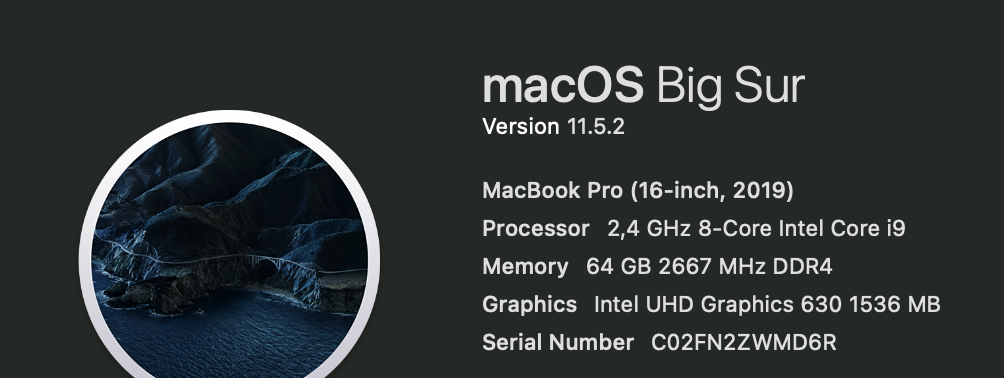

Additional context ATM I am not sure if its hitting the file descriptor limit or maximum running process limit.

@NavidJalali Thanks for the report. But Please don't post your serial number publicly :)

@NavidJalali both of the examples are failing due to the fact that there are not enough file descriptors per process to be created (in your case the limit is 256) or the server is not able to accept new connection. The behaviour is the same in ZIO-Http 1.0.0.0-RC24 and ZIO-Http 2.0.0-RC3. Both examples are trying to create an infinite number of request in batches of 100, but as all request are async and there is no blocking in the execution the stream is creating request up to the file descriptors limit. It will basically flood the server with requests. The serve will start responding slower and slower after some time ( if you increase the file descriptors limit). File descriptors are cleanup only when the connection is closing but closing the connection is not happening instantly.
We are working on client connection pool support, this will not happen after that.
However, if you add a short delay between batches the infinite stream of request will work just fine as the system get a chance to clean up file handlers. Also, you have to increase the file descriptors limit:
ulimit -n 100000
Updated examples:
ZIO Version = "1.0.13" ZIO Http Version = "1.0.0.0-RC24"
import zio._
import zio.console.putStrLn
import zhttp.service.{ChannelFactory, EventLoopGroup}
import zhttp.service.Client
import zhttp.service.Client.ClientRequest
import zhttp.http.URL
import zhttp.http.Method
import zio.stream.ZStream
import zio.stream.ZTransducer
import zio.duration._

object Main extends App {

  val env = ChannelFactory.auto ++ EventLoopGroup.auto()

  val sleep = "http://localhost:8000/healthcheck"

  def get(url: URL) =
    Client
      .request(ClientRequest(url, Method.GET))
      .flatMap(result => result.bodyAsString.map((_, result.status.asJava.code)))

  def stream(url: URL, batchSize: Int) =
    ZStream
      .repeatWith((), Schedule.spaced(100 millis))  // introduce a short delay in between batches
      .transduce(
        ZTransducer.fromEffect(
          ZIO.collectAllPar(List.fill(batchSize)(get(url))),
        ),
      )

  val app = for {
    url <- ZIO.fromEither(URL.fromString(sleep))
    _   <- stream(url, 100).zipWithIndex.foreach(s => putStrLn(s.toString))
  } yield ()

  override def run(args: List[String]): URIO[zio.ZEnv, ExitCode] =
    app
      .catchAllCause(c => putStrLn(c.toString))
      .provideCustomLayer(env)
      .exitCode
}
ZIO Version = "2.0.0-RC2" ZIO Http Version = "2.0.0-RC3"
import zio.*
import zio.Console.printLine
import zhttp.service.{ChannelFactory,EventLoopGroup}
import zhttp.service.Client
import zhttp.service.Client.ClientRequest
import zhttp.http.URL
import zhttp.http.Method
import zio.stream.ZStream

object Main extends ZIOAppDefault:

  val env = ChannelFactory.auto ++ EventLoopGroup.auto()

  val sleep = "http://localhost:8000/healthcheck"

  def get(url: URL) =
    Client
      .request(ClientRequest(url, Method.GET))
      .flatMap(result => result.bodyAsString.map((_, result.status.asJava.code)))

  def stream(url: URL, batchSize: Int) =
    ZStream
      .repeat(get(url))
      .grouped(batchSize)
      .throttleShape(batchSize, 100 millis)(_ => 1)  // introduce a short delay in between batches
      .flatMap(calls => ZStream.fromZIO(ZIO.collectAllPar(calls)))

  val app = for {
    url <- ZIO.fromEither(URL.fromString(sleep))
    _ <- stream(url, 100).zipWithIndex.runForeach(printLine(_))
  } yield ()

  override def run: URIO[zio.ZEnv, ExitCode] =
    app
    .catchAllCause(printLine(_))
    .provideCustomLayer(env)
    .exitCode

Hi @gciuloaica I tried the throttle but it seems to have the exact same effect. I gave each batch up to 10 seconds before the next one comes along. So this fix doesn't work for me. I hope the connection pool will fix it. Thanks!

Sorry for the inactivity, somehow I missed the email for your reply. Yes I have increased the file descriptor limit as well. Increasing it only delays the inevitable death, i.e: it only changes how many batches can go before running out of file descriptors.
Indeed that will just delay the inevitable death but until the new client will be ready is the only option that we have.
The random leaking of connections sounds like #1252, it's a small change, would be interesting to see if this fixes this issue too.

I very likely bumped into this bug on v2.0.0-RC10.
The pattern of my code is to wake up every min and shoot 20-30 http requests. After few hours on 1GB RAM server I see OutOfMemoryException thrown from JVM. After looking at the heap dump with MAT it looks that what is hogging the memory is EpollEventLoop.channels that is a HashMap that holds all connections.
So unlike the original bug report that possibly hit file descriptor limit, I seem to be hitting OOM.
@gciuloaica it seems that the issue is not insufficient time to clean resources, but rather the client not closing the connection at all or in some way not releasing resources.

If you control the server side too, make sure to send "Connection: close". I found that the client connections do not get cleaned up otherwise, although it took hundreds of thousands of connections before causing trouble.
(If you can't add this header, just for the sake of testing insert a forwarding proxy such as nginx inbetween to force this header)
If you control the server side too, make sure to send "Connection: close". I found that the client connections do not get cleaned up otherwise, although it took hundreds of thousands of connections before causing trouble.
(If you can't add this header, just for the sake of testing insert a forwarding proxy such as nginx inbetween to force this header)
Thanks for the tip. I don't control the server side unfortunately. It will be easier for me to swap http client than sticking in nginx, but I will explore. I guess it took you hunreds of thousands of connections because you ran it with a lot of RAM.. On 1GB server it took around 12hrs... with 30requests every minute.. 30 * 60 * 60 * 12 = 1296000. Right that's over million connections. Still. For this type of application this is a show stopper.
Looks like HTTP 1.1 client can also send "Connection: close" header to to ask the server to close the connection. I will give it a go to see if that helps
https://serverfault.com/questions/790197/what-does-connection-close-mean-when-used-in-the-response-message
In my case the firewall tables overflowed.. so netstat is a good way to see the connections accumulate.
Didn't know about the Connection: close client side, that's a good one to try.
This worked. Setting Connection: close HTTP header on request to the server closes connection by server after response is sent as per HTTP 1.1 protocol. This in turn releases resources on the client side and the memory usage doesn't go up, but stays flat.
This works, but a client backed by connection pool could potentially be way more performant. Is there any work that already started on this? I could help with it if someone pushes me the right direction.
Great that it worked! Thanks for reporting back, I will add this to my own clients too.
If the client side is getting some more love, there is a branch with a streaming client (as opposed to buffering the entire request/response in memory first as it does now), it would be great if streaming would be supported as well to deal with large files, but I'm not sure what the reason is that it's not there yet (i.e. if there's technical or performance reasons).