
ChatIDE
 ChatIDE copied to clipboard
 yagil
yagil
AI Coding Assistant in your IDE - ChatGPT (OpenAI) and Claude (Anthropic) in a VSCode extension.



ChatIDE - AI assistant in your IDE
Converse with OpenAI's ChatGPT or Anthropic's Claude in VSCode


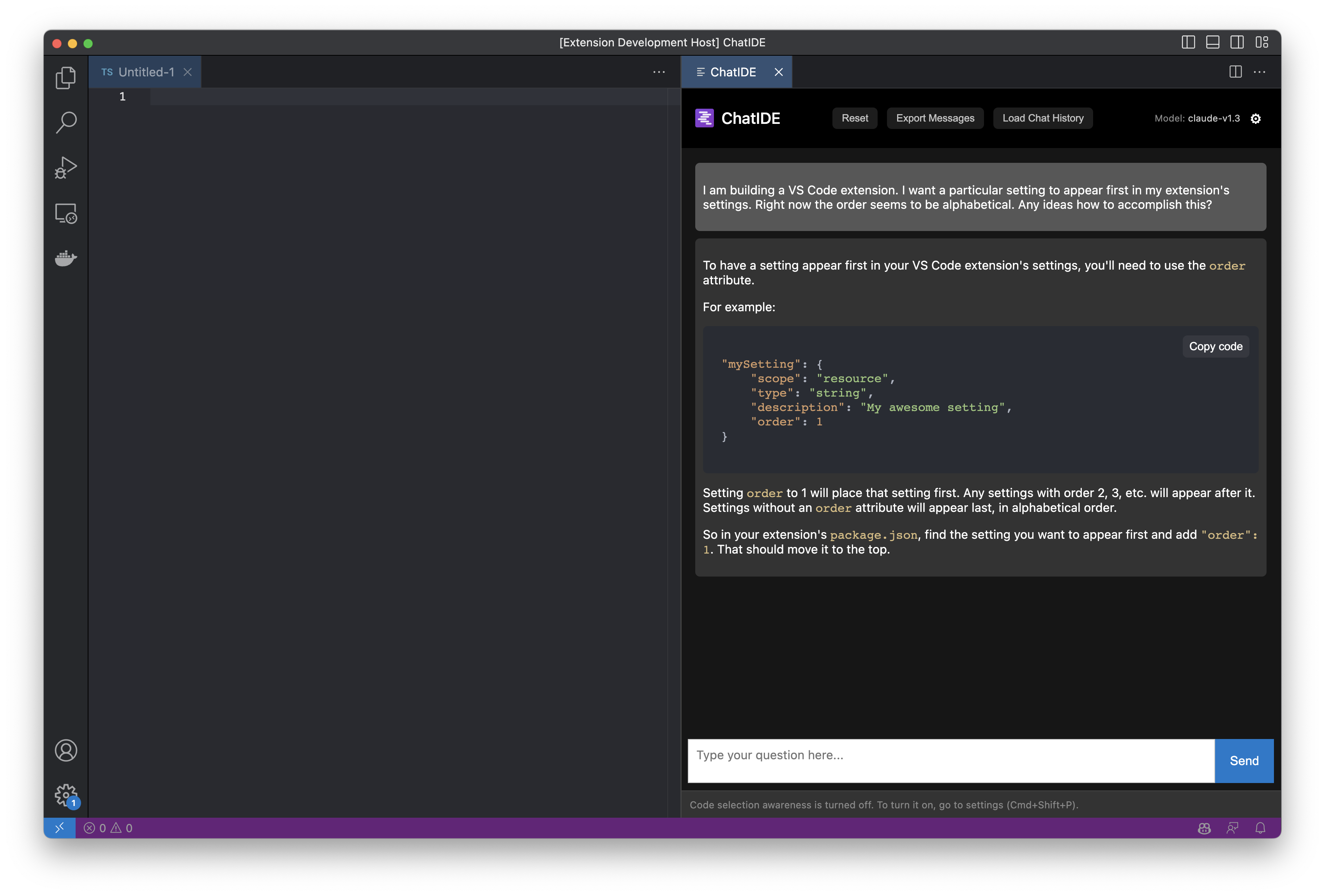
Build and run from source
- Clone this repository and install the npm dependencies
- Open the project in VS Code
- Press
F5to launch the extension in debug mode
Installation
Grab the latest ChatIDE version from the Extensions Marketplace:
https://marketplace.visualstudio.com/items?itemName=ChatIDE.chatide
Bring Your Own API keys
To use ChatGPT / Claude in ChatIDE, you need to procure API Keys from OpenAI / Anthropic.
- OpenAI: https://openai.com/product#made-for-developers
- Anthropic: https://console.anthropic.com/docs/api
Usage
- Bring up ChatIDE with
Cmd + Shift + i(orCtrl + Shift + ion non-Apple platforms). - Choose your AI model. Currently supported:
'gpt-4','gpt-4-0613','gpt-3.5-turbo','gpt-3.5-turbo-16k'(OpenAI)'claude-v1.3'(Anthropic)
- On first usage, you'll be prompted to enter your API key for your chosen AI providers (will be stored in VSCode
secretStorage). - Enjoy!
Configuration
- Use the
Cmd + Shift + Pkeychord and type>Open ChatIDE Settings- Choose your preferred
model,max_tokens, andtemperature. - Adjust the system prompt to your liking
- Note: settings will auto save
- Choose your preferred
- Run ChatIDE with
Cmd + Shift + i. You'll be asked for your OpenAI / Anthropic API key on first time you use the model.- Note: your API keys will be stored in VS Code's
secretStorage
- Note: your API keys will be stored in VS Code's
Updating your API key
- Run
cmd + shift + P(orctrl + shift + P) - Start typing
>ChatIDE
OpenAI
- Select
>Update your OpenAI API Key for ChatIDE.
Anthropic
- Select
>Update your Anthropic API Key for ChatIDE.
Known issues
- There's currently no way to stop the model from generating. You need to wait until it's done.
- Closing the ChatIDE pane while the model is generating might lead to a non-recoverable error. You'll need to restart VS Code to use ChatIDE again.
Warning
⚠️ This is an early prototype, use at your own peril.
🧐 Remember to keep an eye on your OpenAI / Anthropic billing.
Credits
ChatIDE continues to be built using ChatIDE.
 yagil
yagil