
XamarinCommunityToolkit
 XamarinCommunityToolkit copied to clipboard
 xamarin
[Bug] [CameraView] [Android] Result photo is different from actual camera preview screen
Description
Capturing photo with CameraView covering the whole screen. The result photo will be different from actual camera preview screen on Android.
I have just tested on Android so there's no idea whether this happens on iOS.
Steps to Reproduce
- Use the attached project below
Expected Behavior
The result photo is exactly the same as camera preview.
Actual Behavior
The result photo is different from camera preview. .
Basic Information
- Version with issue: 1.2.0
- Last known good version: Unknown
- Affected Devices: Samsung Galaxy S6
Reproduction sample
Reproduction imagery
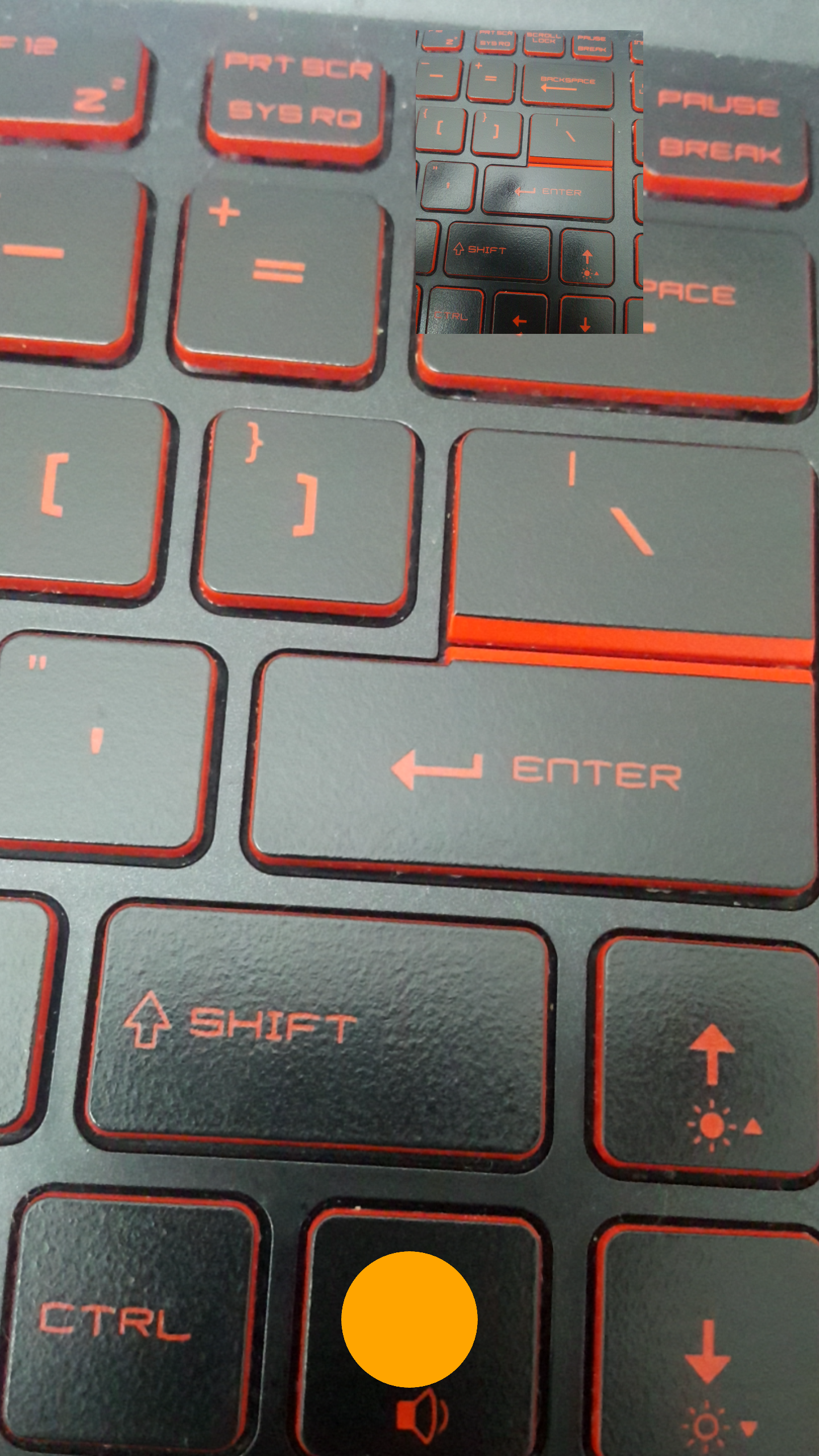

@thecuong064 how are you comparing the images? Based on the "Reproduction imagery"?

Hi @GUOLDEV,
As you can see the camera preview and the image preview is not the same. This is the screen after I finished taking a photo. Let me highlight the image preview for you.
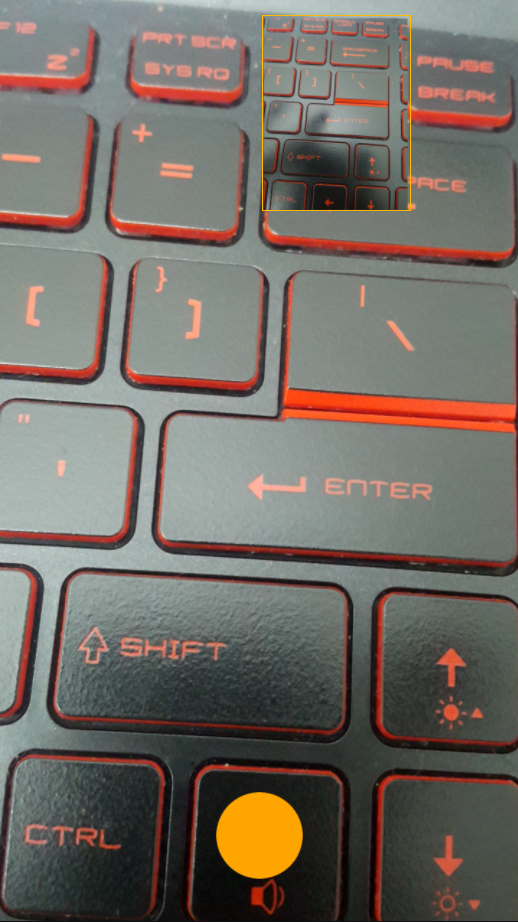
Hi @thecuong064, the preview image is not the same proportion as the screen, and you are probably using Aspect="AspectFit", so the image zooms to fit the control size. Does that make sense?
I'm using that AspectFit property actually. You can get more details from my above attached project.
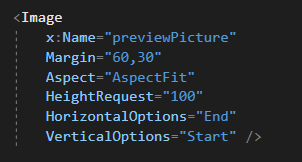
So, AspectFit is going to change the size of the image to fit it to the size of the control, so it is not going to look exactly like the real image. For example, if you set the HeightRequest and WidthRequest as 100, it is going to show a squared image, cropping part of the image, the top, and button. Even the default camera app in the device does not show exactly the same image on the preview, but I get your point. You are probably right about this issue though, but for me, the image looks just slightly different.
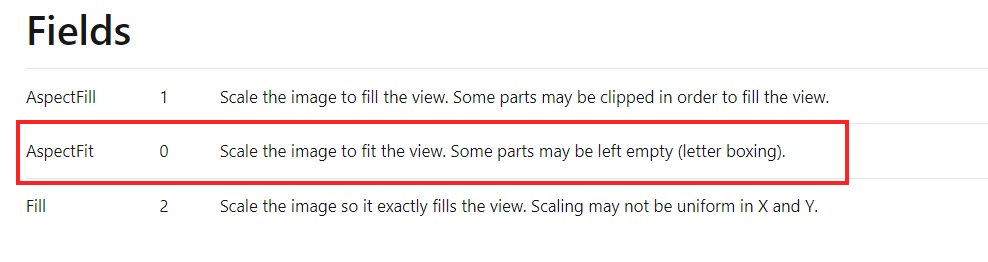
Yeah, it's slightly different. But I just want to correct a litte bit about the AspectFit, referring to this link from Microsoft
AspectFit does not clip/crop any parts of the image. It will leave the space empty if the width or height does not fit enough to the container and showing the full image with correct aspect ratio.
AspectFill will crop/clip some parts of the image.
In my case, I didn't declare any WidthRequest . Image Width will be fit, based on the ratio, with the HeightRequest = 100.
Let me explained the problem a little bit more.
The Aspect mode which CameraView is using is actually like AspectFill in Image view, so the Camera Preview View is actually cropping the the actual image it will take to fit the given view port, which is not always the desired result. Instead, the CameraView should have a Aspect property like AspectFill and AspectFit and let the developer decide if the Preview view should take the whole view port or respect the actual result coming from the Camera.
For now to overcome this issue, I've to copy the code in Android CameraView renderer to get the actual image result ratio and try to resize my View on Xamarin Forms to have the same ratio, which is kinda annoying to maintain and hard for other developers to use.
