
WordPress-Android
 WordPress-Android copied to clipboard
 wordpress-mobile
Site Settings: Categories don't load if there are more than 100
Expected behavior
Loading the list of categories under Site Settings for sites with a large number of categories should correctly list them.
Actual behavior
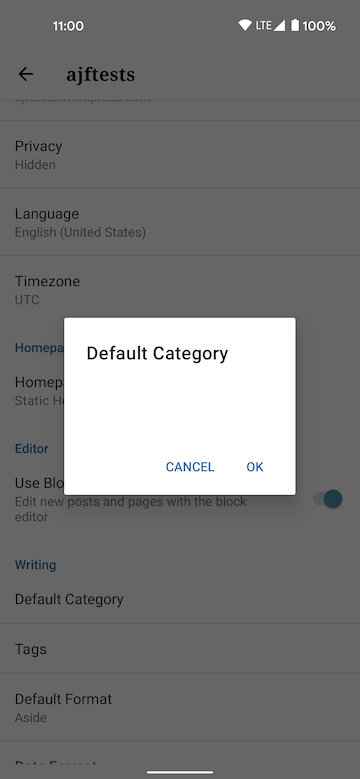
It looks like results returned from the API are paginated to 100, but the logic tries to loop through the found value returned by the API response, which is the grand total of categories (> 100 in this case).
This eventually results in a JSON exception Index 100 out of range [0..100) on the 101st iteration (we're not currently logging the exception), and the function returns null as the list of categories.
This is probably a pretty rare occurrence, I doubt many sites have over 100 categories (this occurred for me on a test site that has had hundreds of categories generated from automated tests in the past).
Steps to reproduce the behavior
- Select a WPcom site with over 100 categories
- Visit My Site -> Settings
- Notice that the 'Default category' item doesn't list what the default is
- Tap on 'Default category', and notice that the dialog is blank, like the screenshot above
Tested on Pixel 3, Android 11, WPAndroid 16.9

In the fetchCategories method there is a comment about utilizing FluxC for this behavior.
// TODO: Replace with FluxC (GET_CATEGORIES + TaxonomyStore.getCategoriesForSite())
There is a likelihood that this might fix the issue because this FluxC logic is being used to pull down the very categories within the prepublishing nudges bottom sheet and there are no crashes occurring. I am seeing a comment about the pagination improvement there nonetheless.
I also noticed that you increased the maximum limit to 1000 4 years ago @aforcier 😉

🤔 not exactly the same, but this should be tightly coupled with https://github.com/wordpress-mobile/WordPress-Android/issues/11843.
