
react-native-calendars
 react-native-calendars copied to clipboard
 wix
wix
Bug in agenda when display multiple items with smaller height than rendered day
 Have issue when I have 3 items on 24th. Has a space between the first item and the second one. Margin and Padding are set to zero.


Hi, I am too facing same issue after moving to latest code base v1.5.4. The first item is always place little bit higher for every day.
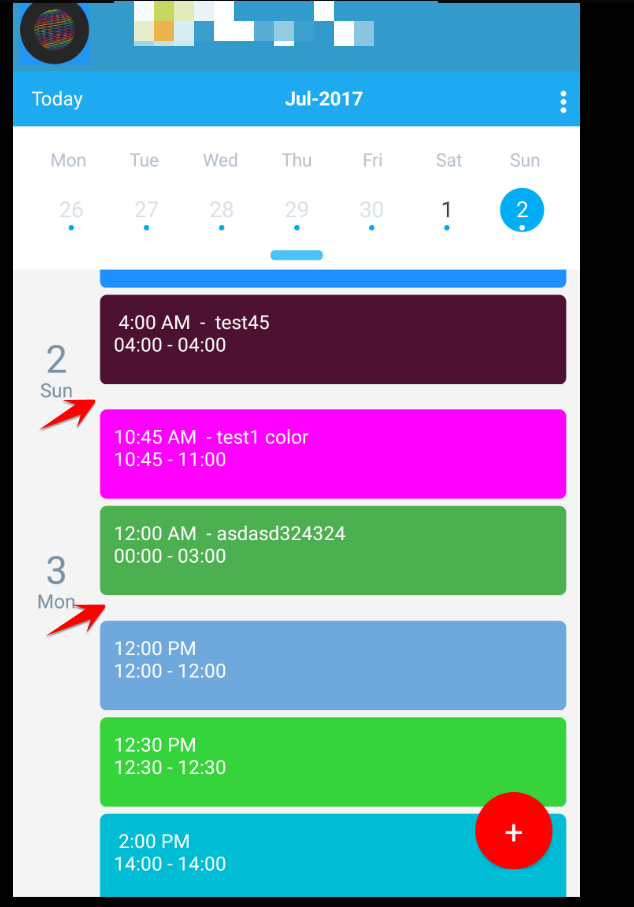

what is the version of react native that you use? can this bug also be reproduced in example agenda?
I am using react-native: v0.44.3. I'll check and let you know whether its reproducible in agenda example.
Hi,
Sorry, not get time to check. Got stuck in another issues.
Just give me a few minutes, I'll update
Thank you.
On Wed, Aug 2, 2017 at 12:10 PM, Tautvilas Mečinskas < [email protected]> wrote:
any updates @dongawli https://github.com/dongawli ?
— You are receiving this because you were mentioned. Reply to this email directly, view it on GitHub https://github.com/wix/react-native-calendars/issues/104#issuecomment-319582265, or mute the thread https://github.com/notifications/unsubscribe-auth/ASbdudd1amgWk8Pe3IGrT5-4HenLQ1wyks5sUBnggaJpZM4OcvlP .
Hi,
Tried with example given on GIT repository. Its working fine in it.
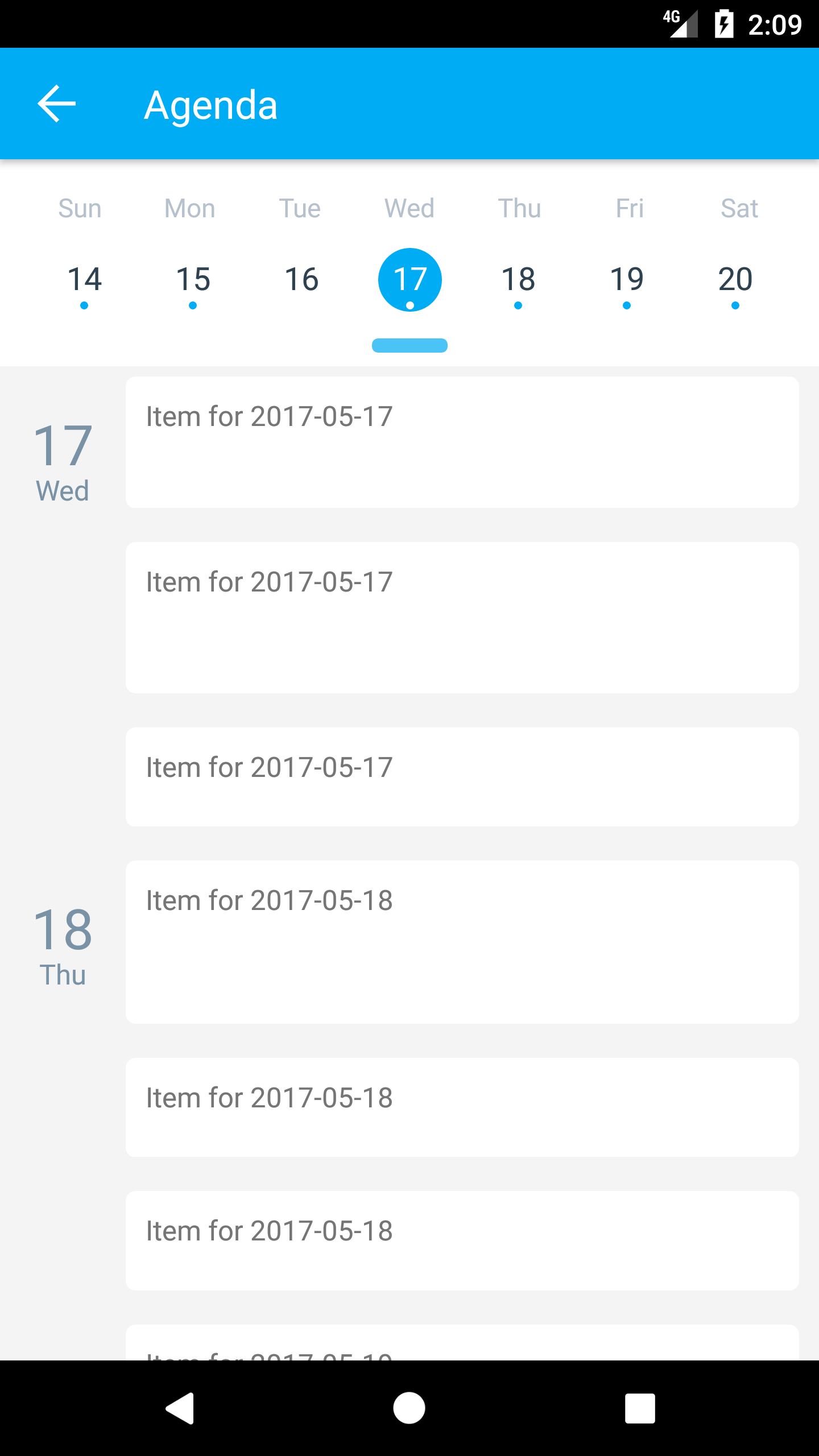
I'll give a try with my application once free when get time.
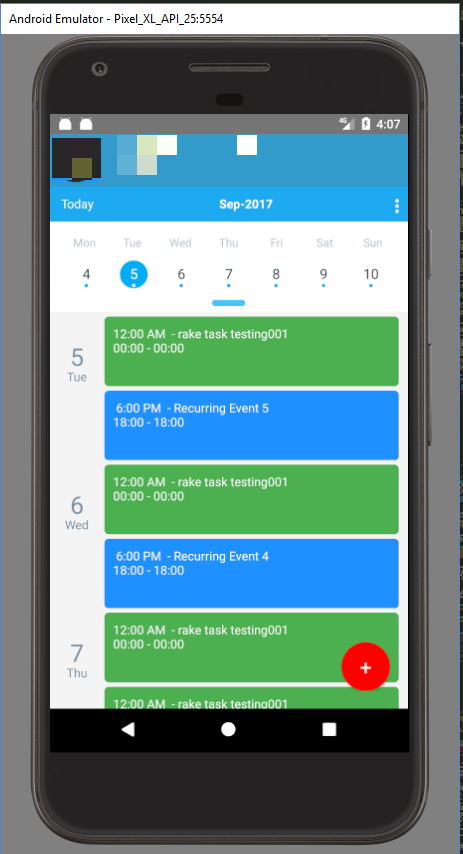
I think I've found the issue.. In the example we are setting the height randomly using Math. max (50, Math. floor (Math. random () * 150)). And in my application I've hard-coded the height to 65 which leads to the issue. If I set the height to 80 then there is no issue (see the screenshot). If the user sets the height of item below 80 then the issue starts showing.
Hi, I can not reproduce this behaviour, could you give me a code snipped that would demonstrate this bug?
Ok, I was able to reproduce. The way agenda is implemented right now, there is no easy way to fix it. The reason that in example items render fine is because each item has flex:1 style. In order to avoid this problems rendered items should not be smaller in height than rendered day component.

I am also facing the issue: From the second item in the agenda, the height is smaller than the height of the first item.
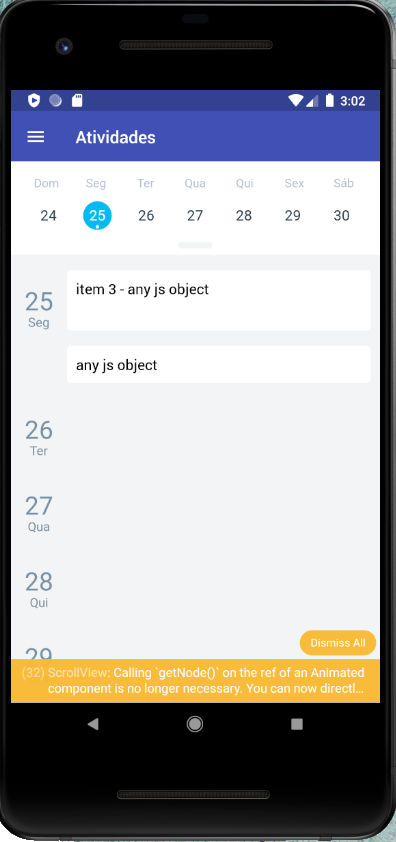

I could fix it by verifying if the item is not first item in day and added a height higher than the first item.


Are there any Updates? I am facing this issue when the items list is updated, the items look like this!
