

 wix-incubator
Crash on Android: undefined is not an object (evaluating 'UIManager.RCTWebViewBridge.Commands')
Hi! I am having an issue on android. When I press any button from the toolbar I get an error.
I know the error is not really from this package, it's from react-native-webview-bridge-updated which is a fork made by you and listed as a dependency for this package.
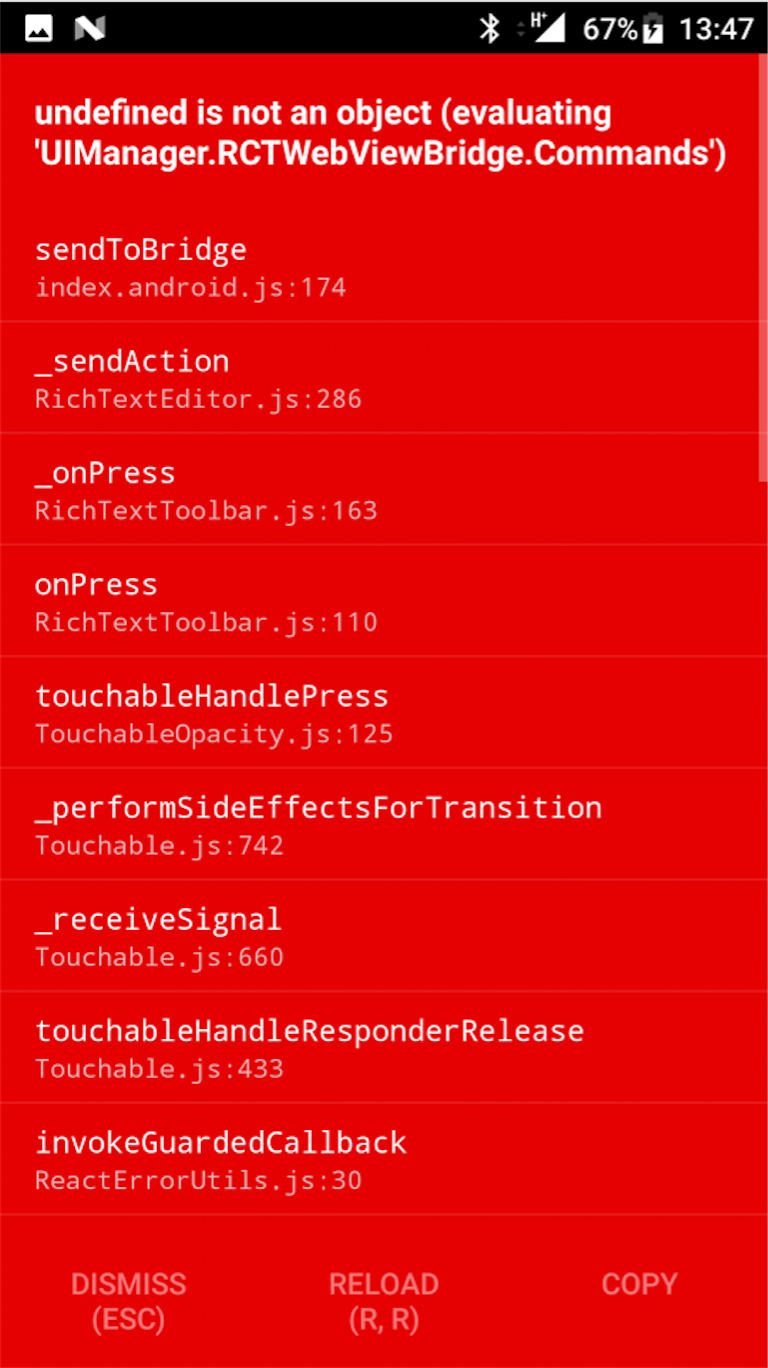
Anyone has any idea on how to fix this?

I managed to fix this issue. It was due to bad setup of the react-native-webview-bridge-updated in the gradle files. There was some stuff I have to figure it out on my own. Following exactly the steps from the tutorial does not really work.


Hey, guys! Unfortunately I don't remember exactly what was the solution. I remember fiddling a lot with the gradle files, there was a lot of trial and error and exploratory work. At a certain point it just worked and I had no idea why. :)) I have a web-development background so that gradle stuff for me was just bananas. Sorry!
add this in mainapplication.java @Override protected List<ReactPackage> getPackages() { return Arrays.<ReactPackage>asList( new MainReactPackage(), new WebViewBridgePackage() ); }
add this build.gradle compile project(':react-native-webview-bridge')
this will fix the issue, for more you can check example project
