

 web-pal
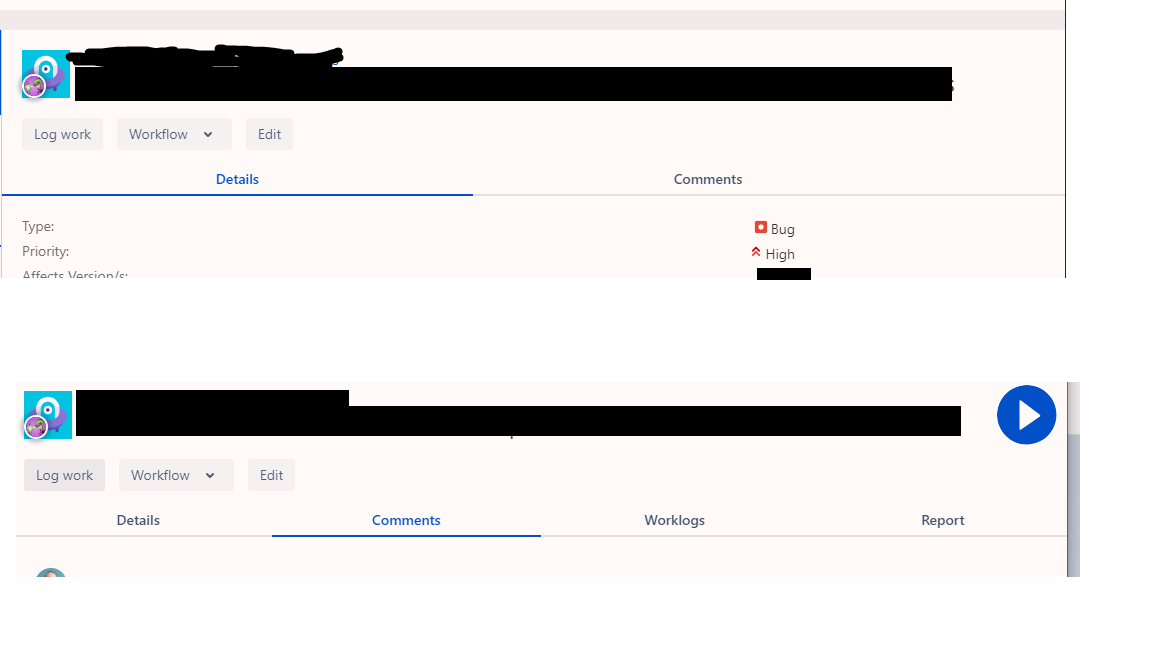
UI does not fit in window.
Expected Behavior
Be able to see the time start/stop button with the application at a reasonable size.
Actual Behavior
Need to span window over two displays to see the start/stop button.
Steps to Reproduce the Problem
- Click on a ticket.
- Verify no start/stop button in view.
- Expand window until start/stop button comes into view
Specifications
- Chronos-timetracker version: 3.1.0
- OS: Windows 10

Turns out it's only on the Details tab, on the rest of the tabs (Comments, Worklogs, and Report) the start/stop button is visible in the window.

It happens when you have code in description. Jira will add some formatting to it, if you just copy the CSS from jira code (basics) you will get line wraps, etc. and the details tab is ok and button to start/stop is available again.
But, I think the button should have some fixed location not dependent on the width of the rest of the page ;)
