SimpleMarkdown
 SimpleMarkdown copied to clipboard
 wbrawner
Can't overwrite file.
I like that it can edit and preview Markdown files anywhere but it just won't overwrite after saving. It can only create a new copy. Issue #9 is closed but the problem still persists.
The save and autosave feature just makes the app "remember" the text instead of writing to or overwriting a file. Tapping on New and then DISCARD to "forget" the text.

I believe this should be covered by 1cc33041dc83551c24abe8ac4bf58c0ea725cebf. At least on my device (Pixel 3a, Android 10), Save overwrites the contents of the file without creating a new copy, and using Save As... and then selecting an existing file or using the name of an existing file prompts me to overwrite that file:
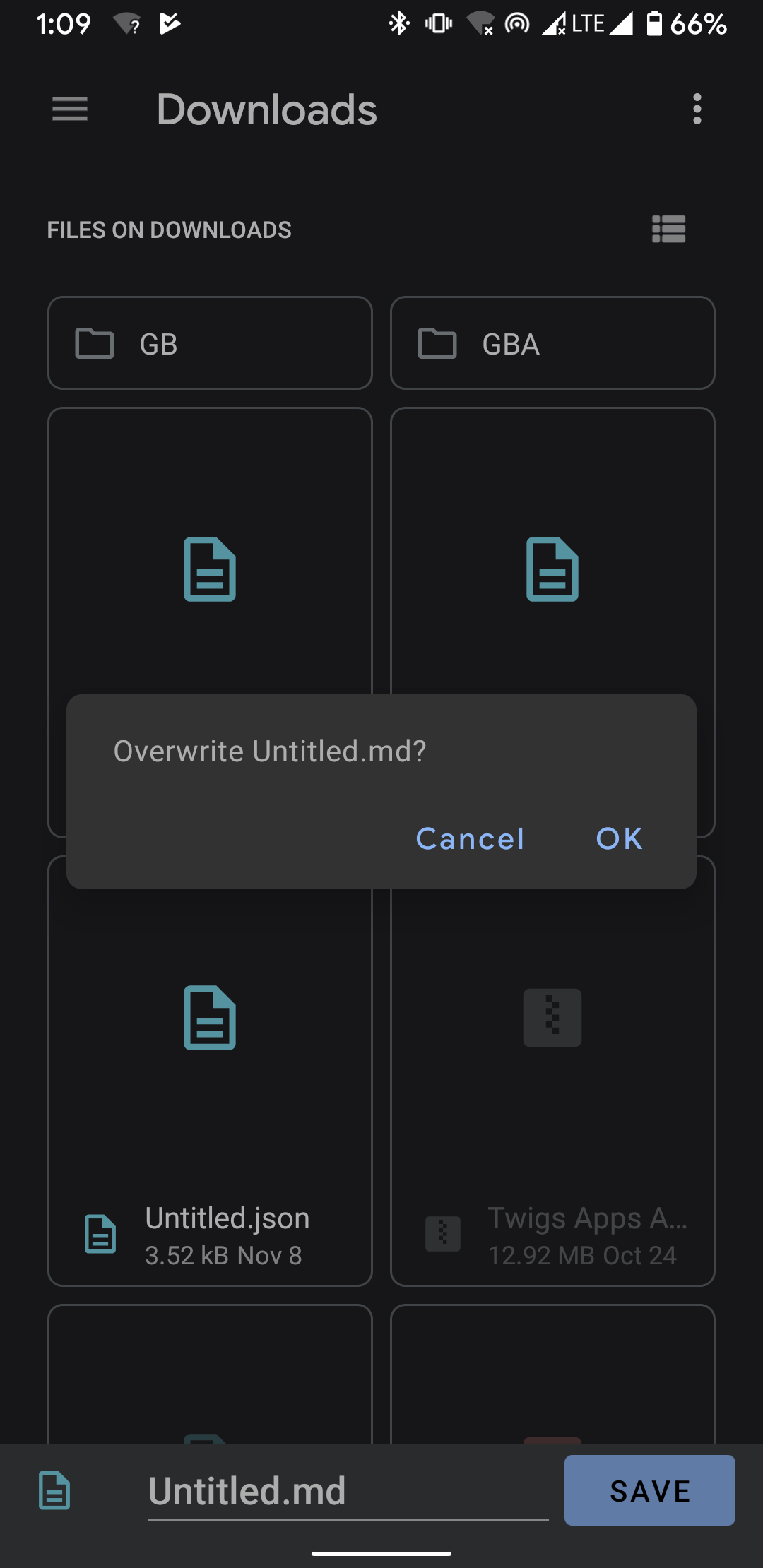
Unfortunately this view in the screenshot is the device's file manager, which I have no control over. Different OEMs could implement different behaviors. I used to have a built-in file manager to attempt to work around these issues but it ended up being quite problematic and with the new changes in Android 10 that restrict access to the file system, I decided it was ultimately more trouble than it was worth, and removed it from the app. If you could give me more information about your device, I'd be happy to take a look at it and see if there's something more I can do. If you're uncomfortable with posting it here on GitHub for the world to see, feel free to send it to me privately via my personal website's contact form.

The file isn't overwritten. Now it just treats the opened or last opened file as an unsaved file. You're most likely right about this. It wasn't a problem until my phone was updated.
Some Information about my device
Model: Samsung S10 (SM-G973F/DS) Android version: 9 Kernel version: 4.14.85-17063867 Build number: PPR1.180610.011.G973FXXS3ASJG
I'm not sure there's a whole lot I can do about this. Whenever you open a file in the app, I hold a reference to where it came from, and whenever you leave the app, I attempt to rewrite to that location. If that fails, then I just save the file internally so that you at least don't lose the data.
I think that one problem I have is related to this. I have found that when I open a file from within the markdown editor, I can save the file and overwrite the previous version. However, when I use my file manager to launch markdown editor and try to save the file, the editor cannot overwrite it. I've been wondering whether it was an issue with how the file manager works or how the markdown editor works. Possibly it's an issue with how the operating system works.

Thanks for this great opensource editor.
I have the same problem as @DonBranson , it overwrites if I launch the editor as standalone but it doesn't work if launched from another application, in this case it creates a new file with suffix (#) (with a space) where # starts from 1 and increase, the worst it could do in my case, I synchronize the files on a cloud and when they are updated they generate a build, obviously space, parentheses and the mere fact of creating a new file generate several problems.
Maybe as soon as I have time I try to make a build and debug it.