
BetterDisplay
 BetterDisplay copied to clipboard
 waydabber
Option to force-restore Apple screen brightness set by BetterDisplay
I really like how BetterDisplay allows to set the brightness, but on my Mac, even with auto-adjust brightness off, my brightness still auto-adjusts, which is not what I want. Is there a way for BetterDisplay to keep the brightness at a set value?

Hi @smattar2020 - is this the built-in display or an external display? If so, what model?
Do you see the brightness slider moving in response to change in lighting conditions?

This is my MacBook Pro 13.3-inch late 2020 Built-in Retina display 2560x1600. I am using True Tone, but I think that is supposed to adjust the tone of the screen. My brightness slider will decrease from 100% every time I wake it up from sleep.
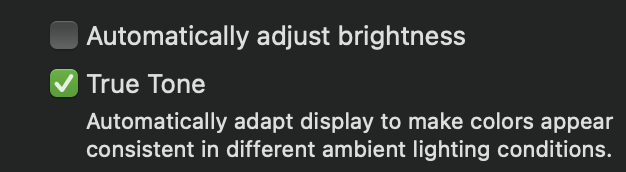
Hmm. The only other thing I know can dim the screen automatically is the Slightly dim the display while on battery power..
As far as I have tested, that only affects how bright each setting is, not the brightness setting itself.
I can add an option to force-restore the brightness level set by BetterDisplay for Apple displays upon a change. Currently the app acknowledges the changes made by the OS or via the native OS controls (so native brightness slider, amibent light sensor, touch bar brightness slider etc can function).
I'll close this one as handling of the ambient light sensor was improved in multiple iterations by now and this should not be an issue anymore.