

 warpdotdev
PS1 powerline character color issue
Describe the bug
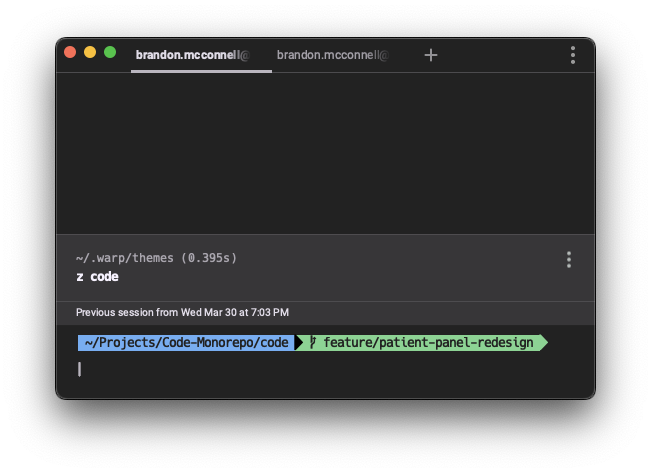
Middle PS1 Powerline symbol displays in a different color. This doesn't happen in iTerm or Hyper.
To Reproduce
Activate a zsh theme that utilizes Powerline characters, then enable custom PS1 in Warp.
Expected behaviour
I would expect the powerline character to inherit its color from the area to its left. Examples can be seen here: https://gist.github.com/480/3b41f449686a089f34edb45d00672f28
Screenshots
Operating System
MacOS
OS Version
12.3

I have the same issue for tmux bar with powerline symbols:
warp:

iterm2:



This is related: GitHub issue for supporting glyphs and Nerd Fonts: https://github.com/warpdotdev/Warp/issues/587
We also have a number of rendering improvements that can be made: List of GitHub issues for rendering bugs like blurry font, incorrect or dim colors, and jagged corners

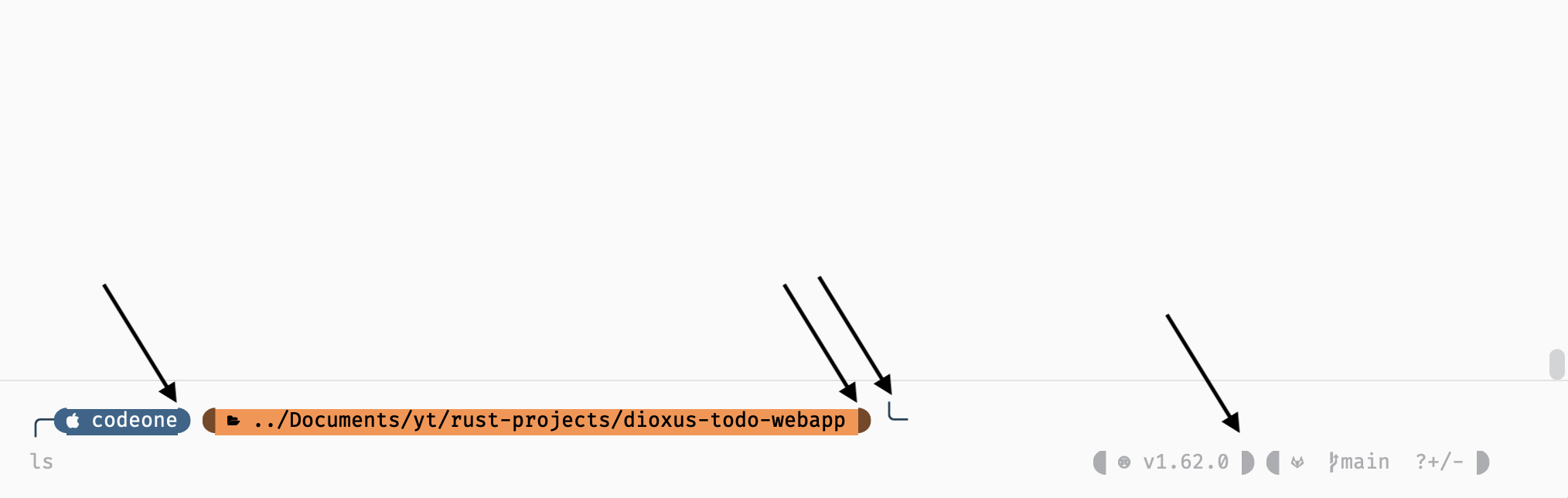
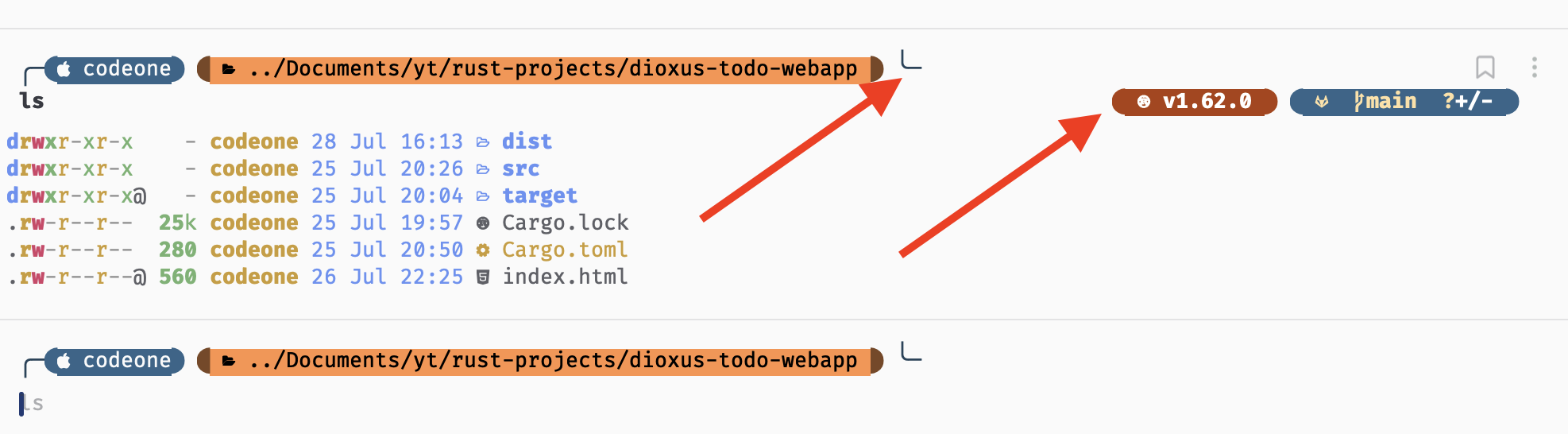
I would like to add similar issue screenshots - it is for starship prompt and custom prompt design (Fira code nerd font etc.)
1: right hand side prompt loads without colors, left side is broken (it was supposed to be two line prompt):
2: same one after running LS command. Right side prompt shows some colors but still looks slightly off (edges are not proper) and left side still broken:
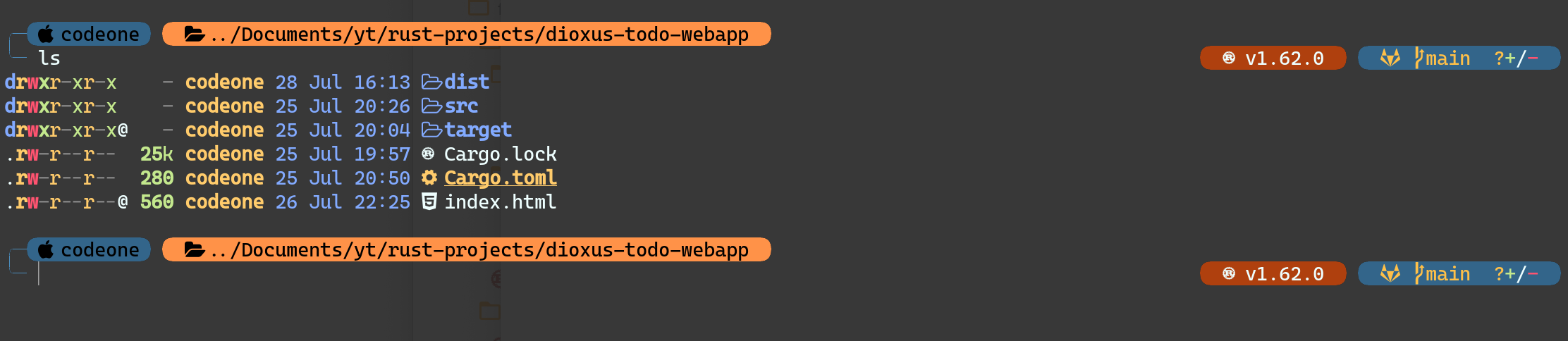
3: This is how it looks on other terminals:

Check out #936 @super.
You can also disable parts of your dotfiles just for Warp by using this conditional statement:
if [[ $TERM_PROGRAM != "WarpTerminal" ]]; then
WHAT YOU WANT TO DISABLE FOR WARP - BELOW
Whatever you want to disable
WHAT YOU WANT TO DISABLE FOR WARP - ABOVE
fi
We have a list of incompatible tools in our documentation: https://docs.warp.dev/help/known-issues#list-of-incompatible-tools
Not fonts, but prompt at least the right side. It probably ends up in your Input Editor if I'm not mistaken?

The issue for multiline prompts should be #1015.
See this comment: https://github.com/warpdotdev/Warp/issues/1015#issuecomment-1141464869
@elviskahoro - it does gets added to input but "sometimes" only (i.e. at start). Right side prompts shows up when new window is opened - which was screenshot 1 - but running ls or any command then only shows right side prompt on previous results i.e. right side prompt stops appearing on actual prompt :).
It looks ugly and all but for now I am not disabling it (the whole glyph formatting), just waiting for a fix (it is an eye sore right now but not affecting my work). Thanks for sharing issue links, although you mentioned on last link that starship works fine but it is still not perfect (as you can see in my screenshot).
Multi-line starship prompts do get squeezed down to single line. If you end up disabling it make sure to use the Warp conditional that way it stays enabled for your other terminals though.
I have the same issue for tmux bar with powerline symbols:
warp:
iterm2:
same here


@warpdotdev-dx Still experiencing this issue where the powerline characters are the wrong colors. Is there a fix or workaround for this?
Team is looking into adding a toggle that will help with the color differences.


Sharing this across various color related issues. The team fixed one of the core issues with colors and there's a new toggle under Settings > Appearance that let's you configure whether to enforce a minimum contrast (one of the issues). Please check if you're still having color issues again and test tweaking the toggle:

@elviskahoro Thanks! Switching that option to "never" fixed my issue.
@StefanoOrdine now that this is resolved, would you mind letting me know how you achieved the rounded edge on the left? 👀🙏🏼
Same here