
console-ninja
 console-ninja copied to clipboard
 wallabyjs
Websocket error
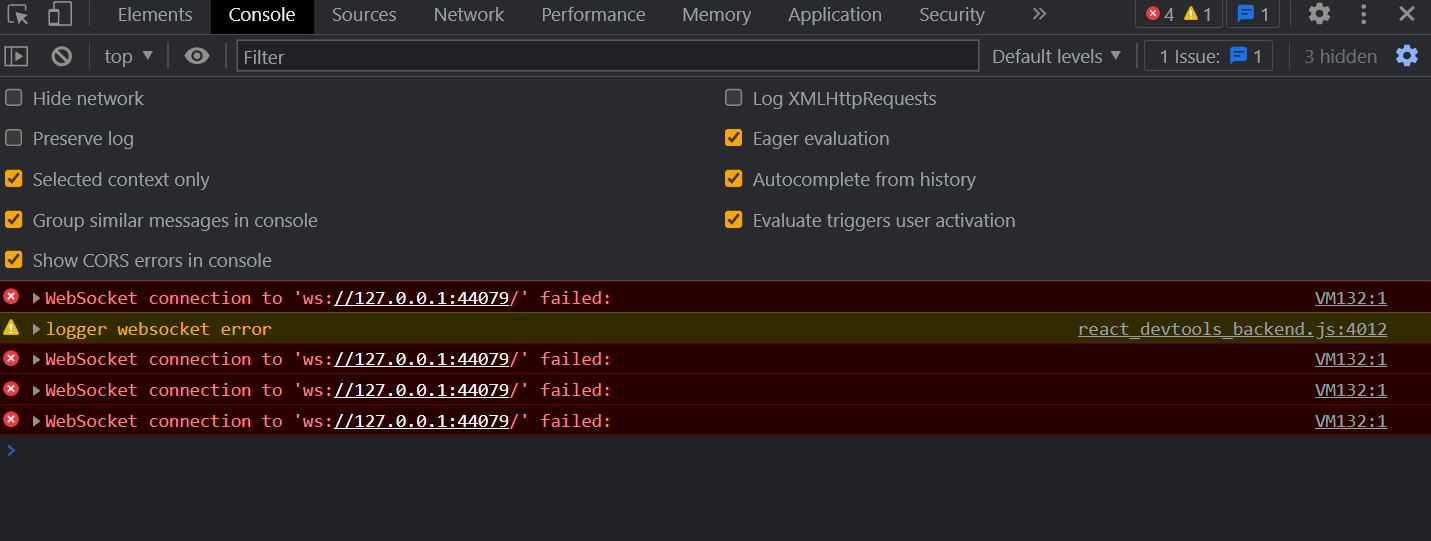
When running a vite application there are endless websocket failures in the browser console.
The errors dont appear when the app is first created or if console ninja is paused before the application starts and the console ninja is restarted


The log is displayed when Console Ninja runtime is trying to re-connect to the extension and fails to do so (because Console Ninja extension is stopped or paused). Unfortunately we can't suppress it (Chrome dev tools still show it even though it is in try-catch), but the error is harmless (ie. should not cause any issues), and can be removed by refreshing the web page after Console Ninja is stopped, or clearing your build tool's cache.
If the error stays after the page refresh (and stopping or uninstalling the extension), it means that cache of your build tool is still serving files instrumented by the extension. This can be fixed by clearing the cache. Depending on your stack, the following commands should help:
- run
rm -rf node_modules/.cache, - run
rm -rf .next, - run
rm -rf .angular,
If the steps above don't help, and you are not sure how to reset your build tool's cache, try cloning your repo to a fresh directory and install node modules, this should result in your build tool creating new cache and should resolve the issue.

Thanks for the response,
There are no issues with the app/setup just noise in the console logs. It does happen every couple of seconds so the console log fills up and makes it difficult to view anything else in the console.

@GreyWuLB It's possible to just pause the extension (with Console Ninja: Pause command) without uninstalling. This should help: after pausing/uninstalling restart Vite CLI (ie. stop and start npm run dev), then refresh the page.
@GreyWuLB It's possible to just pause the extension (with
Console Ninja: Pausecommand) without uninstalling. This should help: after pausing/uninstalling restart Vite CLI (ie. stop and startnpm run dev), then refresh the page.
Thank you for your reply. However, it seems not to work. I use it in a CRA project, after pausing/uninstalling Console Ninja, I stop and start (npm start) my project, then refresh the page, the error is still keeping raising
I use it in a CRA project,
Ah, ok, I thought you are using Vite (as the title of this issue indicates). In your case try running rm -rf node_modules/.cache/.
I use it in a CRA project,
Ah, ok, I thought you are using Vite (as the title of this issue indicates). In your case try running
rm -rf node_modules/.cache/.
It works! thanks a lot, really appreciated
 ****
tried rm -rf node_modules/.cache/. does not work for me.
running in WSL with vite 4.0.0
****
tried rm -rf node_modules/.cache/. does not work for me.
running in WSL with vite 4.0.0
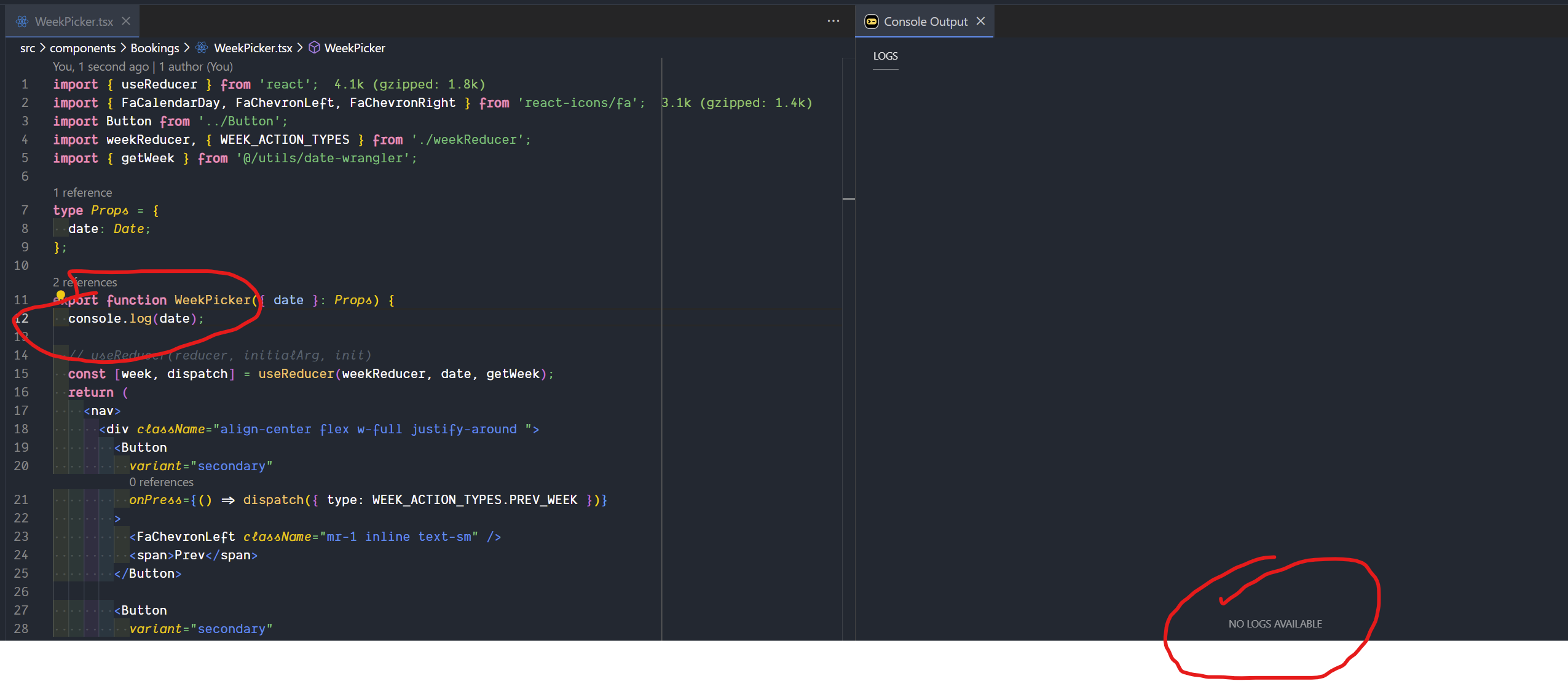
console result is not showing as well.
info host ------------ starting ------------
info extension
ERR! extension error while searching files: {"message":"spawn /home/kenan/.vscode-server/bin/5235c6bb189b60b01b1f49062f4ffa42384f8c91/node_modules.asar.unpacked/@vscode/ripgrep/bin/rg ENOENT","code":5}
info host client connected: extension { address: '::', family: 'IPv6', port: 43777 }
info host starting host: {"extensionFolder":"/home/kenan/.vscode-server/extensions/wallabyjs.console-ninja-0.0.29","runtimeHookFile":"/home/kenan/.vscode-server/extensions/wallabyjs.console-ninja-0.0.29/out/runtimeHook/tracer.js","globalErrorHandlerFile":"/home/kenan/.vscode-server/extensions/wallabyjs.console-ninja-0.0.29/out/runtimeHook/errorHandler.js","filesToInstrument":["/home/kenan/work/hooks-in-action/src/components/Bookings/WeekPicker.tsx"],"debug":false,"config":{"dateTimeFormat":"hh:mm:ss.SSS","openLinksInEditor":true,"maxLogViewerEntries":15000,"autoClearLogViewerOnFileChanges":false,"outputMode":"In View","toolsToAutoPatch":["vite","jest","webpack","next.js","cypress","http-server","serve","hydrogen"]},"allowedHosts":["localhost","127.0.0.1","example.cypress.io","seahouse-ws","172.23.194.68"]}
info host starting tools discovery and integration
info host looking for tools to patch
info host worker Starting Host Worker...
info host found 1 tool file(s) to patch
info host patching /mnt/wsl/Dwslworkvhdxp1/hooks-in-action/node_modules/vite/bin/vite.js
info host completed tools discovery and integration
info host starting host: {"extensionFolder":"/home/kenan/.vscode-server/extensions/wallabyjs.console-ninja-0.0.29","runtimeHookFile":"/home/kenan/.vscode-server/extensions/wallabyjs.console-ninja-0.0.29/out/runtimeHook/tracer.js","globalErrorHandlerFile":"/home/kenan/.vscode-server/extensions/wallabyjs.console-ninja-0.0.29/out/runtimeHook/errorHandler.js","filesToInstrument":["/home/kenan/work/hooks-in-action/src/components/Bookings/WeekPicker.tsx"],"debug":false,"config":{"dateTimeFormat":"hh:mm:ss.SSS","openLinksInEditor":true,"maxLogViewerEntries":15000,"autoClearLogViewerOnFileChanges":false,"outputMode":"In View","toolsToAutoPatch":["vite","jest","webpack","next.js","cypress","http-server","serve","hydrogen"]},"allowedHosts":["localhost","127.0.0.1","example.cypress.io","seahouse-ws","172.23.194.68"]}
info host starting tools discovery and integration
info host looking for tools to patch
info host found 1 tool file(s) to patch
info host patching /mnt/wsl/Dwslworkvhdxp1/hooks-in-action/node_modules/vite/bin/vite.js
info host completed tools discovery and integration
info buildHook-351 installing build hook for vite at /mnt/wsl/Dwslworkvhdxp1/hooks-in-action
info buildHook-351 allowed tools: vite, jest, webpack, next.js, cypress, http-server, serve, hydrogen
info host client connected: buildHook { address: '::', family: 'IPv6', port: 43777 }
info buildHook-351 running tools: vite
info buildHook-351 installing fs interceptor
info buildHook-351 allowed tools: vite, jest, webpack, next.js, cypress, http-server, serve, hydrogen
info buildHook-351 running tools: vite
info buildHook-351 file processed (stat): 0 log points, error handler: true
info buildHook-351 file processed (stat): 0 log points, error handler: true

is console ninja supposed to be working in wsl? errors seem to be gone now and the status says "successfully running and waiting for logs", but nothing is displayed in-view and beside-file.
@dev-seahouse Yes, WSL should be supported. Please create a separate issue with the details requested in the issue template. Also check out this issue/comment: https://github.com/wallabyjs/console-ninja/issues/53#issuecomment-1358265709 to see if it helps.
Nuxt 3 used. Same problem. How to change or hostname how to change ?
diffrent pc connect this problem. same internet used.


@productdevbook You may use Console-ninja: Allowed Hosts setting to add more host names/ip addresses.
@productdevbook You may use
Console-ninja: Allowed Hostssetting to add more host names/ip addresses.
I added it, but the other computer is trying to make 127.0.0.1 requests. However, the other computer's api address is 192.168.1.103. How can we change it ?
192.168.1.103 vscode nuxt 3 opened.
192.168.1.102 diffent pc connect nuxt 3 but this see problem.
You need to support custom ws hostname and port. When I look at the codes, you create the host and port directly. Can you let us ws enter this into the panel privately?
I'm working on a custom JS project with gulp and webpack, and this doesn't go away even after uninstalling the extension, deleting node_modules. There's not .next or .angular folders. But I'm still seeing:
VM499:1 WebSocket connection to 'ws://127.0.0.1:62086/' failed:
How do I uninstall it completely?
I'm using Windows 11, without WSL for this specific project.
When exploring inside the browser dev tools, the route to the file executing this is: debugger:///VM499

@fev4 There's no need to uninstall, pausing Console Ninja for the project should suffice. Regarding the error, it's coming from some cache that your tools have created (when Console Ninja was running):
it means that cache of your build tool is still serving files instrumented by the extension. This can be fixed by clearing the cache.
Webpack typically stores its cache at node_modules/. cache/webpack, but if node_modules clearing didn't help, there must be some other cache to reset. Try cloning your project to a new folder to see if it helps (usually build tools cache based on the project folder).
Okay, wow, found it. This is not acceptable to be honest.
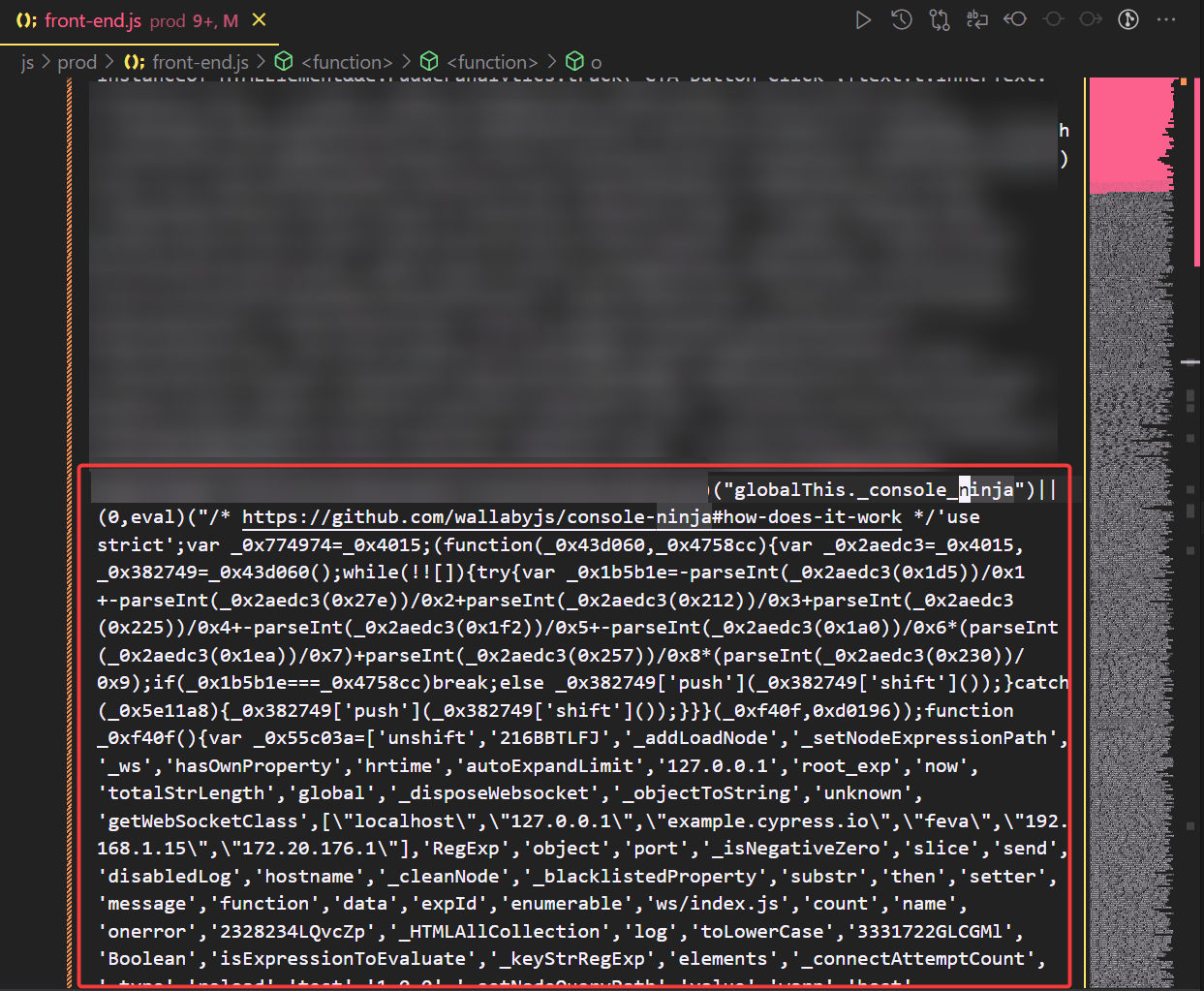
I found it in the front-end.js dev and prod bundles. How does that even happen? Why is this injecting itself into production or dev bundles? That's terrible.

@fev4
How does that even happen? Why is this injecting itself into production or dev bundles?
The behaviour is fully described in the tools docs at https://github.com/wallabyjs/console-ninja#how-does-it-work (the same docs link is also visible on your screenshots).
Console Ninja integrates with locally installed tools that are building/preparing your code, and then inspects and adjusts your code (in a way that doesn't change how it executes) before it gets to the runtime (browser or node process that runs the code).
To integrate with supported tools seamlessly, Console Ninja patches your locally installed node modules. When you stop Console Ninja in the editor with the
Pausecommand, all patches are removed.
Console Ninja detects if you are running your tool in production mode (by checking CLI flags and process environment variables). When production mode is detected, the tool will not modify your application code even if Console Ninja is running. In the (unlikely) case that you are running production builds on your local dev computer and are deploying or sharing local builds outside of your machine, we recommend running the Console Ninja
Pausecommand in your editor prior to running your build to guarantee that no instrumented code ends up in your production code.
Console Ninja instrumentation is limited to sending runtime values for
console.logand errors to your locally running editor only (localhosthosted websocket server). The runtime data from your app is never sent outside of your local machine. If the code of your application is somehow instrumented by Console Ninja and then used outside of your local machine for some reason:
- in browser, it will simply do nothing if the app host is not
127.0.0.1,localhost, or one of your network adapter's IP v4 addresses. To connect from a different host name, use theconsole-ninja.allowedHostsVS Code setting.
We are trying to do our best to detect prod builds by various flags, but if your prod build doesn't use any (such as NODE_ENV = 'production'), there's not much we can do. As described in the docs above, the instrumented code is pretty much noop in prod even if it gets there by accident in the (unlikely) case that you are running production builds on your local dev computer. The steps to prevent it are also described in the docs above.
Removing node_modules didnt work. But downgrading version worked for me.

@BenjaminSmedingMovares - We'd like to understand your project tech, what specifically wasn't working for you (what errors you received, etc.) and see your log output. Can you please create a new issue for us so we can investigate your specific problem?

the solution to this problem is
At the bottom we see the ninja server logo
By left clicking it will show us the menu and we select the restart console option
and all the problem solved

I found it in the front-end.js dev and prod bundles. How does that even happen? Why is this injecting itself into production or dev bundles? That's terrible.
Okay, wow, found it. This is not acceptable to be honest.
I found it in the
front-end.jsdev and prod bundles. How does that even happen? Why is this injecting itself into production or dev bundles? That's terrible.
I think it is actually okay, most company projects actually have cicd process, deployment build on aws, netlify, vercel ...etc will have nothing to do with your local code-ninja build. You shouldn't build a prod locally and upload it to the server anyway, compatibility, security, for various reasons.

Since google brought me here, how do I fully remove this from my project? I can't seem to get gone.
What are the complete steps?

If you still have the Console Ninja extension installed, simply pause Console Ninja on your project with the Console Ninja: Pause command.
If you have uninstalled the extension and still have artefacts remaining, you will need to delete and reinstall your node modules, and then rebuild your project.
In order to fix it I had to:
- Install the previous version
- Pause it
- For now, I decided to uninstall it
Hope it gets fixed.


@Artyom2510 - if the pause did not fix our problem, please also delete your node_modules and reinstall them, then restart/rebuild using your CLI dev tools command. Please make sure that Console Ninja is still paused when you do this. It should fix your problem.
I am using npm for Angular CLI. I did uninstall and run the ng serve but still I am receiving continuous webSocket error which was not there initially.

@AsadNextOlive Please try the steps described at https://github.com/wallabyjs/console-ninja/issues/9#issuecomment-1343698142.