
language-tools

language-tools copied to clipboard
 vuejs
vuejs
Code turn red
Vue - Official extension or vue-tsc version
2.0.28
VSCode version
1.92.0
Vue version
3.4.29
TypeScript version
5.4.0
System Info
System:
    OS: macOS 14.5
    CPU: (8) arm64 Apple M3
    Memory: 68.97 MB / 8.00 GB
    Shell: 5.9 - /bin/zsh
  Binaries:
    Node: 16.20.2 - ~/.local/state/fnm_multishells/22203_1722163896731/bin/node
    npm: 8.19.4 - ~/.local/state/fnm_multishells/22203_1722163896731/bin/npm
    pnpm: 8.15.9 - ~/.local/state/fnm_multishells/22203_1722163896731/bin/pnpm
  Browsers:
    Chrome: 127.0.6533.100
    Safari: 17.5
Steps to reproduce
When I enable vue-officail, the code turns red, but it's not an error, and the code hint is gone
What is expected?
The code is displayed normally, and there is a code prompt
What is actually happening?
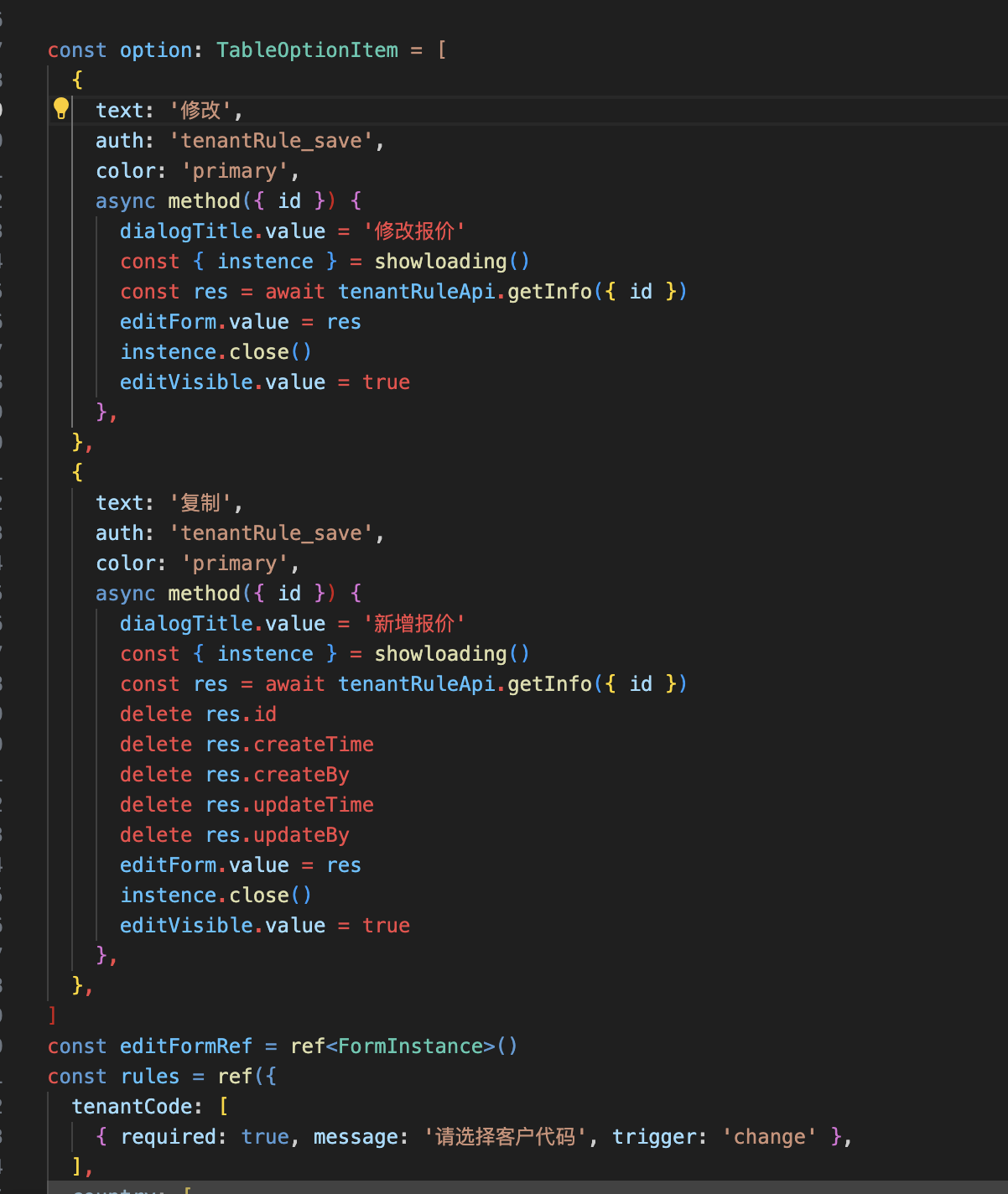
Link to minimal reproduction
No response
Any additional comments?
No response

Could you try disabing all extensions except Vue - Official and check again?


When I started up today, everything was normal, just like it wasn't normal one day
Would you please share the component's source as text?
Any file rendering is not normal, even the simplest Vue3 template