eslint-plugin-vue
 eslint-plugin-vue copied to clipboard
 vuejs
vuejs
Rule Proposal: vue/singleline-html-element-content-newline add ability to append to ignore list
Please describe what the rule should do:
I think it is reasonable to be able to append to the default list of ignores in the vue/singleline-html-element-content-newline (and multiline) rule in addition to being able to replace it.
What I would like to be able to put in my eslintrc is something like this:
{
  "vue/singleline-html-element-content-newline": ["error", {
    "ignoresAppend": ['router-link'],
  }]
}
What category should the rule belong to?
- [ ] Enforces code style
- [ ] Warns about a potential error
- [X] Suggests an alternate way of doing something
- [ ] Other (please specify:)
Provide 2-3 code examples that this rule should warn about:
<!-- This is the code generated by the vue cli when adding the routes plugin -->
      <router-link to="/">Home</router-link> |
      <router-link to="/about">About</router-link>
<!-- This is what the rule wants by default, which is not the style I want -->
      <router-link to="/">
        Home
      </router-link>
      |
      <router-link to="/about">
        About
      </router-link>
Code Change The change is probably something like replacing the function at https://github.com/vuejs/eslint-plugin-vue/blob/master/lib/rules/singleline-html-element-content-newline.js#L23 with
function parseOptions (options) {
  const ret = Object.assign({
    ignores: ['pre', 'textarea'].concat(INLINE_ELEMENTS),
    ignoreWhenEmpty: true,
    allowEmptyLines: false
  }, options)
  if(options.ignoresAppend) {
    ret.ignores.concat(options.ignoresAppend)
  }
  return ret;
}

In HTML, these are not equivalent!
<span>Hello</span>
and
<span>
  Hello
</span>
However, these are:
<span><span>Hello</span></span>

<span>
    <span>Hello</span>
</span>
So if the contents of the element are raw text, do not split them onto new lines!
Please see How whitespace is handled by HTML, CSS, and in the DOM.

@glittle The second example at your link and some brief testing of my own show that your first two examples are identical in the dom.
Either way it's unrelated to this issue, which is about adding more control over what elements a rule is applied to, you're arguing the rule never be applied?
Even if https://github.com/vuejs/eslint-plugin-vue/blob/master/lib/rules/singleline-html-element-content-newline.js would just export INLINE_ELEMENTS, we could import them and spread them into the array in the eslintrc ourselves…

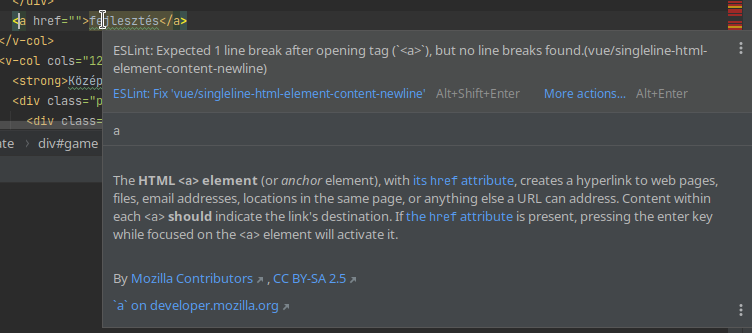
Something is needed to handle this.. As right now I am fighting with this with router-link e.g.
<router-link :to="...">
   {{ content }}
</router-link>
Is incorrect as it adds extra spaces inside the resulting link tag.

You can do this to append the rules..
But the rule itself actually seems broken, the ignores don't apply
const INLINE_ELEMENTS = require('eslint-plugin-vue/lib/utils/inline-non-void-elements.json')

//...
    'vue/singleline-html-element-content-newline': ['warn', {
      ignoreWhenNoAttributes: true,
      ignoreWhenEmpty: true,
      ignores: ['pre', 'textarea', 'v-btn', 'v-icon', 'Href', 'router-link', ...INLINE_ELEMENTS],
    }],
//...