
ant-design-vue-pro
 ant-design-vue-pro copied to clipboard
 vueComponent
👨🏻💻👩🏻💻 Use Ant Design Vue like a Pro! (vue2)
**我使用s-table嵌套子表格的时候,不清楚具体写法,请问是否告知一二** 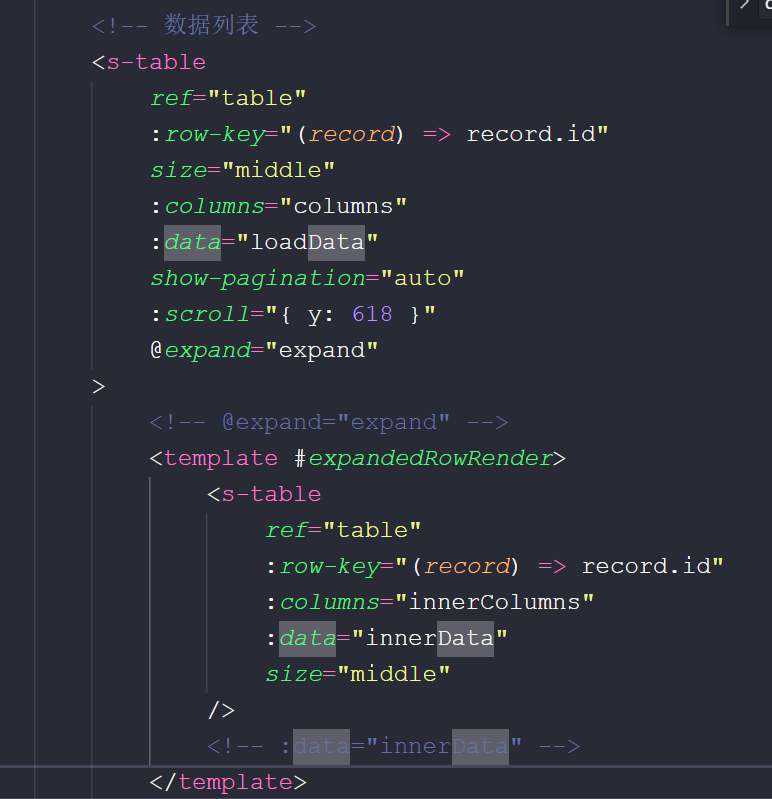 我嵌套一个子表格,其中的:data=“primise()”数据是动态传入的,在下一个图 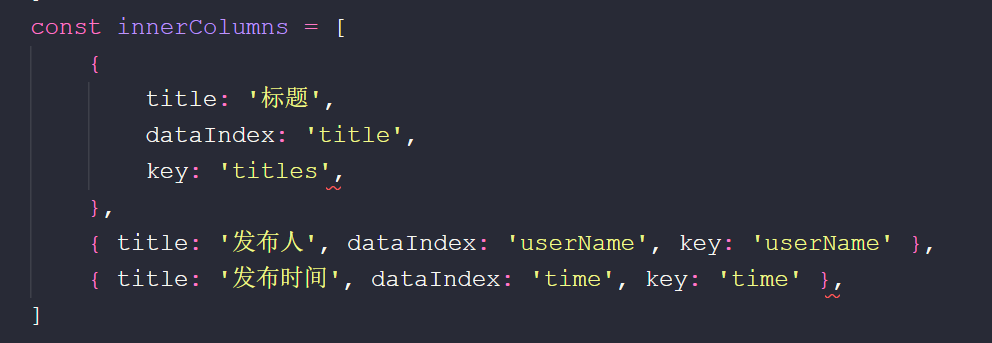 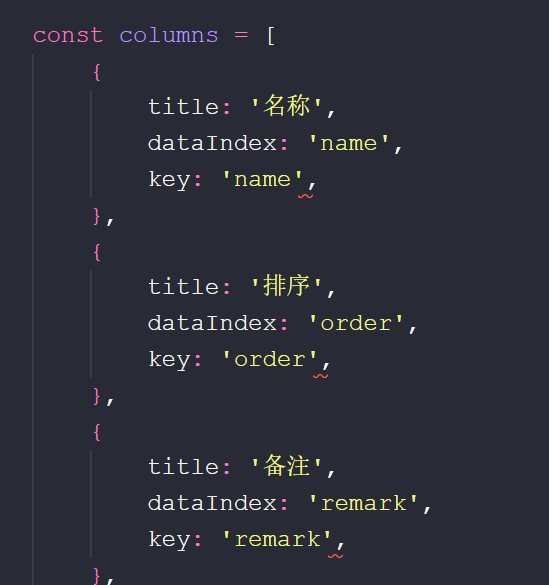   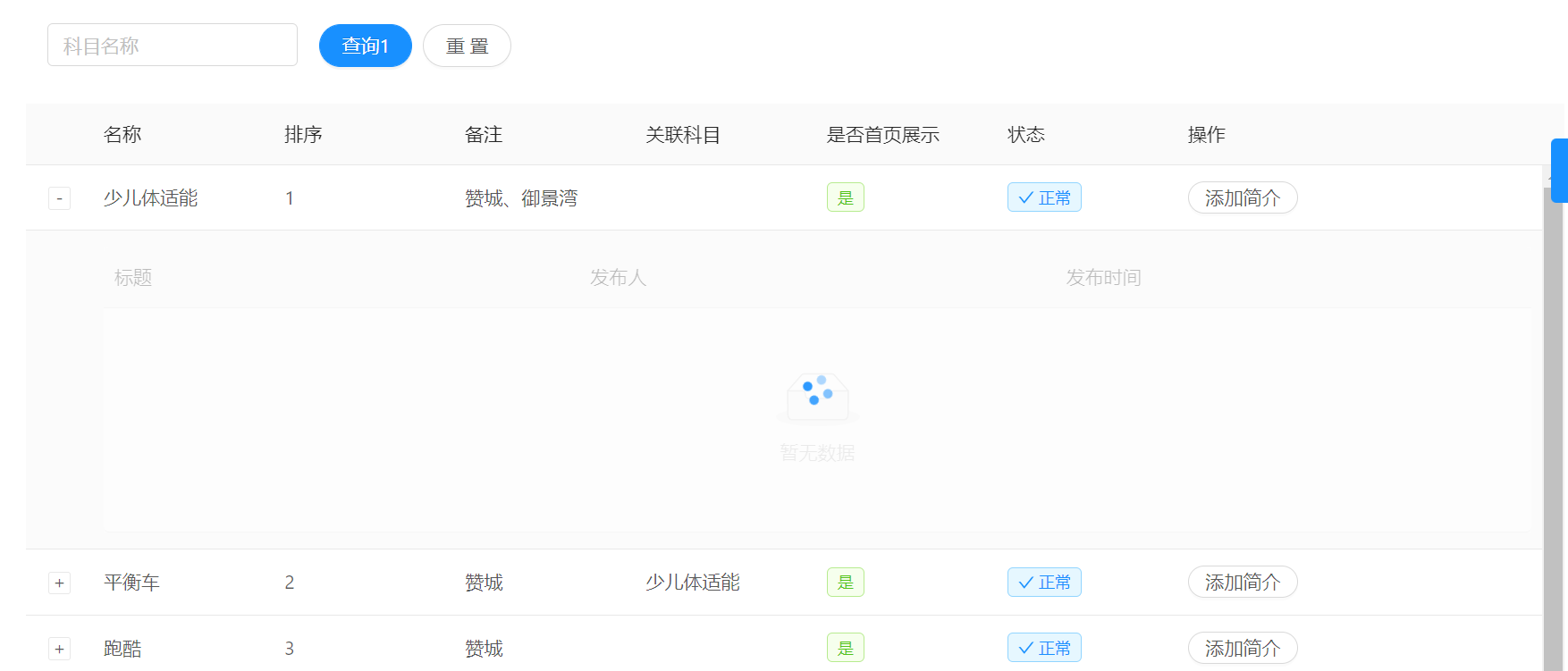 这样配置之后我的页面中子表格加载不出数据,请问这种嵌套表格的方式具体的该怎么书写??,我的一级表格数据可以正常展示,二级的我搞不清楚哪里写错了。有哪位大佬可以告知一下 功能要求是点击展开图标,请求接口,然后展开嵌套的表格

修复多份重复css样式问题 ### 这个变动的性质是 - [ ] 新特性提交 - [ ] 日常 bug 修复 - [ ] 文档改进 - [x] 组件样式改进 - [ ] 重构 - [ ] 代码风格优化 - [...

修改不正确的提示消息 First of all, thank you for your contribution! 😄 Pull request will be merged after one of collaborators approve. Please makes sure that these form are filled before submitting...

本地运行dist包,报Uncaught TypeError: Cannot assign to read only property 'constructor' of object '#<t>'

**Question (问题描述)** 本地运行dist包,vue.config.js 的publicPath 已改为'./',运行时报错:Uncaught TypeError: Cannot assign to read only property 'constructor' of object '#' **Describe the solution you'd like (你期待的是什么?)** 正常显示index页面 **Additional context(附加信息)**

**Question (问题描述)** f5刷新或者手动刷新 加载需要等待3-4秒 **Describe the solution you'd like (你期待的是什么?)** 如何解决加载缓慢 **Additional context(附加信息)** Add any other context or screenshots about the feature request here.

> 由于开发环境在**公司机房**服务器,所以开发阶段一直没有发现加载慢的问题,直到上到阿里云服务器才发现首次加载竟然要16s  主要原因是本次上的是演示环境,只有3M的带宽 ### 排查 打开F12,查看network,发现有一个3M多的文件,我们服务器带宽也才3Mbps = 0.375M/S,文件名为 chunk-vendors.xxxx.js,耗时13s 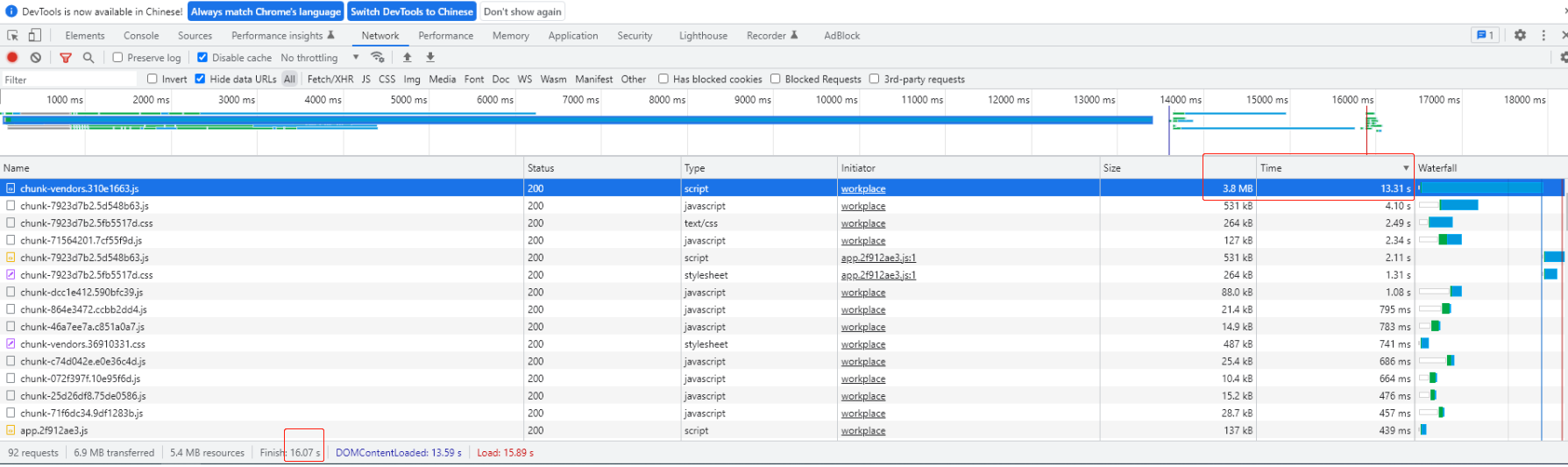 ### 解决思路 1、打包之后将改文件通过脚本上传到阿里云对象存储 2、nginx将该文件转到后端api接口(由于我们项目阿里云的key需要通过后端转为url) 3、后端拿到文件名再转为可以访问的url,再重定向到该url 优化后加载还是需要6s,如图: 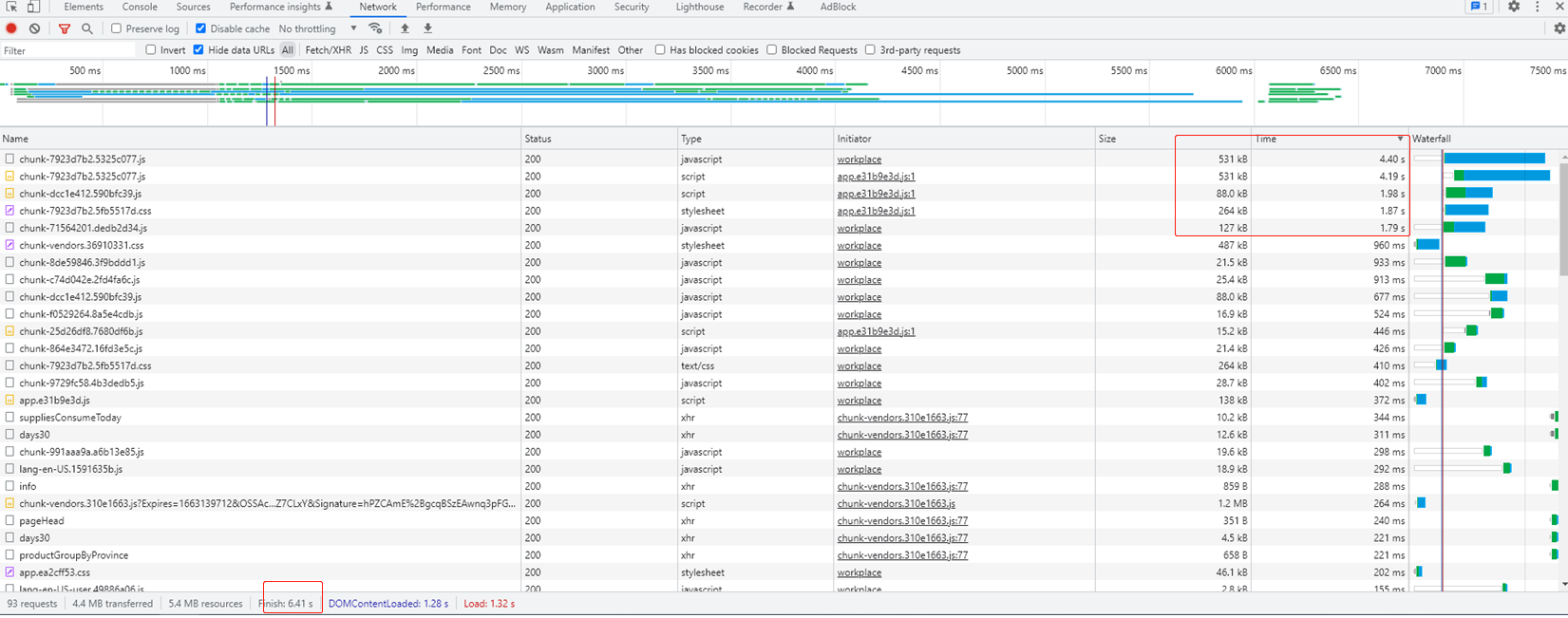 然后发现还有一些几百kb的文件耗时也比较高,毕竟只有3M的带宽。。 然后看了一下阿里云的那个文件,明明记得有3.6M的,然后network中变成了1.2M,查看request详情之后发现开启了gzip压缩 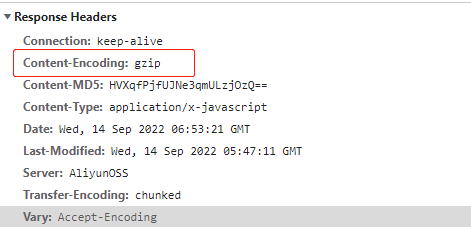 然后才想起来,nginx不就可以开启gzip压缩吗,果断开启!!! 4、nginx 开启gzip压缩 最终结果:1.3s  ## 昨天查看本项目下的issues发现很多人遇到了跟我们项目一样的问题,本人是后端开发,会前端,然后就通过了非前端手段进行解决,效果还不错,希望能帮到大家

**Question (问题描述)** 给s-table添加type为单选后报错 官方文档中是支持的 **代码为** 只要添加了type就会报错 **实际添加后都跑不起来,报错如下**

**Question (问题描述)** 去除权限控制后接入自己的Api,登录刷新页面状态丢失, **Describe the solution you'd like (你期待的是什么?)** 希望刷新后状态数据依旧存在,使用Mock数据刷新不会丢失状态数据 **Additional context(附加信息)** store/modules/user.js ```vue actions: { GetInfo ({ commit }) { return new Promise((resolve, reject) => { getInfo().then(response => {...

**Question (问题描述)**正常打包以后,放在ngnix运行的时候出现错误 

**Question (问题描述)** 在使用s-table时,给table加了:scroll="{ x: true}",但是在表格没有收缩的时候,也有滚动条在底部? 
Metadata
Owner
Metadata
👨🏻💻👩🏻💻 Use Ant Design Vue like a Pro! (vue2)