

 v3rm0n
Deep links + push notifications don't seem to work
👋 Hello there,
First off, many thanks for this fantastic package - good job 💪
The Bug
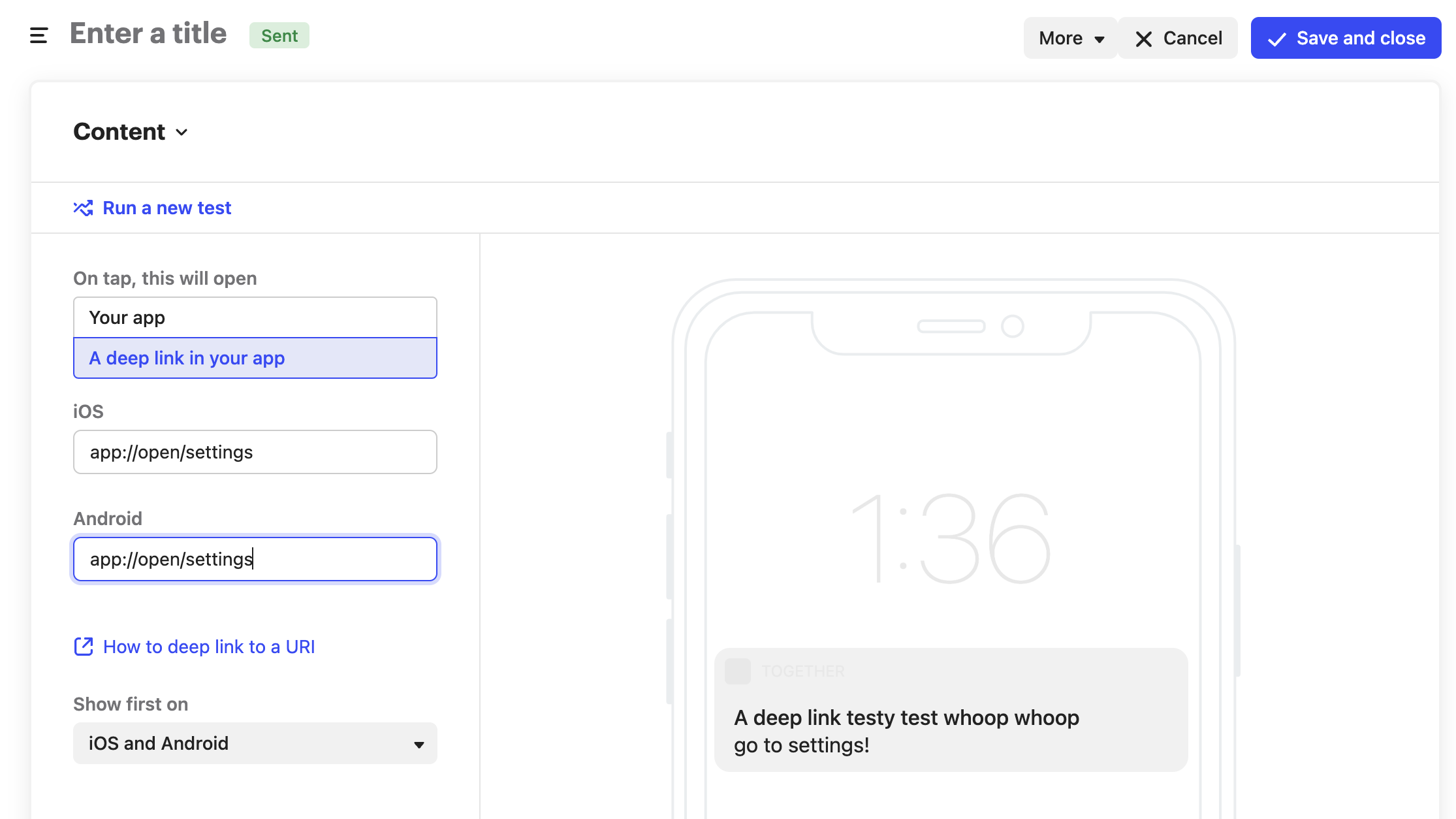
When issuing a push notification via Intercom with a deep link (custom scheme) the push will appear on the device however pressing the push doesn't route properly to the given route.
PlatformDispatcher.instance.defaultRouteName // this returns `/` always
Just to verify my deep links are implemented correctly, if I run:
xcrun simctl openurl booted app://open/settings
My app will route to the correct path:
PlatformDispatcher.instance.defaultRouteName // this returns `/settings`
Desired behaviour
When notification is tapped, user is routed to the appropriate screen - we have some sort of access to the path to which user is supposed to be routed.
More context
- I followed intercom instructions for deep-linking (custom url scheme)
- Everything else intercom related works ok.
- It seems someone has a similar issue in React Native
- I tried adding
uni_linkspackage to maybe see if something is reported on the native side - unfortunately 😞

Hi @vishna,
Thanks for reporting this issue.
So the universal links are working but not the custom schemes, right? Could you please provide the reproducible sample so that I can also test and try to find the solution?

also could you please try by adding the parameter FlutterDeepLinkingEnabled in info.plist according to https://docs.flutter.dev/development/ui/navigation/deep-linking#migrating-from-plugin-based-deep-linking
Also check this link https://www.raywenderlich.com/books/flutter-apprentice/v1.0/chapters/8-deep-links-web-urls
@deepak786 hey there,
I'm not using universal links so can't say, but custom schemes are not working... I'm actively investigating it, providing a sample might take a while.
I now got it working on iOS, the reason for it not working was IntercomAutoIntegratePushNotifications set to NO (using FCM https://github.com/v3rm0n/intercom_flutter/issues/29#issuecomment-876453494 )
Turning it back to YES made the app route correctly. Thus it's something in Intercom SDK that assigns deeplinks to incoming pushes. FCM pushes seem to be working fine too so far.
As per Flutter's initialRoute it's still reported as /. This means intercom sdk pushes the target route somehow later - I've worked around it by having tracking route guards (using autoroute).
Sidenote: I would not recommend using uni_links package for figuring out initial route as it overrides native code and some of the deep links stop working because of that (the navigation event is not bubbled up)
I think I have iOS covered, just need to check if it's all good on Android.
also could you please try by adding the parameter
FlutterDeepLinkingEnabledininfo.plistaccording to https://docs.flutter.dev/development/ui/navigation/deep-linking#migrating-from-plugin-based-deep-linkingAlso check this link https://www.raywenderlich.com/books/flutter-apprentice/v1.0/chapters/8-deep-links-web-urls
can you try this?
I now got it working on iOS, the reason for it not working was IntercomAutoIntegratePushNotifications set to NO (using FCM #29 (comment) )
So we have to keep the IntercomAutoIntegratePushNotifications as YES, right?
yup, this is my finding so far - maybe if there's some troubleshooting page somewhere this might be of help to someone. otherwise feel free to close - feels like Flutter push/deep links are quite fragile and might break in some ways if you have too many plugins 🙈
@vishna I was debugging this. I removed the IntercomAutoIntegratePushNotifications from Info.plist to make it the default.
But I also had to add the property IntercomUniversalLinkDomains https://developers.intercom.com/installing-intercom/docs/ios-deep-linking#universal-link
So now the mobile push deep link is working fine.
But I faced a very weird issue that mobile push is received only when the app is in the background. If the app is in the foreground then mobile push is not received. This is the issue on iOS only. Do you also have the same behaviour?
@vishna I was debugging this. I removed the
IntercomAutoIntegratePushNotificationsfromInfo.plistto make it the default. But I also had to add the propertyIntercomUniversalLinkDomainshttps://developers.intercom.com/installing-intercom/docs/ios-deep-linking#universal-linkSo now the mobile push deep link is working fine.
But I faced a very weird issue that mobile push is received only when the app is in the background. If the app is in the foreground then mobile push is not received. This is the issue on iOS only. Do you also have the same behaviour?
I guess it's expected behavior for FCM (which Intercom uses to send push notifications)

@deepak786 yes, currently debugging why in app messages don't show anymore @Ruslan660 intercom is not using FCM on iOS
UPDATE: doesn't seem to work after first run (login + user hash id)... but then it works 🤷
hi @deepak786 , @vishna , @Ruslan660
I have same problem too but I'm using universal link.
when I added IntercomUniversalLinkDomains , it's working but then opens safari and App Store too in the same time.
i'm using FCM for deeplinks. It's working but in push-notification for iOS, i have a problem like that. How can i cancel to open safari and appstore?
Also, I don't use uni_links, I'm using firebase_dynamic_linkspackage.

@vishna I was debugging this. I removed the
IntercomAutoIntegratePushNotificationsfromInfo.plistto make it the default. But I also had to add the propertyIntercomUniversalLinkDomainshttps://developers.intercom.com/installing-intercom/docs/ios-deep-linking#universal-link So now the mobile push deep link is working fine. But I faced a very weird issue that mobile push is received only when the app is in the background. If the app is in the foreground then mobile push is not received. This is the issue on iOS only. Do you also have the same behaviour?I guess it's expected behavior for FCM (which Intercom uses to send push notifications)
But this flag causes the messaging window to open automatically. It shouldn't be like that, as some might need to customise it.
