
UTM
 UTM copied to clipboard
 utmapp
One VM is appearing in the UTM list of VM's Twice
Describe the issue
Somehow, one of my VM entries appears in the UTM UI twice. You can see it's the same exact VM in both entries. If I start it, do some stuff, and stop it, the disk size confirms it's literally the same VM being displayed twice in the UI.
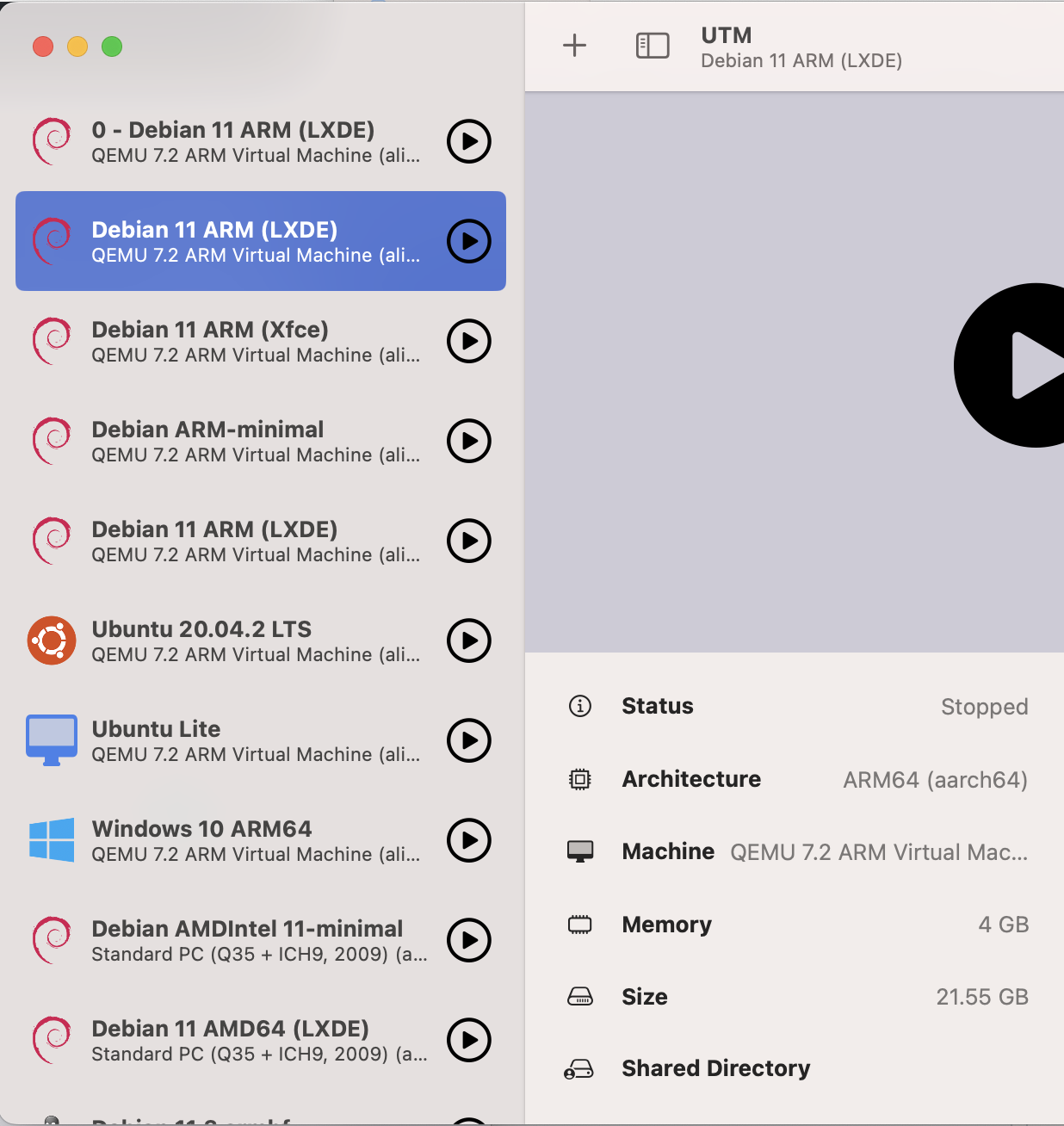
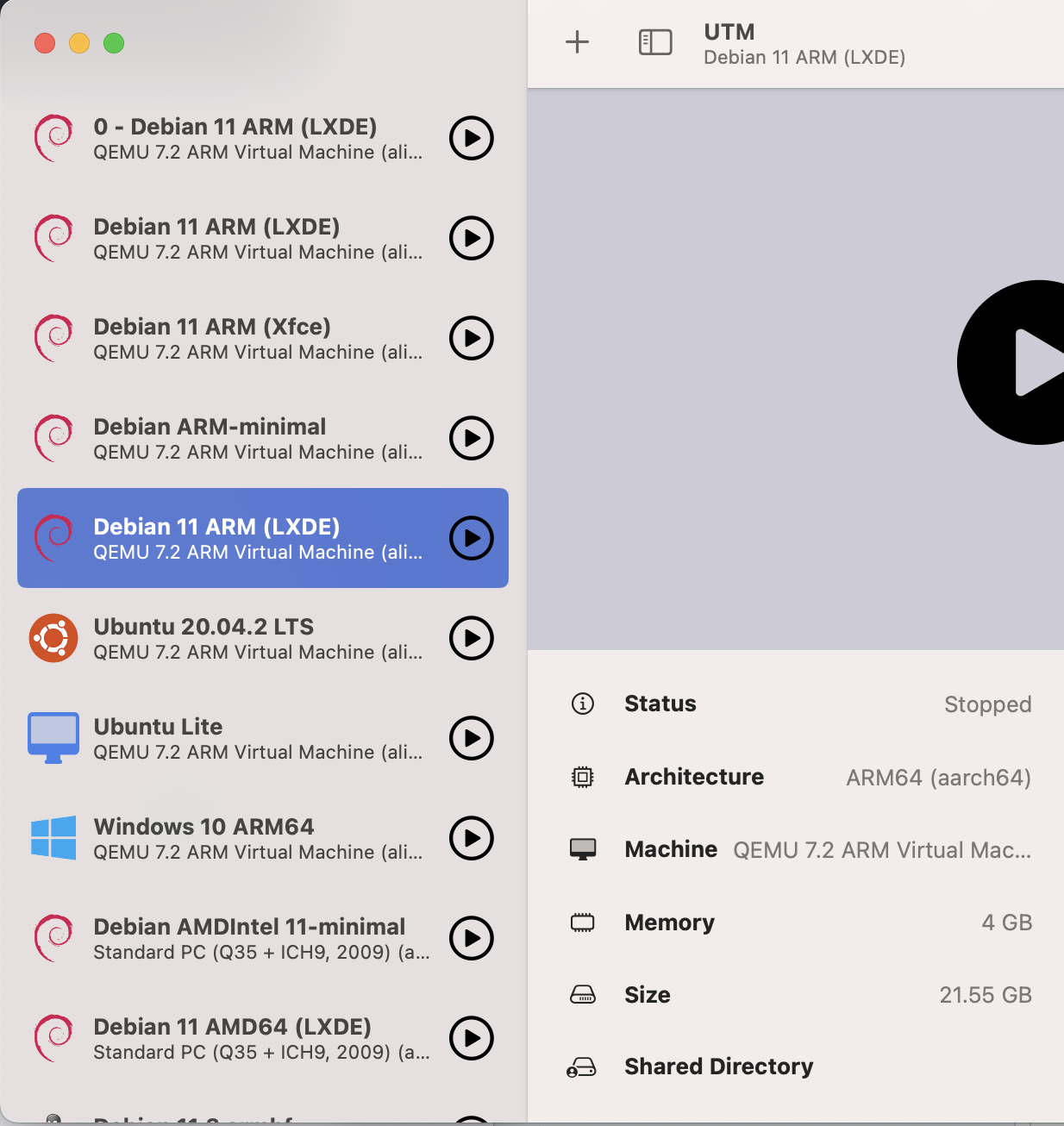
Even with the new utmctl list command, we can see there are two entries:
$ utmctl list
UUID                                 Status   Name
0AB6E630-909E-4760-A7FA-421A86431035 stopped  0 - Debian 11 ARM (LXDE)
**FC36A8F2-D3AD-4D46-B2BC-3141451E3A51 stopped  Debian 11 ARM (LXDE)**
E071033B-6CD3-426B-9B75-A645CA22A484 stopped  Debian 11 ARM (Xfce)
AE62014D-3D0E-4E5D-81BF-3D12AF8F987E stopped  Debian ARM-minimal
**8169C503-2646-4317-BE65-7F931B70884F stopped  Debian 11 ARM (LXDE)**
22A49A48-2E11-4CD0-BD57-44F92373D8C8 stopped  Ubuntu 20.04.2 LTS
9A6AD999-B870-4C20-B63D-5F678D4A3C1C stopped  Ubuntu Lite
D481DF90-A7E0-4289-BA3B-1344F89DAC65 stopped  Windows 10 ARM64
A916AAFF-7AE7-4518-BCB3-51990C725657 stopped  Debian AMDIntel 11-minimal
90613BCA-1429-495F-99FE-62EDFA71AB2F stopped  Debian 11 AMD64 (LXDE)
3B55FA09-EE3B-460B-803F-58160D952AFC stopped  Debian 11.3 armhf
558A5846-FD91-478C-BA44-0D5D3D9A7B88 stopped  Kali Linux 2022.2
But when we look in the folder where the VM's are kept, we see that there is only one VM. It's not duplicated, just the config entry for it appears to be duplicated.
$ l
total 0
drwxr-xr-x@ 3 james  staff   96 Jul 12  2021 Public
drwxr-xr-x@ 4 james  staff  128 Oct 26 07:09 0 - Debian 11 ARM (LXDE).utm
drwxr-xr-x@ 4 james  staff  128 Oct 26 07:09 Ubuntu 20.04.2 LTS.utm
drwxr-xr-x@ 4 james  staff  128 Oct 26 07:09 Windows 10 ARM64.utm
drwxr-xr-x@ 4 james  staff  128 Oct 26 07:09 Debian 11 ARM (Xfce).utm
drwxr-xr-x@ 4 james  staff  128 Oct 26 07:09 Debian AMDIntel 11-minimal.utm
drwxr-xr-x@ 4 james  staff  128 Oct 26 07:09 Debian 11 AMD64 (LXDE).utm
drwxr-xr-x@ 4 james  staff  128 Oct 26 07:09 Debian 11.3 armhf.utm
drwxr-xr-x@ 5 james  staff  160 Oct 26 07:09 Kali Linux 2022.2.utm
drwxr-xr-x@ 4 james  staff  128 Oct 28 00:51 Debian ARM-minimal.utm
drwxr-xr-x@ 6 james  staff  192 Dec 13 20:48 Ubuntu Lite.utm
**drwxr-xr-x@ 4 james  staff  128 Jan  1 11:54 Debian 11 ARM (LXDE).utm**
Upon more investigation, I can see that the config.plist file shows the UUID of the VM as "8169C503-2646-4317-BE65-7F931B70884F" but then what's more confusing is two other VM's have that same ID, but it's under SystemUUID instead of UUID.
Debian 11 ARM (LXDE).utm/config.plist:
        <key>Information</key>
        <dict>
                <key>Icon</key>
                <string>debian</string>
                <key>IconCustom</key>
                <false/>
                <key>Name</key>
                <string>Debian 11 ARM (LXDE)</string>
                <key>Notes</key>
                <string>*****</string>
                <key>UUID</key>
                <string>8169C503-2646-4317-BE65-7F931B70884F</string>
        </dict>
But for two other VM's, this value is in the SystemUUID field, which doesn't exist in the other config file:
Debian 11 ARM (Xfce).utm/config.plist:
        <key>System</key>
        <dict>
                <key>Architecture</key>
                <string>aarch64</string>
                <key>BootDevice</key>
                <string></string>
                <key>BootUefi</key>
                <true/>
                <key>CPU</key>
                <string>cortex-a72</string>
                <key>CPUCount</key>
                <integer>0</integer>
                <key>ForceMulticore</key>
                <false/>
                <key>JITCacheSize</key>
                <integer>0</integer>
                <key>MachineProperties</key>
                <string>highmem=off</string>
                <key>Memory</key>
                <integer>1024</integer>
                <key>SystemUUID</key>
                <string>8169C503-2646-4317-BE65-7F931B70884F</string>
                <key>Target</key>
                <string>virt</string>
        </dict>
0 - Debian 11 ARM (LXDE).utm/config.plist:
<key>System</key>
        <dict>
                <key>Architecture</key>
                <string>aarch64</string>
                <key>BootDevice</key>
                <string></string>
                <key>BootUefi</key>
                <true/>
                <key>CPU</key>
                <string>cortex-a72</string>
                <key>CPUCount</key>
                <integer>0</integer>
                <key>ForceMulticore</key>
                <false/>
                <key>JITCacheSize</key>
                <integer>0</integer>
                <key>MachineProperties</key>
                <string>highmem=off</string>
                <key>Memory</key>
                <integer>1024</integer>
                <key>SystemUUID</key>
                <string>8169C503-2646-4317-BE65-7F931B70884F</string>
                <key>Target</key>
                <string>virt</string>
        </dict>
As you can see, the Debian 11 ARM (LXDE) VM has an Information -> UUID key, while the other two VM's have a System -> SystemUUID key. Perhaps this is because of how old the VM's are? (They were all created back on v2 of UTM).
What's interesting is that the other two VM's seem to have separate configuration and don't
Configuration
- UTM Version: The issue appeared on 4.0.9 and persists in 4.1.5
- macOS Version: 13.0.1
- Mac Chip (Intel, M1, ...): M1
So far there's no side effects on the VM's, but I'm concerned there could be in the future and want to know how I could remove the duplicate entry in the least disruptive manner possible. Thank you!

You can try fully reinstalling UTM but keep the .utm files intact (you can make a copy just to be sure). After you reinstall, try clicking on the virtual machines in the Finder. Does that still create duplicates?

@Terabyte1385 Thank you for the reply. I will try this out when I get a block of time free to address it. So far it doesn't seem like an emergency, and I keep regular backups of anything important.
Hello,
I can repeatedly reproduce this issue. It seems like having the same image from the gallery and selecting a random MAC address (to get a different IP), will cause this issue.
UTM: Version 4.5.3 (99) MacOS: Sonoma 14.5 (23F79)
# The LinuxKernel VM is created from Debian 11 (Xfce) image from UTM gallery
# Later the name was changed
% utmctl list
UUID                                 Status   Name
4F14A631-5B4E-464D-AEBA-B263D4BFA952 stopped  LinuxKernel
914046BD-EC75-44A4-B0E8-90B42CBBF31E stopped  micro
E40B58D1-E341-48C4-90AE-5C909249A070 stopped  RHEL
2D57D823-01AE-4C9D-8791-726EFE39C456 stopped  OpenBSD7.3
2F2C4095-EC5B-49CD-A654-FE17D7EC7CAA stopped  ParrotOS
46ECA07A-C90F-4650-91D8-D795EAB83864 stopped  Linux

% utmctl start 4F14A631-5B4E-464D-AEBA-B263D4BFA952

% utmctl ip-address 4F14A631-5B4E-464D-AEBA-B263D4BFA952
192.168.69.4
fd65:a895:382a:34f3:dbca:ef8e:b8d1:cb71
fd65:a895:382a:34f3:105e:9dff:fee1:6b4d
fe80::105e:9dff:fee1:6b4d

# I load the same image from gallery
% open -g "utm://downloadVM?url=https://github.com/utmapp/vm-downloads/releases/download/debian-11.5/debian-11.5-xfce-arm64-utm4.zip"

# I get different UUID even though my utm files are same.
% utmctl list
UUID                                 Status   Name
4F14A631-5B4E-464D-AEBA-B263D4BFA952 started  LinuxKernel
914046BD-EC75-44A4-B0E8-90B42CBBF31E stopped  micro
E40B58D1-E341-48C4-90AE-5C909249A070 stopped  RHEL
2D57D823-01AE-4C9D-8791-726EFE39C456 stopped  OpenBSD7.3
2F2C4095-EC5B-49CD-A654-FE17D7EC7CAA stopped  ParrotOS
46ECA07A-C90F-4650-91D8-D795EAB83864 stopped  Linux
6D5D163C-96AC-44C3-A7AE-645C3705A170 stopped  Debian 11 (Xfce)

% utmctl start 6D5D163C-96AC-44C3-A7AE-645C3705A170

# But I find the recently loaded VM has same IP as existing one
% utmctl ip-address 6D5D163C-96AC-44C3-A7AE-645C3705A170
192.168.69.4
fe80::105e:9dff:fee1:6b4d

 # same IP address, so I go to change the mac address
% utmctl stop 6D5D163C-96AC-44C3-A7AE-645C3705A170

# RANDOM is clicked in UI

# !! UUID gets changed !!! both VMs have same UUID
% utmctl list
UUID                                 Status   Name
4F14A631-5B4E-464D-AEBA-B263D4BFA952 started  LinuxKernel
914046BD-EC75-44A4-B0E8-90B42CBBF31E stopped  micro
E40B58D1-E341-48C4-90AE-5C909249A070 stopped  RHEL
2D57D823-01AE-4C9D-8791-726EFE39C456 stopped  OpenBSD7.3
2F2C4095-EC5B-49CD-A654-FE17D7EC7CAA stopped  ParrotOS
46ECA07A-C90F-4650-91D8-D795EAB83864 stopped  Linux
4F14A631-5B4E-464D-AEBA-B263D4BFA952 stopped  Debian 11 (Xfce)


# Things start to break now, both in UI and CLI
# Try to start
% utmctl start 4F14A631-5B4E-464D-AEBA-B263D4BFA952
Error from event: The operation couldn’t be completed. (OSStatus error -2700.)
Operation not available.

# the names in VM folder is different, but IDs are same.
% ls ~/Library/Containers/com.utmapp.UTM/Data/Documents/
Debian 11 (Xfce).utm	LinuxKernel.utm		ParrotOS.utm		RHEL.utm
Linux.utm		OpenBSD7.3.utm		Public			micro.utm

# I remove the recently loaded VM to saved my old VM.

Also hit this issue, sometimes 3 copies of each VM. Resolved it by exporting them to .utm files and re-importing, so utm no longer manages the location of the VMs.
