
trezor-firmware
 trezor-firmware copied to clipboard
 trezor
Unable to use Trezor Model T as security key on Google with Safari
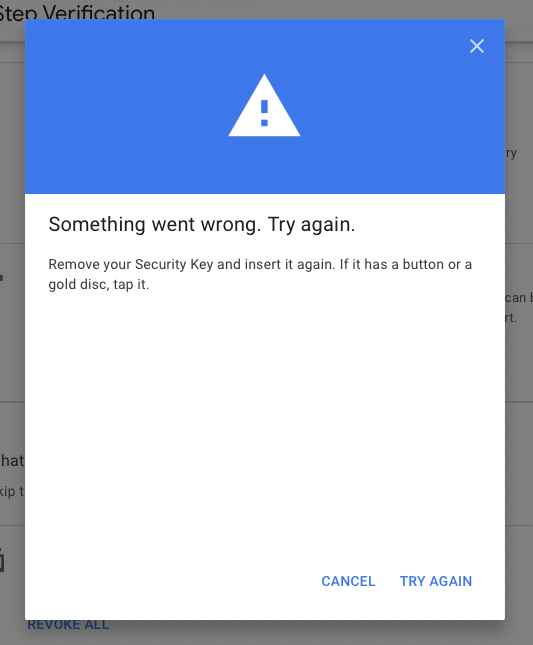
Describe the bug Adding Trezor Model T as a security key to Google fails.
Firmware version and revision 2.4.3
Desktop/smartphone setup (please complete the following information):
- OS: macOS
- Browser Safari
- Version 15.3
To Reproduce Steps to reproduce the behavior:
- Go to https://myaccount.google.com/signinoptions/two-step-verification
- Authenticate
- Click 'Add Security Key'
- See 'Got your security key?' modal and click 'Next'
- Press the green tick
Expected behavior Successful pair Model T to Google account
Screenshots

Additional context Model 1 works.

For me, I have this same problem on Ubuntu 21.10 running Chrome 100.0.4896.127 (Official Build) (64-bit).
A workaround is to register using FireFox.
The "FIDO2 Register" process does not work with Chrome for some reason. But, the "U2F Register" process works in FireFox. After the key is registered correctly, logging-in with Chrome works too. There's likely useful info in chrome://device-log/. I have not looked into this much beyond that though.

@sime yes, google.com. testing again today, i find that things are working a little better/differently with chrome version 101.0.4951.64 (Official Build) (64-bit).
now, i can get my key registered with the "FIDO2 Register" process and working with this google accounts + chrome combo, there is just one workaround that i had to do. when registering the key, i get this screen:
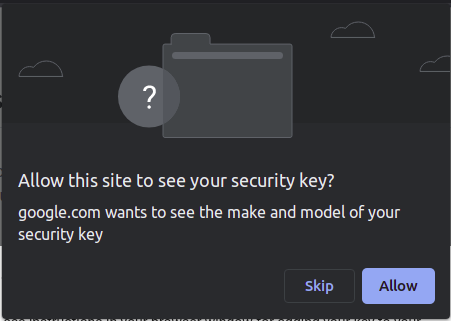
if you click allow, the process fails with:
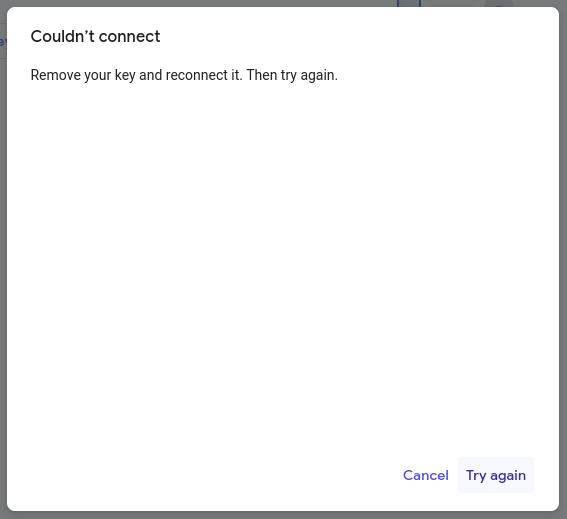
when you click skip, you can name the key and continue on and things work. also, when logging in using the fido2 authenticate process, with this google + chrome combo, it actually lets me in instead of seeming like it works and then forcing me to use a fallback 2fa mechanism.
firefox still uses the u2f authenticate process and that still works too.
Reopening. PR #2834 only fixes https://github.com/trezor/trezor-firmware/issues/2205#issuecomment-1109755886 for Chrome.

I can confirm that it does not work on my Safari + macOS ;)
- Device: model T 2.5.4 Universal (revision 0a955b4ad6d9fb5e7a1dbd3333548ffd8b33399a)
- Safari Version 16.3 (18614.4.6.1.5)
