
second.pytorch
 second.pytorch copied to clipboard
 traveller59
kittiviewer:error: load kitti info fail, please check your backend!
Hello, your work has helped me a lot, but I can't load data when using kittiviewer. The error is as follows:
 At the same time, the following information is obtained on the server side:
 The abckend.py program does not seem to respond:



Got the same I changed backend port to 16666 and it works Thank you for your reply. But my problem still exists. I think this may be a problem that has nothing to do with the port. My running process is as follows:
- Run backend.py on the server: python ./kittiviewer/backend/main.py main
- Launch a local web server on the server: cd ./kittiviewer/frontend && python -m http.server
- Since I want to see the effect in a local browser, I use the SSH -L command:
Ssh -L 16666:127.0.0.1:8000 [email protected] for listening to the local web server.
Finally I got the web interface but couldn't load the data.
I think the problem lies in the following two sentences:

Got the same. I change the code in the main function of /backend/main.py "app.run(host='127.0.0.1', threaded=True, port=port)" to "app.run(host='0.0.0.0', threaded=True, port=port)", and I type "server ip: port" not "127.0.0.1:port" into the "backend" box. It works.

Try to use the same method, but get 'Error code: 404. Message: File not found.' after pressing F12. Any idea what I did wrong? Thanks @kerwinair

@traveller59 Hi, There is no GUI in my server. So I try to open "Kitti Viewer Web" on another computer. However, Nothing happened and I got these errors :
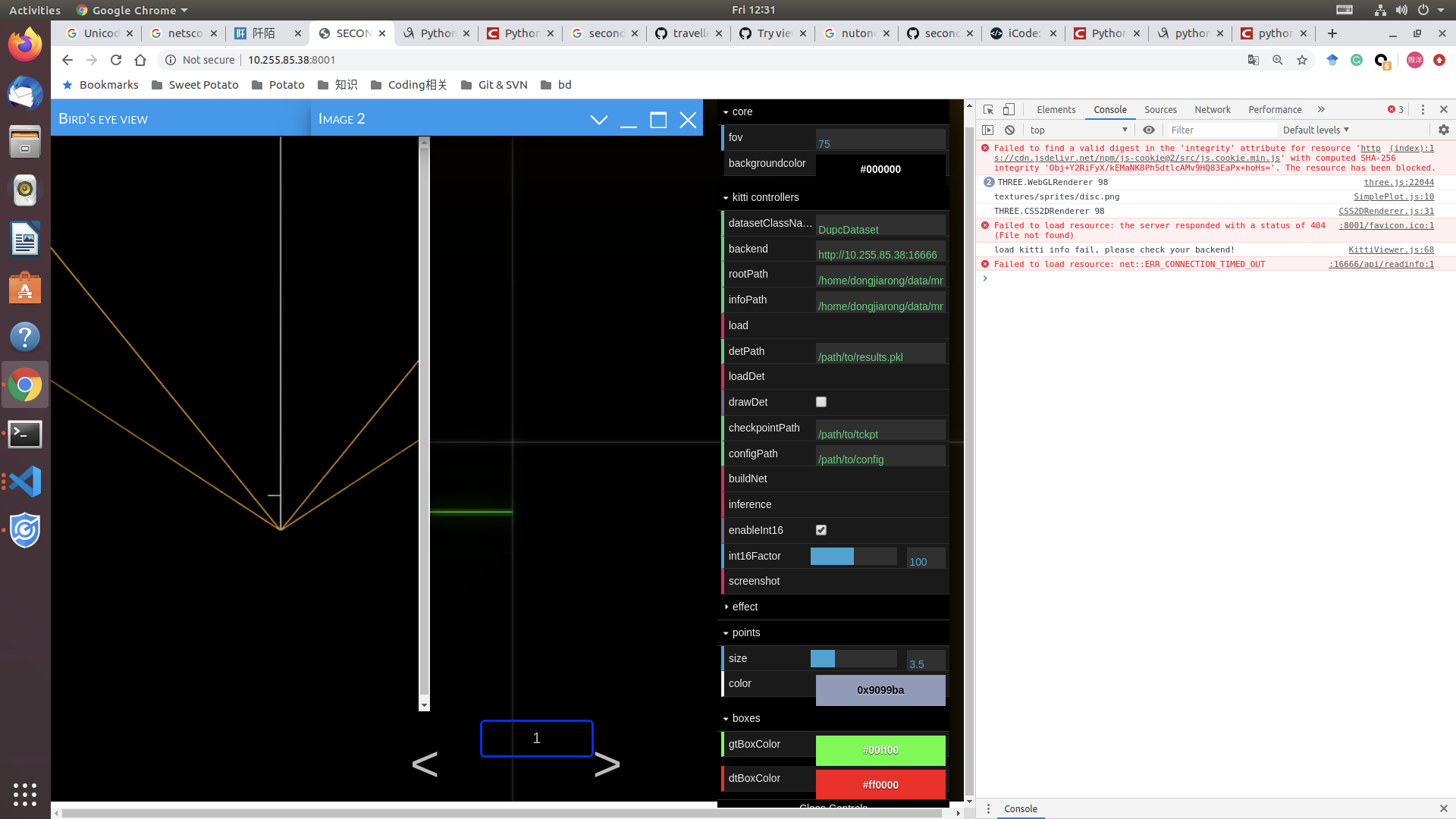

Try to use the same method, but get 'Error code: 404. Message: File not found.' after pressing F12. Any idea what I did wrong? Thanks @kerwinair
hello ,How do you solve it?I see the same problem

Got the same I changed backend port to 16666 and it works Thank you for your reply. But my problem still exists. I think this may be a problem that has nothing to do with the port. My running process is as follows:
- Run backend.py on the server: python ./kittiviewer/backend/main.py main
- Launch a local web server on the server: cd ./kittiviewer/frontend && python -m http.server
- Since I want to see the effect in a local browser, I use the SSH -L command: Ssh -L 16666:127.0.0.1:8000 [email protected] for listening to the local web server. Finally I got the web interface but couldn't load the data. I think the problem lies in the following two sentences:
@

@traveller59 Hi, There is no GUI in my server. So I try to open "Kitti Viewer Web" on another computer. However, Nothing happened and I got these errors :
@dongqiaqia Hey, How did you solve this problem? I am facing the same problem.
