
react-native-background-geolocation
 react-native-background-geolocation copied to clipboard
 transistorsoft
Error in fresh new project with Expo in IOS
Your Environment
- Plugin version: "react-native-background-fetch": "^4.1.5", "react-native-background-geolocation": "^4.9.3",
- Platform: iOS
- OS version: macOs Monterey
- Device manufacturer / model: MacBook air (M1,2020) 16gb
- React Native version (
react-native -v): react-native-cli: 2.0.1 react-native: 0.70.5 - Plugin config
{
  "expo": {
    "name": "Zerel-Parksharing",
    "slug": "Zerel-Parksharing",
    "version": "1.0.0",
    "assetBundlePatterns": [
      "**/*"
    ],
    "plugins": [
      [
        "react-native-background-geolocation",
        {
          "license": ""
        }
      ],
      [
        "expo-gradle-ext-vars",
        {
          "googlePlayServicesLocationVersion": "20.0.0",
          "appCompatVersion": "1.4.2"
        }
      ],
      "react-native-background-fetch"
    ],
    "ios": {
      "infoPlist": {
        "NSLocationAlwaysAndWhenInUseUsageDescription": "[Zerel Parksharing] This app requires location in the background",
        "NSLocationWhenInUseUsageDescription": "[Zerel Parksharing] This app requires location while in use",
        "NSMotionUsageDescription": "[Zerel Parksharing] This app uses motion-detection to determine the motion-activity of the device (walking, vehicle, bicycle, etc)",
        "UIBackgroundModes": [
          "location",
          "fetch",
          "processing",
          "audio"
        ],
        "BGTaskSchedulerPermittedIdentifiers": [
          "com.transistorsoft.fetch",
          "com.transistorsoft.customtask"
        ]
      },
      "bundleIdentifier": "com.zerelparksharing"
    },
    "android": {
      "package": "com.zerelparksharing"
    }
  },
  "name": "Zerel-Parksharing"
}
Expected Behavior
Should run the project on IOS without any errors.
PS: By the way, we do have another app(yes we've 5 license keys) with this lib and works well but the version of the react-native and the plugin is different and we don't use expo
Actual Behavior
I´ve followed this tutorial below and I´ve inserted my license key on the app.json
The app run on Android as you can see below

However in ios the app doesn´t work:
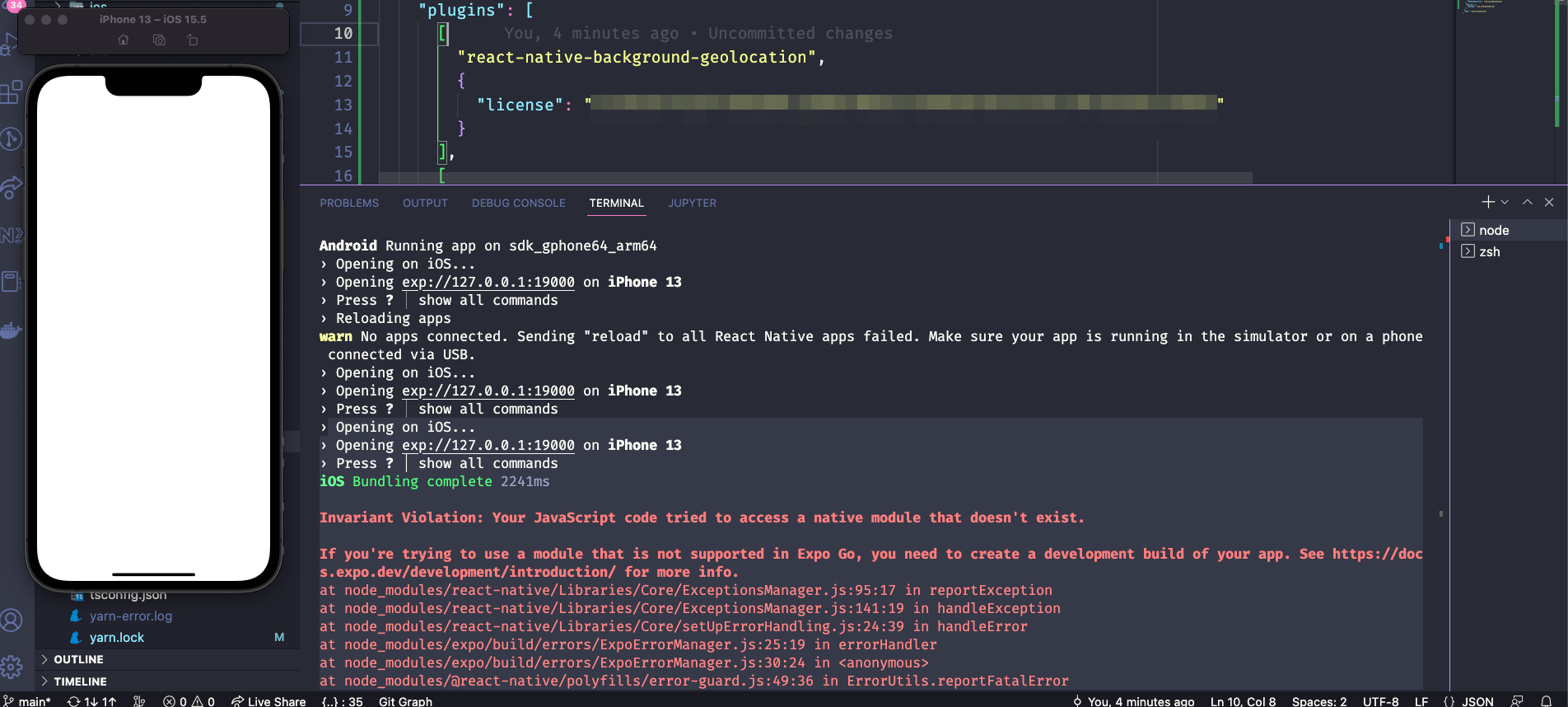
Steps to Reproduce
- Create a new project bare workflow with expo
- follow the tutorial on this link: https://github.com/transistorsoft/react-native-background-geolocation/blob/master/help/INSTALL-EXPO.md
- expo start
- press a to open the android version (works) and press I to open the IOS version(got an error)
My package.json:
{
  "name": "zerel-parksharing",
  "version": "1.0.0",
  "main": "index.js",
  "scripts": {
    "start": "expo start --dev-client",
    "android": "expo run:android",
    "ios": "expo run:ios",
    "web": "expo start --web"
  },
  "dependencies": {
    "@expo/vector-icons": "^13.0.0",
    "@hookform/resolvers": "^2.9.10",
    "@react-native-masked-view/masked-view": "0.2.8",
    "@react-navigation/native": "^6.0.13",
    "@react-navigation/native-stack": "^6.9.1",
    "@react-navigation/stack": "^6.3.4",
    "@reduxjs/toolkit": "^1.9.0",
    "expo": "~47.0.6",
    "expo-gradle-ext-vars": "^0.1.1",
    "expo-splash-screen": "~0.17.5",
    "expo-status-bar": "~1.4.2",
    "native-base": "^3.4.22",
    "react": "18.1.0",
    "react-hook-form": "^7.39.4",
    "react-native": "0.70.5",
    "react-native-background-fetch": "^4.1.5",
    "react-native-background-geolocation": "^4.9.3",
    "react-native-gesture-handler": "~2.8.0",
    "react-native-safe-area-context": "4.4.1",
    "react-native-screens": "~3.18.0",
    "react-native-svg": "13.4.0",
    "react-redux": "^8.0.5",
    "styled-components": "^5.3.6",
    "yup": "^0.32.11"
  },
  "devDependencies": {
    "@babel/core": "^7.12.9",
    "@types/react": "17.0.43",
    "@types/react-native": "~0.70.6",
    "@types/styled-components-react-native": "^5.2.0",
    "@typescript-eslint/eslint-plugin": "^5.43.0",
    "@typescript-eslint/parser": "^5.43.0",
    "babel-plugin-module-resolver": "^4.1.0",
    "babel-plugin-root-import": "^6.6.0",
    "eslint": "^8.27.0",
    "eslint-config-airbnb": "^19.0.4",
    "eslint-config-prettier": "^8.5.0",
    "eslint-import-resolver-typescript": "^3.5.2",
    "eslint-plugin-import": "^2.25.3",
    "eslint-plugin-import-helpers": "^1.3.1",
    "eslint-plugin-jsx-a11y": "^6.5.1",
    "eslint-plugin-prettier": "^4.2.1",
    "eslint-plugin-react": "^7.28.0",
    "eslint-plugin-react-hooks": "^4.3.0",
    "prettier": "^2.7.1",
    "typescript": "^4.6.3"
  },
  "private": true,
  "resolutions": {
    "styled-components": "^5",
    "@types/react": "~17.0.43"
  }
}
Debug logs
Logs
 Opening on iOS...
› Opening exp://127.0.0.1:19000 on iPhone 13
› Press ? │ show all commands
iOS Bundling complete 2241ms

Invariant Violation: Your JavaScript code tried to access a native module that doesn't exist.

If you're trying to use a module that is not supported in Expo Go, you need to create a development build of your app. See https://docs.expo.dev/development/introduction/ for more info.
at node_modules/react-native/Libraries/Core/ExceptionsManager.js:95:17 in reportException
at node_modules/react-native/Libraries/Core/ExceptionsManager.js:141:19 in handleException
at node_modules/react-native/Libraries/Core/setUpErrorHandling.js:24:39 in handleError
at node_modules/expo/build/errors/ExpoErrorManager.js:25:19 in errorHandler
at node_modules/expo/build/errors/ExpoErrorManager.js:30:24 in <anonymous>
at node_modules/@react-native/polyfills/error-guard.js:49:36 in ErrorUtils.reportFatalError
at node_modules/metro-runtime/src/polyfills/require.js:237:40 in guardedLoadModule
at http://127.0.0.1:19000/index.bundle?platform=ios&dev=true&hot=false&minify=false:null in global code

Invariant Violation: Failed to call into JavaScript module method AppRegistry.runApplication(). Module has not been registered as callable. Registered callable JavaScript modules (n = 11): Systrace, JSTimers, HeapCapture, SamplingProfiler, RCTLog, RCTDeviceEventEmitter, RCTNativeAppEventEmitter, GlobalPerformanceLogger, JSDevSupportModule, HMRClient, RCTEventEmitter.
        A frequent cause of the error is that the application entry file path is incorrect. This can also happen when the JS bundle is corrupt or there is an early initialization error when loading React Native.
at node_modules/react-native/Libraries/Core/ExceptionsManager.js:95:17 in reportException
at node_modules/react-native/Libraries/Core/ExceptionsManager.js:141:19 in handleException
at node_modules/react-native/Libraries/Core/setUpErrorHandling.js:24:39 in handleError
at node_modules/expo/build/errors/ExpoErrorManager.js:25:19 in errorHandler
at node_modules/expo/build/errors/ExpoErrorManager.js:30:24 in <anonymous>
at node_modules/@react-native/polyfills/error-guard.js:49:36 in ErrorUtils.reportFatalError

Invariant Violation: Failed to call into JavaScript module method AppRegistry.runApplication(). Module has not been registered as callable. Registered callable JavaScript modules (n = 11): Systrace, JSTimers, HeapCapture, SamplingProfiler, RCTLog, RCTDeviceEventEmitter, RCTNativeAppEventEmitter, GlobalPerformanceLogger, JSDevSupportModule, HMRClient, RCTEventEmitter.
        A frequent cause of the error is that the application entry file path is incorrect. This can also happen when the JS bundle is corrupt or there is an early initialization error when loading React Native.
at node_modules/react-native/Libraries/Core/ExceptionsManager.js:95:17 in reportException
at node_modules/react-native/Libraries/Core/ExceptionsManager.js:141:19 in handleException
at node_modules/react-native/Libraries/Core/setUpErrorHandling.js:24:39 in handleError
at node_modules/expo/build/errors/ExpoErrorManager.js:25:19 in errorHandler
at node_modules/expo/build/errors/ExpoErrorManager.js:30:24 in <anonymous>
at node_modules/@react-native/polyfills/error-guard.js:49:36 in ErrorUtils.reportFatalError

I see. I've never used expo start before.
I'd been testing with expo run:ios. This does work.
What's the difference between expo start and expo run:ios?

1: Expo start => When you run npx expo start (or yarn expo start), Expo CLI starts Metro Bundler. This bundler is an HTTP server that compiles the JavaScript code of your app using Babel and serves it to the Expo app. Learn more about how Expo Development Server works.
- it doesn't work on expo run: ios, I'm looking into the expo project issues, may I`ll find something useful 3.I don't know
Yes the first time I ran this command it execute without any error but now I'm getting this : Ps: I´ve already updated my expo-cli version but I'm still getting this warning.
expo prebuild
┌─────────────────────────────────────────────────────────────────────────┐
│                                                                         │
│   There is a new version of expo-cli available (6.0.8).                 │
│   You are currently using expo-cli 5.0.3                                │
│   Install expo-cli globally using the package manager of your choice;   │
│   for example: `npm install -g expo-cli` to get the latest version      │
│                                                                         │
└─────────────────────────────────────────────────────────────────────────┘
✔ The ios project is malformed, would you like to clear the project files and reinitialize them? … yes
✔ Cleared ios code
✔ Created native projects | /android already created | gitignore already synced
✔ Updated package.json and added index.js entry point for iOS and Android
🧶 Using Yarn to install packages. Pass --npm to use npm instead.
✔ Installed JavaScript dependencies 1551ms
[ expo-gradle-ext-vars] applying ext vars to android/build.gradle Map(2) {
  'googlePlayServicesLocationVersion' => '20.0.0',
  'appCompatVersion' => '1.4.2'
}
» ios: icon: This is the image that your app uses on your home screen, you will need to configure it manually.
✖ Config sync failed
[ios.xcodeproj]: withIosXcodeprojBaseMod: Could not locate a valid AppDelegate at root: "/Users/rodrigodiasdefigueiredo/Desktop/Zerel-Parksharing"
Please report this as an issue on https://github.com/expo/expo-cli/issues
UnexpectedError: [ios.xcodeproj]: withIosXcodeprojBaseMod: Could not locate a valid AppDelegate at root: "/Users/rodrigodiasdefigueiredo/Desktop/Zerel-Parksharing"
Please report this as an issue on https://github.com/expo/expo-cli/issues
    at getAppDelegateFilePath (/Users/rodrigodiasdefigueiredo/.config/yarn/global/node_modules/@expo/config-plugins/src/ios/Paths.ts:52:11)
    at getAppDelegate (/Users/rodrigodiasdefigueiredo/.config/yarn/global/node_modules/@expo/config-plugins/src/ios/Paths.ts:114:20)
    at Object.getSourceRoot (/Users/rodrigodiasdefigueiredo/.config/yarn/global/node_modules/@expo/config-plugins/src/ios/Paths.ts:119:23)
    at getProjectName (/Users/rodrigodiasdefigueiredo/.config/yarn/global/node_modules/@expo/config-plugins/src/ios/utils/Xcodeproj.ts:33:28)
    at /Users/rodrigodiasdefigueiredo/.config/yarn/global/node_modules/@expo/config-plugins/src/ios/XcodeProjectFile.ts:23:25
    at action (/Users/rodrigodiasdefigueiredo/.config/yarn/global/node_modules/@expo/config-plugins/src/plugins/withMod.ts:227:29)
    at interceptingMod (/Users/rodrigodiasdefigueiredo/.config/yarn/global/node_modules/@expo/config-plugins/src/plugins/withMod.ts:108:27)
    at action (/Users/rodrigodiasdefigueiredo/.config/yarn/global/node_modules/@expo/config-plugins/src/plugins/withMod.ts:228:14)
    at interceptingMod (/Users/rodrigodiasdefigueiredo/.config/yarn/global/node_modules/@expo/config-plugins/src/plugins/withMod.ts:108:21)
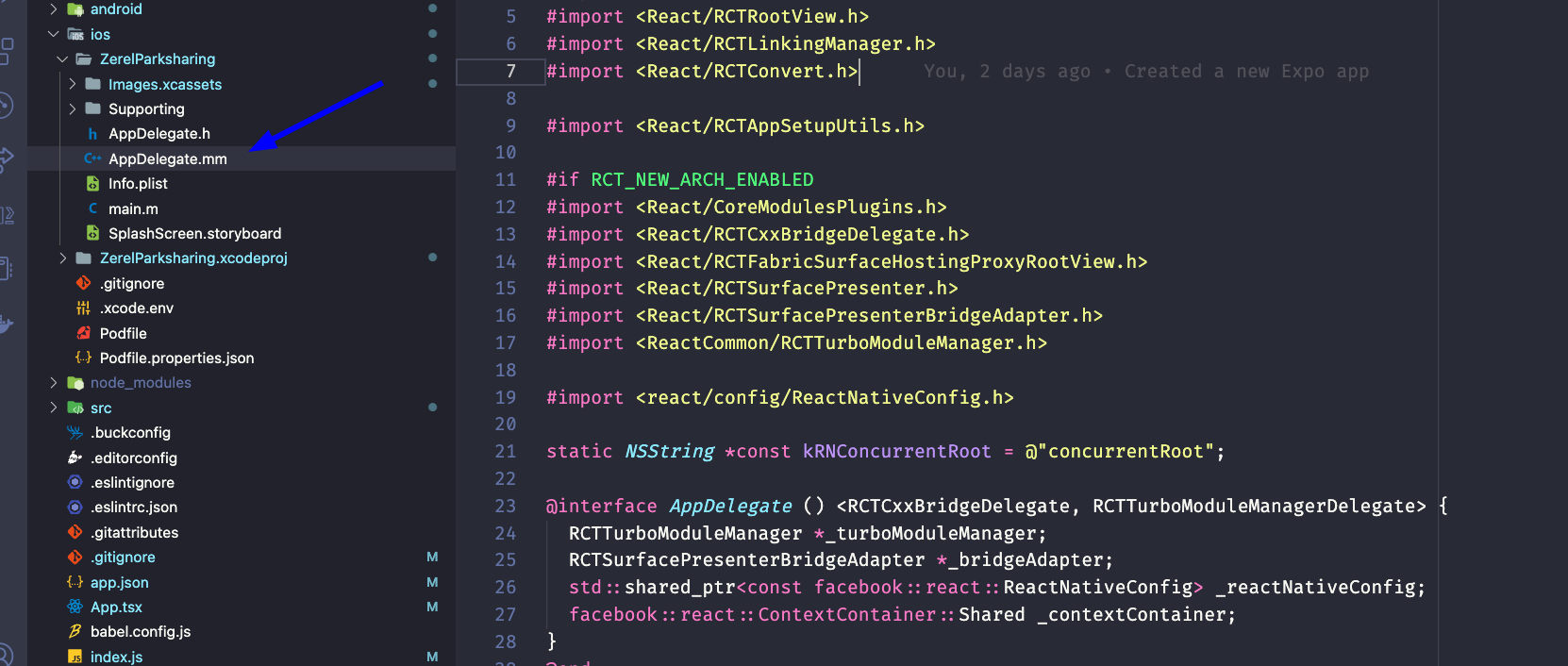
@christocracy Ive just given you access to the project may you can run and test it on your pc, Ill commit the code now, please. Obs: the code inside utils/ backgroundgeolocation it was the order team who did this.
Did you notice this in logs when calling expo prebuild?
There is a new version of expo-cli available (6.0.8).                 │
│   You are currently using expo-cli 5.0.3
I suspect you are using what the Expo docs refer to as "The Legacy CLI".
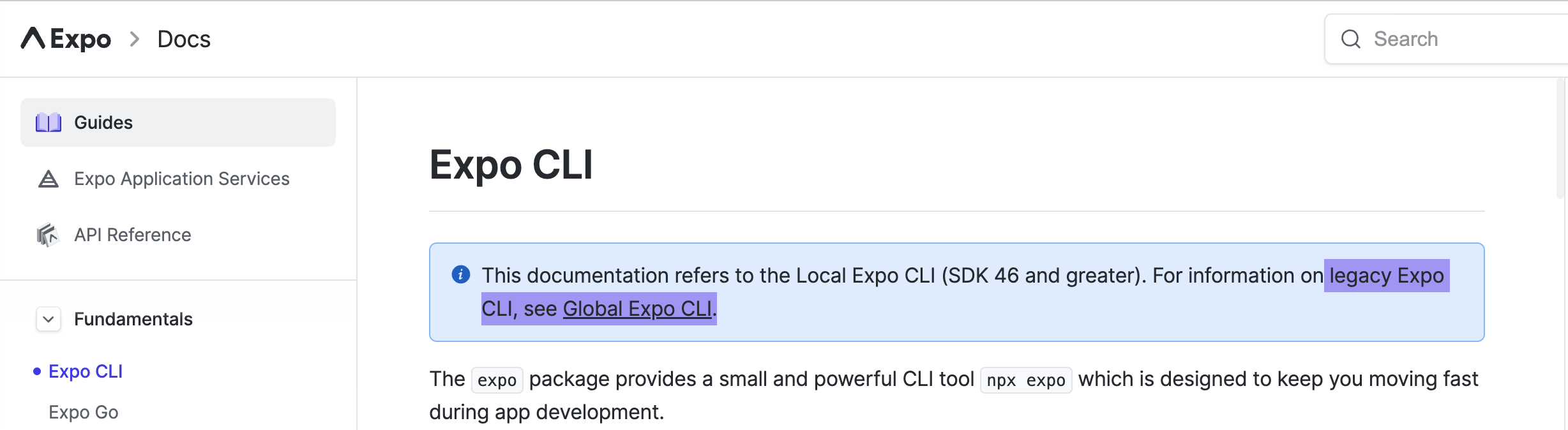
I've only been using Expo for about 3 weeks and I've been developing the Expo support with the "Local Expo CLI (SDK 46 and greater)".
I´ll take a deep look into these docs, I've already tried to upgrade to the last version of expo-cli, but when I ran npm install -g expo-cli this install version 5.0.3 it should install the last version, have you installed the expo-cli globally or local? Thanks for your attention!
Hello, I'm still having the same issue:
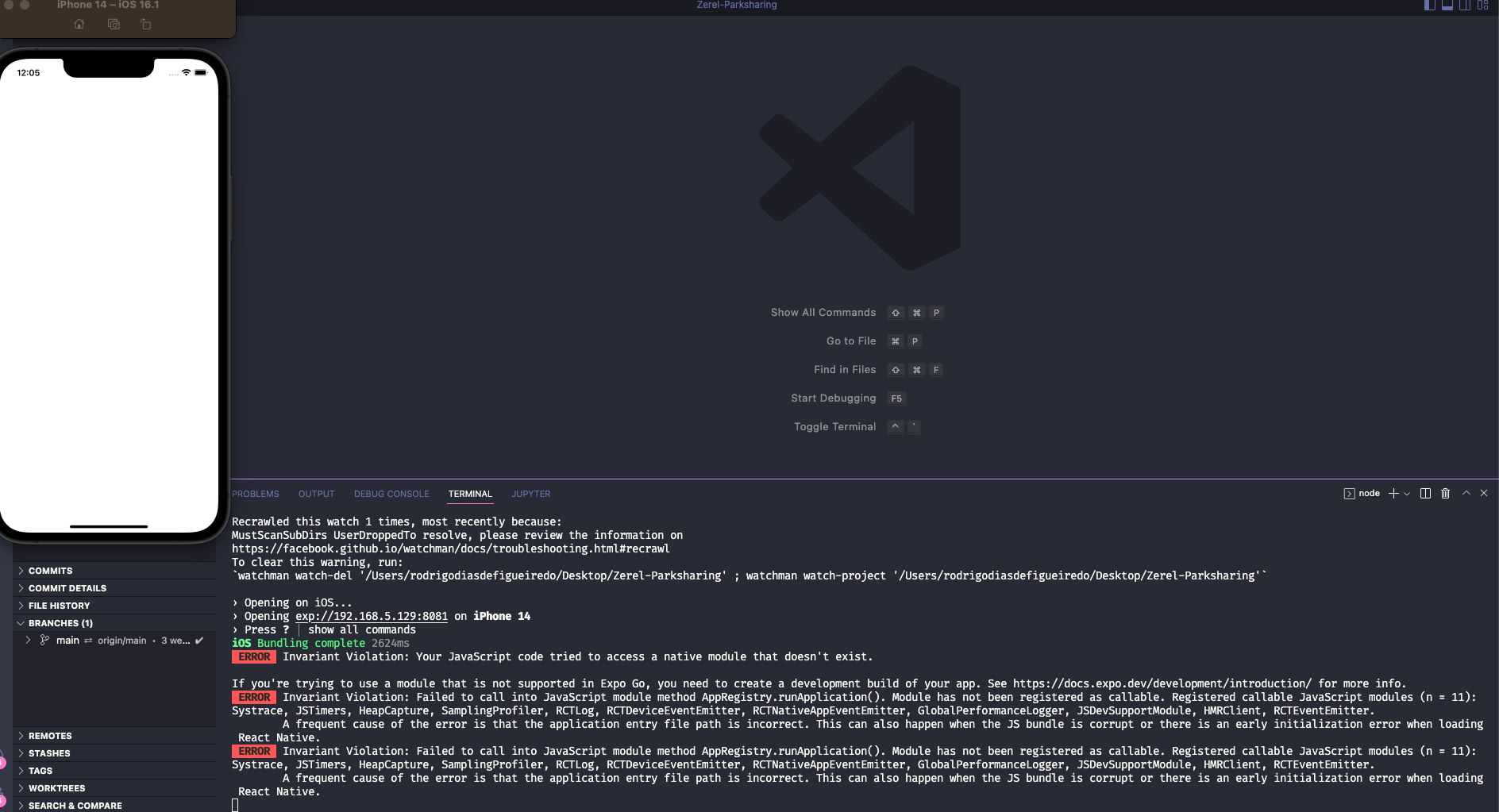
@mikehardy any idea how can i solve this?

@ShumGG I don't understand, the app is at the start of development and it's with an expo, I need to run the project with the expo to keep developing, can you provide a detailed explanation, please?
In any case, I created another project without the expo and it works well, but I'd like to keep developing with the expo.
@rodrigodiasf1984 the error you have in ios is saying it cant use the module because isnt installed, maybe some pod install?, check the pod file, or if you are using expo (bare workflow) follow the ios installation instruction, if its only expo (managed) follow the expo installation, im in bare workflow followed the steps and works
@rodrigodiasf1984 just saw the image again and yes, its telling you build a development build to use the module.
You cant use native modules with the expo app from app store, you need to build a development build with the module installed and put the plugin in app.json
@ShumGG Yes the error is only in IOS and I've checked all the points you mentioned! Can you try to reproduce the error with the expo new version? Take a look at the steps to reproduce at the start of this discussion!
@rodrigodiasf1984 are you running the app from xcode?
I've tried to run it on xcode too, but the error persists, I'll create a snack and paste the link here, so you can get a better picture of the error.
its very strange in the xcode the project run without problems:

but in the vscode it doesn't works afert run expo prebuild:
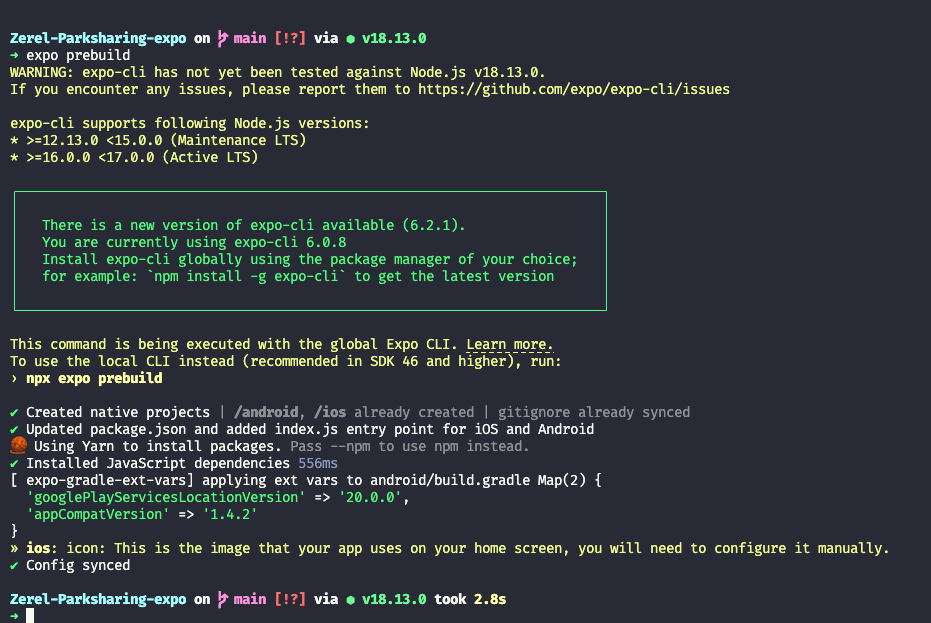
and run expo run:ios
expo run:ios
If you encounter any issues, please report them to https://github.com/expo/expo-cli/issues
expo-cli supports following Node.js versions:
* >=12.13.0 <15.0.0 (Maintenance LTS)
* >=16.0.0 <17.0.0 (Active LTS)
┌─────────────────────────────────────────────────────────────────────────┐
│ │
│ There is a new version of expo-cli available (6.2.1). │
│ You are currently using expo-cli 6.0.8 │
│ Install expo-cli globally using the package manager of your choice; │
│ for example: `npm install -g expo-cli` to get the latest version │
│ │
└─────────────────────────────────────────────────────────────────────────┘
This command is being executed with the global Expo CLI. Learn more.
To use the local CLI instead (recommended in SDK 46 and higher), run:
› npx expo run:ios
› Skipping dev server
› Planning build
› Compiling react-native-safe-area-context Pods/react-native-safe-area-context » react-native-safe-area-context-dummy.m
❌ (ios/Pods/Headers/Public/RCTTypeSafety/RCTTypeSafety.modulemap:1:8)
> 1 | module RCTTypeSafety {
| ^ redefinition of module 'RCTTypeSafety'
2 | umbrella header "RCTTypeSafety-umbrella.h"
3 |
4 | export *
❌ (ios/Pods/Headers/Public/React-Core/React/React-Core.modulemap:1:8)
> 1 | module React {
| ^ redefinition of module 'React'
2 | umbrella header "React-Core-umbrella.h"
3 |
4 | export *
❌ (ios/Pods/Headers/Public/ReactCommon/ReactCommon.modulemap:1:8)
> 1 | module ReactCommon {
| ^ redefinition of module 'ReactCommon'
2 | umbrella header "ReactCommon-umbrella.h"
3 |
4 | export *
❌ (ios/Pods/Headers/Public/folly/RCT-Folly.modulemap:1:8)
> 1 | module folly {
| ^ redefinition of module 'folly'
2 | umbrella header "RCT-Folly-umbrella.h"
3 |
4 | export *
❌ (ios/Pods/Headers/Public/yoga/Yoga.modulemap:1:8)
> 1 | module yoga {
| ^ redefinition of module 'yoga'
2 | umbrella header "Yoga-umbrella.h"
3 |
4 | export *
› Compiling react-native Pods/glog » demangle.cc
› Compiling react-native Pods/fmt » fmt-dummy.m
› Compiling react-native Pods/Yoga » event.cpp
› Compiling react-native Pods/ReactCommon » RCTBlockGuard.mm
❌ (ios/Pods/Headers/Public/React-Core/React/React-Core.modulemap:1:8)
> 1 | module React {
| ^ redefinition of module 'React'
2 | umbrella header "React-Core-umbrella.h"
3 |
4 | export *
❌ (ios/Pods/Headers/Public/folly/RCT-Folly.modulemap:1:8)
> 1 | module folly {
| ^ redefinition of module 'folly'
2 | umbrella header "RCT-Folly-umbrella.h"
3 |
4 | export *
❌ (ios/Pods/Headers/Public/yoga/Yoga.modulemap:1:8)
> 1 | module yoga {
| ^ redefinition of module 'yoga'
2 | umbrella header "Yoga-umbrella.h"
3 |
4 | export *
› Compiling react-native Pods/React-logger » React-logger-dummy.m
› Compiling react-native Pods/React-perflogger » BridgeNativeModulePerfLogger.cpp
› Compiling react-native Pods/React-jsinspector » InspectorInterfaces.cpp
Run script build phase 'Start Packager' will be run during every build because it does not specify any outputs. To address this warning, either add output dependencies to the script phase, or configure it to run in every build by unchecking "Based on dependency analysis" in the script phase. (in target 'ZerelParksharing' from project 'ZerelParksharing')
Run script build phase 'Bundle React Native code and images' will be run during every build because it does not specify any outputs. To address this warning, either add output dependencies to the script phase, or configure it to run in every build by unchecking "Based on dependency analysis" in the script phase. (in target 'ZerelParksharing' from project 'ZerelParksharing')
Run script build phase '[CP-User] Generate app.config for prebuilt Constants.manifest' will be run during every build because it does not specify any outputs. To address this warning, either add output dependencies to the script phase, or configure it to run in every build by unchecking "Based on dependency analysis" in the script phase. (in target 'EXConstants' from project 'Pods')
› 8 error(s), and 3 warning(s)
Failed to build iOS project. "xcodebuild" exited with error code 65.
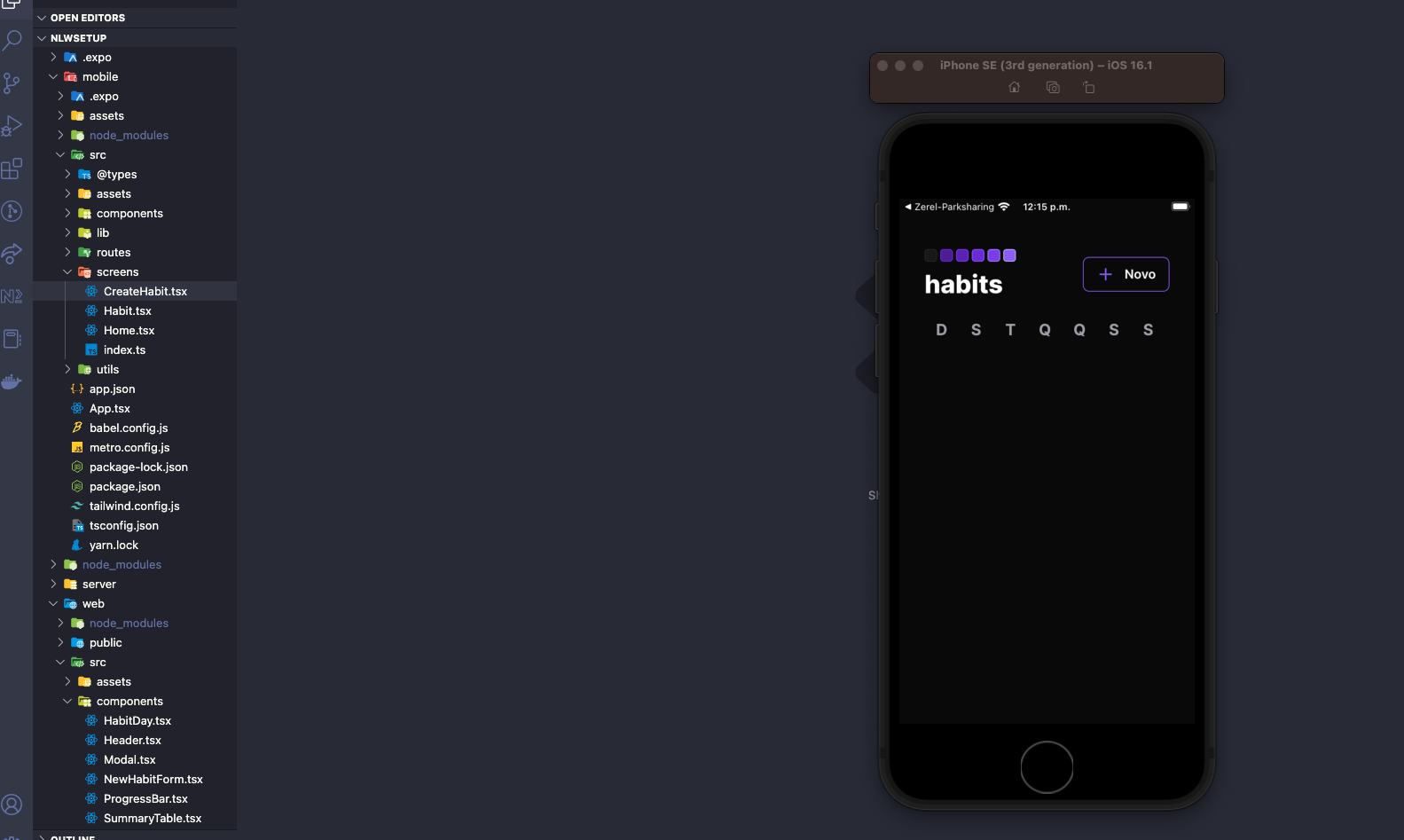
example of expo project running on my mac
This issue is stale because it has been open for 30 days with no activity.
![github-actions[bot] avatar](https://avatars.githubusercontent.com/in/15368?v=4 "Published by a pub.dev verified publisher")
This issue was closed because it has been inactive for 14 days since being marked as stale.
