

 timbrel
[HELP] Custom command - merge
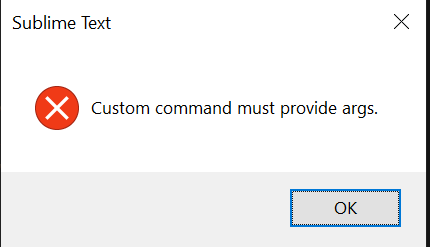
Hello, help please override the merge command on merge -Xignore-all-space
key: { "keys": ["m"], "command": "gs_custom", "context": [ { "key": "setting.command_mode", "operator": "equal", "operand": false }, { "key": "setting.git_savvy.branch_view", "operator": "equal", "operand": true } ] }
command: { "caption": "git: merge with ignore space", "command": "gs_custom", "args": { "output_to_panel": true, "args": [???], "start_msg": "Started merge with ignore space", "complete_msg": "Finished merge with ignore space" } }
What arguments need?

Set args to a list of single arguments without the leading git. 😲
E.g. 😁
> git merge --foo -bar XOO
becomes
['merge', '--foo', '-bar', 'XOO']

AFAIK the current branch name is not available for the gs_custom command. See https://github.com/divmain/GitSavvy/blob/master/docs/custom.md
Hey @mercurykd , for now, you may submit the branch manually via {PROMPT_ARG} argument placeholder in your command args. It will prompt you every time though.
If you'd like to see this enhancement, we are open to contributions, and it should be relatively simple to add {CURRENT_BRANCH} to the supported substitution args.

@asfaltboy hi, depends on how quickly you make #787, but more than any different argument would not hurt of course.